Transcript (captions)
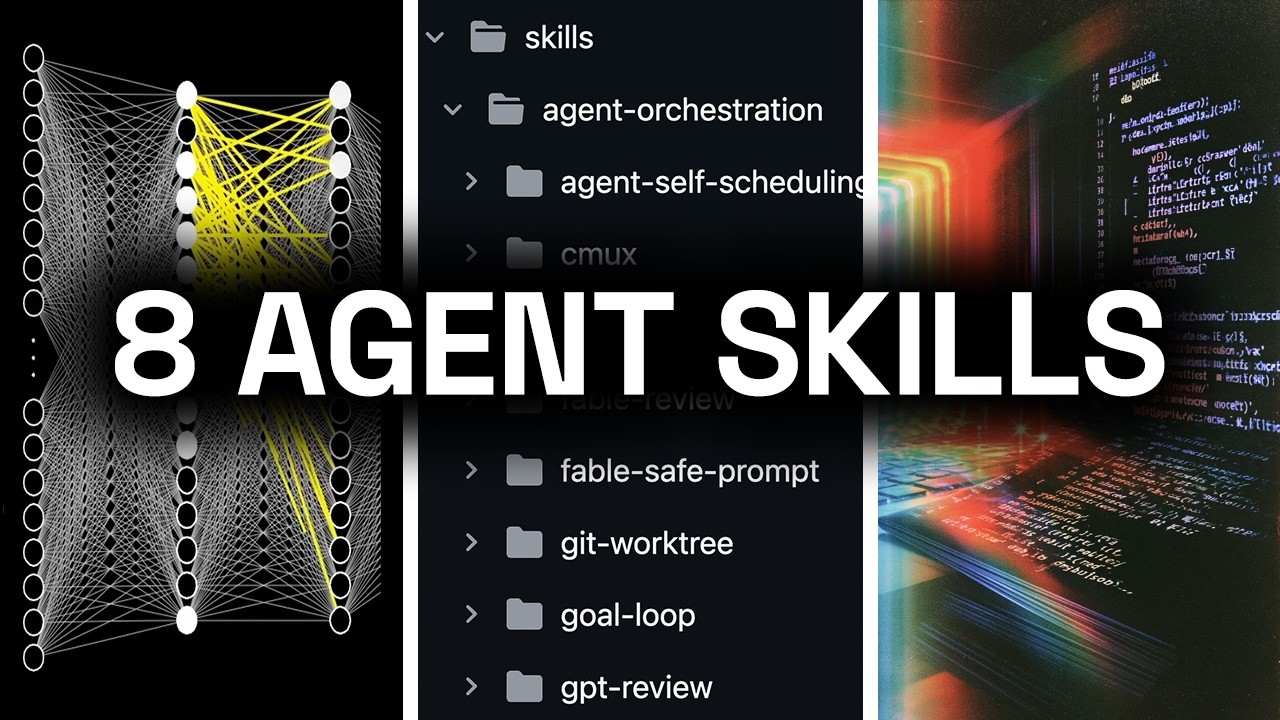
My name is David Andre and over the past 3 years I've spent well over 2,000 hours coding with AI agents and 3 weeks ago I decided to open source my skills repo for all of the different agentic skills I use whether it's for Codex, Claude Code, Pi Agent, Hermes, everything. And when I did this the repo blew up and instantly became my most popular GitHub repo. And on Twitter it got over half a million views and responses from highly credible people in the AI space such as the co-founder of Hermes Agent, Morgan Linton, the CTO of Boldmetrics called it possibly the single best repo of agent skills. And the CTO of OpenSea, Chris Maddern, said that this is one of the most useful open repos of agent skills out there. In this video I'm going to show you my skills repo in full.
There's over 42 different skills, but I'm going to focus on my eight favorite skills and I'm going to explain these why they're my favorites and how exactly I use them. So if you're serious about coding with AI and if you want to become a real agentic engineer, make sure to watch until the end. Real quick, I'm trying to grow my LinkedIn because we're hiring. So if you want to connect on LinkedIn, it's going to be the second link below the video. Just click on it, follow me on LinkedIn, and send me a request for connection.
Now, the ability to create and design effective, powerful agent skills is going to be one of the most valuable skills or abilities in 2026, 2027, and the years going forward. And in fact, this is not just my belief. If you type in agent skills into Google Trends, you can see the insane growth of popularity and demand for great agent skills. So this is the reason why repositories like mine of custom, tested, powerful agent skills are going to viral because people realize that whoever can control the agents and whoever can best steer them, those are the people who are going to win in the future. What matters is number one, how well can you control the agents, and number two, whether you can afford it.
These are the only two things that matter and that's precisely what the focus of this video is. So now that you understand why agent skills matter and why this is not something that you can ignore. In fact, this is something you absolutely need to master if you want to be relevant in the future, let me show you my favorite eight skills from my personal GitHub repo davidandr / skills. So, the first skill I'm going to show you is the global agent guardrails. Anytime you want to use an AI agent, unless you want to press enter like 10 times to approve every single command, you have to run it in Yolo mode.
This is the only way to run multi-agent systems at scale effectively. So, with that comes tremendous amount of speed because you don't have to approve every single thing that the agent does, but that carries some risk. You can minimize the risk by using powerful models like Kimi K3, Fable 5, or GPT 5.6 Soul, but you cannot remove the risk fully. In fact, there have been countless cases where it wiped production database and stuff like that. So, this is why this skill is essential, and this is why I put it in number one because if you're running AI agents in Yolo mode and you don't have the global agent guardrails configured, you are making a big mistake.
So, this skill actually comes with some hooks. And by the way, these are also in my GitHub repo. So, there's going to be a link below, or you just go to github.com/davidandr/skills. And you can see that at the root level, you have hooks. And these three hooks are related to this specific skill.
So, you can find it inside of ops and setup. When you open it, you can see it right here, global agent guardrails. So, let me show you the skill itself. So, again, all of these skills, they're kind of long because they're written with AI and they're written for AI. This is what people don't realize.
Everything we build, guys, it's not for humans anymore. It's for the agents, right? So, when you create a skill, you create it for the agent. Yes, it should be human-readable. It should be easy to understand.
But you will not be the primary user of software in the future. So, skills need to be written for agents as well. And the best part about this is that you can use a powerful model like Fable 5 with extra high or max reasoning effort to review a skill if it is written well for agents. If you run any agent with dangerously skip permissions or Yolo mode, this skill will set up the necessary hooks, and this is what it looks like. We can look into the specific hooks.
There are some dangerous patterns such as recursive deletes, wiping Git history, that you probably don't want your agents ever doing, right? You can see that rm aimed at root, the whole home folder, all the whole user street, disk destroyers, deleting with admin power, fork bombs, piping the internet straight into shell, rewriting remote Git history, deleting remote branches tags, breaking permissions ownership of the whole system, destroying the reflog safety net, and GitHub CLI safety. And again, this skill will set it up. These skills work for all the agents, but I highly recommend you first run the global agents guardrails because it will set up the pre-tool-call hook with these dangerous patterns and how to deny the dangerous skills, so that in case your agents try running something dangerous that would either wipe your disk or install something highly risky from the internet, it gets blocked. This is programmatically blocked before they would run that tool call.
So, this is not just putting it in the system prompt and hoping that the agent follows it. That is not strong enough. That's why you need hooks for this. This is a pre-tool-call hook that runs before every single tool call to ensure that it doesn't contain any of these dangerous commands. So, this is a simple shell script that includes examples of things that must be blocked as well as things that must be allowed.
So, for example, you can do recursive delete of node modules because those get loaded often, but you shouldn't do recursive delete of your entire machine because if any agent ever runs this, you can pretty much say goodbye to your whole machine. So, this is the first skill, global agent guardrails. Set this up before doing anything else. The second skill I want to show you is the Git worktree skill. For those of you who are not familiar with worktrees, this is absolutely essential concept when you're running multiple agents in parallel on the same machine.
Otherwise, they'll be going to be fighting over the same files. And yes, you can get away with it on a super small project, but realistically, as soon as you have more than five agents doing something in the same repository, you really need to start using Git worktrees. Each worktree is basically a copy of the same folder in a different location on the computer in a separate Git branch. So, that way, the agent can run completely isolated from the other agents and they can work on the same repository and you can get a lot more done faster. That is the plain English explanation.
To find a skill, go into agent orchestration and Git work tree right here. And by the way, the same setup is in the actual repo. When you go to the skills, you can see there's five folders and you can go into any of the folders and find the exact skill you're looking for. And this one is shorter because it just includes instructions on how to use work trees and how to create them and what should be copied over. basics like environment files, stuff like that.
Because without these, the agent in the work tree cannot do the same thing as in the primary checkout. But when you launch a new agent, you can say something like implement feature X, you know, whatever, whatever, and say, "Do it in a new" and then you do Git work tree. And it will read that skill and it will know exactly what to do. To clone the entire repo in a separate directory, usually that's root level in work trees. And also, you don't have to worry about like where it is cloned, right?
Is it in my documents folder, which is a bad practice? Is it inside of the developer folder? Is it root level on the system, which that's a good practice? And split by separate repos. But again, you don't have to figure this out.
That's the value of using my skills. So, yeah, this is the Git work tree skill. It tells the agent how to start by detecting where you are, explains briefly what a work tree is, describes the working model, creating and removing work trees, marking the work tree as completed, automating the setup, and all other things that's going to save you time, money, and tokens when it comes to running multiple AI agents in parallel. Another essential skill that I use multiple times per day every single day. All right, the next skill on my lineup of top eight favorite skills is the VPS server management.
So, this one, if you're running multiple agents, you probably should isolate some of them. For example, all of my Hermes agents are on VPSs. I have a separate VPS for my Open Claw as well that's tracking all of my calories, my workouts, and stuff like that. My main Hermes agent is on another VPS. This one is for tasks, priority lists, these type of productivity workflows.
And by giving them a VPS, you give them a full computer, and by separating them, you don't have to worry about agents deleting stuff on your own computer, you don't have to worry about fighting with another agent, and you can also connect them, you know, like Open Claw and Hermes became famous for all these connectors. So, you can chat with them with WhatsApp, with Telegram, with Discord, all that stuff, right? The problem is, when you have multiple VPSs and multiple agents on those VPSs, it's kind of hard to manage them, right? This skill solves that. So, you can find it in Ops and Setup, and let me double-click on this.
And this is actually very OP. Let me show you. Instead of you having to manage all this yourself, you can just use one agent to do it. So, instead of C marks, let me just split it. Boom, new terminal, and I can say, "Use VPS server management to connect to my Open Claw VPS, okay?
So, it doesn't matter if you spy agent or Codex, you can use any agent to update all of your VPSs, no matter if it's through SSH or through Tailscale, to either recover a crashed agent, such as, you know, crashed Open Claw, or to update models. When a new model comes out, you probably want to update your Open Claw or your Hermes agent to latest model, right? Well, guess what? If you don't use this skill, you're going to have to do that manually. But if you do use it, you can simply tell some agent running on your computer, like Codex CLI right here, powered by 5.6 Soul extra high.
It basically tells any agent, such as Codex or Cloud Code, how to SSH into a VPS, how to navigate the folders in Hermes setup and in Open Claw setup, and it just makes managing multiple VPSs so much easier. And I know it might be intimidating setting up your first VPS and deploying an agent on there, but this is such a productivity life hack. I mean, this really improved my quality of life in so many different areas of life. not just coding, okay? You might think, "Okay, a lot of these skills are about, you know, agentic engineering, AI coding." But let me give you a different example.
I'm using Open Claw on a VPS to track all of the calories I eat on a single day. So, I know if I'm hitting my 200 g of protein, because as I tweeted a few days back, if you're not hitting 200 g of protein and 200 million tokens per day, every day, you're falling behind. So, I'm hitting my tokens, obviously. I want to also make sure I hit my protein. And I have my personal Open Claw agent on a VPS tracking it, so I know exactly how many calories I'm on.
So, it's not just about AI coding. If you have a VPS, you can deploy an Open Claw, a Hermes agent, and Agent Zero on there. Connect these agents to your favorite messaging channels, Slack, WhatsApp, Telegram, stuff that you already use, and you can use them to improve any area of your life or business and save tremendous amount of time. So, if you still don't have your own VPS server in 2026, let me show you just how easy it is to set one up. So, what I use for all of my VPSs and what everyone on my team also uses for their VPSs is Hostinger.
I'm going to put this landing page as the first link below the video, but Hostinger makes setting up a VPS so damn easy. Like, literally, it couldn't be easier. So, they have many different plans, but I recommend going with the KVM 2 plan. It gives you 8 GB of RAM, 100 GB of NVMe disk space, and two vCPU cores. This is more than enough to run multiple AI agents on a single VPS.
Again, whether that is Agent Zero, Pi, Open Claw, Hermes, doesn't matter. Now, when you get to the checkout page, I highly recommend going with either 12 months or 24 months to get the highest discount possible. Now, if you want to save even more money, go to the right and click on coupon code and type in code David for additional 10% off. Hostinger was kind enough to sponsor this video, so if you use the code David, you're going to save another 10% on top of the already generous discount. Then, let's configure the other stuff.
Daily backups, you can leave this off. Server location, just choose something close to you. So, I'm in Poland, Germany is very close. Operating system, if you don't know what to do, just go with Ubuntu. If you're installing a specific thing, like Hermes agent, just go to applications and select Hermes agent or Agent Zero or whatever you're installing, and then scroll back to the top and click on continue, at which point you need to create an account, which is super easy, takes 20 seconds, and fill out your credit card details to complete the purchase.
So again, if you still don't have your own VPS, get one from Hostinger. They have a very nice summer sale going on right now. It's going to be the first link below the video, and make sure to use code David to save another 10%. Okay, so here is where things start to get interesting. The next skill is about the goal loop, which went viral earlier this year when Codex added this uh now renamed to chat GPT, so RIP Codex.
But anyways, this skill is all about how to architecture a great goal loop prompt. So it's actually right here in Agent Orchestration, goal loop, boom, skill.md. And you can give this to Claude code, you can give this to any agent, and it will turn any short and vague instruction into a specific goal loop. Because if you know anything about how {slash} goal works, it only works when there's a verifiable end outcome, right? If you give it like, build this feature, it can do it, and maybe it will work a bit harder than usual, but that's not how you should use {slash} goal.
If you use it to say like, keep going until you find 100 CMOs in Idaho or whatever, in nor- northern America, on the west coast, or top 50 biggest VCs and at least three different forms of contacting them, you give them clear numbers, clear end condition, the agent will keep going. It will move mountains for you until it reaches that condition. So that's how you architecture a {slash} goal. Now, again, who wants to think about that? Not me, so we can just give it to your agent, right?
So again, whether it's Codex or let's give it to Claude code for a change. Boom, you can say, use {slash} goal loop to give me a simple prompt, and let's say you want to find the 50 biggest real estate agents in Florida. Or let's do like more specific, highest earning real estate agents in Florida in 2025, okay? And at least two forms of contact for each, okay? So, literally two sentences written in plain English took me 20 seconds to write, but now Claude Code is going to read this skill, Go Loop, which has all of the definitions of what a Go Loop is, the requirements for it, when to use it, the five-part contract of it, all the things that you would have to, you know, deeply research, you'd have to learn, you'd have to watch multiple videos about, just written in a single skill.
And it reads it and will give you optimized Go Loop contacts. Boom. This would take me 5 plus minutes to write, but hey, now it's written, you can just literally drag it, copy it, boom, you can launch your any codex. So, let's say this one. Clear it, launch a new one, and you can do {slash} goal, and literally start it like that.
And it's going to be running on this goal that we just took 20 seconds to write. Claude Code wrote a detailed description of how to do this, and what the output should be, and how to keep working, and, you know, how to save this into mythology.md, and that public sources only, and stuff like that, blah blah blah. The structure of the CSV file, everything else that you would want to be there. But again, we didn't have to spend 5 or 10 minutes designing this. We simply used the Go Loop skill.
Claude Code gave us that prompt, and now I'm going to obviously kill this codex because I don't really care about these real estate agents. But if you do, this is so OP. And again, don't just use this for coding. So many people see Claude Code or codex, and because the name implies it's about coding, they stop. But literally you you should be running multiple {slash} Go Loops to find people, marketing contacts, to find new employees.
I mean, just get creative. Whatever issue, whatever problem you're facing in your life or your business, chances are it can be solved faster with AI agents. You probably just don't know how to use them. All right, the next one is the exact opposite vibe because this one was all about, you know, delegating to an agent and the agent does it. This one is when you need to be involved, right?
Maybe you're setting up a new database, and you don't want to give your agent access to your database, which I would highly recommend you not do, or there's some changes in your front-end deployment, or you need to fill out some form on the on a web app that again, you want to do yourself, you don't want the agent to do it. This is the skill that I use in that situation. So, let's go back to C Max here. You can find it in ops and setup and setup help right here. So, this is a very simple skill, one of the shorter ones, and basically it says what format an agent should do if you're doing something.
So, let me give you a specific example, it's going to be much easier, okay? So, I'm going to say, "Use setup help to help me set up my Python back-end on render.com. I have no idea how to deploy it. I've never done it. I don't even know what deployments mean, okay?" So, you can literally be a complete beginner, and this skill will take any agent, whether it's Claude, and it will guide you through the steps in a format that doesn't confuse you.
And the key thing that makes this skill valuable is that it gives you context on the current step, as well as keeps a list of the remaining steps. Because sometimes you need to ask more questions, you need to go deeper about the one current step, but then the issue is that the agent without the skill loses track of all the remaining things. With this skill that doesn't happen. Let me show you. So, here, for example, it gives you, you know, "Deployment means copying your code in the computer in the cloud, blah blah blah.
Tell me if your folder has a Python back-end on it." Say like, "Doesn't matter. Just uh help me get a secret project on render, okay?" So, you can keep asking about the current step, but with each response, it still gives you the remaining steps. So, it doesn't lose track of what you're doing, and this really is essential. Anytime you're trying to set up something a bit more complicated, doesn't matter if it's paying taxes, if it's a new back-end deployment. If it's changing domain DNS, doesn't matter, okay?
If the steps are more complex, you want to ask a bit more about it. So, like, in your back-end folder, requirements.txt, maybe I want to ask "What is requirements.txt? Give me a bit more context about that." Boom. So, I want to be able to ask questions without losing these valuable still remaining steps. Because again, when you're doing some setup, you want to know what the remaining steps are.
And this is exactly what a skill is. So, you see, I ask my question, I got my answer, and I still have this at the bottom, still remaining. So, the agent doesn't get hyper-focused on a single thing and then lose track of all the things that still need to be done. This skill, even though it's one of the shortest skills in my repo, should not be underestimated. This skill is highly valuable, and I would recommend you use it and try it anytime you want the agent to guide you through anything.
All right, the next skill is named decisions, and for this one I have to give credit to Victor Talan, who inspired me to make this. And basically, this tweet, which I would recommend you read. Feel free to pause it and read it right now, but basically, it describes that these models, especially the frontier models like Fable and GPT-5.6, they can pretty much do anything, but you need to review the decisions, okay? The code is near perfect. Like, they're better developers than 99.9% of programmers in the world, but sometimes they have questionable judgment.
So, what you need to do is you need to ask this one question after the model implements something, right? Especially medium-sized and large changes. "While working on this, which choices did you make that you're not confident of? List all." Now, I took this and I customized it a bit more because when you do this, the models overthink, especially the list all. They just list out a lot of pointless stuff that doesn't need to be reviewed, okay?
So, here is what my version looks like. You can find it in the thinking and docs folder, right here, decisions. So, this is one of the shortest, if not the shortest, wait, maybe this one is shortest. Let's see. Short.
Yeah, this one is the shortest. Okay, it's probably the second shortest skill in the entire repo, but it is very, very OP. So, as you can see, I added a bit more context than just this one sentence, but it's so short that I should just read it. While working on this, which important decisions or choices did you make that you are not confident about? Think about this deeply.
Reason about all the important decisions made and think whether these decisions have any other great alternatives that we have not considered. Do not list out the choices or decisions where we already have the best possible solution. Only list out decisions that we are unsure about. Answer in short in plain English, be concise. So, anytime you implement a large feature, you do a big bug fix, a large refactor, where you know, dozens of files are changed, plus minus hundreds, sometimes thousands of lines of code, you really need to do this after you implement.
So, when you run the code, code say like, you know, good work, now read {slash} decisions and answer in short in plain English. Something like that, you know? Anytime it makes a big thing, anytime it runs for 10 plus minutes and changes dozens of files of code, you really need to do this. And instead of reviewing the code, which really doesn't matter in Q3 of 2026, you need to review the decisions, the choices the agent made, right? Any large feature or refactor involves a lot of implicit and explicit decisions.
And this is what humans are better at than the model. So, what this skill allows you to do, it allows you to surface these decisions and review them after a large change has been made. Instead of being like, "Oh my god, this model just changed 2,000 lines of code and you know, it touched 30 different files and I don't know what to do and this is really important and it's going to go into my production database." And like really stressing about this and like, you know, running it through, which you should run it through a different model to review it, obviously, but instead of like spending hours and hours reading all those files yourself, you need to realize what matters is the decisions. You just need to know when building this what the model was thinking about and what were the key points, the key choices it made, and how it decided. And this skill exactly works that way.
So, when you run this, the model will tell you, "These are the four main decisions I made, and you know, three of them I think we already have the best choice. The last one I'm not sure about." And you can review them and you can say, "Okay, yeah, these three look about right. The last one, go with the this option." And by the way, as a bonus, there is a follow-up uh this skill, next decision, is highly related. This is another one of these that just is more about the format, but when the agent wants you to make decisions, personally, I find it very overwhelming if it lists out like 10 things at once, because then I cannot give proper context about any one of them. Instead, I have this skill, next decision, where uh it reviews it one decision at a time in this format, right?
It presents the four choices, top four choices for that decision, and you can see which one it recommends, and you can say, "Nah, all of these four suck. I would do it differently." Or you could say, "Actually, out of these four, number three is pretty solid. Go with that." Or in most cases, you can say, "The one you recommended is already the best. Go ahead and do it." But the main thing is you review it. So, instead of reviewing thousands of lines of code, which is impossible and not scalable at all, you just review the core decisions.
And again, writing code is easy. You can just prompt Codex or Claude code, and they can write 10,000 lines of code in a matter of a few minutes, right? It's never been cheaper to write code. But what's expensive and difficult and time-consuming is reviewing it. So, instead of reviewing all of the pointless stuff, you just need to review the main important decisions the model has made while implementing the changes, and that's exactly why this skill exists.
Real quick, if you're watching this video and if you're finding it valuable, please consider subscribing. In fact, by YouTube Studio themselves, 3/4 of you are not subscribed. So, if you want me to make more videos about my private skills and go more into my agentic engineering setup, please go below the video and click the subscribe button. It's completely free and it tells me and my team that you value this type of content and it also tells the YouTube algorithm that you would like to see more educational videos like this on your timeline. So, if you're finding this valuable, please take a few seconds, go below the video, and click subscribe.
Thank you. All right, this is a fun one, anti-sleep, okay? So, what this does is it prevents your computer from going to sleep. You might have seen people, you know, walking around San Francisco with like half-open laptops and stuff like that. This skill prevents your computer from looking silly and from going to sleep, okay?
So, obviously there's settings inside of any operating system, whether it's Windows or whether it's macOS or Linux, that can set how long until it goes to sleep, right? We can actually check it. In fact, you know, I was about to open the system settings, but then I realized why would I do this manual labor by myself? I'm just going to ask agent to find the exact right settings and open it for me. Open the macOS settings where I can set, you know, how long until my screen logs out, whether it's on adapter power or on battery.
Just open the right settings for me, find it. Rather than clicking through the settings for 5 minutes and looking for the right thing, and you can literally tell the agent to just find the right settings and open it for you. All right, like boom, there it is. That's it. Literally, there it is.
Like, it took a few seconds and I didn't have to click through it to find where this is. I didn't have to Google where the specific setting is. Really, you can use the agents for so much more, guys. It's not just coding. Converting files, copying like you could say, when you're doing a SQL migration and you need to run it yourself, copy the SQL into my macOS clipboard.
Or when you're like deep into a file, so like for example here, if I wanted to find this file in Finder, like how long would it take me? I can just say, open the anti-sleep skill in Finder for me. And it will load up Finder and it will open it in the right folder already for you. You can use the agents for so many things and it's just like, you know, going into the right settings is another thing. Anyways, anti-sleep takes it to the next level.
If you already have the settings and let's say you want to go to sleep and you have some agents running on your MacBook and you just want to make sure that overnight they keep running, right? Maybe you have a nice Herder setup inside of Ghosty. So, for example, here, this is uh my main agentic engineering setup, Ghosty plus Herder plus my own system that I'm working on that I might open source soon. It's not ready yet. Anyways, it doesn't matter what you're running.
If you're running an agent on your computer, and let's say you want to go to sleep and you kick off a big slash go loop and you don't want your computer to go to sleep, well, guess what? This skill exists exactly for that. So, basically, it uses a caffeinate. It's built on top of that, which is uh for Mac OS to prevent the computer going to sleep. Describes all of the main parameters and just tells the and ships the skill actually ships a script.
There is shell script, boom. Telling the agent how to use it and how to verify it and all that stuff, right? So, it doesn't have to regenerate this with tokens every time and it can verify if a previous uh script is already running or not. And yeah, it just uses the caffeinate uh terminal command to prevent your computer from going to sleep with the strongest settings so that both the screen and the processes don't go to sleep. And you can change it uh you know, based on seconds.
So, this is 3 hours is the default. You can make it 5 hours. You can check if the previous process is running and it's very predictable. And with the script, again, the agent just executes the script. It doesn't need to regenerate token, so it also saves you money and saves you time.
So, uh yeah, I use this skill literally multiple times a day anytime I have many agents running and maybe I need to go to the gym. I just started for 2 hours to make sure that in those 2 hours my computer doesn't go to sleep. So, yeah, another skill I use all the time. All right, so the next skill is one I actually created myself. Uh I mean, I most of these I created myself, but what I want to say is that this one is built on top of software I'm building myself called Deep API.
And this is basically a single API key that gives your agents everything they need. So, namely, it's world-class scraping and world-class deep research and web search, but they can also send emails, a lot of different stuff. So, when you set up a new agent, instead of having to give it five or 10 different API keys, you give it a single deep API key, and it can do everything. So, this skill Let's go to see my screen here. Boom.
You can find it in the research and web section because, again, that's the main endpoints for scraping and for web research. It instructs the agents how to use it, what endpoints we have, how to actually do proper deep research, how to do proper scraping, and all that stuff. And instead of the agent having to figure this out on its own, and instead of bloating the context window with this, because, again, keep in mind, the benefit of skills is that you don't have to include this in your main system prompt. It only gets loaded if it's doing something relevant to that specific thing. So, if it's doing something that deep API can do, such as maybe your agent wants to chain, you know, a deep research, then scraping some specific companies or specific people, and then sending them an email.
Normally, the agent would have to browse the web to see if there's some documentation, or turns out that API doesn't come with an agent skill. Like most APIs don't have good agent skills because it's not built for agents. So, all of this is solved with this single deep API skill, which is one of the longer ones, and which contains instructions when to use deep API, how to use it, all the different things it can do. So, the reason I built this is because anytime I was setting up a new agent, whether it's on a fresh VPS, or, you know, my friend's computer, or something, the agent comes with nothing, right? Yes, Claude Code and Codex, they have some basic web search, but they don't have really good deep research.
They don't have good scraping. In fact, most websites and social medias completely block agents from visiting them, right? And this is exactly the problem that deep API solves. Now, to be fully transparent, it's still not released to the public. In fact, it's application only.
So, if you want to be one of the first people to get access to it, go to deepapi.co, not .com, deepapi.co, and uh fill out this request access form. So, once you fill this out, we review every single applicant, and if you qualify, either me or someone from my team will hop on a quick call with you and give you access to the VAPI. But yeah, for the next few weeks, it's not going to be available to the public because I want to have really high test, high quality people using it, working with them closely to build a great product. So, this is the eighth skill that I use every single day. I mean, that's an understatement.
This skill it gets used hundreds of times per day by my agents because once you start using the VAPI, and again, your agents are the ones using it because it's built for agents, there's no reason to stop it because you will realize how primitive other web search and deep research solutions are. In fact, I literally benchmarked our deep research endpoint against Perplexity, against ChatGPT, and it is not only faster, it's also cheaper and has higher quality results. And this is just one endpoint, right? Again, we have generating images, we have searching the web, audio transcriptions, saving memory, using the email. Literally, with deep API, your agent gets its own inbox, its own agentic inbox, and it can send emails, it can receive emails without you doing any authentication.
You don't need to authenticate or configure Gmail or Outlook or anything like that. And it can obviously scrape basically anything available on the internet. So, yeah, this is what I've been building. This is where most of my time is going, and this is the eighth skill that I'm using hundreds of times per day, absolutely essential. So, yeah, these are eight skills from my agentic repo that blew up few weeks ago on Twitter.
And again, there's 42 different skills in total. So, if you want me to make part two and go over more skills from the skills repo, make sure to comment below. And if I see a lot of people commenting, I'll consider it and make part two about my skills repo. Oh, and if you want to set up your first VPS, make sure to use Hostinger. They have presets for Hermes agent, for Open Claw, for Agent Zero, and it's one of the most affordable options when it comes to running VPSs.
Personally, every single month that goes by, I'm adding more and more VPSs to my own setups because it gives the agent an isolated environment to do anything the agent needs to do. So, again, go blood video, click the first link, and make sure to get your first hosting or VPS today, and use the code David to save another 10% off.