Transcript (captions)
[music] >> Hi everyone. Uh we're going to start right on time because I'm going to speak basically at 2x. I'm sorry, I have a lot of content. I'm trying to get you out of here on time. I want to start with a quick raise of hands.
So, how many of you have built your own agents or are currently building your own agents? Perfectly. You're the right audience for this. Um over the next 20 minutes, I want to talk to you about a couple of different things that we're doing in the Codex harness that hopefully you can learn to apply to your own use cases or even just use the Codex harness with this in um uh in your own projects or at bare minimum learn what happens when you actually use Codex. Uh since we're at AI Engineer World's Fair and we're actually on an energetic engineering track, I'm going to like stop bothering you with like how does an agent work?
What is an agent? And instead I want to talk a bit more specifically about some key features that we have in the agent that I think are particularly interesting and are challenges you have to solve. And uh so let's cover it from the lens of like what actually happens when you send off a message. Uh also a quick reminder, if you're unaware, the Codex harness and everything I'm showing you is actually open source. Uh it's MIT it's Apache 2 license and the harness is written in Rust.
So, feel free to either learn from it, ask Codex deeper questions about what I'm covering, uh or fork it and make it your own. Also disclaimer, before we dive deep into it, this is a current state of affairs. Like things change so quickly. Um you can always refer back to asking Codex what the current state is, but especially with new model releases, we often release new APIs and change sort of how the harness works. Uh so, feel free to follow along as new models come out.
If we want to talk about how the Codex agent works, we first need to talk about what actually happens when you send off your message. Um namely there's two protocols that are involved with uh code uh with the Codex agent. The first one is what happens when you send it off in the UI and it goes to the harness. We call that the app server. I talked about that yesterday, so we're not going to spend too much time about it.
There will be a talk online that you can follow along. Um the second part is the responses API, which is handles the communication between the harness and the inference. Both of these though are designed for an open ecosystem, meaning if you're building your own UI, you're building your own uh agent interface, you can actually build on top of the Codex uh harness using the app server protocol. We use that same app server to power the Codex app. So it has really all of that functionality uh that you might expect from uh Codex, as well as like we have a lot of third-party community projects that build on top of it, including Theos T3 code or uh Remote X for example.
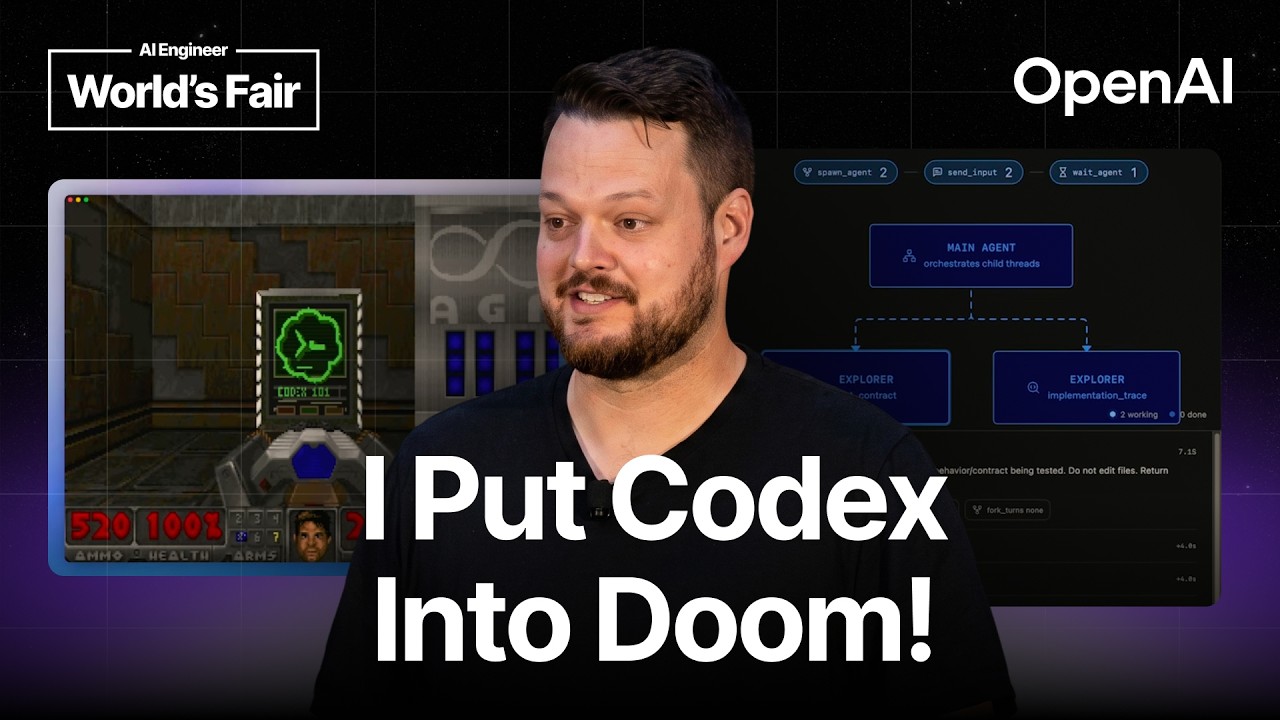
I even used that same app server to put Codex into Cloud code. So if you're uh Cloud code user and you want to leverage uh Codex, you can use that plugin. And if you joined my talk yesterday, you saw me using that same protocol to actually put Codex into Doom. Um which is was a fun adventure as well. I mentioned the other part is the responses API.
So responses API was released last year as like a rethinking of the chat completions API in a more agentic world, meaning um we redesigned the slightly the structure, but more importantly we added a lot of like building capabilities that are important for agents like web search, image gen, or other other more complex capabilities that you will see as part of this talk. We also want to make sure that this is like an open ecosystem, so we worked with a lot of partners including Ollama, LM Studio, Nvidia, and others to uh codify an open responses schema and have a governance body for that, so that other uh companies and and platforms can actually build on that same responses API, and you can use any responses API compatible um harness model provider and actually plug it into the Codex harness. So, that's an overview of how these protocols work. We're going from the UI to the harness with the app server protocol, and then from the harness to the LM inference using responses. But, what happens in the actual harness?
The first step, arguably one of the most important ones, is context construction. And during that, we care about three things quite a lot. The first one is size. We want to make sure that, you know, we don't blast through your token budgets and throw in a bunch of unnecessary content, but also the more context you have in your in your context, the higher it is that you have contradicting information and it causes confusion for the model. The other part is flexibility.
We want to make sure that, regardless of how many or how little skills you're using, you have a great experience regardless of how many plugins and MCPs you install. And of course, we want to make sure that things are performing and cost we know you're cost sensitive, so cashability is important as well. To show you this and a couple of other things, I actually built this little nano Codex here, um which functions the same way. It's built on built using the same code that is on the public repo, just turned into TypeScript. But, we can see here when we send over a message, we have a couple of different parts of of the actual context that gets assembled.
And some of these are fairly standard and predictable, like the model instructions. Again, these are open source if you actually want to read them. But, these are fairly structured and don't really change in size or like mess around with cashability. But, there are some parts that are harder to predict. Namely, for example, how many skills do you have available?
Or the tool registry, where especially if you install MCPs, for example, you might have additional context that is like growing as you're installing more MCPs. For that reason, we do two things to maintain cost. The first one is or the size of the context. The first one is having deferred tools. So, we're marking some of these tools as deferred, and that means that they're not added directly to the context window, but instead are available through tool search later on.
Um and then the other part is that for available skills, we actually cap the available skills list at 2% of your context total like maximum context window. And that means that if it gets longer, we're reducing slowly the amount of like description that we're putting in there. Tool search specifically is actually something that is available in the responses API. So, even if you're building your own harness, you can leverage this. Since GPT-5.4, you can mark any tool as deferred loading.
Um and that means that these tools are only available if you're using tool search, and then you can give the model either our built-in tool search tool or implement your own if you feel like you can better do that discovery yourself. Great. We talked about how we're building the context, but an agent really only becomes an agent if it performs actions. And there's three common actions I wanted to talk about. The first one is async actions, things that are happening while the agent has to continue to do work, computer use, and then the file system.
For async actions, a good example is sub-agents, where we want to be able to delegate tasks off and then have the main agent continue to do work if necessary. The way that works in practice is that we give the agent a spawn agent tool, which then allows the agent to create new new agent instances, and then use a send input tool to either send new content to that to those new newly created agents, wait for an agent, or shut it back down. Um we use that same concept actually for background terminals as well. So, the Codex agent has a tool to spin up a new uh background terminal and then continuously interact with it by sending new data through standard in to that new agent or wait for a specific amount of time for that agent to finish a task. Computer use is an interesting one because we actually introduced uh computer use in the responses API last year and it was fairly limited.
It only allowed you to do one action at a time and um you had to basically declare that you wanted it to do computer use and from there you were up to actually implementing specifically the type of actions that were exposed to that tool. This was uh great in terms of like that state uh that point in the journey of of building agents, but since then we've evolved it and uh the recent models and the recent API shapes allow you to use code execution instead to actually do computer use, which means that the agent can script its own interactions with the uh with whatever computer implementation you want to have. You can choose the language like JavaScript or Python and you are you have a much more flexible harness. In fact, that's what we use for browser use. Um so, the what happens when uh Codex uses browser use is it actually interacts with a persistent node repl that gets persisted throughout different uh throughout the turns.
And then it writes JavaScript um essentially Playwright code to interact with that uh browser instance in the node repl. Um so, here's an example where on the right side we have a Chromium browser and the first time um it writes some code to get the overall status and like pulls up the right tab. And then on subsequent terms, we can see here that it is able to like reference those new tabs, pull in information, and script the respective actions um to understand what actually has to be done. And so that may speeds up these actions significantly because uh Codex and browser use can actually look at for example one page, understand the structure, and then write a script to perform like scraping for example on subsequent pages more easily. The third thing is file system interactions.
I think if you're using Codex or any coding agent, of course you want it to be able to interact with the file system. In the case of um our models, all of the recent models starting with GPT-5 have been trained on the concept of an apply patch tool to do file editing, which means that they're used to using that to change files by giving it a a diff, and then um also using that same thing to create new files. And then for everything else, it uses a shell tool where it will uh do a file search or other file system navigation. Uh you will see the model naturally trying to use Ripgrep um since that's what what it got used to during training. So, we're actually in the Codex harness shipping Ripgrep with uh with the harness if you don't have it installed on your own.
On Windows, we also trained the model to use PowerShell natively. So, if you're running it on Windows, you'll see it uh start writing uh PowerShell code instead. One of the things you're seeing here is um the sandbox pulling in. So, all of the interactions that you see with the file system actually go through our sandbox layer. Um and on macOS, we use Seatbelt for that, similar to most agents.
And on Linux, we use Bubblewrap. On uh Windows, it's slightly different where we actually had to build our own custom um open open source Windows sandbox. It's in the same GitHub repository if you want to take a look. And there's a many reasons why we had to do this, and I could probably fill a whole talk about that. So, instead, I would recommend you to actually check out the check out the article that David wrote about this.
Um it goes into all of the other Windows alternatives and why we actually had to build our own sandbox there. Highly fascinating if you really want to nerd out about Windows internals. With sandboxes though, uh one of the biggest complaints is always approval fatigue. Um how many of you get like annoyed by approvals, especially for long tasks and like have running full access? All right.
And I don't think the audience gets filmed, so like we're going to do this again. Like how many of you know that like IT and security really hates that you turn on full access? >> Yeah. >> Yeah, I know. Uh so, for that reason and uh you know, our own security team wanting to be happy as well, um we worked on um an auto approval mode.
And the idea here is really to um derisk some of the like full access things because there are things that can go wrong. As much as these models have gotten better, especially if you're trying to push the model through prompting to really have high agency, that can be misinterpreted by the by the agent to not match up with your expectation like you asking a model to send out a file to through an email, pushing it to have high agency, and it realizes it can't attach the file, so it uploads it to a file share, um and like uses that instead, or messes up some escaping and accidentally deletes too much data. Those things can still happen even with the models getting better. And so, you want to still be careful with these um full access modes. And so, instead, we built auto review with this goal to cover all of the things that are harder to predict that an agent might do and especially in the long run, and um approve those automatically without having to escalate them to you while keeping things like uh data exfiltration outside of it.
The way this works is when we um kick off a task that runs into a sandbox like deleting a file in this case, um the model when it tries to escalate spins up an auto review uh subagent. And uh let's see. Didn't do it yet. There we go. So, it spins up an auto review subagent.
And this subagent runs entirely separate and can't spin up other subagents and has read permissions only. Um but it we're giving it a bunch of context around sort of how what what is user authorization, which we'll see in a second. How do things like uh risk taxonomies work? How do we want it want it to judge these things? Um and then eventually we give it um the transcript as well as sort of the tool calls that are actually happening.
And this is important because the context matters, right? Like in some cases you want the agent to actually delete a file. In other cases you don't. If you ask it to or if it like is part of the project, it makes sense. Especially like things like if you ask it to delete a dot git folder, great.
If you didn't ask it to, it should probably not touch that part and like completely delete your history. Um and so we're giving it all of this context and ask it to then come up with um a judgment based on like the user authorization. In this case, it's high because we explicitly told it to delete the file. Um what is the impact of the deletion or like the action itself and what should we do? So, this could apply both to file system actions, but also to network calls for example where like curling Google to see if it if the internet works is fine, but maybe not uploading a file for example.
This is a gross oversimplification of all of the thoughts and uh work that went into this by engineers and and the research team. So, if you do want to learn more about it, check out the auto review um blog post that we wrote. The next thing I wanted to talk about is speed. Um because agents can do a lot of tool calls, and while we are doing a lot of work on speeding up inference, it's only part of the equation. We noticed this when we uh launched GPT 5.3 Codex Spark, uh and it's running on Cerebras at 1,000 tokens per second.
So, with that, we realized that with all of these tool calls and the interactions, inference wasn't no longer was no longer the bottleneck. It was actually the network. So, for that reason, we introduced WebSocket mode, which means that the responses API doesn't run through service-side events and HTTP, but instead uses uses a persistent WebSocket connection, which allows us to save both on network overhead, but also provides stateful context, which means we only have to send the data that actually changed. So, for example, if there's a tool call, we only send back the result of the tool call rather than sending all of the items back. So, in practice, oh Great.
In this case, my demo server crashed. Um let me see if I have a backup here. Um Oh, spoiling the rest of the demo. Nope. Uh All right.
Um in practice, you will see that it's going to send um one like it's going to send only one item after another. Oh, wait. Sorry, I pressed the wrong button for this one. There we go. Here's the backup.
Um So, it's going to only send like one item after another, rather than sending like in this case, for example, like nine items back. Um while for the other one, we're only sending one back. And so, over time, this actually speeds up things quite significantly. Um and can have a pretty drastic impact on the performance. All right.
We're at AI Engineer World's Fair in 2026. The only thing like I have to talk legally about is loops. So, we're briefly going to talk about it. Um specifically {slash} goal, because I got the questions a couple of times during this event. How does this actually work?
Um and of course since the demo server crashed, which also shows that that was real data. We're going to show you the demo here. This is a hosted demo, by the way, so you'll be able to replay this afterwards. Um but basically what happens is in this case we're having a try to guess a number, and it's only achieving that goal when it's actually done with guessing that number. And while it until it's done with that, um it will actually automatically the harness will inject this continuation prompt.
And this continuation prompt includes, among other things, your objective. That's the goal that you set. And then uh we continue to do this until the model itself calls an update plan update goal tool, which specifies that the plan was actually or the goal was actually achieved. So, that is the reason why you actually don't want to, you know, write full essays like I know a lot of you have been trying to um into your goal, but instead have very concrete and very fiable um prompts, so that uh it's easy to detect when things are done. The last thing I want to talk about is compaction.
If we have these agents run for hours or days at a time, you don't want to stand there and actually approve everything all the time. Um and because of that we introduced uh end end of last year auto compaction, and this has been uh used by Codex since then to automatically trigger compaction on the server side in a way that the model got trained with so that the performance stays the same. Um the way this works is you can either trigger this manually or automatically and it will turn your transcription into or your your previous context window into a new one that you're going to use instead on subsequent turns and it contains a compaction item that has all of the necessary information in it that you need. All right. To wrap things up, thank you for staying with me speed running through these slides.
Um three things I want you to take away from this. Uh the first one is the Codex app server and the harness are open source. You can use this as a blueprint to learn how we built our agents or you can actually use it as the harness itself that you can build on top of. The other part is that most of the features that are stand out for Codex are actually features that are exposed in the responses API. So even if you want to build your own agent, you can leverage these things like tool search, apply patch, web sockets, or server side compaction.
You can use those directly regardless of what harness you're using. And the last thing is as models evolve, keep an eye out on how we're evolving the responses API, how we're evolving Codex, and uh use that as a way to understand how you want to update your own agents to make make use of these new capabilities. And with that, thank you so much. That's the link to the slides and I'll be heading down to the booth if you have any questions. >> [music]