Enjoying this issue?
Get tomorrow's AI & engineering digest in your inbox — hand-picked, summarized, and always spam-free.
TLDR
Most Claude users never touch the six settings that control how hard it thinks, what it knows, and what it does without them. Changing just one — like bumping effort from 'high' to 'max' for expensive questions — can turn a generic answer into something genuinely insightful. The gap between average and extraordinary isn't about better prompts; it's about opening a menu you've been walking past.
Key points
The 'effort' setting (low to max) controls how long Claude thinks before answering; low is for mechanical tasks, max for high-risk decisions.
The 'model' setting chooses which brain answers: Haiku for quick, Sonnet for daily, Opus for complex, Fable for hardest challenges.
Voice input makes you ramble, which gives Claude more useful context than typing ever would — it's a free upgrade.
Attaching files directly (instead of describing them) eliminates vagueness; the rule is 'stop describing, show the thing.'
Connecting integrations like calendar, email, and drive lets Claude find information itself instead of waiting for you to paste it.
The approval setting (manual, automatic, or skip) determines how much Claude can act without your permission; start manual, expand only after proving reliability.
A simple 30-second heuristic decides effort level: ask 'If this answer is wrong, what does it cost me?' — nothing means cheap settings, a client or argument means max.
Tools mentioned
Techniques
- Effort scaling based on cost of error
- Voice input to capture more context
- Direct file attachment instead of description
- Integration of external tools (calendar, email, drive)
- Gradual trust workflow for automation approvals
Stop scrolling. Start reading smarter.
Receive the day's most important AI & engineering updates in one concise email. No spam.
Transcript (captions)
Everyone tells you Claude is unbelievable, but all you ever get is fine. There are six settings hiding in plain sight in a menu that you walk past every single day, and almost nobody ever
opens it. So, in this video, I will walk you through all six in order, so what you get back goes from average to better than 99% of people ever get. [music] Thank you to HubSpot for partnering with
us on today's video. I call the whole thing the cockpit. Two of them decide how hard Claude thinks. Three of them decide how much it knows and one decides how much it does while you're not there.
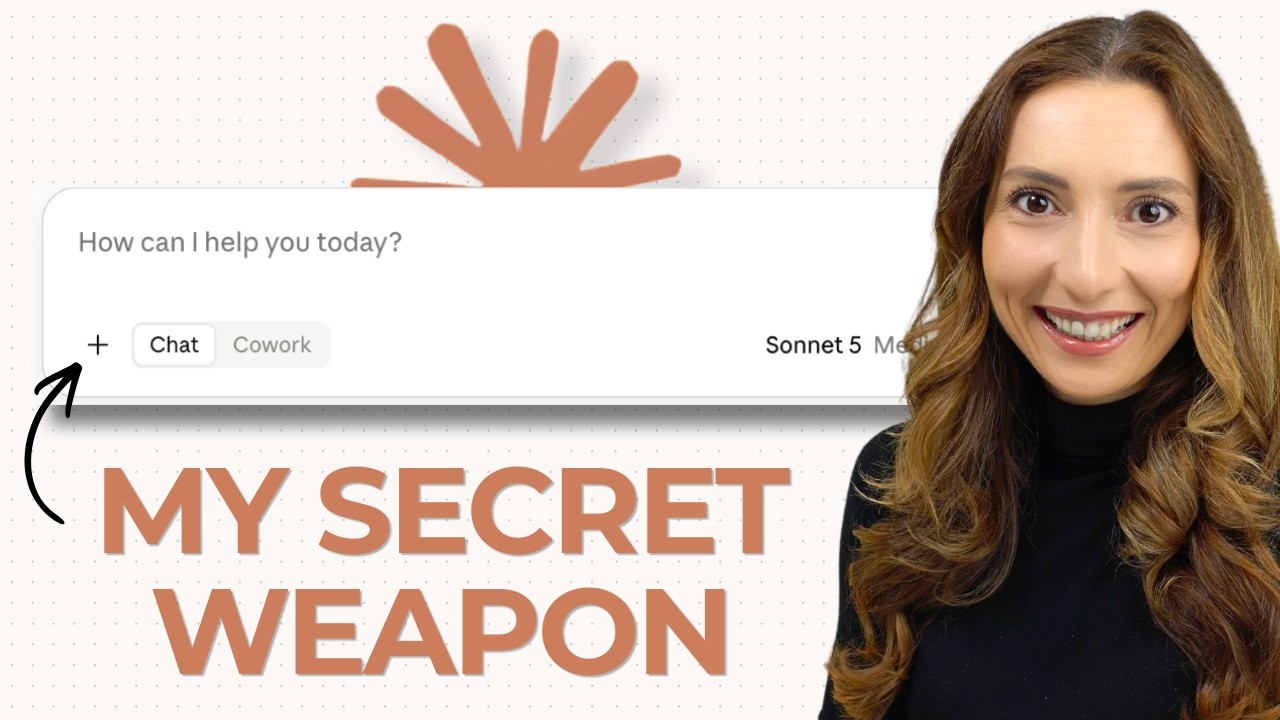
Starting with the one that costs you the most. Bottom right of the box you type into, there is a small label. It has the name of the thing answering you. [music] And next to it, one word. Please open
that. Go past the names and near the bottom there is a row called effort. [music] And it has five levels: low, medium, high, extra, and max. And if I know you right, you're probably on high.
Be honest. You've been on high since the day you signed up because high is what it came set to and there are two levels above it that you probably have never seen. Here's the same question at the
setting you have and the same question at the setting you have never touched. Look at what the second one did there. It did not give me more. It gave me the thing I had not thought to ask about.
That is what the extra thinking buys and you cannot get it by writing a better prompt. Now, which one for what? Because nobody ever explains that part. And I think the rule is honestly simpler than
you would expect. And it's not about how important the task is. It's about whether the work is thinking or whether the work is typing. If you already know the answer and you just want it written
down, that's typing. Shorten this. Make this sound less annoyed. Pull the dates out of this email. Pick low and you'll have it back before you finished reading your own question. Medium is for the
everyday things that you're going to check anyway. A first draft, a rough outline, a summary of something you already understand. High is where you're sitting right now. And for most of what
you ask in a day, high is probably right. That is why it is the default. Extra is for when somebody else is going to read it or when you're going to act on it. Maybe there is a real trade-off
in the question and you want it argued, not [music] answered. And then max is for the ones where being wrong is expensive. a decision with three things pulling against each other or a long
document where the useful part is what is missing, not what is in the email that you're angry about. And here's the thing, Claude tells you the trade-off itself. Higher effort takes longer and
also uses your limits faster. So, this is not a setting that you leave on max and forget. It's a budget, which means the only real question is whether you spend it. And I have a 30 secondond rule
for that at the end. So, that's [music] the first setting. Number two is the model. the same menu but the top half. This is where you choose which one is actually answering you. And here's the
difference between this and effort because they sound like the same thing but they're not. Effort is how long it is allowed to think before it speaks. This is how capable the thing doing the
thinking is in the first place. It's basically the difference between giving your sharpest colleague 5 seconds [music] and giving somebody brand new the whole afternoon. There's two
completely different levers and you have been leaving both of them exactly the way you found them. There are four of them and the names will honestly mean absolutely nothing to you if you're new
to Clot. And that's fine. You can ignore the names and read the line underneath each one because Clot tells you what each one is for in plain English right there on your screen. Haiku is the
fastest and it is for quick answers. A polite way to say no to something or turning your notes into bullet points or pulling the three dates out of a long email. Anything where you already know
what you want and you just want it back immediately. Sonnet is the everyday one and honestly it is most of your day. The weekly update, a summary of the call you just came out of, a first draft of the
job ad. Good work, fast on things that do not need a genius. Opus is for complex tasks, which means the ones with several moving parts at once. You want to use it for automations as well.
things like read this contract and tell me what is missing or build me a pricing structure that it respects these four constraints or look at this plan and find the bit that falls over and then
fable is for your toughest challenges which is exactly what it says on the screen. The genuinely hard calls the strategy question where the evidence points both ways or the thing you would
normally pay somebody to go away and think about for a week. Almost nobody opens this menu. They use whatever was already selected for everything for a year and then decide the tool is average
or they're wondering why they're running out of credits and the two work together. Cheap question haiku and low effort. [music] The decision that is keeping you up at night, fable and max.
Okay, most of the day sit in the middle and stop thinking about it. That's two. Both of them live in the same little label that you have probably never clicked on. Now stay with me because
number six is the one you will remember. It is the setting that hands claude a real job and lets it finish while you're out of the room. I'm going to give it one and walk away. And I want you to see
what is on the screen when I get back. Now, you just chose which brain answers you. And if you're serious about getting real work out of Claude and not just collecting prompts that you never open,
this free guide from HubSpot called the Claude prompt stack is going to save you months of trial and error. Here's the thing so many people get wrong. They choose the brain and never notice there
is a second choice underneath it. Claude is not one place to type into. There are four different tools inside Claude and almost everyone has only ever used one, maybe [music] two. The stack breaks all
of that down, including a guide that tells you which tool fits which task and when to use it, and over a 100 copypaste prompts across seven kinds of real work. Each one labeled for the Claude tool it
belongs in. My favorite part is the know your tool section, which is a table that maps out what each Claude product is built for. If you watched this and thought, I want this on my own work, you
want to hit the link below and grab your free copy of the Claude prompt stack. And big thanks, by the way, to HubSpot for partnering with us on this video and for making this resource available. So,
those two decide how hard Claude thinks. The next three decide what it is thinking about. And this is where most of the disappointment ends up happening because something brilliant reasoning
about nothing is still reasoning about nothing. In about three minutes, I'm going to hand it the tools that you already use and let it go and get things [music] itself. But first, the reason
your instructions are worse than you think they are. Number three, you don't have to type. If you look closely, there is a microphone right there. [music] This sounds like the smallest thing in
the video, but it's not. And there are two reasons. The first one is just speed. You talk about three times faster than you type. Around 150 words a minute out loud against about 40 on the
keyboard. So the same instruction takes you a third of the time before anything else has ever happened. But the second reason is the one that actually changes your output. So here's what you type
when you're typing. And here's what you say when you're talking. Nobody types the way they would brief a colleague in the corridor. You get short and you get vague because typing is work and your
brain edits you down to save your hands. When you talk, you ramble. And rambling is exactly what the LLM wants. messy, specific, full of context that you would never have bothered to type out. So, it
is honestly not that talking is more comfortable. It's that talking makes you say the useful parts that you were probably skipping when typing. Longer instructions, better instructions a
third of the time. It's the cheapest upgrade in this whole video if you implement it. So, you've got three. Now, let's move to the next one. Because next to the plus, there is a folder that
opens your files. a contract, a spreadsheet, a screenshot of your email, a photo that you took of a document lying on your desk five minutes ago. Here's the rule, and I would put this
one on the wall if I could. Stop describing the thing. Show it the thing. You see that? It's not being clever there. It's reading. The answer is no longer generic the second it could see
what you were looking at. Almost every complaint that I hear about AI being vague is somebody describing a document instead of attaching it. Now, one thing to watch for because this is where a lot
of people get stuck. The moment you notice you are attaching the same document for the third time or that the thing that you keep attaching is something that changes every week,
attaching has stopped being the right answer. You're doing the work over and over and over that the tool should be holding for you. And that is the point where the work needs a home instead of a
file. And Claude has those. They live outside this box and they're called projects. and they hold your documents and your instructions and your history in one place. So then you stop starting
from nothing every morning and that is not one of the six and it is not in this menu. So I'm not going to teach it here but it is the natural next thing after these six and we go through it properly
inside the claw academy in the AI founders community. So now you have four. Let's move to the fifth one because there is a plus which is the one almost nobody opens because it looks
like it does the same thing as the folder [music] but it doesn't. The first thing in it is another way to attach a file. I'll give you that but you can ignore it. The
reason to open this menu is everything underneath it. This is where you connect it to the things that you already use. Your calendar, your email, the folder where the actual work lives. [music]
Everything up to now made Claude better at answering you. This is the one that lets it go and find things out for itself instead of waiting for you to paste them in. So, what do you connect
first? Well, the honest answer is whichever one you are currently copying and pasting out of the most. [music] Connect your calendar and you can ask what's clashing next week instead of
reading a grid and working it out yourself. Or if you connect your email, you can ask what you have not replied to. that is important which is a completely different question from what
is unread and it is one that you actually want answered on a Monday morning. If you connect the drive where the work lives, you can ask it to find the version that you sent in March
without you going and looking for it. Same question. The only thing that changed is that it could go and look. Okay, there is one more thing in this menu called record a skill [music] where
you show it how you do something once and it remembers. And that one is a whole video on its own and [music] it's coming. So, make sure you're subscribed. Now, there is a man in our community
called Ron. He runs a construction business. And every single morning, he did the same three things. He dug through his inbox. He hunted for files in his drive that he had forgotten he
had. And he put together the paperwork his lender needed before they released the next payment on a build. So, he connected two things, his email and his drive. And now the inbox gets scanned at
10:00 in the morning every morning. And what actually matters [music] lands in one pile. and the lender paperwork gets prepared without him. His words, not mine. He stopped doing three things
every morning and the business runs better without him. [music] And every one of those was a setting that he was walking past for months. Now, those five all work while you're watching. This
last one works while you're gone. Left of the box, there is a little hand, and next to it, the word manual. There's actually three settings [music] in there. manually approve, automatically
approve, or skip all approvals. You are on the first one. Most likely, everyone is on the first one by default. That means every time Claude wants to actually do something, send the thing,
move the thing, change the thing, [music] it stops and waits for you to say yes, that is the clip that I opened with. So, which one do you use? And this is not a technical decision at all.
Manually approve is for anything that sends, deletes, or goes somewhere another person can see it. And it is for anything that you have not watched it do before, however simple it may be.
Automatically approve is for work that you have watched it get right several times where if it does get it wrong, you will see it straight away and you can undo it. And skip all approvals is the
one to be careful with. Okay, that is for a contained repetitive job where nothing leaves the room. Not for anything that sense. Okay, I do use it and I use it as a narrow set of things
that I have already watched work. That is the same call that you make with something new. short leash. That is basically the same call that you make with a new hire. Okay? You give them a
small span of control on day one and you increase that as days or months or years go by. You already know how to make this decision and nobody told you there was a dial. [music] Okay? And that is six.
Two, decide how hard it thinks. Three, decide how much it knows. And one decides how much it does without you. That is the whole cockpit. And you have had every one of them the entire time.
90 more seconds because the last thing in this video is the one I would actually write down. It takes 30 seconds to learn. It tells you which questions are worth your best settings and which
ones are burning them. And it is the reason people with the identical subscription get completely different work out [music] of it. Remember what Claude told us about effort? The good
settings take longer and they use your limits faster. Well, so you cannot leave everything on max, right? You have to spend it somewhere. Here is how you decide in one question. Before you hit
enter, ask yourself, [music] if this answer is wrong, what does it cost me? If the answer is nothing, I will just retype it. That is a cheap question. Fast one, low effort, move on. [music]
That is most of what you ask it and there is nothing wrong with that. If the answer is [music] a week or a client or an argument that I cannot take back, that is an expensive question. Maybe go
to Max, maybe go to Fable and give it something to look at. So, here's the one thing that I want you to do tonight. And it is one control, not six. Okay? Take the next expensive question that you
were going to ask anyway. Change that one setting first and then ask it exactly the way that you were going to ask it [music] anyway. Nothing to reorganize, nothing to set up, one
setting, one question that actually makes a difference for you. And you will see the same gap that I showed you at the start with your own work instead of mine. Now, that is where we started. The
answer that made you decide this was overrated. Same subscription, same question, same afternoon. I said 99% of people never change these six settings. You have now seen all six where each one
lives and what each one does to the answer. You are out of the 99%. That is the whole video. Claude is not one thing that gives you one quality of answer. [music] It is a machine with a throttle
and almost everybody is idling it. The people getting extraordinary work out of the identical subscription are not smarter than you and they're not better at prompting than you. They just stopped
accepting the standard. Now these six make clot better. All six of them get better again if it actually knows who you are which most people have never set up and is a one-time hour. I spent 60
minutes onboarding it as it had run a large part of my business ever since. That is one video that you can go and watch next. [music] And in the meantime, thank you so so much for watching. Like
this video if you did. Be sure to subscribe if you haven't done so. Share this with anyone in your circle of friends or family or co-workers who is working with Claude and is looking to
get better answers and better feedback and better work out of it. This will hopefully help them. And if you want to take this and apply it together with thousands of other people, you're always
more than welcome in our communities. The link is here as well as in the description down below. Looking forward to seeing you there and I'll see you next time. Bye.