Enjoying this issue?
Get tomorrow's AI & engineering digest in your inbox — hand-picked, summarized, and always spam-free.
TLDR
Claude Code, when connected to Higsfield via MCP, can act as a one-person marketing team, generating branded assets like logos, product shots, ad creatives, sizzle reels, carousels, and UGC videos from simple prompts. The key is setting up a project with context files (three Ps, brand guidelines) and reusable skills, so outputs stay on-brand and consistent. This workflow is accessible to non-coders and costs roughly $343 for 18 ad creatives, $9.56 for five carousels, and $17.55 for a sizzle reel, making it a cost-effective alternative to hiring a marketing team.
Key points
Claude Code can be used by non-coders to manage a marketing project, using natural language to create a CLAUDE.md file and context files that store business information like the three Ps (pain, person, promise).
Higsfield is an AI tool that aggregates multiple models (e.g., Cance 2.5, Gemini, Cling, Flux, Sora, GBT image 2, Nano Banana) and offers a marketing studio for creating ad creatives and sizzle reels.
Connecting Higsfield to Claude Code via MCP allows Claude to control Higsfield, so users never need to navigate Higsfield's UI directly.
The workflow generated a branded website using the Scroll World GitHub repo, with scroll animations and product videos created by Higsfield, all based on the brand guidelines and context.
For a BOGO ad campaign, Claude generated 18 ad creatives for $343, which can be reused and iterated on.
A sizzle reel created via Higsfield's marketing studio cost $17.55, which is more expensive than images but still cheaper than hiring a video editor.
Five Instagram carousels were generated for $9.56, each with 7-8 slides, and can be turned into reusable skills for consistent style.
UGC ads involved creating character images, storyboards, and QA passes, with the most expensive generation, but the presenter noted they still look somewhat 'salesy' and not fully organic.
Claude can create an Excel sheet to track all generations, including costs, angles, and performance, using the brand guidelines for styling.
The presenter recommends using a 'grill me' skill to interview the user and extract all relevant business context into the project.
Tools mentioned
Techniques
- MCP (Model Context Protocol) connector to link Claude Code with Higsfield
- Creating a CLAUDE.md file for project instructions
- Using context files to store business information like three Ps, brand guidelines, and personas
- Reusable skills (markdown files) for consistent workflows
- Using brand guidelines to ensure consistent design across assets
- Generating storyboards and character images before video generation for UGC ads
- QA pass on generated videos to check for errors
- Tracking generations in an Excel sheet with analytics
Stop scrolling. Start reading smarter.
Receive the day's most important AI & engineering updates in one concise email. No spam.
Transcript (captions)
Today, I'm going to show you guys how we're able to turn Claude into a oneperson marketing team. You don't have to be technical at all. You don't have to know how to edit videos or edit
photos or anything like that. You just have to know what to ask for. I'm not going to make any assumptions today. I'm going to assume that we're starting at the beginning and you haven't used these
tools before. So, let's not waste any time and just get straight into the video. All right. So, before we get into the tools, let me just explain what we're doing here. So, step one is going
to be the project. I'm going to help you guys get set up on Cloud Code, help you guys get set up with the actual like files and folders that you need, and then we're going to be off to the races.
Then we have to go ahead and set up Higsfield and get that connected. So I'll show you what that all looks like. And then finally, what we have to do is actually start generating assets and
showing you how this all is going to evolve over time. So before we get into the project, let me show you what we're working with for the sake of today's example. So in the video today, I'm
going to be using Perk Form as an example, which is my fake business. All of these assets you're about to see, by the way, were generated by Claude and Higsfield together. So here are our
logos. We have text, we have light mode, we have dark mode, we have the actual logo, which is pretty cool cuz this is like a coffee protein energy drink and we've got like a coffee bean with a
lightning bolt. So, pretty clever. I didn't ask for that, right? I just asked for a logo and it did this. So, pretty cool. Anyways, here's the product. We have um these drinks. It looks like an
energy drink, right? We've got vanilla latte, salted caramel, and bold mocha. You can see we have individual product shots as well as studio product shots. These were all created with GBT image 2,
which is a AI image model, which I'll talk more about a little bit. But what's really the most important thing is what I call the AI monetization readiness assessment, which is you guys probably
are all here because you have maybe a business or you want to offer things to clients like offer AI marketing to clients. And what you need is you need these three things, the three Ps. You
need a pain, you need a person, and you need a promise. So what is the pain that your business is trying to solve? who is the person specifically that feels that pain and then how does your brand or
product or service promise to solve that pain for that person. So that's exactly what you need in order to even get a project like this set up in the first place. And you need all this stuff to
make sure that your marketing assets don't look and feel like generic AI slop. They have to have a purpose. They have to have intent behind it. And so setting up this kind of stuff is really
important. And that's exactly why we're actually using Claude Code with Higsfield today. Because what Higsfield is is it is a AI tool that has a bunch of different models and things you can
do in here. So it's got Cance 2.5 which is a really good video model that you can only get early access on Higsfield. It's got other video models here as you can see. It's got Gemini, it's got
Cling, it's got Flux, it's got Sora. If we go to images, it's got GBT image 2 which is how you saw those assets earlier. These ones, these were all generated with GBT image 2. It's got
other ones too of course and you know Nano Banana Grock. It's got a bunch of different models all in one subscription. So, that's why we're going to be connecting it to um Claude today.
It's also got something called a marketing studio, which is really cool. You can basically have your assets be turned into ad creatives or sizzle reels or whatever you want. You can use these
templates and the AI models on the back end power it all. And the reason why we want to use Claude for this is because yes, you could just open up Higsfield and do all that yourself, but if we use
Claude, we can set up a whole project. And now we have a project that understands the context of our business. We can set up reusable skills which are basically just like recipes, workflows,
so that if you want an Instagram carousel, it's always done in that same way. If you want a UDC ad, it's always done in that same way. So skills help us create things that scale. And then we
can set guidelines like our actual brand guidelines. So for example, for perk form, here are the brand guidelines. We have, you know, the color scheme. We have what the brand is looking to do. We
have the logo system. We have the typography. We have all this kind of stuff. And this is probably something that you want to have for your business that you can give to Claude so that
every time it makes different assets or different deliverables, it follows those brand guidelines. So for perk form, for example, these are the three Ps and this is the type of information that we're
going to feed into Claude. The person is a busy fitness-minded professional who relies on coffee, cares about protein, and frequently rushes through breakfast. Their pain is that in their mornings, it
requires too many separate products like coffee, a protein shake, and something portable. And the promise is that perk form gives them their coffee ritual and their protein in one graband-go can
making it easier to start energized and stay on track. So that's the information that we have, very baseline, high level information that we have right now about perk form. So what I want you guys to do
is you're probably in a place where you have either a physical product or you've got, you know, a SAS or whatever it is, but you probably have a business and a logo ready to go. Now if you don't, what
I would do real quick is go ahead and get some. So whether you have real product shots already or you have just a name, just go over to Higsfield, create an account. That's going to be step one.
And then just go ahead and go to like image and create an image. And all you have to do here is choose your model. I would probably use GBT image too, honestly. And just ask for a logo. So
real quick, let me just say, hey, I've got a SAS product called um Kalanly, and I want to get a quick logo for this drafted up. it is a you know online calendar booking appointment sort of SAS
and you click generate and it will go ahead and pop that over for you right here you can see some of these other generations they're very high quality images we also have like this sort of
like storyboard for a UGC ad it has a lot that can go on here and right now this was obviously a prompt that I just put in but the idea is once you start to set up all this context and stuff and
you connect Higsfield to Claude Claude will do all the prompting Claude will do all the navigation of this UI so at the end of the day you actually will never have to be inside of Higsfield
navigating the UI. You just ask Cloud for things and it goes and does it. And while this is loading up, let's go ahead and get set up with Claude Code. So, you're going to go to Google and type in
Claude Code desktop. You'll scroll down to this link and basically just install this for your operating system. It's going to look the same as if you've used Claude or like Chatbt in the web. It's
very, very similar. It basically just looks like this. You can see that I can type in my chats right here. I can choose like a folder to work in. And that's going to be a big unlock here
between Claude code and Claude. Just because it has the word code, don't think that we're going to be coding. Like I said, you don't have to be technical at all. The reason why we're
using Cloud Code is because Cloud Code works out of directories, out of projects. So, like in here, what we're going to do is we're going to set up a new folder together. And I'm going to
help you guys set up this folder so that every time you use this project, Claude Code gets smarter and smarter and knows more and more about your business. So, that's going to be super helpful. So,
just to show you guys a quick example of how I did this with Claude Code, this is the Perk Form brand. And basically, I gave it this idea and said, "Hey, I have this brand called Perk Form. It's going
to be, you know, coffee, protein, energy drinks. And what I need you to do is go create me a bunch of assets. I need product shots because I had no product shots at this point. I need product
shots. I need studio shots. I need logos. I need brand guidelines. And it created all of these folders for me. So, brand guidelines, it created these assets with logos, with packaging, with
product shots. As you guys saw, it created all of this and just put it right here into my actual desktop. And now I can work inside of this project to create more assets in the future. So, as
you can see, it just made this Kalanly logo. Obviously, this isn't anything too crazy because I prompted it very simply. But that's basically all it is. That's how you come in here. You can ask for an
image. You can ask for a video. And if you need to get a few of these base things set up to feel more comfortable before we actually hop into like setting up the rest of the project, and you can
go ahead and do that, or you can just continue to follow along and then fill in the gaps later as you need. So, the next step is I want you to create a new folder on your desktop somewhere. So,
I'm doing it inside of a folder called Cloud Code YouTube. So, don't get intimidated because I have all these other projects here, but we're just going to create a new folder. And I'm
going to call this one um perk form marketing. You can call it whatever you want. And then what's in here is I'm going to show you it's it's going to be nothing in here. So, if I open up that
perk form marketing, there's nothing in there. So, this is what we're going to open up in Claude Code. And we'll all be starting at pretty much the same place. So, open up Claude. Once you've
downloaded that, you're going to sign in with your subscription and then you're going to start a new chat. And right down here, it'll say local. That just basically means that right now we're
running Claude on our computer. It says a folder right here which we can choose. So you're going to click on open folder and you're just going to navigate to that one that we were just looking at,
the one that you just created. So wherever you stored that, go ahead and open that up. So it's my new one right here. I'm selecting that folder. I'm going to hit trust workspace because
it's going to be able to read inside of that folder, add files, edit them, move them around, things like that. And now we're pretty much ready to get started. We have to create something called a
claw.md which is basically just instructions for this project. So like hey you know here's I'm Nate. I own this business called Perkformm and here's what I want to do inside this project.
That's what we need to build. And basically you just do all this with natural language. So here's what I'm going to say. Hey so my name is Nate. I run a business called Perkformm. It is a
energy drink company but the energy drinks are like coffee flavors and they also have protein in them. and I'm going to give you some information about the business so that you can help save this
as context for the project because what I want you to do ultimately is you're kind of going to be like my marketing team. You're going to help me generate things like ads or a website or UGC
content. You're going to help me generate those types of things. So, you understanding my business and the motivations and the avatar and things like that are going to help out a lot
when you're creating this kind of stuff. So, I'm going to dump in a bunch of information for you and I need you to create me a claw.md file as well as any other context files that you think are
relevant that you can reference later. So, basically just say something like that and it will know what to do. And then your job now is to dump in some context about your business. I
definitely recommend dumping in something about these three Ps. That's going to be really important for marketing, but also anything else that you want to share about your business.
So, right here, what I'm going to do is paste in a bunch of information. I pasted in things like our three Ps. I pasted in some more info about the business, our marketing angles, things
like that. And I'm going to go ahead and just run that. And so when you talk to Claude Code, don't be intimidated. All it does is it tells you right here what it's thinking and what it's doing. So
we'll see that this is spinning. We're seeing that it's thinking. It's going to tell us when it creates files and it's going to tell us all these things. Now, if you want to have visibility into what
it's doing from a file perspective, click up here, three dots, click on files, and you can see right now the entire folder is empty. But as it starts to create other folders or other assets
for us, it will fill them in right here. And if you guys are feeling like you don't know what type of information to give it or you're a little bit confused, let me show you guys a quick tip. So
remember earlier when I said skills, I mentioned that these are kind of like reusable workflows or recipes that you can save. These are helpful in multiple ways, not just for creating content. So
I have a skill right here called the grill me. And if I open up the skill, you can see it's basically just a prompt. It's a big markdown file. And the point of this skill is to
relentlessly interview the user about every aspect of a topic until you reach shared understanding. So essentially getting everything in your brain into the agent's brain and the agent will
keep digging in and asking questions until it feels satisfied. So what you can do is you can grab this skill. I'll put it inside of my free school community. The link for that is in the
description, completely free. You'll come into here and you'll click on classroom and then you will go to all YouTube resources and download the skill. It'll just be like a markdown
file. And then all you have to do is you would literally come into your claude. You would drag the skill into the chat and it would look at it right here. And then you'd say, "Hey, this is a skill
called grill me. Go ahead and install this inside of this project so I can use it." And then once you install it, just run the grill me skill on my product and my marketing so you understand like how
I think about marketing my product. And then it will literally just interview you, ask you questions one by one, and it will save that interview. So later it has all that context. So that's a really
helpful thing that you can do. But like I said, now it's basically just going to build up everything inside of this project. So I'll check in with you guys when this is done and I'll analyze and
tell you about what just happened and why it's important. Okay, so you can see that that is now done. First thing you'll notice on the right hand side, we have a few things over here. We have a
claw.md. We have an output folder that's empty. We have a context folder that has some stuff in here. And we have an assets folder that's also empty. So we'll analyze all this. Just give me a
sec. The context base is built. Here's what's in the folder. So the cloudmd, this is the operating doc. It tells any future session what this project is, what to load, what to look at, things
like that. We also have things like the three Ps inside of a brand positioning doc. We have the custom avatar. We have product facts, voice and copy, message bank, playbooks, landscape, and it also
created extra folders because it knows that we're going to have to put in some like logos, pictures, and it's also going to create deliverables which will go in the output folder. So, that's what
we're looking at. We're going to drop in logos and pictures in the assets. Whenever it creates things for us, it will put them in the output folder. And then we have all of these files. So,
just to show you what those look like. The closet MD, let me just open this up a little bit. You can see if you read this, it's very, very simple. This is the marketing project for Perk form, a
canned protein coffee brand. Nate Herk owns this business. Read these files before writing anything. So, it will it's telling it inside of here, if you need context on any of this, you go to
these files. So, it's basically just giving the information. It's setting the scene of this project. That's what the cloudMD is for. This is something that you'll probably change every day, every
week as you're learning more information, as you're adding more stuff. Just say, "Hey, Claude, by the way, add that to the cloud.MD. This is important." I'm not going to look at all
of these, but for example, if I go to the brand positioning, you can see this is once again another markdown file where we have things like the real opportunity, the three Ps, the
positioning statement, the promise. We have all of these things that will get worked into our messaging in the ads or in any of the creatives, right? Because it's not a Jim Bro brand. It's not a
meal replacement. Here's what it really is. So, we want to make sure that we're not marketing it in the wrong way. And now Claude has all of this context. Okay, cool. So, hopefully that makes
sense at this point. Let's start to figure out how do we actually start building some assets. So, what you need to do now is give this some meat, right? Give it some logos and stuff. So, what
I'm going to do is I'm going to open up the actual um folder that has all of our assets and I'm going to start to put them into here. Okay. So, here's what I'm going to do. Try not to not make it
confusing. So remember right here inside of our project, we have all of these folders and files. Well, those actually exist still in our desktop in my file explorer. So you can see assets,
context, output, claude, open questions. That's what we're looking at over here. Now on this right side, this is some assets and stuff that we want to add in to our project. So you can see I've got
these four logos, which I'm just going to drag into the assets right there. Okay, there we go. I'm also going to put in the product shots. And I'm actually just going to take this whole folder and
move that into the assets workspace. And you don't have to necessarily move them. You could always make a copy and put the copy in there. However you want to just fill up your current cloud code project
with some of this information. And then the last thing I want to add over is our actual brand guidelines. And so that would be right here in the brand guidelines. It's just a PDF. And I'm
going to grab that. And once again, I'm going to move that into our assets folder. So now what you see is back in our cloud code project, we have all of those things in here. We have um it
looks like we have these logos. We have these product shots. Some of them are probably still loading in, but we're starting to get stuff actually inside of our project. Now, I am noticing
something weird right here. You can see the product shots is coming through as a like it's supposed to be a folder, but it's not being able to be read for some reason. Over here, you can see that this
is basically our assets folder, and we have a product shot folder in it with all the product shots, but they're not coming through. So, what I want to do is I just want to verify if Claude can
actually see that. So, when you're in a situation like this where you're a little confused, just ask Claude what it sees. Hey, so inside of the assets folder in this project, I dragged in
another folder called product shots, but it's kind of appearing weird. So, I want to know, can you actually see all of the product shots that are inside of that folder? There should be 11 of them in
there. And so, what you can do is you can see that it's reading the files to look. And you can see that it is able to read all of these actual PGs. It can see them. So, it's just appearing a little
bit weird on this right hand side. That might just be a bug right now. Or maybe it needs to like refresh. But what we're showing though is Claude is proving to us that it can actually see these and
it's reading them as you can see right over here. Cool. So, it said yes, all 11 are there. Here's the inventory. Awesome. So, we have now confirmed that Claude can actually see that stuff. So,
here's what I want to do now. The first thing that we want to get set up is we want to set up a website. And we want to make this a really cool website for our product. So, what I'm going to do is I'm
going to drop this link in the description. This is called Scroll World. It's a super cool GitHub repo that was made by this guy named Oso, and it creates websites for us that kind of
have this feel where we scroll in. Um, this isn't loading right now, but you guys will see what I mean. It's very, very cool. And we use Claude Code with this as well as with Higsfield to
generate the videos. And then it's like a 3D interactive website. So, let's just go ahead and start building it. If you haven't yet went to Higfield and created an account, go ahead and create an
account. Sign up, get on a plan. Now, once you are in your Hicksfield account, all you have to do is at the top, go to this button that says MCP and CLI. And the first one you'll see right here is
called Claude. So, all you have to do is copy this URL. You're then going to go into Claude. You're going to click on customize. You're going to go to connectors. You're going to add a custom
connector. And you're just going to paste that in right there. And then just call it Higsfield. And then hit add. Now, once that happens, it will pop up something like this. And all you have to
do now is sign in. So you'll hit connect to Claude. It's going to take you to Higsfield and you will have to sign in with the account that you already made. There you go. And then you'll basically
just give it permission. So you'll allow for Higsfield and Claude to talk together essentially. And then it should go ahead and say that you are connected, which is great. And now Claude can
basically control Higsfield. So when you say, "Hey Claude, can you make me an image?" Claude will basically just go in here and it will do it for you. Hey Claude, can you go to the marketing
studio? It will just do it for you. So it's super cool. So, let's build that website that I talked about. What we're going to do is we're going to go to this GitHub repo. We're going to just copy
the URL of the repo and we're going to go into Claude and paste that in. So, it's literally just a URL. GitHub is basically just a place to like store code and you can share code with people
and you can work on things together. So, this person made this repo, this project public, so we can basically just use it, which is awesome. So, now you're going to say something like this. Okay. So,
the first thing I want to do is set up a website for our business perk form. Inside of this project, you already have things like our logo, our brand guidelines, some product shots. I want
you to think carefully from a design perspective. How can we actually use all of those logos and things as well as the scroll world GitHub repo that I just linked in here? Use them together to
create a super premium and professional but also interactive and fun um website for us. Now, look at our three Ps. look at our personas and things and make sure that you're designing the copy and
you're designing the structure of the site in a way that appeals to our target person in a way that shows how we're solving their pain with our business promise. And then just go ahead and give
me that website. And so now we're just going to shoot that off and we're going to let Claude cook on that because it has all the context that we gave it earlier, right? Because that's where you
get into the territory of websites feeling very generic and bland if you don't give it all of this stuff. We've given it context on our business and we've also given it a bunch of assets.
So, we should get something that comes back that feels super branded. Now, let's see if it has any questions for us. You can see that it's going to read the brand guidelines, look at the scroll
world repo, and check what Higsfield can actually host. So, just kind of keep your eyes on this. It's going to go to work. It's going to do some things and make some commands. And I'll check back
in with you guys once we have something to review. Okay, so the website came back and it's done. And I'll open it up in a sec to show you guys. I know you can see a little preview on the right,
but I just wanted to call out how it got here. So it said, "Hey, the design I pulled the system straight from your guidelines PDF rather than inventing one." So that's how we can see it has
our logo and our colors and things like that. It opens on the pain, not the product. We have the morning path. We have all of the stuff, all the business context that we gave it. And so now here
is the actual website. You can see we have a little bit of an animation in the back. It says, "Your morning shouldn't require two drinks." So that's like the pain right away that we talked about
earlier. Now, if I start to scroll down, we're going to get a few different things to happen. The first thing that we see is you are buying two drinks. On the left, we see coffee. On the right,
we see protein. And as I scroll, these sort of merge together. And then we have our vanilla latte perk form. So, we built one instead of two. And then as we scroll more, the text changes to one can
and you're out the door. So, that fits the context that we gave it earlier. Now, if we keep scrolling down, we can see there's 11 minutes before you leave. We have to go through like the shower,
find the keys, answer one email, make breakfast, and grab our coffee, and then we go. And so whether you like this vibe so far or not, you can obviously come back and give it more feedback. But what
I can tell you is that this is more unique than a typical AI vibe coded site on the first pass, right? You have to assume things are not usually going to be perfect on the first prompt. But for
this being one prompt, not too bad. Anyways, this is some information we'd have to fill out because it doesn't currently know. We didn't give it these nutrition facts. But anyways, now we get
into the three main flavors. And here we get the scroll animation. So bold mocha. As we scroll, we get this closeup in the back of a bold mocha can. It's got condensation on the side. We see some
drips going down. Super cool. We continue down to the vanilla latte. We see this one spinning a little bit. And these are all Sea Dance 2.5 videos that Higsfield created. All of these videos
you're seeing were created with Higsfield. And Claude knew how to build this site so that when you scroll, the um clips actually sort of like play forward. And then finally, the last one
down here, we have the salted caramel as you can see. And then that's basically the end of the site. It feels very on brand though, and it doesn't feel super AI vibecoded. Now, I know you guys can't
see the URL, but up here it says localhost 8931. So, a local host basically just means that this is an app that's currently running on your computer locally. So, if you tried to
copy and paste that URL to your laptop or to someone else, they wouldn't see this. So, your next step here is you have to get this somewhere that can be actually hosted and where it can be
accessible to the public. And that's actually a super super easy process. I don't want to waste time in this video, but I've made so many different YouTube videos where I've covered that. So, I'll
tag one of those right up here, which you can just follow along. All you have to do is connect your codebase to GitHub and then it pushes to GitHub and then it pushes to VCEL. It's super easy. I know
it sounds a little complicated, but trust me, it'll take like 5 minutes and you'll completely understand what it's doing. All right. So, now that you guys have seen the magic of connecting Claude
with all that context to Higsfield and we saw that beautiful site that it created for us, let me just show you off a few other use cases that you can do here that don't require you to know much
about video creation or image creation. So, a couple use cases. This first one that I'm going to shoot off is for ad creatives. So, I'm just going to come into the same chat and we can run all
these at the same time, which I'm going to show you. And I'm going to say, "Hey, so we have a huge sale coming up. We're going to do a BOGO offer. So, a buy one box, get one box free, and that will
come for, you know, boxes of all three flavors mixed or you can buy just one flavor individually. So, I need you to generate a bunch of different ad creatives for this so that we can test
just like a ton of different creatives, um, different copy, different images, just different ad creatives that we can run. So, I want you to do this with Higsfield using our, you know, brand
context. And importantly at the end when you finished up, I need you to actually tell me how much this costed and throw this into a folder in the output folder that's labeled for our summer BOGO
offer. Okay, so that one's going to get busy. I'm going to go ahead and spin up another one because we can just keep generating all these different things. I'm going to come back at the end, show
the deliverables, and show how much each one costed. So this next one we want to do, let's say we just want to do like a fun marketing sort of like sizzle reel. Hey, so I need you to use Hicksfield and
create me a sizzle reel. I want you to do this using Hicksfield Marketing Studio because this thing lets you create things with music and it's fast-paced and it's energetic and it has
cool edits and stuff like that. So, I just want you to make sort of like a viral sizzle reel that we can put on our websites or on our different socials. So, that should be done for our Perk
form product. Let's also go ahead and just do an example for Instagram carousels, for example. Hey, so we're trying to launch Perkform's Instagram presence and right now we just need a
few carousels. I just want a few that talk to our target audience about like, hey, why did we create this product and who is it for and what problems do does it solve and the different flavors and
things like that. So, just give me a few different Instagram posts. Um, you know, get creative here and tell me what you think would be good post that we could maybe pin on our Instagram profile and
stuff like that. And once you've generated all of this, save it in the correct folder in the correct spot in our project, as well as tell me how much this costed. So, now that I've shot off
three prompts, you're kind of understanding the vibe, right? It's going to know to use Higsfield. It's going to know to use our business context. It takes care of the rest. But
I'm basically just talking to this thing like I would a human. I'm saying the motivation. I'm saying the end goal. I'm saying where to keep stuff. And I'm also just saying, "Hey, tell me how much this
costed." And finally, let's do one more with like UGC ads. Hey, so we want to push um perk form a little bit more organically on our socials. And we want to get some UGC video ads created. So
what I'm looking for are for you to create me a few different generations of UGC ads. They should be vertical for social media and they should be just basically very very organic feeling
videos of people who are, you know, holding the product, reviewing it, saying what they like about it. They should obviously fit our target person and they should answer the pain that
we're trying to solve. They should just feel super um super seamless. Some of them can be a little more edited, some can be maybe just a raw take, but just give me a few different variations that
I can see what's possible with UGC ads um video ads. You can use Cance 2.5 for this if you want, but if you want to try a few other models, go for it. So, you guys remember earlier I mentioned how
one of the big advantages of Claude besides the context and the guidelines, which you guys have been seeing the skills. What we can do now is when this stuff comes back, whether it's our
sizzle reel or our ad creatives or whatever it is, if we liked it, we can turn that into a skill. So then that way, oh, you know, every time that you create an ad like this, use this skill.
All right, so all of these assets have finished up. I'm going to walk you through all the deliverables and the price of each, but let me just show you real quick the files because obviously
if we open up the files and we go to output, we now have a lot of things. We have our ads, we have our social, we have our um UGC, our video, and if we want to do web, we have this is where
our website is. But let me just open it up in here to show you what it actually created. So, in the output, we have all these folders, right? And the first one that we did were ads. So, if I click
into the ads, we have our summer bogo. And this is its own folder. So, next time you run this and you have a different promotion or a different set of ads, it'll create a new folder. But
in here, you can see we've got images, we've got V1 backup, we've got ad copy, and we've got run notes. So, let me just show you all of these ads that it created. Okay, so here are all of them.
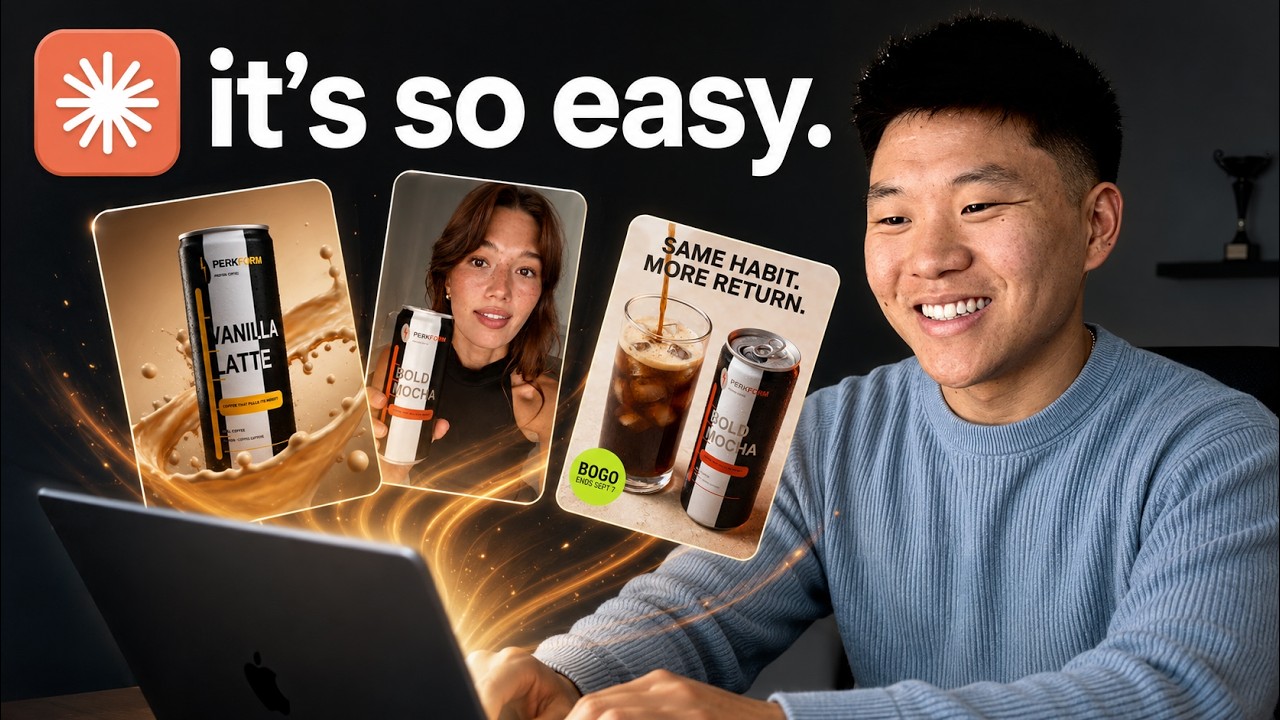
It did a total of I think it was 18. So, let's take a look real quick. Here we have two drinks, one can. We have the font. We have the color scheme. It says buy one box, get one free. We have the
two drinks equals one can. We even have like a little ruler style um grid on the lefth hand side. I like this one. High quality. You can see that the images of the actual products always look
consistent as well. We have buy one box get one free mixed flavors or all-in-one. We have breakfast optional with the vanilla latte flavor. BOGO. Stock the whole summer. Buy one box get
one free. So obviously every single one of these is going to say somewhere BOGO in some form. Can't pick. Don't mix box. Two for one. We have gym bag to desk. The shaker stays clean. We've got the um
uh the ruler thing again. And I think it's because like shaker bottles, protein, right? We've got same habit, more return, cold case, handled, bold, mocha, doubled. So here you guys can see
these are all very high quality images and they have the branding, they have our color schemes because we have the brand guidelines, it understands the messaging, it understands the target
audience super super well. And then also created some down here that were just blank in case we wanted to add in our own copy. And what's cool about this is we have all of these saved now. So if we
wanted to run another promotion cycle, we don't have to generate all of these again. and we can see which ones work best and we can just change up the call to action or we can just change up the
copy. Or vice versa, we could say, "Oh, I really, really like this copy." Same habit, more return. Let's put this copy on all 18 of these graphics and then run those again as ad creatives. And it's
funny because I didn't add any subject matter expertise. If you've been running ads for a while or if you have good knowledge of like what makes a good creative and what makes good copy, then
apply that subject matter expertise to your prompts and it will be even better. I literally just said, "Hey, create me some ads for BOGO." You know, that's all I said. And all of these 18 costed us
$343. So really not too bad, especially because we can reuse these and we don't have to like do full regenerations later if we wanted to have like a bunch of
these that are just kind of like blank with no copy and then we could add the copy later. So the one honest thing I will say about Higsfield is it's not the cheapest tool out there for all of these
different models. But it has everything aggregated into one spot and it's got other things that are really cool like the marketing studio which I want to show you guys next. The marketing studio
is super super cool. Let me just pull up that video that it made. So, if I go into the files and we go to our output, we go to our video and we go to the sizzle reel. Let me show you. It did a
vertical one and it did a um landscape one. So, let me just show you these real quick. They're super good. I mean, those are insane. I think the only thing I noticed was this logo
wasn't exactly correct, but this took no creativity for me. And it has all of these different scenes. It has all of the music, the elements, the copy. This is so good. Do you know how long this
would have taken you to be able to do manually? and how much effort goes into something like that. I'm just that's very impressive to me. But unfortunately to generate something like that, it's
not as cheap as three bucks. This one was like 1755 based on my credits. So video is obviously going to be more expensive than um images, but for the cost of like
hiring a developer or sorry, hiring a video editor to do something like that, it would cost you way more than just 20 bucks. Okay, so the next ones that we had were carousels. It ended up creating
five different carousels for us. So, let's just go through these real quick. All of these obviously have the same like branding feel because our brand guidelines and it knows our positioning.
So, your morning shouldn't require two drinks. Coffee happens because coffee always happens. Protein is the maybe two purchases, two things to carry. So, we put them in one can. Same habit, one
less stop. Three flavors of coffee. Coffee that pulls its weight. Okay. So, I'm not going to read out the caption of every single one. I'm kind of just going to scroll through here, but you guys can
see the vibe that we're going for. You can see the way that these carousels are styled. If you really really liked any of these or you really disliked any of these, you' say, "Hey, I loved carousel
2. Let's make a skill around that one so I can do that style again." Or, "I don't like carousel 3. You know, let's never ever have them like that again." But as far as the images, the pictures, you can
see that the cans are coming through the same and we're getting a really nice vibe here. And once again, we didn't have to say anything besides, "Go make me different variations. Go make me
different angles." This one is showing off the different flavors. It's really going to help you just volume negates luck, right? So, the more creatives you can make, the more carousels you can
make, the more ads you can make, the more content you can make, the more likely you are that you're going to hit. And once you put stuff out there, you have the data and now you can see what's
working, what doesn't work, and you can use that to iterate and make things even better. Because think about how powerful this is. After you have Claude with Higsfield making all the assets, you can
connect it to the actual performance data and you can have it every week review what it made, review what did well and make more that did well and you can just keep the cycle going. You can
keep the momentum going. So all of these carousels, this was, you know, $9.56. We had five carousels um that were each about like seven to eight slides. So that was a lot of generations and it
costed us just about 10 bucks. Okay, so now for the UGC ads, but I really need you guys to appreciate what it did here because this one was the most expensive, but it did a lot. So, I'm going to go
back into the folder. I'm going to go to output. I'm going to go to our UGC, and we have UGC ads that we generated on 820, so August 20th. But let's look in here. We have boards, creators, QA, and
video. So, I just want to show you what it did here. The first thing it did is it created images of characters. So, we have these four characters. This is the first one. This is the second one. This
is the third one. And this is the fourth one. And so we can now reuse these characters or in the future we can keep generating new ones. So if you want to have like a consistent character that is
always on your page that's like your brand avatar, then you can just reuse this character every single time. And then after it created all those creators, it went ahead and made boards.
So it created these boards here which helped the video generation be like more in control of the story. So you can see she is standing here filming like selfie style. There's a coffee cup and a
protein shake. And then she opens this. There's a close-up. She drinks it. And now we have all of these boards laid out. So the video generation can just be, like I said, way more in control
because it's planned out with images first with the characters and then videos are generated. So let's go ahead and take a look at the actual videos. Oh, and by the way, it also did a QA
pass. So quality assurance, meaning it went through the videos and it took screenshots and it took these videos. So for example, in the QA, it found this one that it had generated, but it
rejected it. And it says back panel. So I'm assuming there was some text that was off or a logo that was off or something. >> Bottom shelf, back row, where protein
shakes go to be ignored. Swap that for protein coffee. >> So I'm not sure if it was something here that it noticed. >> Coffee that pull. But the point being,
it goes through and it checked on all the stuff to verify that it was okay before it told me that it was finished. Okay, so now let's take a look at those finished outputs.
>> Coffee in one hand, protein shake in the other. Both going cold on the counter. That's the morning this replaces. Protein coffee sealed and cold. No blender. Coffee that pulls its weight.
>> So, it's very realistic, right? You can kind of tell it's an AI avatar still. But the thing that I don't like about these is that they are still very like ad like they're very salesy in a way.
You can tell it's not completely organic. And so that would be on us to actually have it go analyze some other UGC content or create some scripts that we approve and then we shoot over the
scripts and the storyboards for video generation. But let's watch like one or two more. 11 minutes before you leave the house. Enough time for coffee.
Not enough for anything you'd call breakfast. So the shake stays in the cabinet and the day starts short. This is coffee. Protein's already in it.
Cold sealed one hand out the door. Real coffee and it's doing two jobs instead of one. Coffee that pulls its weight. >> And the thing is these are kind of like engaging because they're very cut up,
right? Like it's 2cond clip, 1 second clip, 2C clip. You don't have to do it that way. You could have it be like, you know, just a 15-second raw selfie style video, but it wanted to cut these up.
And like I said, for those generations, they did eat up more time because they were longer because they also had to have images and storyboards created and more QA passes. But when you think about
the ROI, if you can pump out content like this, it's truly nothing. Okay, so that was just me showing you guys off some use cases. Obviously, there's a lot more you need to do. you need to dive in
a little bit, add more of your own touch, add some more research, because you can't just expect to throw one prompt out there and then go viral and go make a million dollars. But that was
me showing you how much you can do with just a few prompts before you actually even really dig in. So, let me know down below what you guys would like to see me more specifically build some really good
skills around and then make some videos on. But now I think what you should do is something like this to track your generations because obviously you're going to be able to in here track
everything in the output folder. But it might start to get a little bit messy and maybe you want a better UI to actually look at this stuff. So I think the answer really is just have a simple
Google sheet or a simple Excel sheet where you can see all these generations and maybe you can even throw in ideas and then later Claude can come in here and update it with like the views and
the engagements or even maybe the conversions on those specific videos. Hey Claude, so we just went through four rounds of generations. We did BOGO ad creatives. We did sizzle reel, we did
carousels, and we did UGC content. What I want you to do now is create me an Excel sheet that shows, you know, the date, the type of generation we ran. Um, if you can put the outputs in there,
that would be great as well. And then maybe just give me like the core angle we were using because every time that we are creating different um types of content or creatives, we typically have
some sort of angle and then later I want to be able to analyze like what angles worked best, what copy worked best, things like that. So, just give me basically an Excel sheet with analytics
that we can continue to grow over time and use that to help make better decisions in the future. And so, now that thing is going to go look through all those sessions, go look through our
outputs, make us that Excel sheet, and I'll check back in when that is done. So, that finished up. It took about 8 minutes. And you can see that once again, it threw this in our files. So,
if I go over here, files, output, we have a new one that it created, a new folder called analytics, and now we have this creative tracker. So, let me go ahead and open this up from here. And
this is pretty cool. It even made this Excel sheet using our brand guidelines. It literally made the color scheme over here like with these bold lime green sort of colors. It did the same thing
with the tabs down here cuz normally when I make Excel sheets with Claude, it does not do this. So, it definitely used our design system, our brand guidelines to make this, which is kind of funny.
So, anyways, this first page walks us through what the tabs are. We have a generation log. So, we can see we have different IDs. We have the date. We have the generation type, the campaign, the
channel, primary angle, angles covered. We have deliverables. We have Jen's build. So, how many generations we were built for the tool and the model. So, Nano Banana Pro. Um, this one was the
marketing studio. This one was GBT image 2.0. This was a bunch of different things. Soul GBT image and C dance 2.5. How many credits it all costed? How much actual dollars that was. And then we
have the status. So, every time we have more generations, we can tell it to update the sheet. We could also build some automations in here so that it's constantly doing that. It's going
through a sweep and always updating. We could also drop ideas in here and be like, "Hey, check the sheet and go process anything that's new." We could have automatic research that goes in
here every week. It's scraping different creatives and then putting ideas in here. There's so much that you can do once you have this system included, which you guys now should all have. We
have creative assets, as you can see, which is basically each of the images and videos with the supporting copy. We can have the angle performance. So, we can start to put more info in here with
analytics. We have the copy bank and we have the cost summary. So you can customize this as you want. Obviously once again I was pretty vague and I just said hey give us this Excel sheet but
you can obviously iterate on this and make changes as you need. So that was basically what I want to show you guys today. We have set up our project. We have set up our brand. We talked about
connecting Higsfield. We talked about generating assets. And most importantly we talked about why we wanted to actually connect Higsfield to Claude. It's so that we could get our business
context in there, our skills and our guidelines. But anyways guys, if you like the way I teach and you want to dive deeper into this stuff, I dropped a free six-hour cloud code course for
non-coders, which you can access right up here, or I guess it'll be right up here. Go ahead, watch that six-hour course and just keep building up your cloud code projects, keep building up
your marketing teams. I hope to see you guys over there.