Enjoying this issue?
Get tomorrow's AI & engineering digest in your inbox — hand-picked, summarized, and always spam-free.
TLDR
The presenter argues that Notion's unique structure—shared databases, skills libraries, and MCP connections—makes it ideal for collaborative AI, and demonstrates a system where personalized AI agents share a common infrastructure of guides, skills, and knowledge bases to produce consistent, context-aware outputs across a team. The key innovation is turning a Notion database into a skills library that agents can discover and reuse, enabling team-wide consistency without siloed individual instructions.
Key points
The presenter built a "worked AI infrastructure" in Notion with shared guides, skills, sub-agent instructions, and specialist knowledge bases.
The system uses a personal AI tool layer with personalized instructions and specialist modes for different tasks like decision-making.
Turning a Notion database into a skills library requires setting a trigger tag, supporting files property, and description, then enabling the skills feature in settings.
An MCP connection to a guide library allows the AI to query system documentation for context.
The presenter claims this approach reduces token usage and improves output quality by giving the AI precise context instead of searching everything.
Techniques
- skills library
- MCP connection
- specialist modes
- agentic context map
- shared guides and primitives
Stop scrolling. Start reading smarter.
Receive the day's most important AI & engineering updates in one concise email. No spam.
Transcript (captions)
Hi everyone. It's time to take a break from Claude for a moment for a tool that makes it even better. Today I want to show you how to build your AI systems and workspace out in notion to genuinely
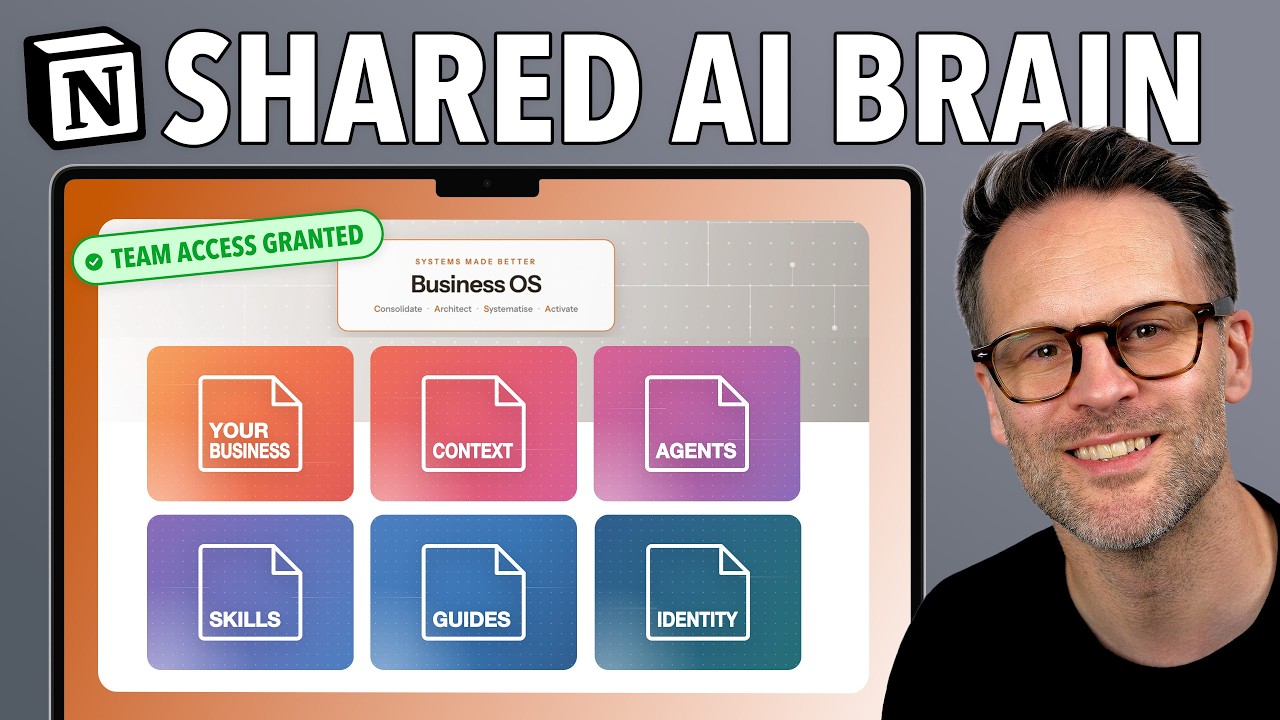
make AI collaborative. This is my agentic business OS. It's not about this OS. It's actually about an approach that I'm using in it with a team AI hub. I think notion has a unique offer right
now which is it's the most useful way for both humans and AI to see systematized processes and documentation in one place. Not only that, I've built something called aworked AI
infrastructure. Yeah, I kind of coined that. I quite like it. And what it does is it shares a set of shared guides and primitives, AI skills, sub aent instructions, custom agent templates,
and specialist knowledge bases. All of which combine so that a whole team can use the same set of skills and knowledge to make the most of a collaborative AI system. One of the biggest challenges of
how we all use AI at the moment is that we tend to be siloed. We tend to only work with our own instructions. And when it comes to collaborating and sharing skills, instructions, and best
practices, AI is seemingly very difficult for businesses and teams to adopt in a collaborative way. So, this is a quick video to give you a tour of what I've built, and I want to hear your
feedback, your thoughts, and how you're approaching using AI collaboratively. Now, in case you're wondering, this will be available, but it's currently in private beta. So, if you are interested
in that, it's going to be part first of all of my new Agentic Business Accelerator, a cohort program launching in September that you might want to hear about. So, go join the wait list over at
aentic businessmethod.com. And on that wait list, I'll also let you know about the business OS when it becomes available. And what I'm really proud about with my business OS is that we've
actually built in a MCP connection to a full guide library. This serves the cohort and the wider template and gives tons of instructions on how to use it. So, this is another reason to go get
signed up so you can learn more about this if you're interested for the future. Now, before I explain how this system all connects, let me just show you it in action. In my personal hub in
here, I have all of my uh personal AI tools, my personal voice profile, who I am page, and my personal agent instructions. So, if we go back now and let's start a new chat, where are we at
with my newsletter? And let's start writing a new entry. So you'll see it's loaded the map of where to find things, my business identity, my content strategist mode. Great. And my personal
voice and writing rules. All because I've asked it I want to write and I've told it that I want to work on my newsletter. It's now found the long form content database, which is where I would
write a newsletter. And it's going to look at the database. It'll find nothing is in it because it is just a template. And it will then come back to me in the content strategist mode. Great. and it
understands where we are and it now can present me these little tables which is rather cool. That's just a really quick example of of the process of steps that it takes. Now I've got my instructions
so that it doesn't load these every time you talk to it. It now has that at the beginning of a thread and it can follow it through. So if I now go actually I've changed my mind on this. Can we now work
on a decision I'm having trouble making whether or not to move my business content into my Aentic Business OS template now or later? In order to make a decision, it should load my specialist
mode and it should read a specific database. Great. So, it's gone. I need to switch to the new mode as this is a different process. It's moved to my decision-making coach mode and it's
following its instructions. If we quickly look at those instructions, it has essentially a required output. First thing ask this question and it's asked it. This is the power of specialist
modes to be really distinctive and every single user will get directed to that shared sub agent instructions. Let's do a super quick report. I want to do this in 2 minutes as I'm demoing it on a
video. So please just find the right frameworks and suggest how to proceed. So it's now loading its required skills, running a coaching sess session and searching a knowledge base. It now
automatically follows my skills library in order to do that. Again, you can see theworked set of instructions being drawn in at the right moment. Amazing. Great. Revolving door decisions. Cool.
Treat the migration as a small reversible pilot rather than deciding whether to move. Great. Apply revolving door decisions and let me see your analysis. So, so far this system has
read my guides and primitives. It has loaded two different modes which are my specialist mode instructions for specific work processes. It's searched a specialist knowledge base on
decision-making frameworks in order to work with me. So, those are some questions I have. Now, you'll notice I'm speaking to my agent. I thoroughly recommend this when using a system like
this. I use Whisper Flow. There's a link in the description. It is absolutely fantastic. I mean, I think I've now dictated 500,000 words, and I get a lot more done a lot more quickly. Now, it's
doing one more thing, which is we have this guides MCP database I mentioned earlier. And since I've asked a question about the actual template, it is now searching the guides system. And this is
that guides database I mentioned earlier where users can connect to it if they've uh subscribed to our systems. That's not the important bit here. The important bit here is that you can even plug your
notion system into MCP servers where you can bring further information in. Amazing. Your agent can recreate them. One active project free tasks rebuilding blah blah blah recommendation. Migrate
into this template. Don't replace its databases for the content manager. Compare both schemas first. Only add genuinely necessary fields or template changes. This is great. Save me a
decision report in my personal decision log. And since I know that my template has that, we're going to go and save it in the log. And in my personal hub, I have a personal decision log. And we
should see see it turn up in here when it's done it. There you go. There is the log. Now, I think it's worth taking a moment here and seeing the difference. If we were just speaking to a generic
AI, none of those easy requests would have put information in the right place or read from the real relevant information about who I am and what I'm doing. With that clear context and a
clear network set of tools, every user that comes into my business and uses this gets that refined, personalized, fast use of AI. It does a couple of things. It makes the outputs better. It
makes the process swifter. It means you can build on success and improve it and iterate it over time. And it saves on token use because it's not searching everything and making a mess and not
giving you what you want. So whilst on the first query it might have to load a lot more pages in order to take action at the end you're getting a more usable result and much swifter quality out of
your system. This is the power of building that infrastructure. So let me now show you how that all is put together so you can see the elements that make this system up.
We have three things working together. a set of pretty standard but very carefully made databases and dashboards. Then we have this the team AI hub and in this hub two things are happening. One
when a new user gets set up they create a dashboard. Click this and it generates it and it links it to the user in the workspace. That dashboard this is my demo version in the template is then
completely filtered by the person. So in projects I've got an example project here. If I look in filters, everything is filtered by me, by this page. And it means that everything that is tagged to
me goes into this view. But we also have this personal AI tool layer. And this is the most important part when you're using AI in notion. You're personalizing a set of instructions which and you make
it look nice, but it's the set of instructions that governs how your personal AI works. And in notion, whilst custom agents are wonderful and can automate things and run on a schedule,
they can cost tokens, whereas a personal agent is built into your business plan. And this means you can use these kind of systems for collaborative work really effectively if you know how to do it. So
you set up your personal agent instructions. These are those instructions right here. And they're a templated system that every user will get when they log in to my setup. You'll
see I've split it into two things. Now at the beginning of every thread, it has to run these guides on how to find stuff, how it should behave and uh my business identity. And before any
response that writes on behalf of the user, it needs to load the voice and brand identity uh for it to be able to act. And that's both personal and business. And then we have these shared
specialist modes that can be created which will mean it can go into more detailed instructions from this orchestration layer when you're doing a specific task. This is all very similar
to my agent OS template but we've now massively improved it and connected it into this infrastructure. So you've got your personal hub and you're connecting into the shared instructions. So when
you speak to the agent it knows who you are. If we now go back to the hub, the infrastructure we have are these a set of guides. These guides are the foundations. And if you update, for
example, what it's allowed to share or write, that will be the case for every user through every action. The most important part of this is this, the agentic context map and write rules. So
my layers essentially are this what something is, where it lives, and how the agent behaves. And down here really, it's just the map. If you're talking about tasks, it's this database root
here for these things and these databases relates to these databases. So, it can read this very quickly and understand where to put things and where everything is. Really, really key. If
you're the admin of a workspace, this is one of the highest leverage actions you can take with managing collaborative AI. No one else has to look at it, but it does the job. And it means you save on
tokens because your AI isn't searching absolutely everything. It reads that and goes, I need to go there. That is great for the environment and great for your pocket. So that's AI primitives, the
first layer. The second layer is AI skills and a shared skills library. This is for a single outcome instruction. It might be this is how we write LinkedIn posts. It might be something more
general and scaffoldable like how to add an entry to a knowledge base, an action. It has a start and an end. It means that you are also building foundational skills and then you could build
routines, other skills that reference other skills and other guides. Meaning if you just change one, everything else is updated inherently. That's great practice. So for example, in this add an
entry to a knowledge base, we have relations. So the agent will know that when it adds this, it needs to be using these to do it. These reference guides. This also is used by other skills. So I
have a customer service skill that writes new um responses to customer inquiries that we can build a playbook. It needs to also follow this skill and then it has the sub agents that we use
that use these skills. Now obviously that sounds really complex but you can get your agent to analyze what needs to be linked to what and kind of build this architecture in and that's what's so
helpful. Now, the really important bit about skills libraries in Notion is we've got some really cool new features. In order for a database like this to be an actual shared team skills library,
you're going to need to do three things. You need to make sure that you have a trigger tag, basically explaining the type of use case that it is. You want a supporting files property which allows
you to add files for context for the skill and a description. Mine is basically a summary and when to invoke it. So it kind of breaks down when you uh might call upon it in a database in
notion. Now you can go into settings. You can go down to more settings and turn into and you can select turn into skills. And by doing that, this database becomes a container recognized as a
place that notion can find skills for agents to reuse. So it's automatically selected the correct views here. So it's picked a description of when to invoke property that represents the
description, one that represents the files, and finally one that represents the tags and we're going to go for the type trigger tag. And you can turn it into a skills database. You can store
any existing or new skills in this database and share it with others. So that is now a skills database. Now, by the way, if you uh are in I think the first 20 people that downloaded this, I
actually hadn't turned that on. So I have now done that and updated the version history, but it is in there. So that's super cool. We um are good to go on that. So that now means we have a
skill system. So if we then go into this example skill here, we can click on this button. You can click use automatically. uh and you know that it's in your skills library. And for those of you who don't
know where to find your skills library, just go into your workspace settings, go to notion AI, and go to skills and then open library. And you'll see you have a library of everything that is
connected in the workspace for you to use as a skill. And you can turn things on and off. Now, it's worth saying you can see that there are here two databases that I'm using. my personal
one and the one in the template. This is the key. Look, this one I've not turned into a skills library. This one I have. And by turning it into a skills library, we are able to get those descriptions
automatically brought in, which is really, really important. All right, so there you go. That's how you set this up so that it can work with your system. Then I've got my sub agent instructions.
I won't go into those, but the one I'm really proud about in this system we've built is my onboarding agent and my tech support agent. And essentially, we're building for our team specialists.
There's that decision coach I demoed earlier. So, when someone wants help making a decision, it follows these specific instructions, how it should work, and most importantly, it has a
decision framework database where we've listed all of the frameworks that it can choose from. But what I love about these agents is their instructions for guiding and supporting people in the workspace
just completely transform how accessible notion can now be because my agent connects to that lovely guide library I've created for my users, right? And it's guides on the entire system I've
built. And the way that works is you basically add a connector in MCP servers. And you'll see here aentic business guides MCP is calling on that MCP. You'll see the members that have
access to the MCP and an overview of what it does. Finally, you can create custom agents. These aren't custom agents. They're instructions for the building them. Custom agents exist
elsewhere. These are basically automated versions of sub aents that can run call on tools, all the rest of it. But that's for a different video. The final part of my worked AI infrastructure I want to
share though is this a specialist area of specialist knowledge bases and you saw me use one of those earlier with the decision-making. What I have here is a set of knowledge bases that can be
created and the idea of them is that they are made to be searchable and readable by AI to use them to inform their behavior. One of my favorites is this a prompt engineering knowledge
base. This is an entire body of work on what good prompt engineering looks like. So when I ask the AI to build me a new specialist mode or new agent instruction, it uses that database to
inform good practice. Another equivalent is the decision frameworks guide. This is just a set of frameworks for decision- making that it can choose from and we used revolving doors uh earlier
and included in my system is a content creation knowledge base which essentially helps me validate good quality work on YouTube and you can check it out link below. I made a video
on creating specialist knowledge bases that your agent uses if you want to check it out. And I think it's important to say for a moment here, let's not get overwhelmed by that amount of
information. This is me taking it as far as possible. And I think with notion, the reason people give up on it too easily is all of this configuration. I think there are users in Notion,
configurers who tinker with what's there and improve it, and builders. I'm the builder. We've built this to make your life easier. So, what I'm hoping is you go check out the agentic
businessmethod.com. join the wait list for the Agentic Business Accelerator. The first cohort is being announced soon. And if you join that wait list, you'll also get first
call when we actually release the system I've been demonstrating here to the public. And you can look at the accelerator, see if it's something for you and whether this might actually help
you be able to adopt these things because work is changing and AI is really making a big difference in that. And the most important thing is that we don't end up well a getting left behind,
but b getting overwhelmed and into the technical weeds of all this. If you do this right, you can adopt a system like this built for you and gradually learn as you go. And believe me, in a couple
of months, your business will be so much more agile, swift, and effective in what it gets done by leveraging these kind of tools. So that, my friends, is how I'm engineering collaborative AI in Notion
right now. Let me know in the comments how you're approaching it or if you've managed it and what you make of my approaches. It would be great to have a conversation and you should watch this
video next for how Claude Co-work can be set up to integrate with this kind of system and work on multiple devices or this one is where that specialist knowledge base build can be found if you
want to go deeper with creating specialists in your notion setup. Thanks everyone. I'll see you.