Enjoying this issue?
Get tomorrow's AI & engineering digest in your inbox — hand-picked, summarized, and always spam-free.
TLDR
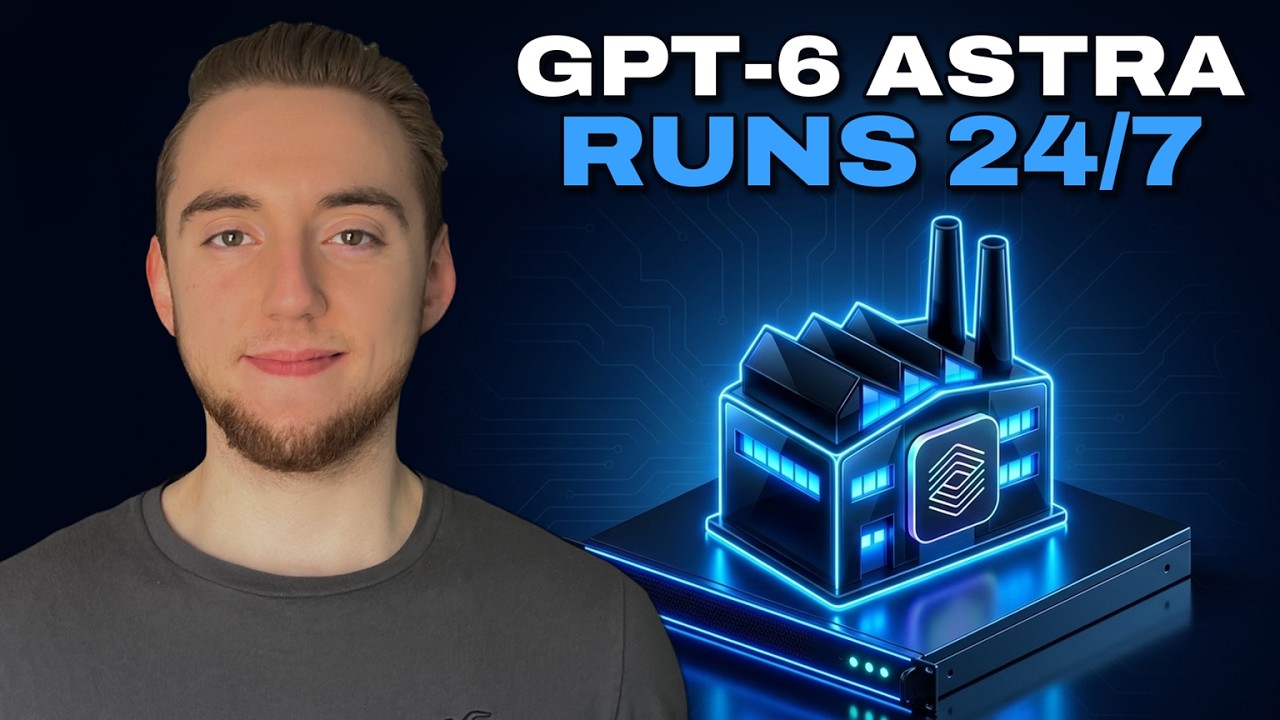
The AI software factory concept is becoming viable with GPT-6 Astra, but it's still an early alpha. The real story here is not AGI but that Astra is the first model where communicating intent feels natural enough to trust in an autonomous coding loop. Cole Medin demonstrates deploying a fully automated factory that takes a GitHub issue and produces a validated pull request, running 24/7 on a remote VPS using Hostinger.
Key points
GPT-6 Astra is described as the first model that significantly reduces the need to over-communicate intent.
Jensen Wong of Nvidia claimed AGI because of Astra, but the presenter disagrees with that assessment.
The software factory is an open-source harness that takes a PRD or GitHub issue and outputs validated, merged code.
Deploying the factory requires an Ubuntu VPS, a coding agent, and authentication for GitHub and Codeex (with GPT-6 Astra).
The factory workflow includes triage, validation, and automatic merging of pull requests for accepted issues.
Tools mentioned
Techniques
- AI software factory
- autonomous coding harness
Stop scrolling. Start reading smarter.
Receive the day's most important AI & engineering updates in one concise email. No spam.
Transcript (captions)
GPT6 Astra is here and with it we now have AGI or at least that's what everyone wants you to believe. Even Jensen Wong, the CEO of Nvidia said yesterday he declared that we have AGI
because of Astra. But you probably shouldn't buy all the hype. I'm definitely not myself. But I got to say as I've been trying out Astra, I've started to buy into it. Not that we are
achieving AGI, but definitely Astra in my mind is a step up over every other large language model by a significant amount. Now, just looking at the benchmarks, it would seem that Astra and
Fable 5.1 are pretty equivalent, and they both are very impressive models, but I've been putting both through the ringer this week. I've been doing so much testing, and Astra comes out on top
quite often, like a majority of the time. It feels like the first model to ever really get me, right? Like, I have to spend a lot less time communicating my intent. With other large language
models, especially Opus 5 over the last few months, it's just frustrating how many weird assumptions it makes. But I see that a lot less with Astro. Now, of course, it has its moments. That's why
we're definitely not at AGI yet. But the first thing I want to do whenever we get a new large language model that is significantly more powerful than its predecessors is I want to test it with
the most autonomous AI coding workflow possible. That brings us to the AI software factory. I just want to let Astra build, build, build, let it rip and see what it can create. And this
week, I've had it build some incredible things with the software factory. And so now I want to bring that to you. So the idea of the software factory, which I've also been calling the dark factory, is
that you build a fully autonomous harness. The PRD goes in whatever you want to build and then you get shipped code out. That's the promise. And when I started experimenting with this earlier
this year, it was quite unrealistic because large language models and our own harnesses just weren't at the point where this could be reliable at all. But now, especially because of GPT6 Astra,
I'm starting to see the light at the end of the tunnel for when this could be the ideal way to build software. We're not fully there yet, but that's what I'm building towards. And as I continue to
build out the software factory for you as this open- source project, I'll be making a lot more content on how it works, how you can make it token efficient, because there's a lot that
goes into this. But what I want to do right now is just show you how incredibly easy it is to take this software factory and deploy it for yourself in a remote environment. So you
have this machine running 24/7 ready to take any PRD, any issue, and just produce fully validated code. And I'll be the first to admit that we're not close enough to AGI yet where a software
factory is going to be 100% reliable for any code. But we're getting close enough, I would say, where experimenting with this, getting your own system up and running is definitely worth it.
That's why I want to make this really concise guide for you. We'll literally go through this step by step, really quickly with the help of our coding agent to get our own factory up and
running remotely. And I've been using this to build so many cool things like using it to work on my open source projects like Archon, building different video games like it, especially this one
that I'm going to be pouring a lot more time into soon. I'll of course be making a lot more content on the software factory as I continue to do more things with it. already have some videos on my
channel here. But yeah, right now let's deploy it together. So to get started with the software factory, it is as simple as going to this repo, which I'll link to in the description, and then
sending this prompt into your coding agent. It'll set up the entire thing for you and interview you for all the context it needs to build the factory to build what you want it to. And so this
will work for either a brand new codebase where you just have a PRD for like, you know, that MVP you want to build. It'll also work if you have an existing codebase you want to apply the
software factory on top of. Either way, testing it on your machine is a good place to start. That's what I've been doing a lot for my testing. But what you really want in the end is you want the
software factory deployed remotely. So that way you have it running 24/7. And I really do envision a future where every individual, every company has some kind of software factory like this running in
the cloud, ready to accept input at any time through something like a GitHub issue. Now, obviously for this guide, I have to pick a platform to host my software factory for the live demo. And
for that, I chose Hostinger. It really is my favorite platform for VPS hosting, for my agents, for web apps, for software factories, everything. And so, some things in this guide are specific
to Hostinger. Uh because I also just want to show you how easy it is to use their MCP server to have your coding agent deploy everything for you. But the main requirement is that you just have
some Ubuntu Linux instance in the cloud up and running ready to host everything as we go through this guide together. But I did also get Hostinger to sponsor this video. I'm super excited about this
cuz if you want one of their KVM instances to host your software factory or something else, I have a discount code that you can use. So you go to the link that I'll have in the description,
choose your plan. I'd recommend the KVM2. This is enough for the software factory. You choose the plan and then I have a discount code that you can apply on top of what already is a discount
here. So, take a look at this. You just enter in Cole Medine. I'll of course have this in the description as well. Once you apply it, then we have a discount for the 2-year plan for the VPS
hosting. I of course already have my instance up and running, but you can go through this, register, get the instance, and then you're ready to go through the rest of the guide here. Here
is my KVM instance that I already have created, but I've done nothing on this yet. I really am building up the software factory from the ground up. So, I was intentional about having that in
the video for you. If you want a really cost-effective and powerful option for your hosting, but regardless, wherever you have a machine up and running, we can now go through this step by step.
And we can use our coding agent to customize anything that you need, regardless of what you want to build, where you're hosting, that kind of thing. And so, yeah, there's a good
number of steps here, but this covers deploying the entire software factory. I didn't miss anything. And most of this is just prompts to our coding agent. It's a beautiful thing how much we can
use our coding assistant to not just write the code but also set up anything for us. And so a big cheat that we can do here is you can take the URL for this cheat sheet which of course I'll link to
in the description. We can go into our coding agent regardless of which one you're using. Like I'm using Claude code but I'm going to deploy the factory using codeex with GBT6 Astra. I'll paste
in the URL and I'll just say help me set this up. That is all we have to do to get started here. So just make sure where you open up your coding agent and run this, it's the folder where you want
to create the new GitHub repository or the existing repo if you want to apply the software factory on top of it. And so the first thing it's going to do is make sure your machine is ready for all
the tooling you need to deploy things to the remote environment. And then it'll ask which VPS are we targeting. So obviously Hostinger is the default recommendation because that's my example
and what I've built in. But you can just say, you know, your server already exists or you're using a different provider. Whatever you're going to do, the agent will customize the setup to
your needs. And so, obviously, I'm going to go with Hostinger here. And then it asks which GitHub repo should the factory work in. And so, you can do a brand new repository if you have a PRD.
What I'm going to do in this demo here, just so it speeds things up a little bit, is I'm going to work on top of an existing codebase. There's less setup initially. So, I'll do just this like
link shortener application that I built as a demo for today. And then the two coding agents that I've tested with is Claude Code and Codeex. You can set up either. I mean, you could play around
with something else if you wanted to use PI for example, but I've heavily tested both of these. And so, obviously, because of the hype around GPT6 Astra and the good results I've been getting,
I'm going to be running this entire thing with codeex. And then, does the repo hold a working app or only a PRD? For me, it's an existing application, so it has a working app. But again, you can
do this totally from scratch. She'll go ahead and submit this and it'll continue to interview us just to establish everything we need before the deployment. The next thing the coding
agent is going to do is ask you a bunch of questions about the application you're building and how you want the software factory to operate. So, I've been very intentional about making the
questions simple. It'll ask you simple questions to establish the core context files of the software factory. I don't want to go too in the weeds in this video for how this works. I've already
covered that in other content like a video I'll link to right here because I want to just focus right now on deploying things from scratch. And so that's why I have this already set up
for the sake of brevity. But answer its questions. Then it'll get into the deployment here. The first thing that it needs is the tooling to access your remote instance. And so for Hostinger,
we have a simple plugin that we can install. Most platforms have this kind of thing, but man, Hostinger, it is so incredibly easy to manage your instances and do things within each individual
one. So, I'm going to run this install and then the coding agent is going to rip through everything, getting SSH set up, the firewall, making sure that we have all of our applications installed
in the software factory. So, I'll start simply by doing plugin install Hostinger. And there we go. I'm going to install it for me just for my user scope. You can do it project as well if
you want, but I'm going to install it everywhere so I can use this to manage my instances no matter where I am. And so, there we go. It is installed and now active. If I do /mcp, we can see that we
have the hostinger plugin. I just need to authenticate. So, I'm going to do that now as well. There we go. Connect my account. I'm already signed in. You just have to sign in in your browser.
Allow. And there we go. That is all it takes to have it. So, our coding agent can now manage everything in Hostinger. So, now back in my cloud code. And I could be doing all this in codeex as
well. By the way, I'm just very comfortable with cloud code. I can say list out my Hostinger instances now and then continue. So, just kind of like an initial check at first to make sure that
the plugin is working and then it's going to rip through everything it said it would do. So, it used the plugin to get some information for my account. And then the next thing it asked is, do you
want to create a new instance or do you want to use an existing one? Now, the plugin doesn't have permission to do everything. Like, it can't actually create an instance for you. I wouldn't
really want it to have that power. And so, you just have to create one yourself, which is why I already walked you through that setup earlier. And so, then it'll ask you for that information.
What's the VM ID? What is the public IP address? And so I'll just get both of them right here. So within your hosting or dashboard, you have your ID. And so I'm going to copy that and give that to
the agent. So I'll just say ID is this. And then the IP is and then I'll just fetch that from the dashboard as well. This is my public IP. Obviously, I'm going to remove this machine after the
video is recorded. But this is the information it needs. So with that now it can go through the full setup until it gets to the point where we have to authenticate with GitHub and codecs on
the machine. And just a few minutes later we are done. It used the SSH access and the Hostinger plugin to get everything set up for me until it needs my input because I don't want to give it
my credentials. So now just two things I have to go into the instance to do myself for the GitHub and coding agent authentication. Now your coding agent might trip up a couple of times as it's
going through the process. So, just go through the prompts it gives you if it needs help with anything like we have with the authentication. I know that this guide might be a little hand wavy
when I'm just saying go through it and and answer any questions that it has or run any commands it needs you to, but I'm I'm doing that on purpose because I want this process to be flexible based
on your coding agent and where you're hosting. And so, you might have a little bit of a different process than me. So, I want to show this a bit more high level. But, yeah, right here it just
tells us exactly what we have to run. So yes, unfortunately we can't use the coding agent for literally everything, but it's still a very fast process. So now I just open up a new terminal and I
go through each one of these commands one by one. On Windows, you want to use PowerShell. So I SSH into my Hostinger instance and then I start with the GitHub authentication. Just has me go to
this URL and enter in this code. That's how I can connect a remote instance like this VPS. And then I verify I'm logged in and I move on to OpenAI to login with Codeex here. So, I'm using d-device off.
And that allows me to enter in a code just like I did with GitHub. And so, one thing I want to call out for that here, I'll just pull up the browser, is you have to enable this in your chat GBT
environment. And so, in the settings here within your your cloud dashboard, I'll link to this in the description as well. You just have to make sure and you go to chat GBT settings here down to
security and login. Just make sure that enable device code authorization for codecs is checked. Otherwise, it's just more difficult to get the authentication set up in your remote environment. This
is just the easiest way to do it. And so once you're signed in now, I can do codeex exec say hi. You'll probably have to add this flag as well. And so for anything I run into like this, I'm going
to be updating the the prompt by the way. So the coding agent will give you all the right commands to run. But you just do a little test here, right? So the model is GPT6 Astro. That's the
whole point of running the software factory right now. We get a response back. We know we're set up. So now our instance has GitHub, it has codecs, it's ready to install the software factory,
get the repo on there. We're almost to the finish line. So back to my main coding agent where I'm setting all this up. I just say I'm done. So now it knows that authentication is set up and it can
move on with the factory installation. So I'll come back once we have that taken care of. All right, so I'm back about 8 minutes later and it did a ton once I said done. I have the
authentication set up. It ripped through installing the software factory, installing archon, which runs the workflows under the hood, confirming that codeex is live, configuring
everything, installing the repo that I'm applying the software factory on top of. And after all of that, now it's asking me a few questions to even test things end to end, like what host name should I
install the app on. This is maybe a bit more custom to me, and the port I want to use. But then this is the big one. Not only is this cheat sheet we gave to our coding agent going to guide you
through installing the entire factory remotely, but it's also going to help you test it, right? Like what's the first issue or the PRD we give into a new codebase to test make sure
everything's working end to end. And so this is where we can specify whatever we want here. I'm just going to actually go with its recommendation. We can take something from the mission and address
that. Submit that in. So now it's going to create that issue in the GitHub repository just using the GitHub CLI and then it's going to monitor as it watches the factory take that all the way to a
pull request that is validated and ready to merge. And the other really cool thing is with the Hostinger plugin, it's also able to update DNS settings. And so assuming you have a domain in Hostinger
already, it can even take care of that as it's getting the application set up. And so I'll show you also really quickly what the factory looks like with our input. Right? We have the PRD split into
issues or we just create the issues directly. This is always the input to the system. And so more content coming soon where I really explain how this works and help you customize things. But
we create the issue and then there's going to be a workflow that runs that performs triage. Basically looking at the context here, comparing that to our factory rules and our mission, all the
other context and figuring out like should we reject it or should we accept it and take it all the way through to a poll request. And it'll even rank things by priority. So this is the input to a
factory every single time. And then every time what we get out is a poll request that is fully reviewed. And so either it's going to say it needs a human if it has to escalate. Otherwise,
most of the time because we do want it to be autonomous, it's going to merge things automatically. We literally go from issue all the way to validated and merged code. All right. And here we are.
We have an issue that it created to test the whole factory end to end. And so it was triage marked as archon ready. And now we have a pull request. And so I let it run through the whole thing off
camera. It's a very very simple test here, but that's the point. We just want to make sure that the triggering works and that all of the workflows work with our coding agent authentication. And now
it's your turn to start creating real issues to use this software factory to build out your application. So once it's validated here, you can close down that coding agent session. And now your
factory is there running remotely 24/7, ready to accept any GitHub issue for anything that you want to continue to build out in your app. So there you go. If you followed along, you now have your
very own AI software factory running 24/7 with GPT6 Astra. And man, you can build some amazing things with this. There's already so much work I put into making this harness really powerful and
reliable. I would still call this early alpha. Like I'm still pouring so much time into refining this right now. So, of course, a lot more content coming on that soon as well. And so, if you
appreciated this video, you're looking forward to more things on Agentic Engineering and the AI software factory, I would really appreciate a like and a subscribe. And with that, I will see you
in the next video.