Enjoying this issue?
Get tomorrow's AI & engineering digest in your inbox — hand-picked, summarized, and always spam-free.
TLDR
Agent orchestration code is being replaced by files: markdown instructions, YAML configurations, and bash skills are replacing thousands of lines of Python and TypeScript. Philipp Schmid demonstrates that with better model capabilities, developers can delete orchestration code and instead provide general-purpose tools, letting the model decide how to achieve the goal.
Key points
The interactions API uses a steps timeline instead of turn-based conversation history for agents.
Three implementations of a GitHub PR review agent show progressive code reduction from Python to files.
The Gemini API's remote agent uses a hosted sandbox with credential injection via a network proxy.
Agent capabilities are extended by writing skills in markdown files rather than writing new Python tools.
Cursor replaced 12,000 lines of TypeScript with 200 lines of agent files for git work trees.
Tools mentioned
Techniques
- File-based agent configuration using markdown and YAML
- Credential injection via network proxy in sandbox
Stop scrolling. Start reading smarter.
Receive the day's most important AI & engineering updates in one concise email. No spam.
Transcript (captions)
Hi everyone. Uh thank you for coming. I know it's the fourth day, last session before the keynote starts again and we are going to do something fun. Uh we're going to look into how files are
basically replacing Python. And before we begin, I would like to start with my favorite definition of what is an agent from Simon. An LLM agent runs tools uh in a loop until it achieves a goal. And
what we are going to do is we are going to build uh the same agent, the same GitHub PR review agent in three different ways. And we are going to delete code on the way. Each new
version, less code, more files basically. Um before we begin, I would like to quickly introduce you to the interactions API, which is our new Gemini API. It's a unified interface for
um running models and agents. So you can use the interactions API to call the Gemini models directly or to call our new agents, which also comes with sandbox. It supports serverside state
management, background execution. So it's perfectly suited for all that's coming in the next years. and um the capabilities it's the same API for tool call multimodality understanding
multimodality generation so you always have the same interface might look very familiar if you're using other LLM applications we really try to build something for developers which you like
to use uh to build and that's something we are going to do so something little bit different in the interactions API to other LLM applications or APIs is that we moved away from this term based based
uh conversation history to steps. So until I would say a few months ago, most of the applications were really turnbased. Normally you had a user in input and then a model output, a user
input, a model output, which definitely works for normal chat application. But as soon as you start to build agents, use reasoning model. We have more than just a user role and a model role,
right? So we have like different inputs, we have different types, we have reasoning. So we decided to like make a cut, make a change and build something really for agents and that's what you
see on the flat steps timeline on the right where you have a user input then you have reasoning you have a function call you have a function result and you no longer need to like abuse the user
role for passing back data from an environment. So roughly a year one and a half years ago writing agents mostly meant writing a loop in Python. You needed to define a
JSON schema. You needed to define Python functions. You needed to look at the output from the LLM. Need to check if it was a function call or if it was a text response. And then needed to match it
against um the type and then like call the tool look of if you get an error and then like go back and forth and let's look at some some code example on how this would
look and also run it and hope that uh the demo gods are great to us. So I built or I let Gemini build a basic implementation of this Python loop. So we have our uh class. We have a run
function which uses the interactions API. We have all of the weird complex passing with function calling with uh appending the errors checking if we get an error and then we have uh the result
again. And what we need of course for an agent is we also need a system instruction. So there's a separate file for the system instruction. Very basic. QR GitHub PR reviewer and then of course
we need tools and for tools we needed to write those um JSON schemas specifications of description exactly define which uh actions the agent can take and then of course we need the
implementation in this case using the the basic uh GitHub API just sending some some requests. So we can run this um in and basically the main main
implementation is a very simple uh input interface and we can say something like hello and yes we get back hey I'm an agent and
then we yes ask it to review a pull request on the Gemini skills repository and what we should see is like the agent should hopefully start soon sending function calls function results function
calls function results but it's very limited to yes uh great it works very limited to the tools we define so if we ask the agent to do something which it does not have the capabilities to it
just says hey I cannot do this um which is unfortunate but that's how we were building agents um raw Python code a lot of files a lot of things which can go wrong a lot of code to manage so what
happened afterwards um or what we we need to do we have like a token generation We have the native function calling and we must execute the loop. We must handle the tool routing.
We must create a JSON schemas. We must write the Python code. We need to execute the Python code. We need to manage the state. So there's a lot of things we need to do to get an agent
running. And then we got agent frameworks. There were many different agent frameworks which abstracted away some of that complexity. One example here is the ADK framework um where you
have an agent class now which handles all of the tool loops, the function calling, the retries, the error handling and it made it a little bit easier. We basically removed all of the boiler
plate code which we always needed to write for agents put it into a framework and help people build with it. So back to the demo and um same example. So we go into the CR2
and what is very interesting if you let me open both. So we still have our we don't have our agent file anymore. So the agent went away. We still have our prompt same system prompt. We still have
our tools in this case also no JSON definitions anymore because those agent frameworks now use the uh signature of our functions to create those JSON schemas on the fly to provide the model.
So let's stop our um agent. Now let's run our second agent. Similar interface, similar prompt and we should see a similar expected behavior where we have
function calls. We try to get the PR data. We try to get the diff, we try to get all of the code we need and it works and we wait for for the agent to yes continue. But similar difficulty here.
If I ask it like what's the weather in San Francisco um we should get back hopefully a result like hey I cannot do this I don't have
access to the weather API which obviously makes sense because we did not define any tool still very unfortunate because we need to be very explicit on what our agent can do and we all know
nowadays that we just want to prompt something and we wanted the agent to do whatever it takes to to achieve that goal. So what is left for us to do? What does the framework solve? The framework
solves the turn taking loops, the routing, the execution mapping, the JSON schema creation for like the different function calls, but we still own the Python plumping. So we still need to
write those tools with Python code. We still need to add specific rules or requirements to like make sure whatever we want the agent to do and we need to provide the environment where all of the
tools are running, where we want to host it. So what comes afterwards? Afterwards hopefully comes remote agents and at Google IO we launched the anti-gravity remote agent on the Gemini API. The
anti-gravity agent uh is powered by the same agent harness which powers the anti-gravity IDE. Here the same harness very important does not mean the same agent because the anti-gravity agent is
a coding agent at the moment and the uh agent available in the Gemini API is a general purpose agent. So there might be different system instruction, there might be slightly different tools
because the Gemini API already has a Google search tool. So we use that what we have built and but very importantly it comes with this new environment parameter and this environment parameter
here allows the agent to get access to a hosted isolated cloud sandbox where it can run tools, where it can run bash commands and where it can save files. And those environments can be um
configured. So you can provide sources and sources can be a GitHub repository, it can be a GCS bucket, it can be inline files and of course very important we want to make sure that those agents are
secured and cannot use our credentials in any way possible. So we created a network proxy around the um agent sandbox which basically injects the credentials when the agent makes a
request from inside the sandbox to outside the sandbox. So the agent never really sees your credential. It just knows hey I can call the GitHub API and then on the fly we make sure that it
received the correct token which you define and you can also limit which domains the agent has access to. So if you want to restrict the agent completely on which network access it
can or which website it can access you just leave it blank. By default the agent can access all because I mean it's a hassle if you first need to define where to go. So we tried to stay simple
and of course making an API call is nice but we thought hey people want to reuse their configuration want to reuse their agents. So we added the agents API where you can define your own custom ID you
the same system instruction the same base agent the same base environment and then you can create that agent and then you can use that agent in the same exact way as you use Gemini models or as you
use the anti-gravity agent by providing the ID. So all of the existing code can be reused with your own custom agent, with your own custom tools, with your own custom uh credentials, environments,
whatever you need for it to to run. So let's look at how this will look for SS code and as a demo. And okay, now 03. And what might be very obvious is that we no longer have a
source directory. So the code went away. We have now an agents M uh folder with an agents MD file with system instructions. So very similar system instruction. The only difference here is
that we tell the agent, hey, you have access to the GitHub CLI. So we no longer create specific tools for reading files from a GitHub pull request, for accessing a GitHub pull request. We just
tell the agent, hey, you have a GitHub CLI, you have a bash tool, you have file systems. try to use it whenever you think it's important. And since we don't have the CLI installed, we have a very
basic bash script in this case which checks, hey, if the GitHub CLI is installed, please use it. If not, download it and install it on the first turn. So, we go into our terminal and we
run our agent here. In this case, maybe important I use a stream version because otherwise we would wait like a few seconds and we not get back any we would not get back any anything back. So same
prompt and we should soon see um our function calls and function results coming in. Yes. So in this case since we run inside a sandbox the agent first like explores
the sandbox to really make sure hey do we have this GitHub CLI installed and then tries to run it. It did not find it on the first turn. So it installs it and then we can see the agent doing its
work. And in this case it's not using the predefined function calls. It's using the GitHub CLI and it's already existing knowledge about how it works. I have a bash tool. I have like access to
the file system and I do all of that work to see or to like review the the pull request. Let's wait a little bit. Okay. And I think the the amazing part here is like if we ask the same question
as before, what's the weather in San Francisco? We should hopefully see that the agent tries to use ah it uses Google search in this case on 2nd of July. Let me quickly
check. Yeah, that's today. And we have around 20° Celsius and it works. So the agent became more of a general purpose agent and we don't need to like specify all of the tools. We basically trust the
model on understanding hey I have a specific set of very atomic general purpose tools to solve my task or the task for the user. And if we look at the the code uh for like the the input or
like the the sorry the the interface we have our sources here. So we have the the bash script which install the GitHub CLI. We have the agents MD file and then we say hey you can use the GitHub API
with credentials. So I want to access or use GitHub credentials in a secure way. So I created a token for the API and also for github.com since you need both URLs. one uses is used for the git uh
commands. The other one is used for HTT commands and then domain all is basically hey in addition to the GitHub URLs you can use all of the web but you don't have credentials for it and then
it's a it's a simple single API call to the anti-gravity agent with your or user input with the environment and then also with the previous interaction ID that we keep the multi-turn going and that
that's all it takes and it's a single API call on the backend side we start that cloud sandbox we load the agents MD file and the skills from the environment provided to the model and then the model
between the API and the sandbox does all of the the looping calling the function returning the function results calling the function returning the function results and that is all it takes. So
where does it leave us? We no longer need to execute loops. We no longer need to do two routing. We have a serverside conversation and session state. So we only need to provide new inputs. The
context window and the compaction is also automatically managed by the agent. So if we continue our conversation at a certain point the context is compacted and we can continue without the need to
manage anything and we also get an isolated remote Linux sandbox which we can use to run our code. So what is still left for us? We need to define instructions. We need to define rules
behaviors in an agent MD file. We need to provide capabilities or context and skills MD and we need to own the evils. So all of the heavy lifting, the infrastructure management, all of the
same code which probably every one of us has written of us here like 20 times is no longer needed. And you can start really building your product instead of like needing to rewrite the same code
over and over again. And very important is like, hey, that's great, but what about extending? And I think looking into how extending previous agents to like those new agents work. It's very
obvious that previously if we want to do like some kind of security scanning on a pull request, we would need to define or write a Python function. We would need to understand okay which CLI tools do we
need to use? We need to define a new function schema and then we needed to add it to our tools need to run it and then so there's a lot of things we need to do on on agents powered by files. We
write a skills MD file maybe with some additional information on which CLI tool to use or maybe provide the CLI tool inside the environment and then we extended the capabilities. we don't need
to change our code. We just provide more files to the agent and the agent decides on what we want to do. And I like to bring up some very good examples. So at a engineer in Europe, Cursor did a great
talk on how they replaced uh roughly 12,000 lines of TypeScript code with a 200 lines agent files to create something similar. So they had a very hard-coded code um orchestration for
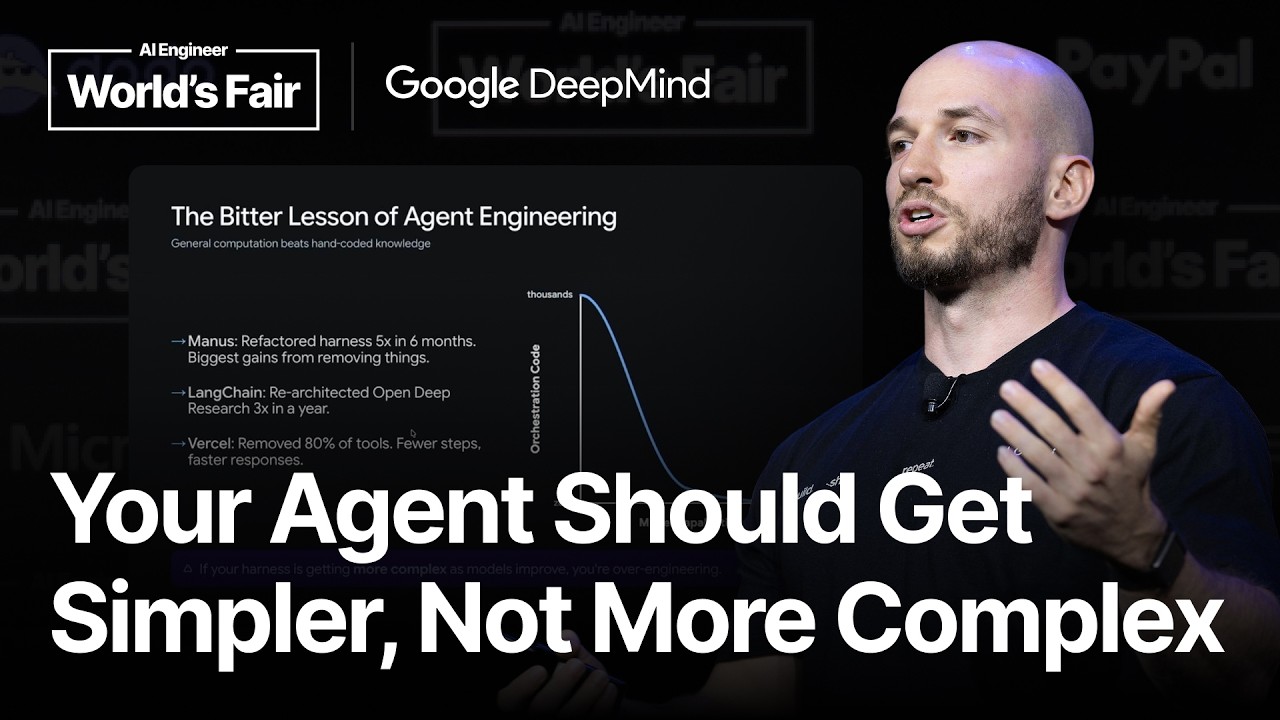
doing git work trees and they were m able to replace it with just a skill and markdown files and there are more I would say bitter lessons of ancient engineering manos has refactored their
harness five times in six months last year langen has rearchitected their open deep research three times a year and then also worsel has removed 80% of their tools to achieve fewer steps
faster responses and better accuracy so there's an obvious trend that with better model capabilities, we can remove orchestration code. But if your harness is getting more complex as the model
improves, you are most likely overengineering your harness. So if you struggle with model improvements and adding new capabilities which lead to more complexity and more code, you might
need to rethink a little bit on how your agent harness looks. And so where does it end up? Agents are just files. We write markdown files to extend capabilities. Agents can learn from
those um can create their own files. So if you have a session and tell the agent to remember something to take notes of rules of preferences, the agent just writes it to this and then can reuse it
in the later session and you can also externalize context. So if you have a very long running session and during that session you notice hey maybe I want to additionally work on another feature
you can like just write that information that hand off to a file and like tell the agent to later pick it up. Uh so what are the takeaways? We should not fight the model like we should stop
micromanaging the execution paths provide general tools to the agent and let the model explore reason and discover the right solution. Own what is yours meaning focus on your domain
instructions. Focus on the workflows. Focus especially on the evals, define clean tools and verify the outcomes and really build to delete. Like we have seen in the past many many times, the
better the model get, the more code we can remove and the more things we need to change and obviously we all want to benefit from better models. So what the things for you to get to do on Monday,
you can scan that QR code which brings you directly to EI studio where you can immediately try out the anti-gravity harness. So you can already start prompting it. it will start your own
custom sandbox. If not, um, start or create your API key. We are currently working on a free tier for the API. So hopefully you can start exploring faster soon and then definitely start building
files and skills. And that's it. Thank you for for coming. [applause] >> [music]