Enjoying this issue?
Get tomorrow's AI & engineering digest in your inbox — hand-picked, summarized, and always spam-free.
TLDR
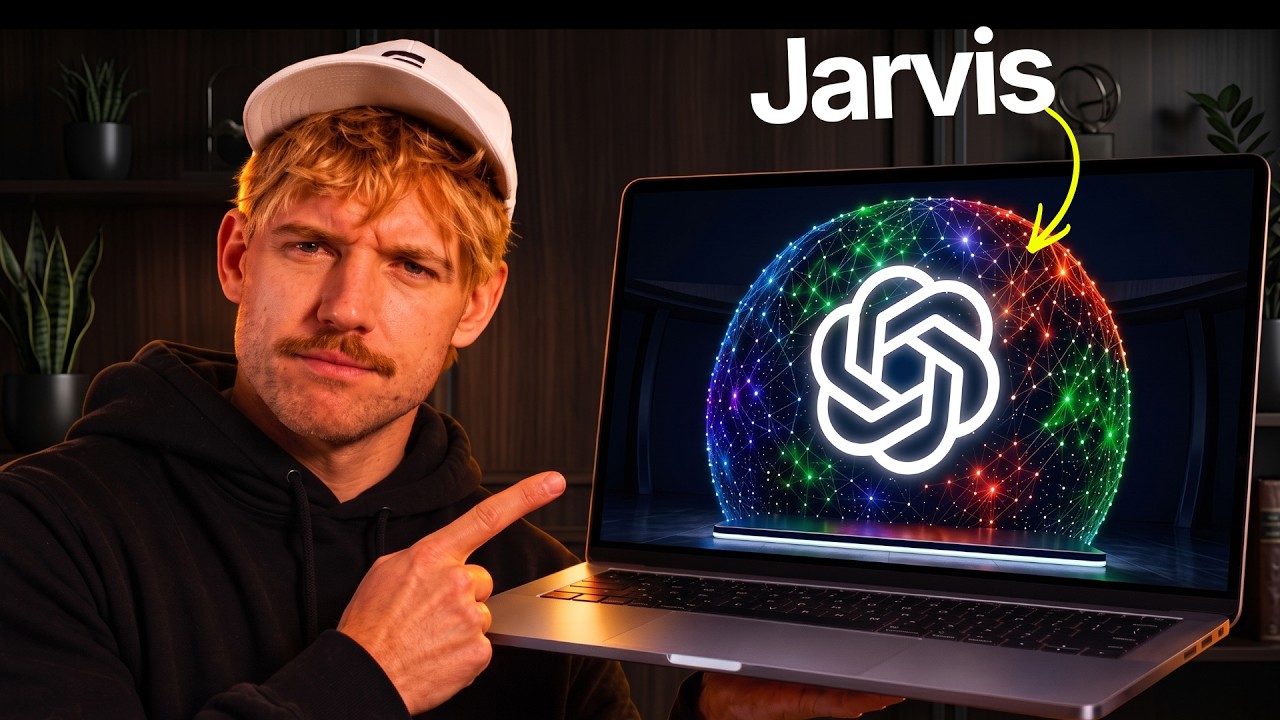
Jack Roberts demonstrates a self-built 'Agentic OS' powered by GPT-6 Astra that aggregates personal and business data from services like Claude, Codex, Gmail, Slack, and Zapier into a single memory core, enabling voice-controlled actions, goal tracking, and AI image/video generation via Hugging Face API. The system's key claim is that it lets the AI reason across all connected tools and act autonomously, not just chat. It's a compelling vision but a personal demo, not a shipped product — worth watching if you care about AI agents and unified workspaces.
Key points
Jack Roberts built an Agentic OS using GPT-6 Astra as the core model.
The OS connects to Claude, Codex, Gmail, Slack, Zapier, and local files for context.
A memory core stores dynamic data from chats, emails, and meetings.
Voice commands can perform actions like booking a calendar event.
Hugging Face API integration enables in-OS image and video generation.
Tools mentioned
Techniques
- memory core aggregation
- one-click connection to existing tools
- dynamic memory updates from external services
- voice command execution for scheduling
- AI image and video generation via API
Stop scrolling. Start reading smarter.
Receive the day's most important AI & engineering updates in one concise email. No spam.
Transcript (captions)
I just bought Jarvis with GPT6 Astra and the results are incredible. >> Good evening. I'm ready to assist. >> Hey there, Jarvis. Could we take me over to the memory section, please?
>> We're now in the memory section. >> Create a new codec session and ask it how we can improve this entire Javus OS, please. >> The codec session is now running and
working on improving the OS. >> And this doesn't just look cool. It actually connects to your entire world and has hands to do things for you. And it has capabilities that you will not
have seen before. And also I built for you an Aentic OS starter kit that you can literally grab down below in the description and they'll show you exactly how to build your own. Now I'm going to
show you exactly everything that this is capable of and why this Aentic OS with GPT Astro 6 is incredible. It needs to be able to first of all connect to your world. So we want to be able to have all
the information about you, your business. We need to understand everything from claw from codec from chatbt your emails your meetings your skills hermes photos you name it. This
requires the context to go ahead and do it. Secondly, it needs to be able to organize all of that into something that's easy. It needs to be able to reason from that stuff and incredibly
actually do things for you, not just be something that you could have done by yourself in chat GBT. So, let's start by looking at the memory core. Here is the memory core of my entire system.
Effectively, it is the entire memory of my system. It contains everything from chat GBT, from Claudin. Astra built this entire thing. We've even got new memories adding now in the background.
Of course in the OS I can go from light mode to dark mode. It just depends on your point of view and your preference. Now before I show you some interesting things that we can do about building
this incredible AI brain and what that looks like, one of the core things I really built out here and it's great here with clients is this idea of building your own operating system. We
give it a name and crucially we give it some information about you and your business because the most important thing on here is contact. So we want a business profile and a life profile.
This explains everything about you, what you're focusing in on, and then your business profile. Who are your customers, what does it look like? You give essentially this prompt to chat GPT
Astra. It will interview you, and it provides unbelievable context that you need to power your operating system. Now, this is the really cool part is that you don't want to have to spend 16
years um you know, and growing out a huge mustache to add everything to it. You want it to be one click and go. So, the idea with this is that we can connect to your entire world. And one of
the things that GPT Astro 6 did uh came up with the idea of what if we connected to basically your claude and your codeex and effectively instead of you having to rewire like a bazillion things into one
system. What this will do is just use the existing connections that you already have. And look at this. It's come down and identified essentially all the different coding editors I've got.
So look at this. I've got codeex cla open claw and you can even add in other ones here. Then for your memory, I can oneclick select granola, notion, obsidian as well as my photos. We can
import those too. And then we've got Gmail. We can toggle on Outlook. We can bring in Slack. We can even bring in school and manage everything there, including our YouTube. And I even add in
our social media profiles just like that. And then finally, we can connect all of our financial information. So essentially, once that's done, uh, we can then go ahead and set goals. Um, in
my view, the point of an Aentic OS with GPT6 Astra, it isn't really worth its salt unless it can actually help us achieve personal and business outcomes. Right? So, if I come over, for example,
to um, let's go to progress here, we want to have these goals and strategies. So, when you're getting things like daily briefs explaining exactly what you need to focus in on every single day
based on all of that memory, all of that context, everything you want to, it knows what you're doing this week, what your goals are for this month, and where you're trying to get to this quarter.
So, wherever you're at, the operating system is actually working for you and taking action. Now, a memory system here is going to be dynamic. So we can actually automatically anytime you have
a chat in claude or codeex or you have an email it's already available to your aentic OS running completely locally on your computer. So essentially it becomes the place where you can go to we can
come down and ask it any questions here like I could say hey name one participant from my last meeting please or I might even just say something like what was the title of my last meeting. I
can come down I can even ask it questions. I can pick the harness and have wonderful conversations. And as you can see, my chat window has now gone ahead and pulled that together for me,
explaining what my latest meeting was. Now, what I think is most interesting with memory is the fact that we can come down and drop memories in. So, I could say here, hey, Jack Roberts' favorite
color is green, and his favorite animal is the English Springer Spananiel. So, one of the ideas is you're in a meeting, you see an article you think is interesting. Now, you can just drop it
in here and literally click save to memory. And effectively, this is now saved on your computer. So, for example, I can come back over to chat and ask it. Let's open up a new chat. And again, you
can see over here, guys, we've got full context. This is context for absolutely everything. Now, what's really cool is I can come down here and I can just select what I want for an actual model itself,
right? I can ask anything. I've got GBT6 Astra. Again, I can chat with the Claude Harness, Hermes, Open Router, local, wherever I really want to have those conversations. Let's let's actually ask
Astra and I can say, "Hey there, what is Jack Roberts' favorite color and what is his favorite animal?" As you can see now, it's going to be a codeex. It's searching all the different systems. And
just like that guys, Jack Robb's favorite color is green and his favorite animal is an English Springer Espanol. Some say that's half Spanish, half non little bit of a typo there, but that's
an exactly how the system works. So if I see any YouTube videos, guys, I can come down, I can drop it in here, I can upload files, I can do anything, any exact same thing with photos and I can
chat with that anytime that I want to. One of GBT Astra's best features is the fact it did that. And GPD Astra built this entire thing. And you'll notice at the top, guys, it's not the claw code
operating system anymore. It's an agentic operating system because it literally brings together your entire world. Now, the next thing is your dashboard. As you can see, it's
connected to all the different systems. These, of course, are demo numbers. It shows you at a glance all the metrics that matter. You will get a daily brief based on everything. Now, the daily
brief is guided on your goals. You can prompt this again and you've got interesting things. You can even chat with this, understand what your priorities are because it has access to
your calendar. You have access and full overview of your finances. So, where does your business sit? um how you getting on month by month in terms of your systems, where you are income by
month, what is that entire breakdown, all the financial intelligence has been completely built into the system. I can see my progress based on the goals here. And really importantly, I can come down
and have a look at my audience to see how I'm growing with that. Now, some of the features I'm going to show you soon are even crazier. So, you need to be aware of that. But let's say, for
example, we're in the calendar here and I said, you know, dude, I really want to add a call in tomorrow. Well, what I could do, I can come down and ask a question if I like, but actually, maybe
I just want to bring the voice up and ask it to do it ourselves. >> Good evening. I'm here and ready to assist. >> Awesome. Could you do me a favor? I'd
like to book uh a call tomorrow. Do it with myself. Call it Jack Brunch Lockin. Do it from 11 till 12:00 uh in Budapest, please. >> I've added the event for tomorrow from
11:00 a.m. to 12:00 p.m. in Budapest time titled Jack Brunch Lock. >> Excellent. And you can see just like that, it's now added in and um it can do all these actions for you. Now, bear in
mind, you don't have to do any annoying connections with this stuff because it's just using the existing stuff that's already connected in with Claude and Chad GB2. But then we get to one of the
coolest updates in here. And this is a bit of a change that we've seen. Now, down the bottom left, you can see I've got this design system. This now lets us connect to image and video generation
using Higsfield API, which is ridiculous. So, just explain what that is and why that is a really big deal. You might have seen it blowing up the internet right now. So, I need to
explain what's going on here. We can build our own apps now and instead of having a subscription on Hicksfield which a lot of people didn't really want anyway. We just connect by an API. Now
that API lets us create images, videos, essentially anything that we want to and you get, I believe in your first week the lowest prices available for all of this incredible stuff, right? So, for
example, let's say that we're in our dashboard. And again, the whole point of our dashboard, guys, it's the one-stop shop for everything. All we're going to do is come down, select Higfield. Let's
select the API right here, for example. And all we need to do is connect to Higfield. So, let's go ahead and click on this. So, we need to grab our API, guys. So, you come over to I'll put a
link down below. Just literally click this link. This is going to open up so many possibilities for you in your own system. And what we're going to do is come down on the left hand side to API
keys. And all we're going to do is drop in the API key here. And essentially, you can build your own version of Hicksfield wherever you want. And once you've added that in, you can build
anything. So, I got Hickfield down here. Why don't come down and say something like, "Hey, build for me a beautiful English Springer Espananiel. Uh, let's have him drinking a protein shake in the
gym. Cool. And all I'm going to do is come down and select the model. So we've got Soul 2. We've got all these different models you can pick. It's completely up to you. Shows you all the
pricing. I built this into the OS. Again, like Tragedy the Astra can do all of this freaking stuff. It's so cool, right? And then I'm going to come down here. Let's go for 16 by9. Let's do four
images. And it'll tell me exactly how much I'm paying per image there. That's absolutely fine. Go ahead and generate that. Now, I can do this with images. I can do this with video. Doesn't make a
difference. But this is where it gets even better. And what I love about Astro. Now if I come over to library for example this is every image on my computer. Now not every image on your
own laptop or desk desktop has a name. So for example I come down here I can search for something like burger. Now what my system does it has intelligently indexed every I call this
magic search every photo on my entire computer. So let's say this image here doesn't have burger anywhere. It's just called a double cross. Well, I had an AI and this is built into my OS that scans
those images and kind of writes down keywords of what it's describing. So now I can get this I can even use this as a reference and all of a sudden it's I can build with it, right? And I can amend
the burger and say, "Hey, make this burger even more, you know, double the size, double the size of this burger, whatever I want to do, right? It's crazy. I can pick even 1080p action,
whatever I want to." And look at the price of this, guys. It's ridiculously cheap. Obviously depends on model. And then we got our beautiful English Springer Spaniel in the gym drinking
some old cool whey protein. That one's not quite an English Springer though. This one's a little bit more springer looking, but you get the idea. It is really genuinely really sick. From this,
we can generate videos. We can do anything we want to. On top of that, we've got insights in terms of how much money we're spending on everything that we're using and just helps us crush it.
Then, if we want to, we've got the studio where we can build out different tools, carousels, um, edit footage, anything we like. Then, what makes this even crazier, I can come to my inbox. I
can check out my school, all my school DMs. I actually send DMs in here and then pass it over. I won't show you just cuz I don't want to um breach any privacy with people. Same with Slack,
Gmail, Outlook. I get my full overviews here as well. Then on top of that, guys, I can even come down to my website design system, which is crazy. And it do some in ridiculous stuff over here. And
here, for example, when you build with Astra, you can come down here and just enter in any local host you want to open up and preview, and that entire website will appear for you here. Now, what's
really cool with this and let's go to light mode, guys, just to see what this looks like. And I might just go full screen on this for my website OS here. I can see what it looks like on tablet, on
mobile, whatever. I want to come down, scroll, and again, this website here was built with I just said Astra go ahead and build this, do this, do this, do that. And as you can see, it's got my
photo down there at the bottom. Now, I can look at things like the design, uh, I can do the graphics. In fact, if I even come back and just exit this full screen for a second here, come back to
dark mode. And one of the things I want to show you here guys, if I come over to copy again, it runs it through slop monster. I can amend the graphics and it will generate that stuff for me. I can
look at the design, even edit bits on the website. So where the pricing is at right now with the Higfield API, it's definitely worth grabbing and having a playing around with, especially if
you're building websites or you want to build an aentic OS like this. Now, the other cool thing to bear in mind here, and this is where it gets really interesting on the memory section, you
see that I'm connected to everything. Now if you have different connections scattered across different systems one of the things I personally love using and that's using Zapia. Now almost any
app that you want to connect to you can almost guarantee that Zapia will give you access school YouTube Microsoft. Now what Zappia does here is functions as the connection layer. So you could if
you wanted to with your Aentic operating system guys is just connect to Zappia and Zappia will connect anything else that you want to. Now what's really cool with our Aentto OS guys is we can issue
commands the claude and codecs all inside our OS. Now connecting to Zappy itself is unbelievably simple to do. You can come down, select the skills, everything you want to add in there and
you can connect it. Unbelievably simple. You definitely want to have this in your stack. I'll put a link down below so you can grab this. Funny story actually. I actually built my first tech startup
using Zapia. How cool is that? So this is a really really cool piece of software. I highly recommend that you check it out. And of course you can use this to connect to anything else that
you want to as well. And so I'll also put a link down below guys so you can come ahead and grab the full setup guide. But if you just want to grab mine for example and download it just in one
shot to build this, get the full agent memory systems as well as learn exactly how to build um beautiful AI systems with chat GPT with Claude. I'll put a link down below for the community. You
can join, grab this, get it downloaded straight away. Go through the beautiful onboarding and make some magic happen. And I'll be updating this constantly so you'll always have the latest version.
You can improve this as you go. This is a really incredible piece of software. We can get AI news in here guys. It's pretty outrageous.