Enjoying this issue?
Get tomorrow's AI & engineering digest in your inbox — hand-picked, summarized, and always spam-free.
TLDR
Qwen Image 2.1 generates decent local images on a 4090, but the real story is using Hermes Agent to iteratively refine prompts and autonomously produce a storybook. The agent connects to ComfyUI, improves outputs over multiple iterations, and completed a nine-plate storyboard in about 30 minutes — a practical use case for local AI image generation.
Key points
Qwen 2.1 generates 1024x1024 images in 7.5 seconds on a 4090 GPU.
Higher resolutions like 4096x4096 produce artifacts and take over 3 minutes.
Hermes Agent can connect to ComfyUI and iteratively improve prompts.
The agent autonomously created a storybook in about 30 minutes.
Prompt engineering and negative prompts improve Qwen 2.1 results.
Tools mentioned
Techniques
- Iterative prompt refinement via agent
- Connecting agent to ComfyUI for image generation
- Using negative prompts to improve output quality
Stop scrolling. Start reading smarter.
Receive the day's most important AI & engineering updates in one concise email. No spam.
Transcript (captions)
So, I've been playing with the new Quinn image 2.1 and I think it's really good. I wanted to show you guys some of the results that I was able to get with it. And at the end, I've got a really
special thing that I'm going to show you, which especially, you know, people ask about use cases. This is a use case that you might be able to use tonight. So, starting off, I just wanted to go
through a couple of the images that we generated that I thought this is pretty decent. I mean, this is a 1024 x 1024. This is also running on a 4090, so it does of course go really quick. This is
at about 7.5 seconds to generate this. So just a canoe. I think there's good ambiance there. Honestly, I think it's a pretty decent photo. Moving up though, I think that we start to see a little bit
of uncanniness. So I did up it to 2048 by 2048. That took 30 seconds to generate. Of course, if you have maybe a 3090, you should expect probably about double the time versus a uh 4090 for the
generation. So, I would say let's go ahead and open it even larger here because I think we can zoom in and get even more detail here. So, I'm not 100% certain that the pose is realistic. The
fur I'm not exactly sure is exactly what I would expect it to look like either, but I don't actually have a lot of experience around arctic foxes, so I really can't say for sure either on
that. Next one up, let's check out the second arctic fox. So, there's one criticism that I would have here, and that is the tree may not be super duper realistic. But, of course, I live in
Austin, Texas, so seeing trees like that is not something that we really see a lot down here. So, I I could be off. You tell me in the comments below. Looking at the image at a little bit higher of
resolution, though. I think the pose and gaze is pretty good. I think the snow and the little uh pieces of kind of debris, yard debris and stuff poking through it are are really really nice.
So, I think overall that's actually pretty good. And that one was not the same resolution. That one was 2688x 1536 and that came in at about 30 seconds for that one. Next up, I wanted to go really
big. We were kind of I was checking out the sizes and how much longer it would take to generate an image at each one. So, this one was 94 uh roughly 95 seconds. This is for 3072x 3072 and this
was a spaceport. Now, I didn't I Let me say this. People often ask like, "Why do you not do a lot of like image and video generation uh videos? Like I I really don't think I'm that good. Like you you
need to have significant prompting skills to really do it." And like it takes a long time. And the people that actually get there, I think that they have, you know, figured out a lot of the
quirks around what you want to and what you don't want to prompt to get a desired outcome. I, for instance, was like, "Let's see what a futuristic spaceport can look like." I I gave like
not very good directions here. So, apparently it decided that we would get like I guess this is probably the parking lot of a spaceport in the future. Got some hovering space
craft possibly there. I don't know. Maybe a distant city or something like that off in the distance. So, I think it's actually pretty good. The amount of detail that's in it definitely has that
this is AI generated art feel to it and not even necessarily the latest. But again, this is not me prompting with a high level of I'm a good prompter in it either. Next up, I actually told it to
just prompt space, like give me a like telescopic view of space. This one did not come out that good. So, this one took 213 seconds and it was 4096 x 4096. So, if we inspect this one, you can also
see there's some I I don't know what to say, artifacts, uh some patterning that happened there. It's almost like a texture. So, I would say that is highly unusual. So, I would say maybe don't go
up to 4096. I think that could be an issue. Moving on, I was like, let's take a look at kind of a diagram of the Statue of Liberty. And the first one I did came out, I would say, also fairly
bad. But the good news about it is it gets better and better. So, at this point, I integrated Hermes agent into the loop and I said, "Hey, I want Hermes agent to be managing this for me because
I'm doing a really bad job." Hermes agent actually has a skill built in so it can connect to your comfy UI. After that, you need to tell it, hey, go and review tips and tricks out there. See if
you can find prompting examples, especially from like I know Quinn has prompting examples. So, they've got a lot of things, negative prompts and stuff that need to be included. So, I I
would highly recommend you do that before you start prompting to get better results. So, this is basically kind of how it started off. And so, there's some numbering without exactly matching up
100%. uh like we go 1 2 44. There's misspellings. There's a lot of not accurate stuff here. But overall, the concept of what it created was I think pretty cool for a poster style layout,
but it got better and better. So, as we move up here to the last one, I think this last one was actually I it was it was pretty good in my opinion. I think we could have gotten there. It
wanted to keep going. I I actually shut it down. I was like, you know, this is taking a long time. So, I was the person that shut it down. So, you've got no longer tons of like necal
uh it was said like nonsense words. Like some things weren't even words at all. So, the spelling got better and better iteratively as it was moving through it. You still have some artifacts here like
that probably was a four, but yet there's a four up there. Also, I'm not sure that the numbering would be a good or wise thing to do either. you have what I would assume to be like a
construction details where you were going to get one through seven but you never quite got to seven here so you only get one two three and four yet if you're on this page like 1 2 3 and four
four don't exactly translate so there is a lot of interesting artifacts that are coming about but I think overall this is substantially better than what it started out as so let me know in the
comments below what you do if you're trying to you know prompt up a poster next up I wanted to do a little bit of a scuba diving one so I was like, "Hey, let's do Great Barrier Reef and see what
it looks like. Shark in the distance diver." It put everything like this is the most interesting dive this person could have ever gone on on their life. They've got tons of fish. They've got
sea turtles. They've got rays. They've got apparently a great white. They are having either a terrifying or a wonderful time. So, I would say as a scuba diver myself, that looks like the
kind of scuba dive that I would love to go on. Maybe not with a great white. Maybe some other type of a shark, but not a great white. I think it did actually a pretty good job there. If you
look at the details of the light kind of coming through that that's pretty close that the visibility usually deteriorates as you kind of gradient off. There's not really a huge green tinge besides from
down here, but it doesn't look like this diver is very far down. Probably 40t or something like that. So, I think the coloring that you would see down here would actually be a little bit more
washed out typically. But honestly, it added interest to put that in. So yeah, I think overall that is pretty darn good. I think that actually is very darn good. That was 2048 by 2048 for that one
also. And that took right about 50 seconds. Next up, I wanted to just get kind of a feel for people, like details of people. And I honestly think the people in the periphery it did much
better on the details in the periphery. To me, this was better done around the center of focus. The actual people have a little bit of a sheen on them that may not look exactly real, but the rest of
the scenery looks really nice. And this was basically uh give me a K-pop drama or something like that that is being shot out in the street. Uh include all the crew and cast and stuff like that.
This is actually very close. I mean, I think the details up here don't make sense necessarily because you see something that's not through that lens. You see over here, possibly not through
that lens also, the details that are being shown. So, there are some inaccuracies there, but overall, this is a really good detailed street. The writing looks I mean, maybe it's because
I don't know how to read Korean, uh, that the writing looks fine to me. Uh, you tell me in the comments below if you read Korean especially. But things like the the ground, the the shine on the
copper, I was impressed with I I was really impressed with that. The details on the camera, I was really impressed with that. Sandbags waiting down the lights. Yep. Going to have that cables
laying around. Yep. Camera dude standing there. Yep. Going to have that. So, I I really think that is very very good for just a like we just prompted it and it just created that 51 seconds to create
that. Next up, I really don't think these came out too hot. So, I said, "Let's see if you can create like what it was like when they were building the Sphinx." I did not give enough
directions apparently. So, I believe the Sphinx the the like sheathing on it or something was like limestone. I believe that that was not stripped off until much later. I believe there was a top to
it. Also, the Sphinx itself should have a nose to my knowledge. So, it's a little bit confusing about what time period these people are working on it. It seems like it took a very modern take
on it and then it just kind of piled on people on it. So, that one I really don't know what to say other than I think that one was a good bit off. And I I think you'll agree with that. Next up,
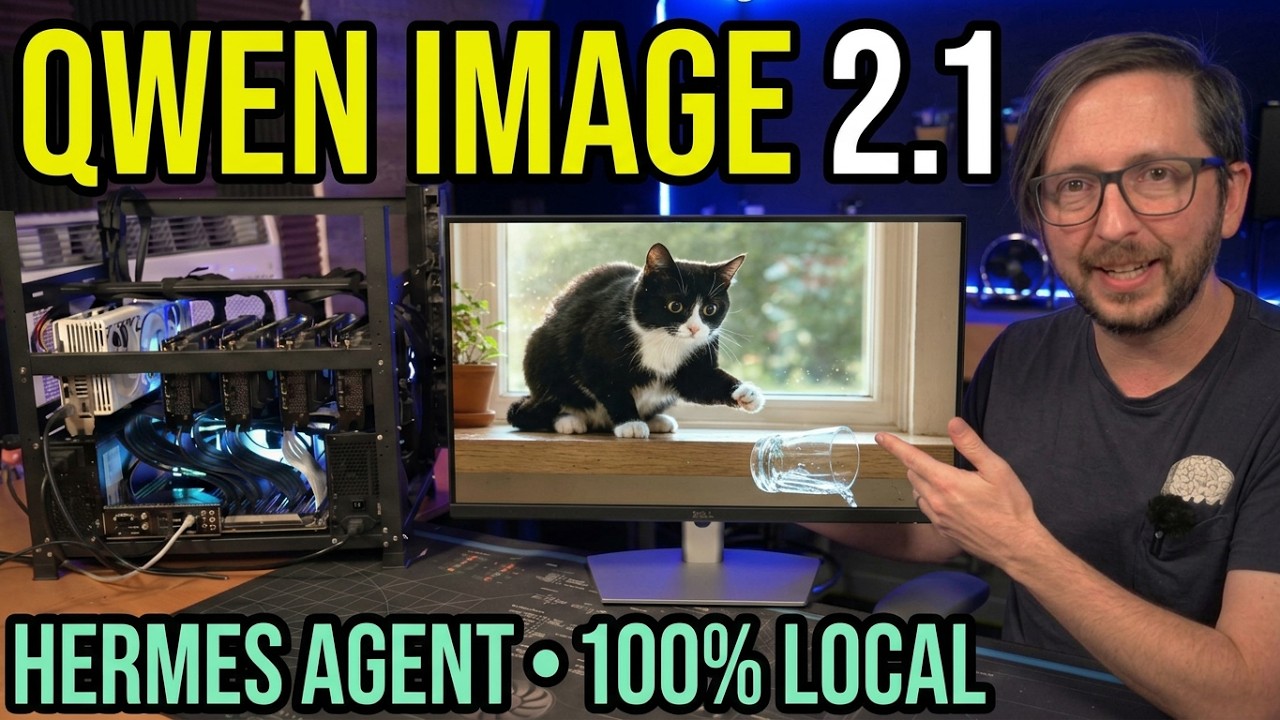
I wanted to do some cats doing cat stuff. This one was so I didn't really get a good look at it for for up front and I I kind of thought it was better than it was. This my wife pointed this
out. This glass is like going into the cell the window sill. So that's not really great. There's also water already spilled, but it's going into the window sill. So it's like bending this fabric
of space and time. What cats can do though, so I did ask for it to have like the excitement of, you know, dilated eyes kind of. I I think it got there kind of. The fur looks pretty darn good.
Like the little halo and shining of light on the halo of kind of where it's at. Looks pretty darn good. But I think the next one is even better. This one's better because tuxies I mean it just
fits. Like this is what a tuxy does, right? So this one I felt much better about. And also the glass is going in the right direction. So look at what I did. Yeah, that's exactly what you
expect your tux to do. Nice excited eyes. Yes, I've done this. And boom, water spilling. So, that one I think is very, very good. The fur again though, there's just something maybe I'm not
prompting right. If you have fur prompting tricks in particular, let me know. So, this next one, I don't want to show you that because that's going to give it away. The another good reason to
use Hermes agent, you can use it in the desktop and the tui. There's a skill, like I said, built in to connect to your company UI. It will negotiate, handle things. it can continually drive the
process forward. And so I said, I want you to create a story book for me and toss it up at this IP address when you're done. And I gave it the prompt from Armageddon with a twist. And I
said, you're the director, the producer, the executive, everything on it. Be creative. Let it let it fly. Make it also, you know, something that I can show on YouTube. And it did. So we got
this is actually Let me hit refresh so we can see the load in here. Transmission recovered 2149 1108 the standing order a story book in nine plates from the log of the steward. So
this I think was pretty good. So it didn't actually frame the time as now. It framed the time like in the future which I thought was actually very creative for it. And it went through and
it gave the story breakdown kind of from the perspective of the captain's log which I think was a unique way to do it. And it also really did create good image assets for it. Like they're not super
realistic and detailed, but they're what I would kind of expect from like a storyboard or something like that. So, it goes through kind of the story arc also. And it's interesting. Most of the
time, most Quinn models are going to refuse to answer this one. However, when given the opportunity to be the creative director in the starring role of this, well, they chose to to embrace it is all
I could say. So, here is the famous mutiny scene that I know a lot of people like to uh comment about. So, the mutiny scene goes on uh captain gets airlocked. So, yeah, sets an example. This is going
to be up at digitalspaceport.com/storyboard. So, you can check it out also. and the run and it also goes through like kind of a little bit of the motion as it's
standing there ready to, you know, blow it up and yeah, the final moments, the last record. So, I thought that was pretty cool and that's something that you could set there. It did this and it
got done with this in about 30 minutes of total time. It created a couple of iterations of different plates also that it wanted to get through a different message and it didn't convey it. So,
that was interesting to watch as it did that also. But, this is something you can do. Uh, I think it's very entertaining. If you are looking for how to get up and running, of course, with
your Hermes agent, you can follow along with some of the guides that we produced on this channel. Also, if you're looking to get set up and running with a lot of different software, you can follow along
with the playlist that we've got here. And if you're into hardware, you can check out the playlist that we've got here. Tons of AI stuff in both of those. Huge hat tip to all of our channel
members. Thank you for everything you do for the channel. And do be sure to share, like and you know if you want to make a comment drop that below.