Enjoying this issue?
Get tomorrow's AI & engineering digest in your inbox — hand-picked, summarized, and always spam-free.
TLDR
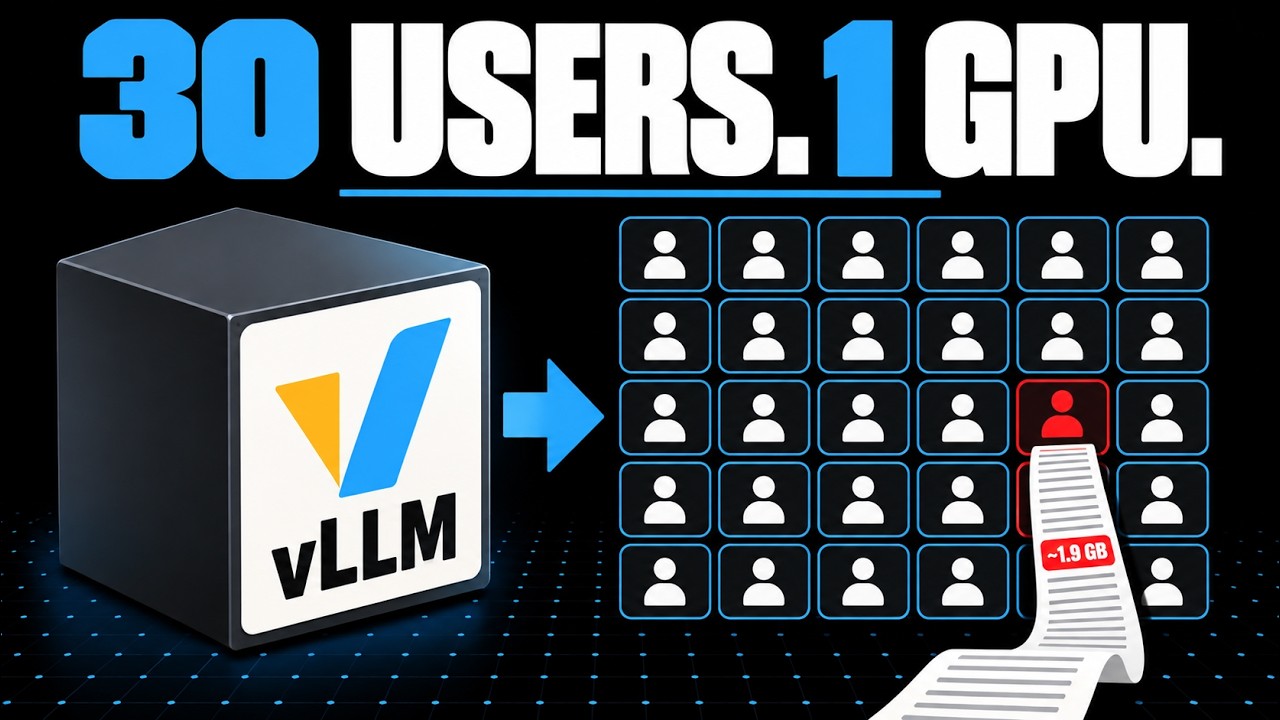
For shared GPU serving with vLLM, memory space from the KV cache — not compute — is what usually limits how many concurrent users fit. Long conversations eat most of that space: a single 32K-token chat on Qwen 2.5 7B takes roughly 1.9 GB of cache. Preemption warnings in the logs are the signal that cache is full, and tuning depends on whether you're serving a personal assistant, an office team, or a customer-facing app.
Key points
vLLM's continuous batching lets finished requests immediately free their slot for waiting ones.
Chunked prefill prevents a single long prompt from freezing all other active replies.
The KV cache for one 32K-token conversation on Qwen 2.5 7B is about 1.9 GB.
vLLM's paged attention reduces KV cache memory waste from 60-80% to under 4%.
Preemption warnings in logs indicate the KV cache is full and requests are being paused.
Tools mentioned
Techniques
- continuous batching
- chunked prefill
- paged attention
- prefix caching
- KV cache
Stop scrolling. Start reading smarter.
Receive the day's most important AI & engineering updates in one concise email. No spam.
Transcript (captions)
9 in the morning, Alice asks the office's local model to summarize yesterday's meeting, and the answer streams back faster than she can read it. By 10, the whole team has found the
thing. Same GPU, same model, and now everyone's replies stutter and stall. Something ran out. The hard part is telling what. Short version, the GPU's being shared, and vLLM's scheduler is
good at the sharing part. What usually decides how many people fit is memory space, and long conversations eat most of it. That also tells you which targets to pick for a personal assistant, an
office tool, or a customer-facing app. Start with Alice on her own. She sends a prompt, and the model reads all of it in a single pass. That pass is called prefill. It's the work that has to
happen before the first word of the reply appears. Then the reply comes out one token per step. A token's roughly a chunk of a word. Each step produces one more token, adds it to what's there, and
goes again. That loop is decode, and it runs until the answer's finished. Two numbers describe how that feels to Alice. Time to first token is how long she stares at an empty box. The gap
between tokens is the model's typing speed. vLLM's docs call them TTFT and ITL, and later on you'll watch them pull against each other. Something else piles up during decode. To avoid redoing work
every step, the model keeps a key and a value for every token it's already seen. That store is the KV cache, and it grows with each new token. Any scales write up on serving is blunt about what limits
this. Inference is memory IO bound, not compute bound. With only Alice's request running, the GPU's math units spend much of their time waiting for data to arrive from memory.
That leftover capacity is exactly what the rest of the office is about to claim. Five coworkers show up. The move is to batch them. Put all six requests into
one step, and that step makes the next token for every one of them. vLLM scheduler thinks in exactly those terms. It hands each active request its tokens for the step. One trip through the
model, six replies move forward. The older way is static batching. Six requests go in together and nobody new gets in until all six are done. Carol asked for a yes or a no. Dave asked for
a full project plan. Carol's done in a handful of steps and her slot goes dark. Then another finishes and another. The GPU keeps grinding through Dave's plan with mostly empty chairs while Aaron
waits at the door with a one-line question. It's a meeting that can't end until the person with 40 slides sits down. Continuous batching opens the door. The
moment Carol's reply ends, Aaron drops into her slot. Every finished reply hands its seat straight to someone waiting, so the GPU spends far less time idle. The idea goes back to a 2022 paper
called Orca. It schedules at the level of iterations, not whole requests. Every single step, the scheduler decides again who's in the batch, so a finished reply never keeps its seat.
Think of a waiter who checks every table on every lap instead of once per evening. Orca reported 36.9 times the throughput of faster Transformer at the same latency running GPT-3 175B.
That's their own benchmark on a model that won't fit under your desk, so read it as proof the idea works and don't read it as a forecast for your office. There's a catch, though. The team's
total output climbs because the GPU is rarely idle. Alice, though, shares every step with five other people now. Compared with having the whole GPU to herself, each step carries more work, so
her own typing speed can drop. For a shared tool, that's often a fair trade, but it is a trade. The Sarathi Serve paper names this tension directly. Mixing requests in a batch makes it hard
to get high throughput and low latency at the same time. Then Bob pastes a 20-page document and asks for a summary. Bob doesn't believe in short prompts.
That's thousands of tokens and every one of them needs prefilled before he sees a single word back. Without chunking, Bob's prefill runs as one enormous step. Alice, Dave, and Aaron are all
mid-sentence and their next tokens wait behind it. Every reply in the office freezes at once, which is a very convincing impression of a broken server. Chunked prefill cuts Bob's
document into slices and feeds them in over several steps. Sarathi serve calls its version stall free. New requests join the batch without pausing the replies already being written. vLLM
builds every step around a token budget. It's V1 schedule describes a step as a simple map, request ID to number of tokens, and it counts prompt tokens and generated against the same budget. A
token's a token. Picture the budget as a tray with a fixed number of spaces. Alice, Dave, and Aaron each need one space for their next token. Bob's document wants thousands, but it still
picks an order. According to vLLM's current docs, it batches every pending decode first. Only then does it fill the leftover spaces with a slice of Bob's prompt. Next step, same thing, next
slice until his document's fully read. So, everyone who's mid-reply keeps a steady typing speed, and Bob's first word arrives a few steps later than it would if he had a GPU alone. He pasted
20 pages, he'll survive. The size of that tray is a setting called max {underscore} and it's a straight trade. A smaller budget means fewer prefills slowing down
decodes, so the gaps between tokens stay short. A bigger budget finishes prefill sooner, so the first token shows up faster. One caution, the default budget and whether chunking switched on at all
have changed between vLLM versions. Check the docs for the release you're actually running before you tune anything. That covers time. What decides how many people fit at all
is memory space, and that brings us back to the KV cache. Take a real model, Qwen 2.5 7B instruct. Its config file lists 28 layers, four key-value heads, and BFloat16 numbers,
which take two bytes each. Split its hidden size of 3,584 across its 28 attention heads, and each head is 128 numbers wide. Multiply it out. Two for keys and values * 28 layers
* 4 heads * 128 * 2 bytes. That's 57,344 bytes. So, about 57 kilobytes of cache for every token in the conversation. A 4K token chat comes to roughly 235 megabytes. At the model's 32K token
limit, it's about 1.9 gigabytes for one conversation. Those are estimates from the config, and they leave out overhead and block rounding. Now, picture 30 coworkers. Plenty of models cost far
more per token. Qwen gets off lightly because its 28 attention heads share just four sets of keys and values. Any scale puts a 13 billion parameter model at nearly a megabyte per token, well
over 10 times our estimate. And vLLM's launch post says a single Llama 13B sequence can take up to 1.7 gigabytes. Weights are the cost you planned for. History's the one that keeps growing.
Chat makes this worse because the model doesn't remember anything between turns. OpenAI's docs describe how conversation state works. Your app resends the earlier user and assistant messages with
each new request. Turn 10 carries turns 1 through 9 along with it. So, every turn the prompt gets longer, the prefill gets bigger, and that conversation's cache grows. The heaviest user in the
office might be a quiet person with one very long thread. They only send a message now and then, but each one drags the whole thread along. And while it runs, it takes the tallest stack on the
shelf. Older serving systems made it worse still. vLLM's launch post says they wasted 60 to 80% of KV cache memory to fragmentation and over reservation. That's roughly like booking the big
conference room for every meeting just in case it runs long. Paged attention stores the cache in small, fixed-size blocks handed out as a the grows the way an operating system hands
out memory pages. Blocks don't need to sit next to each other, so there's no giant reservation to waste. vLLM says that brings the waste down to under 4%. The peer-reviewed paper puts the result
at two to four times the throughput of the systems it compared against at the same latency. Less memory sits reserved and empty, so more requests fit in each batch.
Blocks also make prefix caching possible. When Alice is turn 10 starts with the same history as turn nine, vLLM can reuse the blocks it already computed if they're still in memory instead of
prefilling that history again. How much that saves depends on how your office actually chats. Now suppose the whole office is deep in long threads and the cache fills. vLLM
doesn't fall over. It preempts. It pauses a request, freezes blocks, and recomputes that request later once space opens up. From Dave's desk, that's a reply that stops mid-sentence and then
catches up. On the server, it's a preemption warning in the logs. See those often and your problem is cache space with scheduling doing its best around it. Which answers the opening
question. If replies freeze together when someone paste a big document, look at chunk prefill and the token budget. If they pause and restart during long chats, that's memory. If everyone's
steady but a bit slower than before, that's batching doing its job. What you tune depends on who's using it. These targets are my calls, built from everything above. None of the sources
hands out numbers for them. A personal assistant has one user. So batching barely comes into it. Throughput hardly matters when there's one of you. Chase time to first token.
A bigger token budget gets your own long prompts through prefill sooner, and you can spend the memory on long context since nobody's sharing it. A shared office service for five to 30 people
wants throughput and a steady typing speed. Keep chunked prefill on, lean the budget smaller so Bob's documents don't stall anyone, and treat preemption warnings as your early sign the cache is
full. I'd also cap context length there at about 1.9 GB for one maxed out chat on that 7B model. A few giant threads can crowd out everybody else. Long documents
can go in a fresh chat instead of turn 40. A customer-facing app plays by different rules. A slow reply there is somebody's first impression. So, set targets on tail latency, the slowest
replies, instead of the average. A median can look fine while one customer in a hundred waits far too long. Put a hard cap on context length and leave memory headroom for bursts. A spike that
pushes the cache into preemption becomes stalls your customers can see. So, if you're setting up a shared office tool, the sharing itself is handled. The LLM scheduler does that part well. Worry
first about long conversations and cache space and only then about how many people are online. The number I'd want next is the one only your setup can give. How many long chats at once before
the preemption warning start?