Enjoying this issue?
Get tomorrow's AI & engineering digest in your inbox — hand-picked, summarized, and always spam-free.
TLDR
Exa's semantic search is designed to replace the ten blue links of Google with context-rich highlights that are directly usable by LLMs, specifically targeting the six-month knowledge cutoff gap that plagues coding agents. The core insight is that adding a web search tool to an agent is not enough — the agent must also be explicitly instructed when to use it. Exa claims its approach is cheaper and more transparent than native web search APIs from OpenAI or Anthropic, and it is already used by Cursor, Cognition, Warp, and CodeRabbit to power their web search.
Key points
Exa provides a semantic search engine that returns context-rich highlights instead of blue links.
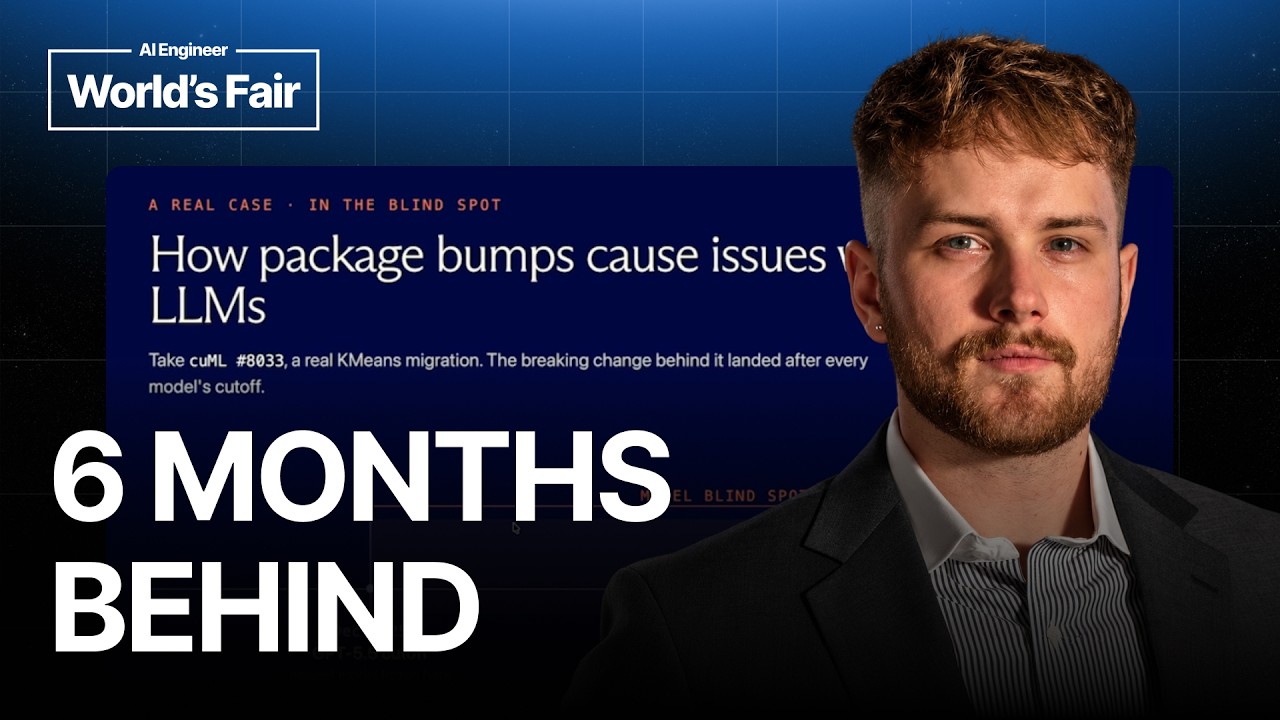
LLMs typically lag 6 months behind the latest changes due to knowledge cutoff dates.
Adding a web search tool to an agent alone is insufficient without explicit instructions on when to use it.
Exa's search extracts only 500 characters from a page to answer a query, not the full 100,000.
Exa powers web search for Cursor, Cognition, Warp, and CodeRabbit.
Tools mentioned
Techniques
- semantic search
- query embedding
- keyword filtering
- reranker ranking
- multi-stage search indexing
Stop scrolling. Start reading smarter.
Receive the day's most important AI & engineering updates in one concise email. No spam.
Transcript (captions)
Hello everyone. Can you all hear me? Good. Sweet. My name is Jacob Hoisan. I'm a Ford deployed engineer here at Exa. And uh today's presentation is on how we built search for coding and
review agents and how we power most of the Bay Area. Um, in this regard, um, coding agents don't really need these 10 blue links that you see when you search Google. Uh, what we do is we have a
semantic search engine that essentially you pass in a query and we provide you context rich highlights to pass into your LLM. The core problem that we have with large
language models in code review and coding agent applications is that there's a knowledge cut off to all of these models. As you can see from this graph, we're typically lagging around 6
months from the knowledge cutoff date to the release date. In these instances, you have this gap that exists between when the model was released and when you might have an important change log or a
PR push to a repository that you do have to review. Um, in this instance, I do have an example where from the uh cooter vector store PR um that was made a few months back. This is within our
model blind spot after GPD 5.5's cutoff date. So in these months leading after the cutoff date, you have all of these changes being made to real repositories that one you can't create net new repos
with, but you actually can't review at all. Um, so that's kind of where Exa comes into play in this instance. Uh, and we'll actually just review this diff real quick so you can kind of see what
I'm getting at. But before we do that, like how would a human even review this? Very typically a a human would probably go on to Stack Overflow and say, "Was this like random variable removed? In
this case, it's called inertia check." Um, and like why isn't my code compiling? And uh if your code's not compiling, you'll probably just paste the error code into Stack Overflow and
you'd actually get the response that you would want and then you would make a PR to the repo in order to resolve it. Now in this case in with using a large language model many people without web
search will go see okay here's the error the diff looks consistent and it looks like a cleanup but that's really not the case. The reason why we're removing this parameter uh in this instance is because
we actually need to refactor to a dependency bump. So using web search, you're actually able to take a look at the repository itself, any breaking changes from this repos change log and
then explain the migration in depth. So what's interesting here is that we don't return the entire GitHub repository page. What we'll return is a very small snippet from the page
explaining the change. So if the query is exactly this, we have an interpretation step which will take that entire page and distill it down into exactly what the large language model
needs to answer the question. So you're not feeding the model 100,000 characters anymore. You're feeding it quite literally only 500 characters to answer the question.
Now adding a search tool to your agent is not enough. There's obviously kind of a two-step process here. Um, if you just bolt on a web search onto your agent, many of you have seen maybe when you're
using cloud code, you'll say, "Hey, I'd like to use sonnet 46 or 47 now." And the model will say it doesn't exist, right? So even though it has access to a web search tool, it's not actually like
doing anything. Um, because natively cloud code does have a web search tool. Um, and in these instances, the model simply doesn't know that you're requesting a version that does exist. So
you actually have to provide the model with a set of rules. So when you're doing a code review agent, the rule might look like when you have a diff that bumps a dependency or version, you
might want to look at the upstream source to verify that this is actually true and then ground the actual review in what you find. Um, so when I work with these code review and coding agent
customers, there's several instances where this might happen. They might actually add the tool to their agent and then adding it to the harness is simply not enough. So, it's really a two-step
process. It's instructing your agent when to use web search uh since oftent times it's not built in and then also actually just executing the search uh in the sentence.
So, there's four things that AXA kind of gives us a model. Uh we have transparency. When you're using a native web search tool within OpenAI or Anthropic, you actually have this black
box that exists. They they call a web search API. They synthesize all the information. It might take up to 10 seconds and then you get some of the sources and then none of the content. So
that's really point one. When you use Exo, you get the entire span. You get the entire trace of what we looked for, the exact queries, the exact sources, what highlights were passed into the
model. Um, this is all given to you and can be passed into any of your telemetry to go investigate when something does go wrong. Um, we also provide token efficient highlights, which I'll cover
on the next slide, which distills an entire page down into exactly what the model needs. And then it also comes down to cost. Many many of the times that cost from
these model providers are actually so large that you don't notice your web search bill. Um but given like sufficiently large workloads were priced actually much more effectively than
native web search providers and much better quality in most instances. Um and then another thing that most of our customers are very happy with is that not being tied to one model provider. uh
when you use a thirdparty web search tool, you have this level of standardization that exists. Uh you can use GLM when it comes out. You can use the new anthropic models when it comes
out. You can use the new OpenAI models when it comes out. And then you have like one fixed API that you're calling instead of everything that the other model providers are using. And you have
a fixed set of parameters that are extremely flexible um to what you would need across all model applications. So, here's a quick gif of kind of how this works since I'm more of a visual
learner myself. Um, but in this instance, if you're asking about the access search API, we're quite literally just pulling certain lines at runtime, not using an LLM. This is completely
computational. So, we actually cut zero, we add zero extra latency to our search call by providing you the contents of pretty much any page on the internet. Um, and I do have an example of how this
works. So, let's say you're looking up. Hopefully, you can see that all right on the query there. If you're looking up and then a biography,
you'll quite quickly get a result that I love photography and then what I do in my free time. So, I like driving motorcycles. As you can see, it's right here. But then from that same website, I
could actually ask for my phone number. And then at runtime, we'll actually just get a completely different set of information. So you can see this is generally applicable to pretty much any
use case. In a coding use case, you might have an entire GitHub repo that has like a bajillion lines of code, but you don't want the bajillion lines of code to be passed into your model. And
you don't want to use a model to synthesize that information either. Um, so this works across any type of query. If you want the latest news about Nvidia and it has to mention Jensen, then you
could also get that. Um but yeah, this is like one of the many applications that we have um in these instances and coding is really just the beginning. Um this is one of the reasons why I
joined Exa in the first place. We have we had such a large swath of people that wanted to use Exa as a search API to get coding docs. Um and I was super excited for the application. Um but as we went
forward and we took on many popular providers and they loved using us and we provided them a great experience. Cursor, Cognition, Warp, Code Rabbit, all of these companies now use Exa to
power their web search. Um but now we have a new offering. Uh it's called Exa Agent. Now there's many instances where you don't want to orchestrate your own search, but you need a good search
experience. Uh and that's kind of where it comes in. We partnered with several data providers to not just surface from the web but then also surface highlights from many different places such as
similar web for web analytics, particle for podcast intelligence and crunchbas for private markets. So we're powering the biggest financial firms and hedge funds uh with this information. Um and
if you want to learn more about this you can go to exit connect. And then I do have a small little message here as well. I ran a quick query. If I wanted to find
all of the people that are attending the AI engineer conference, you can quite literally find anyone that has ever mentioned this conference at this location.
And it's kind of crazy because I see people that I know and have emailed me here. So, uh, these are most of the speakers that are attending the conference. Um, and this applies broadly
across every single use case. If you wanted to find all the employees that work at Exa, you can also do that. And you could also get all their emails and LinkedIns for outbound. But yeah, um I
think this is quite exciting and we wanted to package our search in the best way possible um because we can orchestrate our search quite well. But yeah, we're you if you want to use
Access today, you could simply call us via our MCP and then we're on basically every single provider that supports it. Um and if you'd like any help in setting it up, that's my job. So you can feel
free to send me an email. Um, but yeah, there's also a QR code at the top. Um, if you want free credits, you could also talk to me after the talk. Um, but yeah, if there's any questions, happy to take
them. I think I could take one question or two questions. Sorry, I'll come down real quick. I'll get it. Hello. Hello. Uh he asked how we manage
the reranking and organization of like billions of documents on the internet basically. Um and it's a multi-stage process. Um so essentially we pass in your query, we turn it into a query
embedding and then once we've turned it into a query embedding. There's several steps in between for keyword filtering uh alongside semantic search. But um there's uh many different methods of
doing this. Uh but we do employ reranker ranking steps during our search uh in order to give you the best information. Um we drop results that are not relevant. Our index is highly curated.
So, we don't have as many documents as Google, but I bet you that we have very high quality documents in our like tens of billions of documents index. Uh, but yeah, if you're interested about any
specifics, feel free to talk to me after. But yeah, cool. >> Yeah. Yeah. Yeah. So, we actually have this feature
that's quite useful. Um, so you could actually generate a schema. So, you up to 10 fields on deep and then I I believe it's up to 100 on agents. Uh, but you basically type whatever you
want in natural language and you can generate it and then in this instance it'll generate and then you'll just click confirm and there you go. So, and then we adhere to
it and then if you want additional properties, you just set this to true and then you can get whatever you'd like. You could also, my favorite demo is hobbies. But yeah, um, great. I'll
take some questions off the stage, but uh, thank you all for listening today.