Enjoying this issue?
Get tomorrow's AI & engineering digest in your inbox — hand-picked, summarized, and always spam-free.
TLDR
Claude Code's new mods feature allows users to extend the desktop app with custom plugins created using natural language. The mods include a cache keeper for context window management and a collision guard for file conflict prevention, solving specific workflow problems that power users commonly face. This makes Claude Code significantly more extensible and practical for daily development work.
Key points
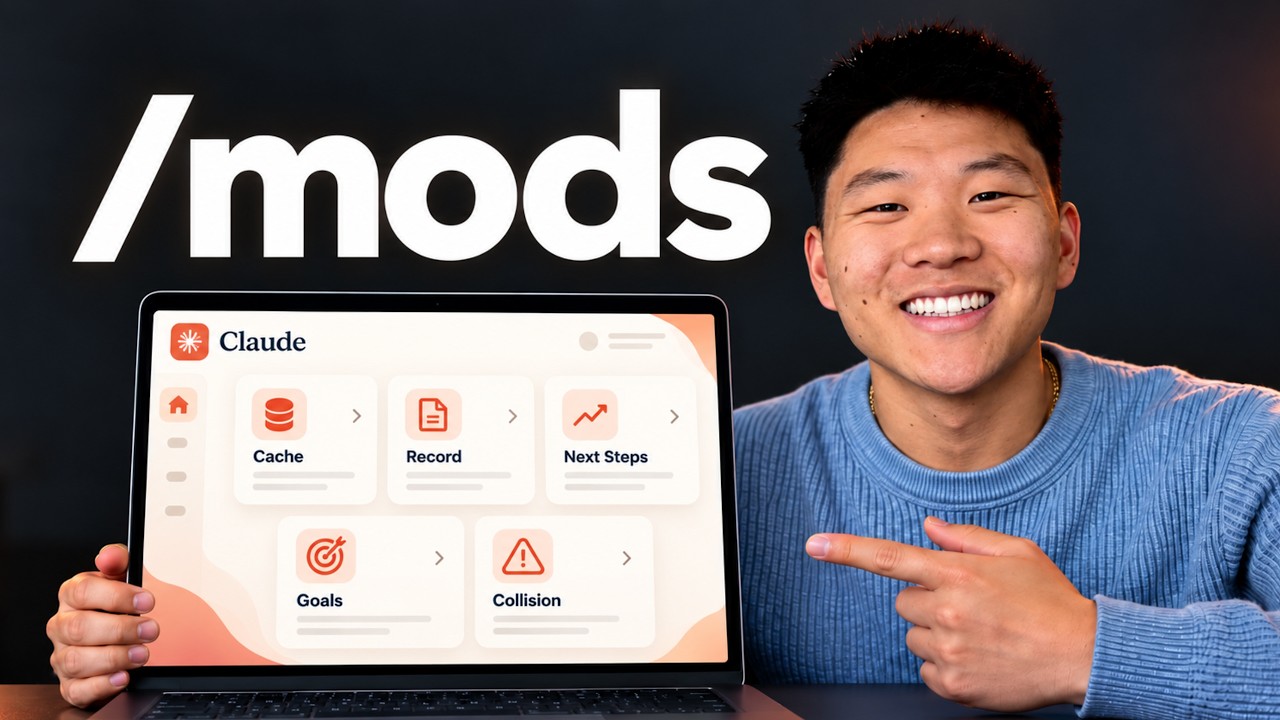
Claude Code mods are installed via the /plugin command and can be created with natural language.
The 'Next Steps' mod suggests three follow-up actions at the end of each turn, which can be dismissed.
The 'Cache Keeper' mod displays context window size, session limit, and estimated API cost, and notifies when the cache is about to expire.
The 'Record Mode' mod automatically replaces sensitive information with placeholders when recording is enabled.
The 'Collision Guard' mod checks if a file was edited in another session within the last 30 minutes and asks for confirmation before editing.
Techniques
- natural language-driven plugin creation
Stop scrolling. Start reading smarter.
Receive the day's most important AI & engineering updates in one concise email. No spam.
Transcript (captions)
So, Cloud Code just dropped mods, which basically means if there's something that you wish the Cloud Desktop app did, you can just ask it to do it, and it will change. You can customize the UI.
You can swap in your own features. There are so many possibilities here. So, here's the official release tweet from the Cloud Devs account, and you can see that it's showing off a few examples.
This one's called token weather, and it's showing how full the context is, and it appears in the actual Cloud Desktop UI. This one is called blast radius, and it basically will show you
what it would delete before it actually does it, so you can proceed or you can tell it to not. This one's called replay theater. So you can basically step by step replay the edits that just happened
and you can see all those diffs. And what's cool is these are basically all plugins. So Thoric, one of the engineers at Cloud Code, put out this one that he uses a lot called next steps, which
basically at the end of every turn, Cloud Code pops up a little, you know, element in the UI and it says, "Hey, here are like three recommendations of what you could do next or you can just
dismiss this." So here you can see I asked what action items do I have for ClickUp today? And then what we get in this UI is basically next steps. I can either close the demo and old hackathon
tasks. I can push certification due dates to next week. I can run the morning coffee briefing or I can just dismiss this if I want to take my own next step. Now, I don't know if this is
super super useful when I'm actually just like kind of driving my own day and doing knowledge work. But if I was building an app and it was recommending like, oh, we should fix this bug first
or we should merge these changes or like all of these different things. Having something that's kind of guiding you as to what you should keep doing in order to keep making progress on your app or
software or automation or whatever it is. Pretty cool. Now, I'm sure you guys are noticing a bunch of other elements here in my UI, and different things are popping up, and it might be a little bit
overwhelming. So, let's just kind of zoom out a little bit. I'm just going to show you a few of the actual mods that I'm using right now that I think are helpful, explain what they are, how they
work, and how you can get them set up super easily. And I'm going to give you guys all of these mods for free as well. So, let's just jump right in. So, first of all, this next step one you can
download super simply. All you have to do is literally just copy this and give it to Claude and say, "Hey, set up this mod." And then in 30 seconds you will have the next steps thing popping up
right there in that same chat as you. Now what actually are mods? They are essentially plugins. So you can see mods ship inside plugins. You install them with /plugin in the CLI or desktop app
and it's basically just a little bit of code and you can create one with completely natural language. So you could literally just open up claude right now, update it and then say, "Hey,
I want to make a mod for this. Let's do it." And so when I actually got in here and started playing around with the mods, the first thing I did is I said, "Hey, I want you to look through tons of
session logs, understand what I do in Claude Code, how I use you, what are things that I constantly say or repeat, what are tasks that I do a lot, and help me find the top five best mods that I
could build right now that are going to help my workflow, save me money, help me move faster, stay organized, things like that." And it made a bunch of suggestions. Now, I didn't take all
those suggestions, but it got my brain flowing a little bit on how mods work and what I should actually introduce. I've made a ton of mods here. I've made like a little pet that's pretty useless.
There's a bunch of these different like visual workflows that people are building on X and they're kind of going viral, but it's like I don't even know if that would really help me. So,
anyways, here are some that I think are actually helpful. But anyways, here's this first one I want to call out is a cache. And you can see my command center one just popped up, but that's just like
a notification. But anyways, this one basically shows me some stuff about my usage and the cache. So, what the cache is is basically everything that's in this chat is cached. Meaning every
single new message you shoot off to the agent, like if I say hello, that doesn't get reread at full cost. And you can see that the cash was at like 57 minutes and now it's back up to 60. So after 60
minutes, if you don't send a message to a session, you would have to pay again, like repay for all of that text. So as the window fills up, obviously that's going to become more expensive. And this
is how much it would cost if this expired. So this basically shows you, okay, you know, you have 60 minutes to shoot off another prompt. Otherwise, you're probably going to want to do some
sort of like session handoff or, you know, compact the context or something like that. What else this is showing me, it's kind of like the status line if you did that back in the terminal. I can see
the context, which is 109,000 tokens, which I can also just see right here. I can also see the session limit, the 5 hour, and the weekly right here as well, but I just get to display it here too
cuz then I can just see it at a glance. And then it also shows me how much the session would have costed me via API billing. So, that's pretty cool. And then what else I worked into this is
this button right here. So I can literally just press this button which runs the session handoff which is my skill that I use whenever I'm like trying to essentially hand off the
session to a fresh one so that I'm resetting the context window. I'm not getting into context rot. And then after it runs that handoff I can basically just click clear and continue. And that
runs the /clear. It pastes in the handoff message and then it basically I'm I'm right there already. So normally I would run that skill myself, copy it, clear, paste, enter, go. And I'm not
really saving a ton of time here, but that was just like it's cool to see that the mods can actually just do that. So now it's just two clicks of a button for me. And I could probably just actually
make that one click of a button now that I think about it. And then what else is cool about this cashkeeper mod, which is I guess the formal name that it created, is that when something is about to go
cold, so if the cash is going to reset in 5 minutes, it shoots you a notification and says, "Hey, do you want to reprompt this real quick or just like run a compact or a handoff or
something?" That way you save on the cash. By the way, guys, I've got this completely free SOP for you about getting your first Amation client. It's going to go over the exact steps that
has been proven for hundreds of our AIS Plus members to get their first paid gigs. It goes over the one sentence service pitch that can get you started today, why your first client should cost
you money, the 5-minute video that answers, can this person actually deliver before you've actually received any money, what to do when you have zero case studies. There's so many good
things in here that are going to help you out. Even if you already do have clients, I would recommend grabbing this because, like I said, it's yours completely free. So, if you want to grab
this, there's a link for it down in the description. Let's get back to the video. But anyways, I think you guys get the point of that one. This next one that I've got going, you probably
noticed it shows that I'm recording here. That's not Claude actually recording my screen. That's just me on recording mode, which basically means, you know, I record a lot of YouTube
videos and when I am, I might be showing off like email addresses or internal information, financial information, things like that. And what's cool about that is now in record mode, it basically
just blurs that stuff out. So, I came in here and said, "What is the email address associated with my GitHub repo or my GitHub account?" And maybe that's not something that I want you guys to
see. Well, what happens is it says, "Okay, recording mode is on, so I'll keep the actual addresses off the screen. Here's the setup with placeholders, blah blah blah." And it
would just show me all that with placeholders. But also, if I didn't explicitly say, "What is my email address?" and it was just coming through in natural text or it was reading me an
email that I got from someone else and it had financial figures in there. If I was recording, it would probably just blur that out or not blur it out, but it would like do some sort of placeholders
like this. So, here's a quick example. I was running this demo earlier and I'll show you guys this in a sec. But basically, I have this HTML and I wanted to update the price from $29 to $39. And
when I pasted this in and hit enter, it actually sent over the real numbers, but Claude blurred this stuff out because I'm in record mode. And you can see it even blurs it out right here. So, if I
go to that actual doc that I'm talking about, you can see that the pricing did get changed from 29 to 39. So, it actually still can read all that text you're putting in there, but it's just
going to blur it out on record mode. And I could come in here and I could do record. You can see this is a little command. And then I could just say off, and that's going to turn off record
mode. And now all of that gets unblurred and we can see it. But once again, I can just go back in here, record, and then just hit enter. And now record mode's on, and all of this stuff should be
blurred out once again. So, you basically like turn on all these mods by just running slash commands. They live in your local files and stuff like that. Like I said, it's a plugin you install.
They're super super easy to manage. And like I said, all of these ones that I built and all the ones that I will build in the future, you just say, "Hey, build me a mod for this." And then when it's
done, you say, "Hey, how do I turn that on? How do I turn it off? What do I do?" Blah blah blah. Okay. So, this one I think is also pretty cool. So, I run a lot of /goal prompts in the desktop app.
And when I do these, sometimes you lose track of like where they are in the process. You don't know how much longer they're going to run, and you don't always know how long they've been
running so far. So, I made a mod that just gives me a little UI when I shoot off a /goal prompt. So, let me just make a really simple prompt. So, I'm just shooting off the super simple /goal. And
what happens is it starts up the session. It's going to spin up all my other uh mods. So, it's going to have the recording mode is already turned on because it's going to be turned on until
I turn it off. It's going to hopefully spin up that cache, but it doesn't do that until like the first message gets sent. Um, and then you can see this UI right here, which is the goal. Create me
an AIS carousel about Cloud Code mods. There comes the cache thing. You can see that right now it's in the planning phase. You can see 0 minutes elapsed. It says waiting for Claude's task plan. And
in here, if I click on all tasks, this will basically show me everything that it's doing. It's also showing me here like other chats and other things that are going on. But once this is able to
actually figure out a plan and make like a task list, then I'll be able to see that and we'll be able to see like the percentage complete of this goal. Okay, that's kind of funny. This one finished
really quick because it already did this and then it already posted this carousel. So that was probably a bad prompt, but you can see that now it would have shown me all of these tasks.
Okay, so I'm just going to shoot off a new/Gole prompts real quick to show you what this actually looks like when we see all the tasks. Okay, there you go. So you can see here it created four
tasks. We have find comment fetch tooling. Pull comments from the last 10 videos. Analyze comments for common themes. And then the last one is to report the one most important theme. And
we can see visually as it's actually going through and checking off these tasks. And then of course if there were more than four, I could click on G and I would be able to see all of them right
through here and other chats where I maybe am running different goals. And this is pretty cool if you do have like 12 different sessions running goals and you just want to see all of them in one
spot because I do that quite a bit. So anyways, that is what this one looks like. Okay, so this last one I wanted to show you guys real quick is called collision guard. So basically before
every edit, write, or notebook edit, it checks if the file that it's about to edit has already been touched within the last 30 minutes. And if it does, then it basically asks you, what do you want to
do about it? So let me show you a video demo of what I did earlier here. So I basically created this new project which I had an HTML file and I was going to edit it and then try to update it in a
different chat. So essentially in this first chat over here I changed the price from 29 to 39 and then I started up a new chat and said hey add a most popular badge to the pro plan. Now what happened
is it realized that that file had already been touched. So it says hey you know another open chat edited the file just now. So if this would have been 20 minutes ago it would have said 20
minutes ago but it happened just now. So then it said do you want to edit this here too? And I could say proceed. I could say move to a work tree. I could cancel that or I could type something
else. So, this is kind of different than like a hook action because it's not like a pre-tool use and it doesn't just like block something or take an action automatically. It basically recognizes
something and then in the UI asks you this question. Now, this is probably something you could work in with like a skill or with, you know, in your cloudmd or something, but just building it as a
mod was super super quick and easy. And now it pops up like this and I'm able to make sure that I'm not overwriting files if different agents are working on things. If I want to keep them more
separate or if I do actually want them to collaborate and work on things together, then I would just be able to hit proceed. And now we can see that it's actually going to take action and
it updates the HTML file for us. But anyways guys, just wanted to show you a few of the use cases of mods that I've been using and that I think are actually pretty helpful. If you want to get all
of those mods that I showed in today's video for completely free, then just join my free school community. The link for that is down in the description. All you have to do is join the free school
community, go to classroom, click on all YouTube resources, and then you will find the zip file or the GitHub repo with all of those mods right in there, and you can just install them super
quick. But of course, you could also just like feed this transcript of this video to your agent or in natural language, explain what you want to see and what you want it to look like and
what you want it to do and it will build it for you super quick. But that is going to do it for this one. So, I hope you guys enjoyed. I hope you learned something new and if you did, please
give it a like. It helps me out a ton. And as always, I appreciate you guys making it to the end of the video and I will see you all in the next one. Thanks everyone.