Enjoying this issue?
Get tomorrow's AI & engineering digest in your inbox — hand-picked, summarized, and always spam-free.
TLDR
VS Code moved from monthly to weekly releases by using AI to automate code review, triage, and error fixing, with agent-written code commit rates rising from 55% to 86% as trust improved. The real story is that shipping faster required rethinking the entire development system—build times, feedback loops, and human oversight—not just adding more AI.
Key points
VS Code switched from monthly to weekly releases after 10 years of monthly cadence.
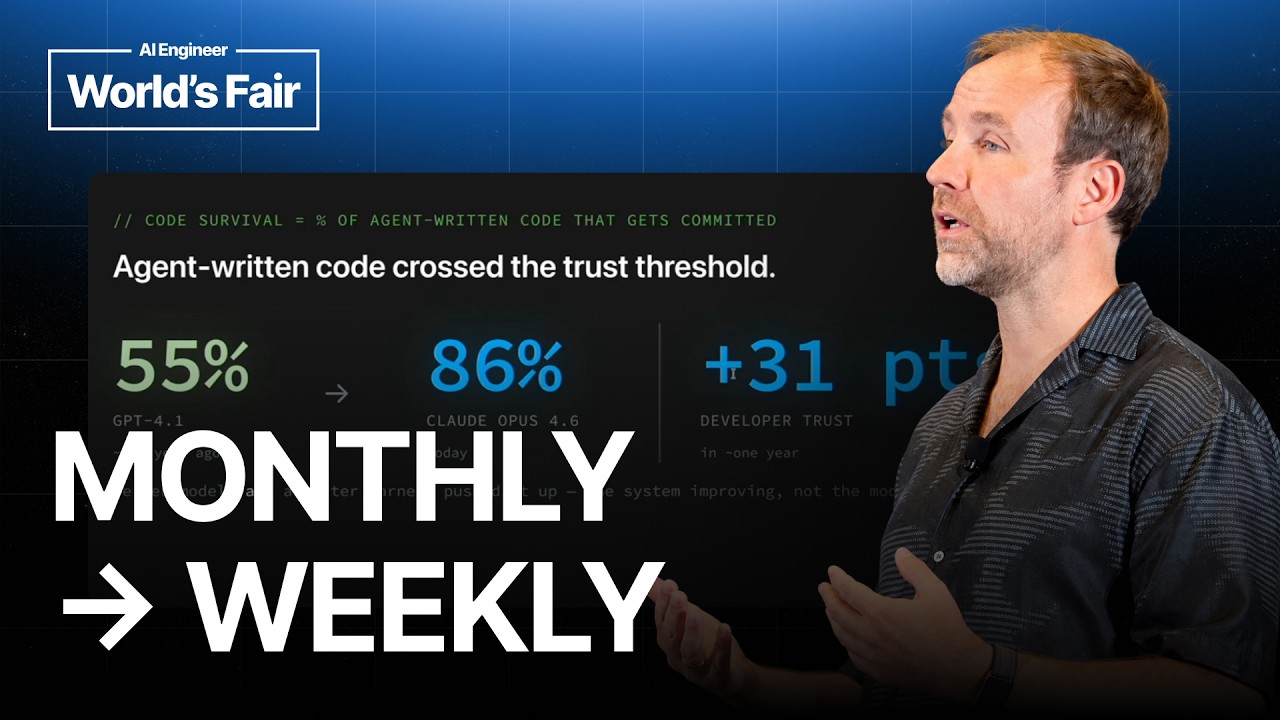
Agent-written code commit rate rose from 55% (GPT-4.1) to 86% (Claude Opus 4.6).
Switching to TypeScript Go gave a 10x improvement in build times for agent workflows.
AI now automatically triages issues and creates PRs for error stacks, with human oversight.
Code review is now mandatory with GitHub Copilot, adjustable by risk level.
Tools mentioned
Techniques
- code survival metrics
- agent-ready codebases
- self-correcting loops
- stage rollouts
- automated triage
Stop scrolling. Start reading smarter.
Receive the day's most important AI & engineering updates in one concise email. No spam.
Transcript (captions)
Hey uh everyone. This is a hard tone to follow. Why did everybody leave? No. Um this is the rerun of a talk that she gave yesterday upstairs. So this will be better than the one yesterday. So uh
kudos to you for catching this one. I'm working on VS Code and we move from a monthly release to a weekly release cycle thanks to AI. And this is about the things we learned, the systems that
made this work, not just to ship faster, but actually to ship more effectively. So, it's not about how we build agents into VS Code, which we can try out anytime. You can come by the booth and
see us showing of agents, but this is about how we use agents to build the product itself. And that's VS Code, that's the copci and other areas, but also how as you use agents and more AI,
things are breaking and you have to rethink actually how you work. And that's a very small team shipping to over 50 million users. What happened is over the past year is
we started tracking already early on this code survival metrics in VS code. So that means the percent of agent written code that actually gets committed. how much kind of garbage has
the agent produced that you threw out the window again or didn't trust and that you that you read it u and and scrapped. So GBD 4.1 started at 55%. But then over time and over improving
the harness and new models cloud opus 4.6 is now today at 86%. And that increase clearly shows developer trust and confidence in shipping AI code faster and more AI code
generated. And this success created problems on the VS code side. We're one of the biggest or the biggest open-source project on GitHub. So we saw a massive increase in
issues because AI helps to file issues. So we actually see an increase in quality issues but also the counterpart of more automated lowquality issues. We also see more open PRs by the team by
our own velocity and by our community. And interesting part we actually see everybody would assume we see a lot of garbage PRs but actually the number of community merged PRs is going up as well
which is really amazing that we can unlock more community contributions as well. And as part of this new workflow, we actually moved several months ago, we moved from monthly releases, which
happened over 10 years. Since the inception of VS Code 1.0, we have been shipping a new version of VS Code on a monthly basis. Including fun facts like the January
release actually ships in February. So when you read the release notes in VS Code, you're wondering why it's February and you're reading the January release notes if you're a month late. No, that's
just how we tracked our iterations. So that cadence was to match to velocity, but it also showed us that the it's not about using more AI as you work dayto-day, which a lot of companies are
pushing. Like you're not token maxing. You're not spending every day using AI. It's about evolving the whole system, how you're shipping software to evolve to actually make better use of AI along
the whole process. And that what makes this velocity actually work and doesn't just generate more code. I'm breaking this down into this first part which a lot of people have been
experiencing. I see shipping code faster and that's the easy part. You have like this 100x engineers that has built this beautiful skill MCP plug-in system and they're just shipping code like crazy
and slowly maybe more in the more people in the team uh adopt the same patterns and you see a lot more code shipping faster. But the problem is once you ship faster,
you get into code review. You get into how do you actually ship high quality code that doesn't constantly break. And that's important for us as VS Code. We're shipping binaries to user
machines. So if something breaks, that recovery is even more costly. But once you hit that velocity with shipping high quality code faster with confidence, how do you actually know
you're shipping the right thing or if we should ship this thing? And that's where AI kicks in to actually learn faster in the end and shipping better products which a lot of people are missing out as
as they write more code is applying that product taste and applying that learning. So let's start shipping faster. Now that everybody can vibe, we can really all
ship faster. And it's a big part is getting your codebasation ready. So that's kind of the no-brainer slide that everybody should already been doing is thinking about how to get your code
bases agent ready is creating agents.mmd that give it that are lightweight enough and give the agents a good kind of map of the codebase where to look at mapping out that is every agent now at your uh
at your fingertips has a slash in it that gives you a good draft and then you keep itering those are living documents that should evolve as the agent makes mistakes and works.
And that's where I see a lot of teams that have invested in developer experience actually gain a lot because once they have good documentation and onboarding for a codebase that is read
by the agent as well and that can help the agent as much. Next up you have skills. VS Code has always messed heavily in accessibility. So one skill we added early on was
infusing all the accessibility best practices and how we think about accessibility into a skill that everybody will use and that previously was one person that had to then got get
pulled in or give feedback and now that skill was reviewed and is maintained by the kind of area owner of accessibility. So to bring that that accessibility that short work everywhere into everybody's
hands. So think how you can encode your expert knowledge to unblock this like few users that might be always asked for this input into a skill. And lastly once you do it right for us in VS Code the
litmus test is can I as a PM effectively VIP code in the VS code repo which I do um and how is that accepted by engineering? How much work does it cost? Is it out of the box working? Is it for
me working locally? Or is it eventually breaking when I ship it? So, a lot of these quality improvements will show in the end that you can allow everybody to be more effective in the repo.
Another improvement, and that's a massive one, is we switched to TypeScript Go. And if you've been in any developer codebase that takes some time to build
or run linting or run CI/CD, you've noticed it's already annoying. But developers find other ways. They can review a PR. They can context switch into something else while runs and then
do something else. But once you hit that with agents, you have 10 agents, 20 agents running and hitting the same bottleneck, these any slow part of your CI/CD will compound. And for us,
Typescript Go was a 10 times improvements in our builds, which at the scale of automatic PRs running with agents and them fixing getting needing that CI/CD loop for feedback to improve
the code is a massive improvement. And that leads to me uh filing big PRs. That was beginning of the year to get the ask questions tool in which I believe we really needed and then
bringing it to the team to show to let them try it out in the product. Within a few weeks we had a perfectly polished and designed experience based on my initially very scrappy PR. But it
unblocked that this these discussions the participation of everybody else because we had the ground set laid and the idea and the experience was clear. Next up, when agents actually work on
UI, and we all had this, that the agent gives you a UI and it says it looks perfect, then you open it and it's all misaligned. Even with SVG, even with the latest models, you still get it. And
it's like the number one thing I keep telling everybody now these days. If your agent cannot use your application, your product directly to get this feedback loop of is it all working, then
that's a really big investment that pays off every time you work on UI. And there's two areas we invested in. One is the component browser, which is an automated build that runs every time
VS Code changes something. Let me open this in this issue as an example. In this case, we added a back button to our customization screen. And because it's changing wide, we actually have
this automated process in the back that takes screenshots of every component in VS Code and points out the differences. It allows us to detect unexpected changes like we're changing one
component as the ripple effect of something else moving or some other icon disappearing. and allows you to quickly review a PR as well because you also get directly a view and what the PR is
actually doing and that's what we ask every developer before we ask them to at least attach a video or screenshot on what they have been implementing so we don't have to run everything from
scratch and we can quickly assess and and give feedback and this is now automated with the component explorer next up we have the self-correcting loop because in VS Code we run uh a web
browser and open a website. Basically, that's what VS Code is. It's all HTML. We can actually use Playright to automate a lot in the browser. So, we have a /launch skill that would just
open up VS Code and give it a specific scenario to click through in VS Code. So, it's a really powerful way to diagnose issues because you can also get the locks along the way, but also
validate any fixes you did before and after without you having to click through it. So you can just hit launch move on to the next task and then come back once the agent verified it's worked
because it can access your application and to call out this is nice because we have playright and we are a web app uh running in electron but there's many other solutions out there one of my
favorites is Xcode MCP because on my site I work on iOS apps and once you see Xcode MCP just creating in VS code without Xcode involvement just making an iOS app opening it up clicking through
it, taking screenshots. These moments are magical and give you a really tight feedback loop as well. So there's other tools available for Android as well to make this work.
Let's talk about code review, which I think is the next big investment. We know in the past when we enabled code we on GitHub the automated GitHub copiloted one we're not convinced yet but over the
next months and weeks they have massively improved and now it's a mandatory uh review every time somebody opens a PR and there's more improvements coming actually dial in the uh the
effort that a code review does depending on how much risk you have in this repo so you have a low medium high effort for code review so you can dial in kind of the cost benefit as well but for us is
if a review after review is done, humans will not even look at PR until all the comments are resolved and and addressed. Okay, now we're holding we're shipping faster. We got to hold quality. And a
big signal for us because we're on GitHub is of course issues. Uh who has filed a GitHub issue? Who has had problems in VS Code before? Yeah, cool. Kind of similar. Awesome.
This the last crowd had less hands up. So it's good. Um, yeah. So it's a massive, it's a really good signal. And as I said, we get sometimes even better issues now because of AI and more people
with different language backgrounds being able to file very good issues. But we also get a lot of issues. And previously engineers actually triage them manually. And now we have AI doing
the filtering to get out spam enriching and translating in the end assigning area owners for all the issues to raise the signal to noise quality of this. We also add a human layer to that once
you are in issue because the agent will make mistakes and we need that feedback loop when it makes mistakes. We create a Chrome extension that allows you to fix duplicated issues as well. So we have
the agent doing the work and we have a feedback loop where humans can still fix it that we can bring back into the into the agent work up front. That's a really important thing to think about as you
have agents doing the work that you get the human feedback as well. The other input we have is a lot of error stacks. Every time there's an exception and most apps will have this
you get an error stack reported and we actually don't use any external tool for that. It's all in our own data and we built all the tooling around it and it's mostly we already had it. We already had
an ML doing sorting on top and this is now actually done by a mix of criteria. So one is we collect the raw telemetry. We filter it down and that's like 51 billion per day. We filter it down to
just error stacks that actually have the full stack. Then we group it and bucket it. That's more of the fingerprinting exercise. And then in the end after we all of that we have 10 issues filed
assigned to specific area owners that a PR is autocreated to actually already try to fix the problem. This is our error page where we see all the stacks including how many hits and
how many users affected so we can quickly react to anything that's coming. And once we have this working we get a issue filed and a PR automatically opened. This is the issue. is the error
with some initial diagnosis and then the PR got opened with and the agent actually goes in and finds out why does this happen who was responsible in this case um
added a change that was connected to this to find f find symbols and then it figured that the on cancellation request wasn't in the RPC protocol so the agent already opened the PR we could just
merge it and that's a really great automated way you don't care about errors you just want to get a more stable code base. So all of this automated the triage
initially mix of agents and deterministic systems then the issue is filed handed off to an agent in the PR multi- aent system and in the end we have fixing fixes landing mostly
automatically with some human oversight to still approve the PR. There you go. So previously VS Code did yolo releases in a way that it was release day everything was stable. We
did our testing and we shipped the release to 100%. We just opened the floodgates but because of agents we want to derisk that process. We should have probably done it earlier. So now
actually we do stage rollouts and as we do the roll out we monitor error locks and issues and everything else. So just like good citizens in a in an web application, we now apply the same
because rollbacks on an install app are so expensive. Okay, now we have this shipping faster, shipping at quality. How do we actually do this in a in a speed that we actually
learn faster, which is the which is a bigger challenge with AI? You actually want to build a better product faster. So one of the examples is our VSC bench. We're shipping an agentic product. So
it's important that we have our own evals of our product always at hand and being really easy to extend. It's all in the GitHub issue. It's all in GitHub. When we file an issue to add a new
scenario, it's actually an agent picking up from a template and bootstrapping the scenario for you. So we make it as easy as possible to bring in all the developer scenarios that are coming up
in issues through customer conversations through all these channels to bring them back into our emails. So we then start hill climbing actually against them and then com also confirm that it's all
improving offline and then an online experimentation. So classic product life cycle for um for us and we see these interesting things in our stack. Understanding your evals is
critical. One experiment we did that you can read about on our blog is that we gave a very simple eval scenario of just write a file with hello world just testing out our eval harness end to end
and how different models react. The same five character file took the most expensive model 70x more tokens and that was not the high reasoning model. You can read more about unblock. We
actually don't talk about the models, but just that insight in how your models react with your harness is extremely is a very important exercise. Next up, we have prototyping, which I do
a lot of because I noticed that I don't actually want to land most of my work into VS Code PRs itself. It's a great way to start a conversation, but most often I want to have a quick
conversation because now we're meeting on a daily basis where we just want to have very quick feedback loops on here's the idea, here's how it could look like, what if we do this. Next day you come
back with updated uh prototypes and you just keep having this conversation. So much quicker feedback from a month release cycle to weekly to daily sprints where you just keep working on problems
and prototypes unlock those deeper discussions and how the experience should look like. It also means that we have the durable ownership in internal work as I
mentioned daily sprints um smaller squads, smaller work streams that really prioritize and drive smaller sets um of areas to move faster. So try these things, find out where your bottlenecks
are to actually ship higher quality, ship faster and learn faster and find fix that next bottleneck. And don't just tune how you work with agents, but tune where how how do they get feedback? How
do you build these loops? And then figure out after you have these these success moments, how can you improve that feedback loop for the next moment of what's blocking you to move even
faster and it's a constant iterative cycle across all these cycle ones. That's it. Come by code booth. Happy to chat now. Otherwise, happy coding. >> [applause]
[music]