Enjoying this issue?
Get tomorrow's AI & engineering digest in your inbox — hand-picked, summarized, and always spam-free.
TLDR
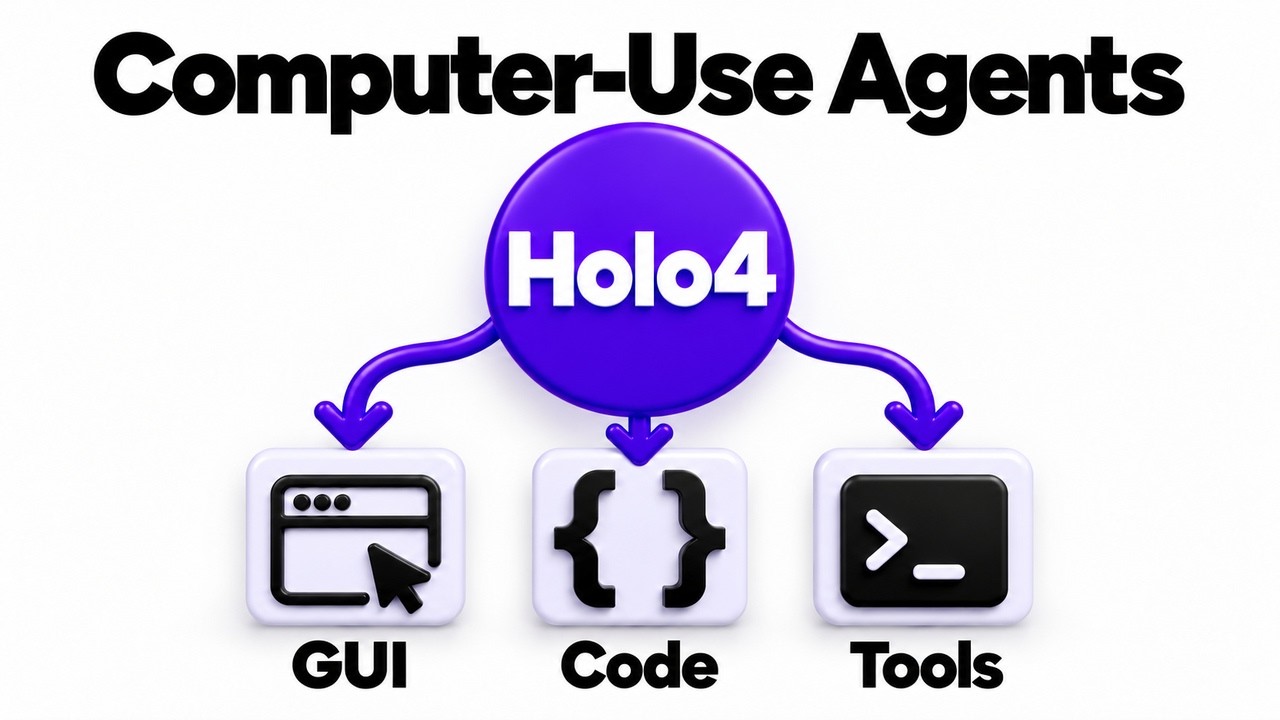
Holo4 is a model trained to choose between clicking, coding, and calling tools, unifying three agentic lanes that previously required separate models. Its training pipeline, using an agentic task factory with reinforcement learning, is the key innovation, and the dense 27B variant significantly outperforms the MoE version, especially on GUI tasks.
Key points
Holo4 is trained to choose between GUI, code, and tool actions.
The dense 27B model significantly outperforms the MoE 35B variant on benchmarks.
The training uses an agentic task factory with reinforcement learning.
The model is built on Qwen 3.8 (27B) and Qwen 3.6 (MoE) base models.
The license is non-commercial, requiring API usage for commercial products.
Tools mentioned
Techniques
- agentic task factory
- reinforcement learning
- supervised fine-tuning
- mixture of experts
- post-training pipeline
Stop scrolling. Start reading smarter.
Receive the day's most important AI & engineering updates in one concise email. No spam.
Transcript (captions)
Okay, so imagine you've built an agent that can use a computer. It looks at a screen. It can click. It can type. But now you drop that into a server with no screen. It's just going to get stuck.
It's got nothing to look at. It was built for visual kinds of things. If you flip it around, if you've got an agent that's great at calling tools and APIs, but you then ask it to pull a report out
of some old app or something like that that has no API, it's also stuck, right? It doesn't have the ability to look at the UI. it doesn't have the ability to actually act on that. And so far up
until now, people have generally tended to make models to do one side of that line or the other. So either being able to do the visual kind of stuff and act on things, click on things, that kind of
thing, or being able to actually do the API related stuff, the non-visual kind of stuff. Unfortunately though, the problem is that real work doesn't stay on one side or the other of that line.
More and more as people using agents to do a whole variety of different tasks, it often means that it's got to click through some legacy UI. It's then got to be cleaning a CSV file. It's then got to
be posting it to a Slack or to some other API. And right now, the way that people have sort of handled this is you tend to have lots of different models. You chain models together. So you've got
one visual model that you force everything as screenshots. You've got another model which is doing your orchestration and dealing with MCPS, etc. So in this video I want to talk
about a model from a company in Paris called H Company and they're the lab behind Hollow Models. They've just released Hollow 4 and that's what I want to go through here. This is basically an
openw weight model trained to click to write to run code to call MCPs to do API tools etc. And most importantly to be able to orchestrate and choose between those actions as it goes along. And I
kind of feel there are two really interesting parts here. There's the model itself, which we'll look at, but the other part is how you train a model to make that choice. And I should point
out they've actually got a family of hollow models here. So, we'll have a look at those. We'll have a look at how they fit into an agent, how they're built, and also perhaps where they're
falling short, etc. All right, so let's recap what an actual agent loop is. You basically give the agent a task. The model looks at what's going on and it decides on one action, right? Then the
harness, which is just the code around it, executes that action. It does the click. It runs code. It calls the tool. And then obviously it captures what happened, whether that's a new
screenshot, whether that's just some return from an API. And it feeds that back into the model along with the memory of the previous steps around it. And this loop just goes round and round.
Right? This is fundamentally the base of what's going on here. I guess the key thing here is that the model itself never actually touches anything. It only decides. The harness actually does all
the doing. And that matters more and more nowadays. When we look at benchmarks, we see that models can score really differently depending on the harness that are actually running with
it. Now for Hollow 4, they've actually optimized this to work with three main lanes of sort of actions here. The first are GUIs, right? Graphical user interfaces. The model looks at a
screenshot, then says, "Click here, type this." And you can kind of think of it as the agent using the computer, a web device, a browser. The way that you do it, it works on anything that a human
can use, but it's going to be slow and it can often break when someone moves a button or changes the UI, etc. The second lane is code. So, the model writes a script, runs it in a sandbox or
a shell, and it gets an output back. That's fast, that's precise, but it only works when you can actually write some software to do the particular task, right? It can't just easily write a
Python code to know which button to press on a visual output. The third lane relates a bit to the second lane, but this is where you've got tools. So, MCP servers, APIs, that kind of thing. The
model calls a function and it gets back structured data. And in many ways, this is the most reliable of the three here. But obviously the challenge is it only works if there is an MCP or an API or
some kind of tool that is actually going to do what you want it to do. Now the challenge has been for many people running agents, especially local agents that these three different lanes often
require either different models or different setups with your agent harness. If you got something that's doing screenshots, that's going to eat a huge amount of context compared to just
JSON files or a few lines from a terminal output, etc. And for exactly that reason, most people have tended to ignore running something that could actually do visual stuff just because
it's often not practical to do locally. And going back to the example I talked about in the intro, something like exporting a report from some kind of legacy app through a guey. You want it
to go through an e-commerce site and find different things that are not available through their API. Then you want to take that, clean it up for a CS file with a Python script and then post
it to an API like a Slack, etc. is really the type of goal that Hollow 4 is sort of working on here. They talk about this as being working across interfaces. It's not just that it supports MCP as a
feature. It's trained to pick the right lane between those images, code, or tools. And in many ways, that's what sets it apart. The earlier hollow models that they already trained were using
function calling. The big difference here, though, is that they've trained this model to do all three together. Graphical user interfaces is a first class option, code is a first class
option, and tools are a first class option. They're not just add-ons. Now, the big question for me was, would you use this as your only model or alongside of another one? And the answer is
perhaps kind of both. HR runs all their benchmarks with hollow as the sole model doing both the planning and the acting. But you could also put this underneath a bigger model for doing orchestration or
a different model if you wanted to do that. H actually has their own harness and SDK called high agents which runs their hosted agents and can plug into things like clawed code over MCP. So
your main model plans the job and hands the screen heavy work to hollow and I do think that may make sense for certain use cases where you just want to use this for doing the gooey stuff for doing
all the computer use agents kind of stuff. All right, so let's look at what age company actually shipped here. They've got two main models here. the Holo 427B which is a dense model built
on the Quen 3.827B and then they've also got the Hollow 4 35B A3B. Right? So that's basically a mixture of experts model with 3B active. That one is actually still built on the
Quen 3.6 model. Along with those two models, they've also released Holotron Nano, which is the same recipe for actually making the first two, but applied to Nvidia's Neotron 3 Nano Omni
there. So, I made a video about that Neotron 3 Nano Omni. A mouthful of a name there, but you can check that out if you want to see more some of the reasons why people are using that
smaller model. All right, so the weights for all of these are on HuggingFace. They've got a bunch of different quantizations, etc. They've also got their own API if you want to run it
through that. The full Bflat 16bit version here is 54 gigs. So, I'm going to be running this on my Dell Pro Max machine with an RTX Pro 6000 in here. So, a big shout out and thanks to Dell
for sponsoring the compute for this. One of the challenges that you want to think about wherever you're going to choose to run this is that screenshots fill up your KV cache very fast. So, you need to
make sure that you're leaving plenty of headroom specifically for that. Okay. So, if we look at the benchmarks in here, we can see that they're actually comparing both the 27B dense version and
the mixture of experts version and the original Quen 3.8 827B along with a bunch of models that were sort of frontier perhaps a week, two weeks ago. And I got to say I feel for a
lot of these companies when you basically benchmark what you're about to release and then the Frontier Labs go and release something completely new. But honestly, I feel like the Frontier
ones are more just for a guide of what sort of state-of-the-art for this thing. Obviously, none of those we can run locally. And obviously, if you're paying for API usage with images on those, that
can get very expensive very quickly. So, if we look at things like OS World, they're really not that far behind the Frontier models. In fact, you can see the 27B here is actually a little bit
ahead of what now is the old GPD 5.5 model. Now, when it comes to OSWorld, yes, they're quite a bit behind. But again, don't just look at the accuracy scores here. Really pay attention to the
costs, right? because while Opus 5.5 and Astra are coming out on top, you can see that the cost of running those compared to the 27B is like seven times more here. The other big takeaway I would say
from the benchmarks here is it's really kind of fascinating just how far behind the mixture of expert model is. So when we look at something like OS World, we can see that the 35BE
is scoring less than half what the 27B dense model is. And while it's not as dramatic as that for the other benchmarks in here, there really is a clear advantage to using the dense model
for these kinds of tasks. And I guess it makes more sense that if we compare sort of active parameters, we're comparing 27 billion to 3 billion. And it just does seem that for images and getting
representations out of images, the 27 billion dense model just does that so much better here. All right, so just quickly, how do they actually train the model to choose a latent like this?
because this is one of the parts that I find really interesting here. So, H company built what they're calling an agentic task factory. It's a set of pipelines that build like interactive
environments and tasks that can be checked automatically. So, things like screenshots of real websites, open-source software using specific webs, specific MCP servers, and even
things like desktop environments. And the interesting thing there is that some of those environments are kind of hybrid meaning that you could take the state of that for example like a website or
something and you could actually do it through either a guey way by looking at the website through screenshots or you could do it perhaps by an MCP way or by using some code to look for something on
the website. So over many of these different tasks then the model can actually solve the task by clicking or by calling a tool and then reinforcement learning sits over all of that and
rewards the model for whatever works the best in that situation. So that's how the model learns that clicking through five menus is perhaps going to be the slow way when there's an API sitting
there. And also vice versa that perhaps using a screenshot to get a bunch of detailed information when there is no detailed API available is going to be the way that the RL reinforces it and
makes the model better at things like that. So the training itself is supervised fine-tuning on about 127 billion tokens then creating two separate RL experts which get merged
back into the one model. On top of that the other thing that they did was rebuild their actual harness to actually fit in with this. They were then able to basically tag sort of what failed and
have engineers review those that look at like how could we improve the harness to actually work with this kind of output from the model. So it's interesting here that some of the biggest wins were
reliable memory that can track sort of hundreds of steps and it can relate those steps together perhaps in a better way because it's being trained on these three different lanes. All right, so
that same recipe was used for the Quen 3.8 dense model, the 3.6e and the Neotron. And I think it's pretty clear that what they're really focusing on here is really strong post-training
pipeline rather than overcustomizations for any one specific model. They're really setting themselves up here for when the Quen 4 models come out. And Alibaba has actually recently confirmed
that there is going to be a Quen 4 27B. So, I think everyone's got to be looking forward to that. You could imagine a hollow 4.5 or five that actually improves on all of this even more. All
right, so let's take a quick look and demo at how this actually works. Okay, so you can see here this is going to use the guey element of this. So, it's basically going to the hugging face
page. We've given it the task of open the Holo 4 collection and list out the models precisions. And you can see that sure enough, it's gone to different elements there. It's actually finding
the collections, the Holo 4 collection. And it will go on for quite a while to do this. But you'll notice at the bottom that everything going through here is actually a guey task in there. So, let
me just stop this one and let's look at some of the other ones. I've built a UI that's using a little mini harness at the back end and that harness we can give it an MCP if we turn it on. We can
give it access to tools, access to code, etc. So, I'm going to try going through the first task. So, here it's basically got a madeup admin panel so that this is running locally. You can actually see
that this is a list of orders there and it's using the guey in this one. We've got the MCP turned off. So, it doesn't have the ability to use the MCP anything here. So, it's literally having to
navigate that web page and go through and get stuff. Now, it's getting it and then it's actually using code to put it all together. All right. So, you can see finally it comes back with the answer
out. In this case, we can see that it basically downloaded the CSV file. It then ran Python on the CSV file. It then gave us our answer back. Now it started out with the guey there. If we look at
the bottom, we can see it went 1 2 3 guey steps. Then it went to code and then it gave us our final answer out. Let's look at the exact same thing though. Now if we give it an MCP on. So
now we've got the MCP is actually on. So it doesn't need to go to all the UI stuff now, right? It can actually just go and say, "Hey, we've got a tool export orders." And it will go through.
It's going to basically get the same kind of thing and we've got the answers out at the end as well here going through this. And you can see that obviously that was a lot less steps and
none of them were gooey in this case. It was basically just the tool and then code and then output there. If you wanted to basically just do everything where it's doing various clicks as it
goes through, you can see it did a click on the overdue. It did a click on the export CSV file. Again, we had multiple guies there and then it's running code before. It's going to go back to the
model and give us our final response out. Here's an example that I put together where it's basically now just using code. So, it's able to go through a file, pull out different information,
reconcile the two different order exports here, and list any mismatches that it's finding in there. And the main thing to notice here is that it's just using code this time. It's basically
just putting that all together and then at some point here it's going to give us our final result out. And you can see actually we got some environment issues going on there where it's actually ran
into some problems with that. You can see that eventually it's starting to use pandas. And then finally we get our answer out. Now it took quite a long time there. Right, that was a minute 37
seconds. I've obviously cut some bits out for the recording, but you can see that it's done each of these steps. And that's the whole thing with this model is that it can choose to just do the
guey and use just the graphical user interface and then process those screenshots and then work out where to actually click on the UI. It can do the code like we've seen in this one. And it
can use tools like the MCP if they're available and it sees those in the tool repository going into the model etc. Okay, so just to finish up, another cool thing that they've published are the
actual trajectories of what's going on in here. So you can actually come in and have a look at how these trajectories actually went. Now, the big question to sort of finish up on is should you use
this? Well, I certainly think it's worth checking out here. Unfortunately, the biggest issue with this, I would say, is the license that while it's open weight and you can check this out, this is
actually a non-commercial license, right? Even though the Quen base model underneath this is Apache 2.0 0 and even though their hollow 3.1 models were Apache 2.0, unfortunately, this doesn't
fall into that category. So, you can experiment, you can prototype, you can do research with this, but if you want to ship a product, you're going to have to go through H's API, or you're going
to need to contact them directly. Now, one thing that I do think that they deserve some credit for is that every trajectory behind these benchmark scores that they've put out are actually open.
So you could actually go through and learn a lot from those if you were trying to make your own model for doing this. So for me the takeaway here is that agents choosing between clicking,
coding, calling, using guies, those sorts of things is where things are heading. Hollow 4 shows us that that ability comes from these training environments, comes from reinforcement
learning, comes from basically incorporating the model to work with a specific harness as well. It also shows us some interesting things about the dense versuse gap in there. Anyway, as
always, I've put the links to the blog and the models and even the trajectory viewer in the description there. Let me know in the comments what you think. I'm really curious to hear from you guys.
How many of you are actually doing sort of computer use or browser agents, things like that, versus just sticking to basically tools, code, MCPS, APIs, that kind of thing. I've covered some
browser use agents in the past and I've certainly been pitched a bunch of them, but I haven't always been convinced how actually useful they are over just using a normal model and a custom harness.
Anyway, as always, if you found the video useful, click like and subscribe, and I will talk to you in the next video. Bye for now.