Enjoying this issue?
Get tomorrow's AI & engineering digest in your inbox — hand-picked, summarized, and always spam-free.
TLDR
WorkOS built an internal platform, Atlas, with a CLI called wow that lets any employee build, deploy, and share AI-generated internal apps without engineering help. The key result: 37% of their 60 active internal apps were built with no engineer in any commit, showing that AI plus a frictionless deployment path can genuinely put app shipping in non-engineers' hands. The platform handles deployment, auth, secrets, and discovery automatically, which is the missing piece that makes AI-built tools actually usable company-wide.
Key points
WorkOS's wow CLI scaffolds, deploys, and shares internal apps for any employee via a single command.
Atlas runs on Cloudflare Workers and provides compute, D1 storage, KV, and automatic Okta SSO protection.
37% of WorkOS's 60 active internal apps were built without any engineer involvement in commits.
The internal registry shows 278 apps pushed, with 3.3 million requests per week across them.
WorkOS plans to add granular permissions, more data integrations, and automatic Slack integration.
Tools mentioned
Techniques
- Scaffolding internal apps with a CLI that pre-configures the developer environment
- Using a shared skills repository to distribute reusable AI workflows
- Secure-by-default deployment with automatic SSO and token-based auth for APIs
- Centralized secrets management via Doppler to prevent secret leakage
- Automatic app discovery through a shared domain and internal registry
Stop scrolling. Start reading smarter.
Receive the day's most important AI & engineering updates in one concise email. No spam.
Transcript (captions)
Good afternoon everybody. My name is Garrett. I'm on the product team at WorkOS and you may see that the title of this slide this talk has slightly changed. Uh, that's the bad
news. The good news is that the talk is better for it because the original idea I had for this talk two months ago uh is already sort of out of date with how quickly things move.
So today we're going to talk about how do we enable anyone at your company to ship? There are lots of people at your company that have great ideas of things that
will solve problems inside your company but even with AI the technology still holds them back. So I'm going to tell you the story of how we dealt with this problem, what we did about it and give
you some advice if you're going to do it yourself or talk about what we're going to offer to help folks with this problem. So this was about six eight months ago.
Uh, one of our account executives Perona she was about to go on maternity leave. She's a incredible AE and she wanted to build something to help the rest of the
sales team while she was on leave. So she went and built something called Perona GPT. Uh, it's basically a chatbot trained on her sales calls and all the stuff she
knew about the product to help other people uh while she was out. So she went, she built this at the time she used lovable, all the stuff she got it working great. She shared it and
said, "Hey, I have this tool that you can use while I'm out. I hope it's helpful." First thing our CEO Michael tries to use the tool and he gets this you don't have
access. He doesn't have a lovable account cuz he's not not used lovable uh and so he can't use it. And so he's like, "Hey, how what can we do here? How do we make sure everyone
can use it?" And so the solution was "Hey, two engineers on our applied AI team, can you go convert this into like an app that we can deploy and that we can give everyone access to?
So now we have account exec who comes up with a great idea, but in order to make that idea actually useful, we have to go get engineers to spend a bunch of time
recode it, you know, move it from lovable, deploy it, manage it, all this kind of stuff. And this is really painful because really what should happen is she creates
the app, deploys it, shares it, everyone gets access, and now people are are using it. And so building things got cheap, right? She was using lovable, that was kind of,
you know, right around when like Opus 48 was coming out. Now people are using Cloud Code, Codex and stuff in many cases. And so it's not hard to build a thing, something that you can, you know,
npm run dev. It's pretty easy now. But shipping it, making it available, even internally to your company, hasn't really gotten that much easier, right? Where do you deploy this? Where are you
going to run this app? How do you ensure it's secure, right? How are people going to You want to I'll have your internal employees authenticate to it, but you don't want it to be publicly available.
And so, you know, for a less technical person, for a non-engineer, they're going to struggle with, you know, do I put it on Vercel? Well, I don't have access to a
Vercel account or a Cloudflare account because I'm not an engineer. They might not know the details of how to do that. Even for engineers who know how these
tools work, they don't really want to have to go through this and do it from scratch every single time. And then if you're deploying these things internally, you want them to have
auth and security baked in. You don't want people just, you know, shipping API keys to stuff that might get like checked into code bases or stuff like that.
And so what do you do? You end up burning a bunch of engineering time to say, "Hey, this is important. We need to go convert this to be some proper app deployment."
So the thing we needed at WorkOS was kind of two things. One, the capability for everyone at the company to build a build and ship an application. They shouldn't need to go ask infra for
provisioning. They shouldn't need to get like security approval for standard apps. They should just build a build the thing and make it available. And two, we want a distribution. Right? We want As
soon as they ship it, they can link someone else to it. That person can click the link and slack, open it up, and access the application without any red flags or any kind of red tape.
And so, we want to move fast. We want to build quickly. We have this applied AI team at WorkOS who's their kind of singular job is, how do we make AI more and more
useful across the company? Not just, you know, how do we move the software development process along, make engineers useful with AI, but how do we make everyone useful with AI?
Building, you know, building is cheap, right? We can build a thing, no problem. But how do we know it works? We need to get the feedback around it. Turns out we basically had
a sort of a forcing function to gather feedback, which is we'd start doing these company-wide Cloud Days. Basically, it's a single-day hackathon where everyone pairs up into teams and
builds an app. And typically, when we do this, we actually pair non-engineers with engineers. And we actually have the non-engineers do the building. They're
the ones that have our hands on keyboard. They're the ones building the application. Uh while the engineer that's paired with them is there to consult, help them, you know, unblock
them with any issues they find so they don't get stuck, kind of be a sounding board for, you know, how they can approach this. But we have a ton of our, you know,
marketing folks and sales folks that have all these really great ideas of apps that, you know, they've maybe struggled to bring to life. So,
we built two things. The first thing is we built a CLI. We call it wow. Wow is the thing that helps you build and generate an app without needing to know any of the
underlying details. It basically is a toolkit that helps you set up Git, set up a repo, clone in an example application that you can use to start with for Cloud Coder Codex uh to
build the app you want to build. And we distribute it to every single employee at the company through our MDM. We just push it on your machine. So, every employee day one has access to
this tool. The Well CLI lets you run things like wow app create. What it does is that you name the app, it scans your machine and says, "Okay, do you have get installed?
Do you have you logged into GitHub? Do you have Doppler which is your secrets management?" Kind of does all this pre-configuration of your developer machine
whether you're an engineer or not so that everything is kind of ready to go and you're not going to hit any snags along the way. We also built a shared skills
repository. So, anyone at the company can if they built a skill that's useful, they can push that skill up and it's shared to everyone and then it's easy to fetch those skills, see what's
available, and pull skills down to help you build things or or do certain workflows. So, I'm going to do a quick demo to kind of show you a little bit of what this
looks like. Um So, here I'm in this folder and I want to create an app. Let's do AIE demo.
And so, it basically runs through this whole flu- flow. I've already obviously configured my machine. It's not the first time I'm doing this. So, it checks I have get, I have node, GitHub,
Doppler, I'm signed in, everything. And what it does actually creates a repo in our enterprise GitHub account. Uh uses a kind of a template that we already have defined. So, it starts out
with basically a kind of blank Node.js app. Um so, it does that, pushes everything, runs it, and then, you know, now we get some
something that I can run internally or locally. It does a little uh deploy step and then we get something available at localhost that I
can pull up here. And we have this internal app example. If it's not obvious, we're running this on Cloudflare, um because it makes it really easy to
quickly deploy um a node app. So, this is great. Single command, I now have this app running. And then from that point on, you know, I can just, you know, pop into Claude
and say, "Hey, I'm doing a demo for AIE. What can we put in this app that would be cool?"
So, I'm going to let this go off. I don't know, we're going to see what it does. Um this is sort of just Claude being
Claude, but um I want to walk through like a few parts of uh what we built in some examples of the things we built. So, we have this uh internal registry.
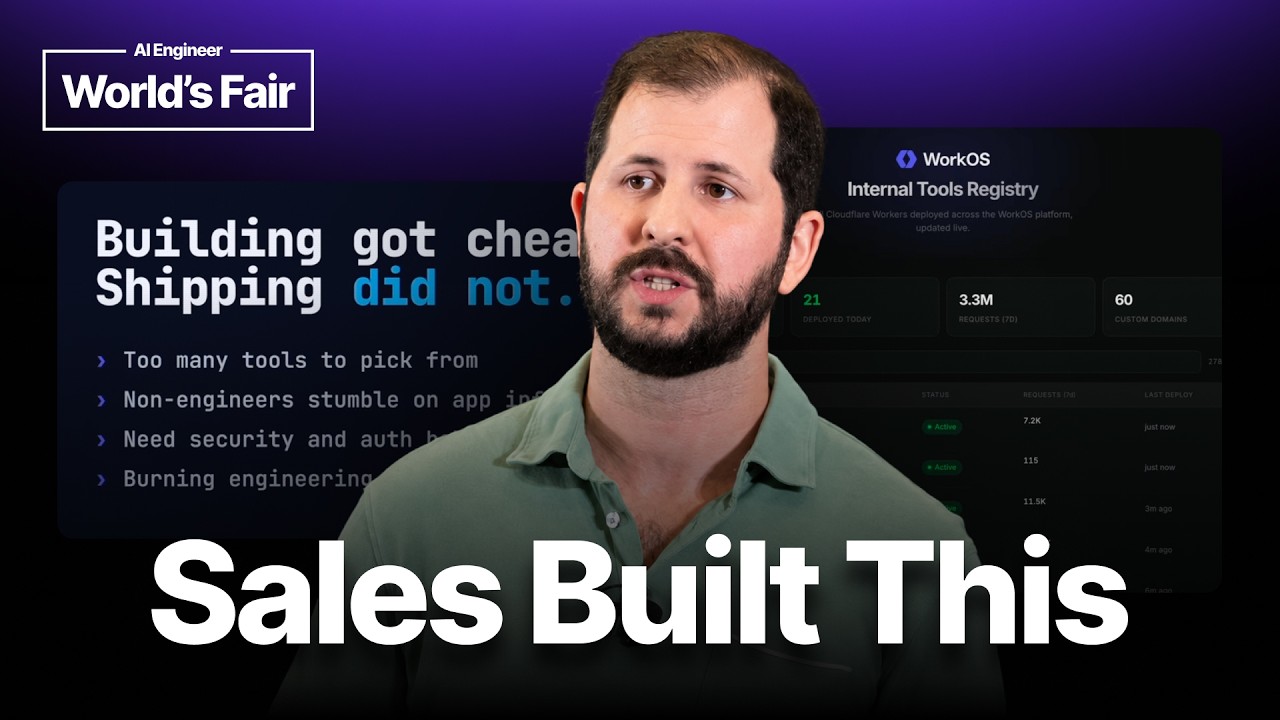
So, anytime you push an app with Wow, uh we actually log it into the internal registry. So, you can see we have 278 apps that have been pushed, uh 21 that were had a deployment done today.
Uh over the last week, we've had 3.3 million requests go through these applications. So, these aren't just uh little dashboard tools, they're also APIs, Slack bots, and things that we
created and use internally ourselves. Um and then 60 of these are on sort of custom domains, so they have their own uh like branded um domain name. A couple examples of things we built is
um Connor on our product marketing team, we send these monthly newsletters that are like, "Hey, what's the latest in Work OS?"
Uh it's kind of a pain, we have to take updates that we have, put them into a format, and then we need to format them to send it both Slack and over email, um which is pretty annoying.
And so, we built this uh I think my auth. So, here's how these apps are protected, right? I have to log in with my Okta account in order to access them. So, if
you go to uh any of these URLs, you'll see uh you won't be able to get to them. So, here it basically pulls in all of our change logs. You can curate
that. You can design what the Slack message is going to look like. And so, it's a kind of singular place to design this experience. I think that I built is we have a change
log. Changelog.workable.com/changelog is where we post all our updates. And we do this through Webflow, which is like a CMS platform. It's pretty It's pretty painful to actually like go in, design
the change log post, and do all of this stuff. And so, I built a tool that basically allows anyone at our company to draft these change logs. And so, someone can come in. Ooh.
I got to refresh my auth. There we go. Uh anyone can come in, kind of draft these change logs, and then it posts into Slack, so I can know, "Hey, there's
a new change log someone's drafted up. I can review it." And then when it's ready, I can post it and then post it live. So, this is what it the kind of tools
that we're able to build. Basically, anyone at our company can now self, you know, spin up Cloud Code, build the app that they want, and deploy it live, make it
available to the entire company. I'm going to I'm going to let that just sit in the background. We don't need to see what that does. Um
but yeah. So, that's that's the kind of idea. Now we have uh tons of people at the company building these tools. Uh nothing gets in the way. They don't have to ask for,
"Hey, can someone deploy this? Hey, can someone provision some account for me?" Uh everyone by default in the company can use this tool. So, I want to talk a little bit about
Atlas, which is the actual platform underneath this that uh powers this this this tool. Wow is just sort of the CLI that people use to interface with it, but Atlas is
actually the underlying infrastructure. Basically, Atlas allows you to create, build, deploy, and share these applications. There's sort of three principles when
we're building Atlas that we wanted to maintain and and that provided a great experience. One was we wanted the infra to be invisible. No one should need to know where the deployment target is. It
happens to be that we're running on Cloudflare Workers. If at some point we want to change that to Vercel or AWS, it shouldn't matter. Should be transparent to anyone trying to build and deploy
these applications. Wanted to be secure by default, right? We don't want to risk there's I can't show you all of the apps that we built. Some of them have a lot of PII, they're
customer tools, sales tools that we use. So we don't want anyone just to be able to access these tools outside the company because they're very sensitive. And then last is the discovery of
discoverability. Someone shares a link in Slack, anyone should be able to click that and be able to view that tool. So today Ilist runs on Cloudflare's developer platform.
Every app, when you run that wild create step, provides compute, storage, uh with D1 databases, KV values, all the bits and pieces you need. So you don't have to ask like, "Oh, well, if I need
to like store persistent data, am I going to be able to do that?" It's It's already part of the package. Um and we automatically host all of these tools when you push them under
workos.tools. So we have this shared domain that whatever your app is called, you get that host name underneath workos.tools. So you don't have to worry about where is the app going to be
available, how does it get, you know, do people get access? Secure by default. So all of these apps are automatically protected by our Octa SSO account. So you can't log in if you
don't have access to our Octa account. We've actually built for APIs and Slack bots. We built a way to actually plug holes for a token-based authentication. And so if that's something you need, you
can build out uh you can kind of enable that and then get API access for some of these tools that we're using. All the requests are logged and auditable. So we have logs of all the
traffic that's happening. So if we think there was some sort of leak or um security issue, like we can go and detect what happened. And then all the secrets, so if you need
API access to any of our tools, internal tools, or third-party tools, that's all stored securely. Uh we use Doppler in this case. And so you don't really have to do secrets management. You don't have
to worry about did I, you know, push a secret into the Git repo that's now, you know, a problem. It's all done securely. And then last, we have the catalog for
discovery. Every app's discoverable. Um no need to share. You don't We don't need to have sharing support because you by default have access.
So, I think so far, you know, I showed you that catalog page which had a few hundred apps. Obviously, not every single app is super important and sees the light of day, but we have about 60
apps that are been deployed, maintained, or getting used on a regular basis. So, this isn't just like two tools people built that are useful. It's actually becoming um a way in which things are
being maintained. We actually had someone build a tool where you take any arbitrary HTML, upload it, and it gives you a shared link. So, it's basically like a mini hoster of like mocks or
diagrams or things that you can easily share. We're seeing over 3 million requests a week run run through all of these apps. Um this is partially users using
traffic, but it's also um one of our tools, Wallaby, is like a sales tool, and we actually built an APIs for that that allows us to access that data in other systems, in Slack. And so, it's
not just humans accessing this data, it's machines and agents as well. We've completely eliminated the need for uh asking for help in deploying
applications because nothing stops anyone anymore. And I think like the most important metric is, you know, our our goal was enable non-engineers to build and deploy apps. And
out of our apps, out of these 60 apps, 37% of them have been built without any engineers in any of the commits. So, they're totally built between that person and Claude without engineering
involvement. And that's sort of the marker of like a true success here that we've actually eliminated the need for, "Hey, you know, some engineer, can you migrate this tool? Can you manage this
tool on behalf of, you know, marketing or sales?" So, So, more that we want to do here. This is sort of initial version. We want to add granular off. Not every app
should necessarily be opened by default to everyone in the company, obviously. There's some sensitive data in some cases. So, we want to add We already know who the user is when they're
logging into the app. So, we want to support doing kind of like group-based, role-based permissions for these apps easily. We want to add more data integrations.
So, we kind of already have this capability aspect to to Wow and to Atlas where if I need access to our Snowflake data, for example, I don't need to go kind of think about API keys. I can just
say, "I want to add Snowflake." And now the app has correctly maintained Snowflake access. And then the other thing that we've we're building out is Slack integration.
So, a lot of these tools are great, but you really want them to be available inside Slack so that someone can just at the tool and get, you know, answer a question, get use out of it, or actually
drive a workflow. And so, we're building included Slack integration. So, if someone deploys an app, they can also get the Slack app
automatically installed. So, for us, we're kind of experiencing ourselves a revolution in internal app development. We've used other platforms
to build certain tools. We've always found them very cumbersome. They basically still took engineers to build and maintain, and it sort of limited the tools that we could build.
For us, AI solved the build problem, but we needed more in order to make this a ubiquitous platform for our our our team. Atlas provides these capabilities to
enable anyone in our company to ship internal apps. And if you're interested in having this kind of capability at your company, I'd love to talk to you about it.
Thank you. >> [music] [music]