Enjoying this issue?
Get tomorrow's AI & engineering digest in your inbox — hand-picked, summarized, and always spam-free.
TLDR
Higgs Field bundles GPT image, Sea Dance 2.5, and other models under one credit system, making consistent AI character video production possible in three steps: character creation, character sheet generation, and video generation with sound. The key technique is the character sheet — showing the character from multiple angles in one image — which prevents the model from changing the character's appearance across shots. This workflow is practical enough for beginners and costs roughly $1 per 15-second 720p video on the $49/month Plus plan.
Key points
Higgs Field offers a unified platform with multiple image and video models under one credit balance.
A character sheet showing front, side, and close-up views keeps the character's appearance consistent across video clips.
Sea Dance 2.5 generates video clips up to 30 seconds with synchronized sound from a text prompt.
The Plus plan at $49/month provides 1,000 credits, enough for about 67 Sea Dance 2.5 videos at 720p.
Genjutsu motion library allows users to apply trending dance templates to their own character for free on the Plus plan.
Tools mentioned
Techniques
- Character sheet generation for consistent character appearance across video clips
- Using reference images with @ tags in video prompts to lock character identity
- Structuring video prompts with four elements: action and location, constants, camera movement, and sound description
Stop scrolling. Start reading smarter.
Receive the day's most important AI & engineering updates in one concise email. No spam.
Transcript (captions)
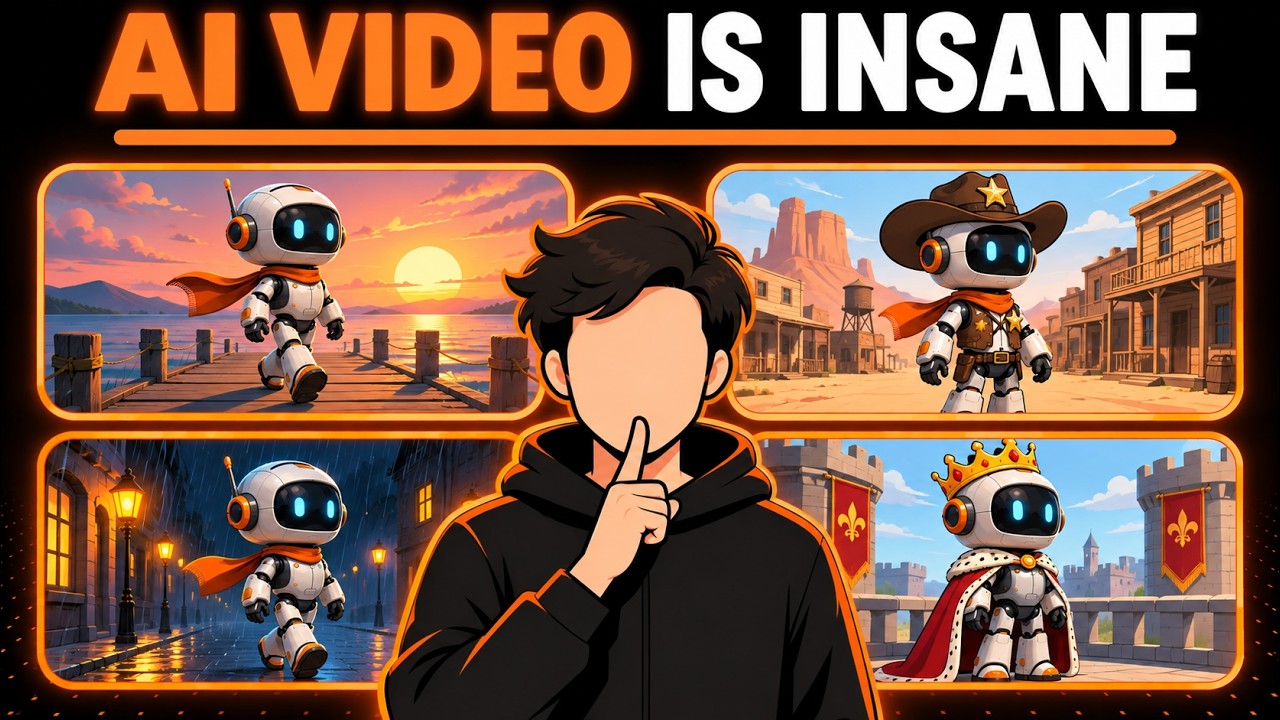
[music] >> This robot doesn't exist, neither does the pier or the sound of those waves. I made all of it with three prompts and by the end of this video, you'll make your
own step-by-step from a brand new account to a finished AI video. If you've never made an AI video before, good. You only need three steps. The first prompt creates your character, the
second shows it from every angle so its look stays locked and the third turns it into a short film with sound and every button shows its price before you click so there are no surprises. First, a
quick map because the model menu can look scary. Image models make pictures. Nano banana edits a photo you already have. GPT image follows detailed instructions so it's great for product
shots and readable text. Soul cinema gives you a cinematic film-like look and Sea Dream is the all-rounder. Video models make those pictures move. Wan animates the motion between a first and
a last frame. Kling is great at action and character movement and Sea Dance creates the character and the scene together, movement and sound at once in clips of up to 30 seconds. So today,
it's GPT image for the character because it follows prompts precisely and Sea Dance 2.5 for the video because its results look the most real. Why Higgs Field? Because every model I just named
lives in one place on one plan with one credit balance. Open Higgs Field through the link in the description and click sign up. You can continue with Google, Apple, Microsoft or your email. New
users who sign up through my link get up to 50% off their first purchase. Next, the plan. Sea Dance 2.5 isn't on the free or starter plans so plus is the one to start with. Plus is $49 a month or
$39 a month billed yearly with 1,000 credits every month. That's about 67 Sea Dance 2.5 videos under a dollar per video. Longer or higher quality videos cost more. Plus also includes every
model, unlimited Sea Dream 5.0 light at no credit cost, and 7 days of unlimited Nano Banana 2, plus clean 3.0 if you pay yearly, and you can cancel anytime. If you want more, Ultra gives you 3,000
credits a month for $129 or $99 billed yearly. But to start, plus is all you need. Step one, your character. Go to image, then create image, and pick GPT image 2.6 flare.
That's the newest version on the site right now. Now, the prompt. A good character prompt answers four questions: who is it, what does it wear, what does it hold, and what's behind it. Mine is a
friendly, human-sized robot with an off-white shell, a black glass visor with two glowing cyan eyes, a burnt orange knitted scarf, a worn canvas backpack, and a small yellow rubber duck
in its hand. Keep the background plain and the light soft, so nothing distracts from the character. And end with no text, no logos. Set the aspect ratio to 3 by 4, a tall frame for a full body
shot. The generate button shows the price, 2.75 credits. Click it. Seconds later, here's my robot. Every detail from the prompt right where I asked for it. Already have a photo of your
character? Upload it with the plus button and skip straight to step two. Step two is the one most beginners skip, and it's the reason their character's face changes halfway through the video.
You make a character sheet, the same character from the front, from the side, and up close, all in one image. Click the plus button and attach your character. Switch the model to GPT image
2.6 sunburst. Paste the sheet prompt and set the ratio to 16 by 9. I also set the quality to max, so this one costs nine credits instead of 2.75. And here's the sheet, front view, side view, and a
close-up of the visor. Same scarf, same backpack, same duck in every panel. Now, the video model can see the robot from every side, so it doesn't have to guess. Step three, the video. Go to video, then
create video, and set the model to SeaDance 2.5. Click add references, open your image generations, and pick the character sheet. In the prompt box, type the at sign and pick the sheet. It
becomes a tag called image one, so the model knows exactly who your main character is. Then describe the shot in this order: what happens and where, what must stay the same, how the camera
moves, and what we hear. SeaDance makes a sound, too, so ask for it. Gentle waves, creaking wood, distant seagulls, soft mechanical footsteps, and no music. Duration 15 seconds. SeaDance 2.5 can go
up to 30. Aspect ratio 16 by 9. Quality: at 720p, this clip costs 105 credits. 1080p is sharper and costs 240. I went with 1080p. Click generate. It takes several minutes, so let's skip the wait.
Here's the result. Turn the sound on. >> [music] >> Now check three things: the face, the same black visor and cyan eyes. The outfit, the scarf, the backpack, and the
duck are all still there. And the movement, a smooth walk with no glitches. If something looks off, change one thing in the prompt and generate again. Or change the place or the time
of day. That's my tweak. I replace at sunrise with at night in light rain under warm lamps. Everything else stays the same. >> [music]
>> Same robot, same scarf, same duck in a completely different mood. That's the character sheet doing its job. Pick the version you like best. Click download and the video is yours. Now a bonus.
Open Genjutsu, then motion library, then community trending. Pick any template and click recreate. Under add your characters, swap in your robot and keep the quality at 720p. This one costs 91
credits, but plus includes free Genjutsu generations. Turn on, use free generations, and it's free. Generate Genjutsu keeps the template's motion and camera and puts your character in it.
Same robot, same scarf, now doing a trending dance. And it's a skill worth learning. In Upwork's 2026 skills report, demand for AI video generation and editing grew 329%
in a single year. So, sign up through the link in the description. As a new user, you get up to 50% off your first purchase. Start with plus and use your first week of unlimited Nano Banana 2 to
experiment as much as you can. Now, what's your first character going to be? Tell me in the comments.