Enjoying this issue?
Get tomorrow's AI & engineering digest in your inbox — hand-picked, summarized, and always spam-free.
TLDR
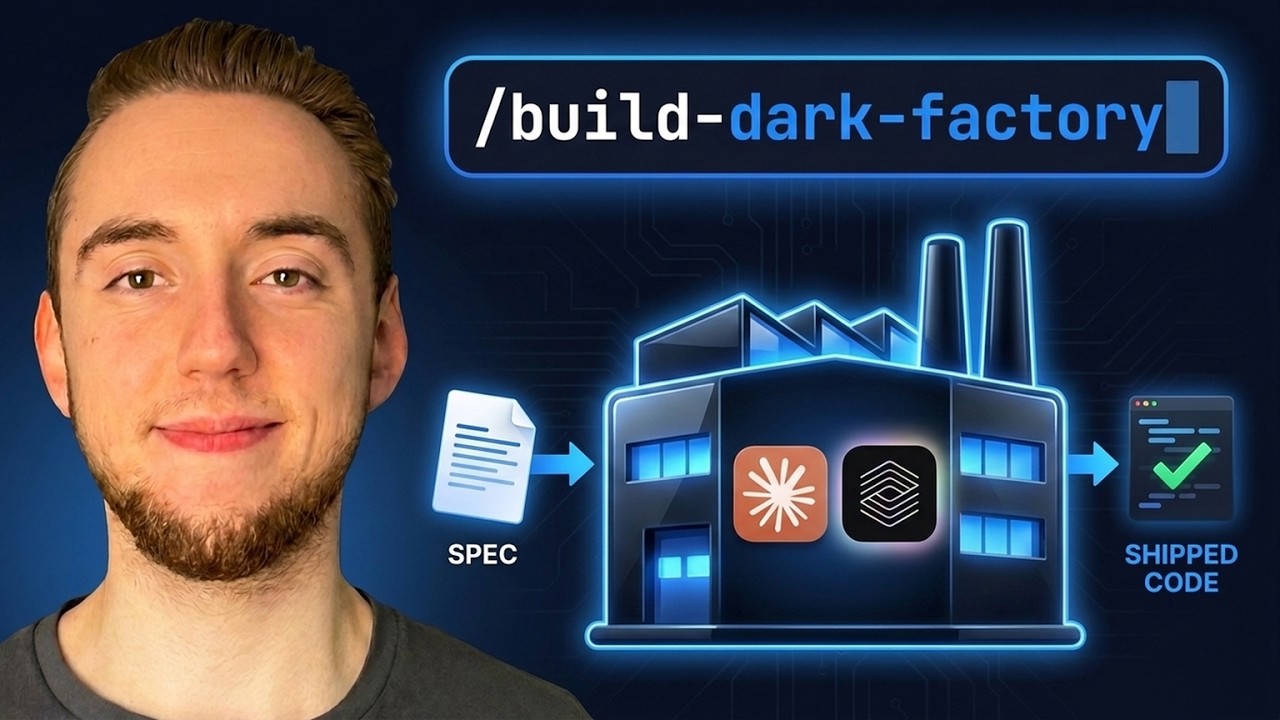
An AI dark factory is a repository that ships its own code — you just feed it a spec and it builds, validates, and deploys autonomously. The video breaks down the entire harness: builder-validator separation, hold-out scenarios, blue-green deployment, and a cron-driven queue. It's experimental but shows how far coding agents can go when you engineer the system upfront.
Key points
An AI dark factory builds and ships code from a spec with zero human intervention in the loop.
The system uses a builder agent for implementation and a separate validator agent to catch bias and errors.
Hold-out scenarios are test cases unknown to the builder, ensuring honest validation.
The skill guides you through an interview process to customize the harness for your codebase.
Deployment uses blue-green strategy to avoid downtime during updates.
The factory is triggered via GitHub issues and a cron job that triages, builds, reviews, and deploys every 30 minutes.
Level three (human-in-the-loop) is still the most reliable; dark factories are experimental but rapidly improving.
The skill encodes months of hard-won lessons from the speaker's own dark factory experiment.
Tools mentioned
Techniques
- dark factory
- builder-validator separation
- hold-out scenarios
- blue-green deployment
- headless mode
- cron job driven queue
- mission.md
- factory rules vs global rules
Stop scrolling. Start reading smarter.
Receive the day's most important AI & engineering updates in one concise email. No spam.
Transcript (captions)
An AI dark factory is a repository that ships its own code. You just have to send in the spec for what you want to build next in your codebase. And what you get out of the factory is shipped
code that has already been fully reviewed and validated. This is the ultimate evolution of AI coding harnesses. And because LLM's coding agents, and our own harnesses are
getting better over time, we're starting to get to the point where this kind of setup is actually realistic and reliable for a large set of work. Now, obviously, this isn't reliable for everything yet.
But we're getting there. I'm seeing more and more companies create this kind of system. And so, in this video, I want to show you how you can build your own AI dark factory with a skill that I have
for you that guides you through the entire process. You just have to give a PRD or some kind of larger spec document for what you want to create and then the skill is going to help you build the
entire system. So, earlier this year, I started my own dark factory as an experiment. And this really is the genesis for everything that I have for you now. And it's a pretty cool
application. It's an agentic chat app where you're able to ask the agent questions and it can search over my entire YouTube channel, even citing sources. And then if you're in the
Dynamis community, it also searches through all my course and workshop content as well. And I built this entire thing without even looking at a line of code that it shipped. And I really did
prove out the system here. I mean, this is a real application you can use right now. chat.dynamis.ai. I'll link to it in the description. It's pretty awesome. I mean, it's not the
most complicated app, but it really did prove out that you can build a system where you don't even have to be in the loop at all. And now, because coding agents have gotten better, we have new
LLMs like Opus 5, Fable 5, new GPT and Grock models. This kind of system is even more realistic. Just letting the agent rip on any spec that you give it. And so, all of the lessons I learned as
I built this Dark Factory, I've encoded it in this skill. This is the star of the show for today because you give it a PRD and then it builds a dark factory based on all of the best practices I've
established myself as I built my own. And let me be clear, what we're doing here is not vibe coding. Yes, we're trusting the agent entirely to manage the codebase, but we're putting a lot of
engineering effort up front building out the harness so the agent can plan properly. We're going to have a different agent critique the work of the primary builder. There is a lot that I
put into designing this system that is encoded in the skill. Trust me, I have spent millions of tokens, months building this out, learning all the hard lessons so that you can have a much
better starting point very quickly. And so, I'm not promising that this dark factory can ship production grade code for any codebase. We're not there yet for a lot of things, but this is
definitely a starting point for you, a window into the future of AI coding. And this really is the highest level of autonomy you can possibly give your coding agent. I've covered this article
before on my channel by Dan Shapiro. It's the five levels of AI coding using our vehicle as an analogy. So level zero, it's like stick shift. It's the most manual possible. So we're using AI
coding assistance, but only for spicy autocomplete. I love that word. So we're still writing most of the code ourselves. We're maybe just using our coding agent to fill in the blank once
in a while or write a couple of functions. And then we get into level one and two where AI is more of a pair programmer maybe creating some of the boilerplate for us autonomously. It's
only once we get to level three where we have our coding agent writing most of the code for us. We pretty much are hands off the wheel for the actual code writing. Now here we're still very much
in the loop doing all of the planning with the agent and the validation at the end. This is where most of us are at and this is mostly where we should be. It really is the most reliable level for AI
coding in general because you're still very much in the loop. But the sacrifice that we're making here is that we become the bottleneck still quite often when we have to be a part of the planning and
validation. That is why we're interested in building our harness to the point where we can trust it to move to level four and even level five with the dark factory. So I'm not telling you to jump
straight to this. You need to know how to work with AI coding assistants. build a system where you can trust it enough to ship things autonomously. And so here there's not even a driver's wheel,
right? Like we can't even steer the agent for the individual plans and validation strategies. There's still a console to give our higher level direction like the PRD or spec document.
So we specify the destination. The agent figures out exactly how to get there, how to ship its own work, how to deploy. There's so much that the agent is doing without our guidance at all, which is
great because now we no longer become the bottleneck. You can ship things so incredibly quickly when you have an AI dark factory as a welloiled machine. It's just that if you really want to be
here, you better be sure you have a well-gineered harness to make things reliable at all. That's everything we're going to cover very quickly together here. Everything I've built into this
skill so when you run it and it creates the dark factory, it takes all of the best practices that I've learned the hard way as I built my own dark factory this year. Cool. So with that, let's get
into actually building our Dark Factory now with the skill that I have for you. So I'll cover how you can install it, run it, and then we'll talk about the different things that it builds for you
with the Dark Factory harness so you really know how it works. I think that's important that you don't just run this blindly. And so the skill that I have for you, it's within this repository
that I created actually quite recently just to build a collection of all the skills that I use for my AI coding workflow. I'll link to a video right here where I cover all of these. And in
fact, a lot of them I have built right into my dark factories for the different steps. And so installing this, if you're using Cloud Code, I have a marketplace plugin, just two commands to bring in
all of these skills. And if you're using a different coding agent like Pi or Codeex, just point it at the URL for this GitHub repo that I'll have linked in the description, and you can ask it
to install things and customize it to your coding agent. So very easy to install all of this. Or if you want, you can just take the build dark factory skill that we're covering here. So once
you have this skill installed, typically what you'll do is you'll bring it into an empty folder. Now theoretically you can apply a dark factory onto an existing codebase to continue to build
it out. I've just never tested that myself, so it could work, but usually I would recommend just building a dark factory to create an application from scratch based on a PRD. Now the PRD is
the input into this skill. I am assuming that you already have some kind of process with skills or an AI coding framework to create that higher level plan document for what you want to
create in the first place. And so you build that then you pass it into this skill. So with all that being said, usually what I do when I start a new dark factory is I copy in this skill as
well as any other skills that I want to use within the harness. And then I'll also build the PRD or also copy that into the folder if I already have it. And so you're starting with your skills
and your PRD. That is it. And the very first thing that the skill does is it interviews you with a ton of questions to make sure you're on the same page with the application that you're
building and the harness that you want to get there. And so it's going to ask things like how much autonomy do you really want for the factory? Maybe you do want to be in the loop a little bit.
It'll ask about the different skills or like what kind of AI coding workflow you want overall like this is my loop. I prime, plan, implement, validate, commit, PR. And it established that
because I gave it an example of how I already work, right? So, it wants to build the harness similar to how you already work. So, it's easy for you to continue to evolve the dark factory if
you want over time. It's also going to ask things like, what's the validation strategy for your application? How is it going to check its own work? It'll take a little bit to get through all these
questions here, but we're building a large system here. It's worth being patient and getting specific, answering all the questions. Once the interview is done, then it's going to get into
building out the full harness with you. And it is so cool watching it rip through building the entire system that I'll explain to you in a little bit. And I built this diagram to really help
break down the different components of the harness that you're creating here. I figured this would be a much better way to visualize things than just going through the coding agent logs as it
builds a dark factory. Of course, if you want to see my actual dark factory, I'll link to my original experiment in the description. And I also did build a ton of dark factories with the skill to
validate that I really encoded things properly from my original experiment. So, I'll cover the structure with you here in just a second, but one thing I want to show you first is an example of
something I built with a dark factory I created from the skill. So, I've been doing a lot of game development recently. I find it a really powerful way to test these dark factories cuz
it's very easy to make things more and more complicated as I want to push the limits cuz I can just add more features to the game. The problem with a lot of other kinds of applications like the
chat app I showed you earlier is you can't just add more and more and more because then the application just gets feature bloated. So I love building games. Now obviously this is still a
pretty simple game because I've created so many different dark factories to test the skill in different ways. So I've definitely went wider versus deep for a single dark factory. But it still is a
pretty neat game. So I can ring the horn here for this uh tower defense game that I built. And the animations actually look pretty cool. Here we have the enemies that start to come in and I can
attack them with my weapon. We got some nice sound effects here that I have the volume turned down for cuz it's kind of annoying when I'm in the middle of talking. But yeah, it's pretty cool. So,
I can upgrade my stats and then I can go into the next wave here. Like this is actually a pretty fun game. Uh definitely something I'd be interested in building out more cuz I just like
building video games in the first place. But anyway, I'm going to go ahead and close this now. That's an idea of the kind of thing that I built with a Dark Factory. But yeah, really you can create
any kind of application you want. Just keep in mind that dark factories I still would consider experimental right now. That level three is definitely where you want to be at for utmost reliability,
but it's pretty crazy the kinds of things you can build with this system these days. So now, as promised, I want to show you how everything works under the hood with this diagram as our main
reference point. And I want to do this because your system is useless unless you really understand it. So, if you're going to build the factory with the skill, it's worth understanding how
these things work. And even if you don't take my skill to build the factory exactly as I do, hopefully there's still some pretty neat ideas that you can take in here if you want to build your
factory your own way or just take some ideas for your own AI coding workflows. The sponsor of today's video is Parallel, the web infrastructure layer for agents. It fills a need that I have
for most AI agents that I build. Parallel gives you a suite of APIs over their own web index, so your agent can always be grounded in the most up-to-date information with all of the
enrichment and any kind of formatting that you need. But my favorite part of their entire platform is monitor. It's web search that's always on. So we specify some kind of query like watch
for new releases of LLM for these companies. And then you tell it how often you want it to run the query and then it's going to give you a web hook that fires whenever there's anything new
based on your query. So the event is the trigger. In this example right here, monitor sent a request to my web hook because there's an update to the chat GPT platform. And so I take that web
hook and then I call their task API to do deep research with citation. So when something changes on the web, I get a briefing with citations instead of a link I have to go read. And then I can
take this output and feed it into downstream AI systems. And also everything is priced per request, not token. And so when I build my agent, I can predict my price when I have it
running on a schedule before I even turn it on. And it's free to get started. I'll have a link in the description. So zooming in now, most of the dark factory is driven by a single workflow that
handles each one of the specs that we feed into the system. So the scale is going to help you customize things when you go through the interview process. But typically what I do is I set up my
dark factory as a GitHub repository. And then each spec that I feed in is just in GitHub issue that I create. Like this is my list of closed issues in my primary dark factory experiment. You'll have to
excuse the mess. There's a ton of rejections cuz I was testing different things. But like here's an example of what the factory accepted. And then it went through this workflow to build it
out and end with that poll request for the final review and ship. That is all happening autonomously. And so we create something like a ticket or a GitHub issue and then it's going to feed into
something that is hopefully like your current AI coding workflow. It's just going to be more autonomous for all the steps of planning, building, and testing and verifying. And the coding agent that
you use under the hood is definitely going to dictate a lot of what this looks like when the harness is built. And so this is another thing the skill guides you through is picking your
coding agent and setting up things to run in what is called headless mode. Pretty much every single coding agent supports this like claude, PI, AMP, client, codeex, because we don't want to
interact with the coding agent oursel that defeats the point of the dark factory. We need it to run autonomously. And so headless mode is basically the way to run your coding agent as sort of
a background task for each one of the steps that we have here in our harness. And so we file the issue, but that's the only thing we do. The factory is going to take that forward and invoke the
coding agent for each step, however you have it set up. Now, personally, to drive the entire system, I am using Archon, my open- source harness builder. And so, when I publicly shared building
my Dark Factory earlier this year, I was doing a ton with Archon, building workflows using them. You can definitely use Archon if you want, but I don't want to assume you're going to be using my
tool. That's why the skill more focuses on just helping you use the barebones coding agent that you already like. So, that's our primary workflow. Now let's talk about the automation that drives
the queue so that we have our pipeline of handling all the spec files that we feed in as input. So this is a value that the interview will ask you about in the skill. You can customize this but
every single 30 minutes I have this cron job that triggers and it triages all of our inputs right like for GitHub if you have it set up with GitHub it's going to look at all the GitHub issues and figure
out what it should implement next and where we're at with each of them. And so there's a label that we apply to each one of the issues so that our dark factory is stateful between runs. And so
if something is accepted, that means that the factory's decided, let's build this and it's just waiting to go into this full workflow within one of the next runs that we do every 30 minutes.
If something is in progress, that means it's already going through this process so we can move on. And then if something needs review, that means that this workflow has completed. We have the poll
request open. And so now we need a coding agent to go through and review things, right? We want that separate session to review. So we don't have any bias from the primary builder. And so
that review agent can approve things, which means it's going to be merged and automatically deployed. If it needs fixing, then we're going to go back into the builder agent and have it correct
those things. And then I have this built in as a fail safe. I know for the most part we want the human out of the loop in the dark factory, but just as a fail safe, I made it so that you can, you
know, specify during the interview process when you'd want something escalated to you. Of course, you can specify you never want something escalated. But coding agents, they
sometimes get tripped up on things and they go through an infinite loop of trying to fix a problem, that kind of thing. You definitely want to intervene at least once in a while if you really
want your dark factory to be reliable. And so when this trigger happens every 30 minutes, it goes through this priority of actions. And so first, it's going to prioritize anything that needs
fixing. So it's going to trigger an agent to fix a PR. And the second priority is checking a pull request, like performing the review. If there's nothing in the PR list, then it's going
to work on that next issue that is approved. Otherwise, if there's nothing there, it's going to triage and it's going to figure out if it should accept anything new to be worked on in the next
run. And so I say here one or more jobs singular or plural. You can make it so that a lot of work happens in parallel. Like maybe it's going to build a couple of issues and do a couple of code
reviews within that single 30 minute trigger. This is a dial you can tweak just depending on how many tokens you want to spend with your dark factory. To keep things safe, typically I just have
a couple of runs in parallel. Otherwise, you're going to hit hit your rate limits very very quickly. So just keep in mind that's something that you can definitely customize. And then when we get to the
end here, we reach deployment. So for anything that is, you know, reviewed and approved and merged, then we're going to automatically deploy. It's important if merging never puts code in front of a
user, like if your pull requests are merged, we don't actually deploy them autonomously. You built a PR generator, not a dark factory, right? Like we as a part of our harness, we need a strategy
for deployment. And so the strategy that I've used myself that the skill also recommends is blue green deployment. If you come from an engineering background, you're familiar with this. But
basically, we have two versions of the application at any given point. We have one that is live for the users right now and then we have the same version of the app that is on standby. The reason we
want to do this is because then when we update our application, we update the one that's on standby and then we flip it over so that that version is now live for the users. That's important because
if we only have one version of the application, then as we're updating it, we have to, you know, take down the app for a little bit. So there's downtime for the users. That's why we want to
have this flip only once we have things updated in one version of the application. So just a small detail there for deployment. It's important to get this right though because we need
the dark factory to actually go from spec all the way to shipped code, right? If we don't have the deployment, we don't truly have this right here. Cool. So, with that, there are just two more
things that I want to cover with how the Dark Factory operates, and I've saved the best for last here. These are the most important parts of the Dark Factory harness that I put the most effort into
building and evolving. We have the guidance later so the agent can continue to operate as we actually want it to, even when it's fully autonomous. And then we have all the validation
strategies to make sure that it is properly checking its work. We don't want bias to creep through. We don't want it to fake tests or say things are working when they really aren't. There's
a lot that I've engineered for this. So, one of the first things the skill is going to build for you is the three core files for the guidance layer of the dark factory. And the first file is just your
global rules. You've seen this a million times before. It's the constraints and conventions you always want your coding agent to follow when it's operating in your codebase. The next file is kind of
similar. It might seem like they step on each other's toes, but there's a key distinction I want to make here. We have our factory rules. These are the boundaries we want our coding agent to
follow specifically when it's operating more autonomously within the dark factory. So it is kind of the same thing with constraints and conventions, but we're even stricter there. So think
about it this way. This is the test. You want to put things in your global rules when you would want your coding agent to know about that even if you're not operating in the dark factory. Like if
you're just working with your coding agent as you normally do. But the things we have in the factory rules, these get stricter, we really need to make sure that the coding agent, for example,
isn't trying to do too much work at once because if it's checking its own work and we're not in the loop at all, we really need to make sure that it's only handling bite-siz tasks one at a time.
Otherwise, reliability is going to slip. So the things that go in here are the things that are strict enough where maybe you wouldn't even really want the agent to have those constraints and
conventions if you're working with it normally. And so when you're working with your coding agent in the repo outside of the dark factory, it probably won't even read these. And then the last
thing we have is our mission.md. And so this a lot of it is derived from the PRD you give as input to this skill, but it's the goals you have for your application, specifically what you want
to build and then also things that are out of scope. Just as importantly, you want to specify what's out of scope because that way the agent knows what spec files it should accept or reject.
And this might be a question you've had at this point because you saw I accepted here. You saw I had a bunch of GitHub issues that are rejected. What does it even mean? Well, here's the thing. I
wanted a mechanism in the factory for the coding agent to correct you, not just take the specs you feed in as the single source of truth. This has to be implemented cuz sometimes you forget
what the goals and non- goals are based on your PRD, but the coding agent knows that because you encoded it in your mission.md right here. And so sometimes it'll look at a spec and say, "Hey, this
is something we probably shouldn't implement. It's out of scope for the application. You said it earlier." Or maybe you want to kind of build in like a reliability dial and the coding agent
can figure out like, "Oh, this spec is too complicated. We need to split it up first." Or maybe I want to work on it with you. I just wanted some kind of mechanism for the agent to have that
autonomy to, you know, accept or reject things. And of course, the skill, especially in the interview process, is going to walk through it all with you and help you establish that. So every
time you have a new spec that comes in when it's being triaged, the agent has the option to actually reject it. You can turn that off entirely if you want, but I find that really useful just to
make sure that the agent can correct you, not just the other way around. And so with that, the very last thing I want to talk about with you here is the validation harness. And I really did
save the best for last year. This is the most important thing as far as reliability goes in the entire Dark Factory. So, we really have two agents that are operating in the factory here.
We have the builder and we have the validator. And I've hinted at this already because the core workflow here ends with the pull request, but it doesn't end with the shipped code
because we have this entire other process here for reviewing the PR. And this is really important because coding agents by themselves, they build up a lot of bias as they implement things.
And so we need a very separate review that looks at things with a critical eye and it doesn't know about how things were implemented or what the original plan was or anything because all that
can carry bias to make the agent ignore things like just turn a blind eye to stuff or just get kind of lazy in the critique. So the coolest thing that I built in this entire validation harness
is also unfortunately the most complicated. It's hold out scenarios. So I'm going to try to be as brief as I can explaining this. I could spend like a solid half hour talking about how these
work and the ideas behind them. But essentially what we're doing here is we are creating a set of test scenarios that are entirely separate from the implementation details. So given the
application itself at a high level, what does success look like? How are we supposed to be able to use this application? We're writing these before we actually perform the work. It is
totally separate from the builder agent. In fact, the builder agent can never see these hold out scenarios because otherwise it can try to design the app in a way just to make those scenarios
pass. It's a way to make it so the builder is blind to how we're checking. So it can't try to sort of hijack our testing scenarios. And so we know what success looks like. And then as we build
the individual things with our builder agent, it has access to some testing like unit testing and integration testing because we want it to be able to iterate on its work to some degree. So
we have that within the core workflow. But then our validator has a whole extra suite of tests where it's running these things separate from the implementation. So there's no bias there. And then any
issues that come up from this, it's going to feed it back into the builder to correct things. And then it'll run all the tests again. So, also let me know in the comments if you'd want me to
make a video going a lot further into these different validation approaches, especially with the hold out scenarios. This really is what makes the Dark Factory reliable. Without it, there is
no way that I'd even run this as an experiment. And just the core idea overall is to have a very clear separation here between the builder and the validator. You don't want them
sharing information like you don't want the builder to know about your tests. You don't want the validator to know about the plan. That way they can operate independently and together make
your dark factory reliable. So with that, we've now covered all the components of the AI dark factory that the skill helps you build. So go ahead and just try the skill right now. You
have to spend some time up front answering the questions, but after that it rips through everything for you and it's amazing to watch it work and see the kinds of things that you can create.
And you can really use any coding agent, any model, even use different providers and models for the different steps in the workflow here. There's a lot you can experiment with. I'm going to keep
experimenting with my own AI dark factory and I'll also be continuing to evolve the skill for you as well. So stay tuned for more content on that. And so with that, if you appreciate this
video, you're looking forward to more things on AI coding and the AI dark factory, I would really appreciate a like and a subscribe. And with that, I will see you in the next