Enjoying this issue?
Get tomorrow's AI & engineering digest in your inbox — hand-picked, summarized, and always spam-free.
TLDR
Live API calls (MCP) alone cannot handle semantic queries across large datasets; a context graph with synced data, skills, and memory is necessary. The talk outlines a four-tier context architecture: prompt skills/memory, live API calls, cached synced data, and derived context. Traceability and provenance are critical for business decisions.
Key points
MCP live lookups are insufficient for semantic queries across large datasets; a synced data layer is required.
A context graph includes four tiers: prompt skills/memory, live API calls, cached synced data, and derived context.
Skills define company-specific processes and guide data retrieval for agents.
Traceability and provenance (source, timestamp, permissions) are essential for business-critical AI decisions.
Prefer live API calls for simple lookups (cheaper) and cached data for complex semantic queries.
Tools mentioned
Techniques
- context graph architecture
- synced data layer
- router and summarizer
- skills and memory
- derived context
- traceability and provenance
Stop scrolling. Start reading smarter.
Receive the day's most important AI & engineering updates in one concise email. No spam.
Transcript (captions)
Right. Thank you all for for coming. Um my name is Gil Feyg. I am the co-founder and CTO of Merge. Merge helps companies build production AI very easily. We are the connective infrastructure uh to make
everything come together. Uh today I'm going to be talking about why you need a context graph and how to build it. What I'm not going to do is talk about specific technology you
should be using. Uh you can talk to your agent about that. It will help you. There's a lot of good technologies that can back this. Uh the focus of this is uh why you need a context graph and then
sort of in a in a higher level how you should structure it, what the components should be, uh and how things come together to build the best possible uh brain for your company.
If you haven't gotten a hat yet, by the way, my team is walking around passing out hats. They're They say well connected. Um so
let's dive in here. So I'm not going to spend much talking about Merge, but just a quick overview of us. Um we have over 400 enterprise customers, OpenAI, Ramp, Netflix, Perplexity, a lot of companies
across the board using us for both internal and customer-facing AI use cases. Uh we have three different products, Unified, Agent Handler, and Gateway that cover a lot of the
components of it. Um we were founded 6 years ago by me and my co-founder Shen Shi. We've raised three rounds. Uh we're 130 employees in the three most beautiful cities in the world.
All right. So quick agenda here. Step one or number one, we will talk about what a context graph even is and why it's so important that every company has one. We'll go into the different tiers
of context, what what types of data, what types of of uh sort of logic from your company should be making it into your graph. We'll talk about context selection
strategy. How are we picking the most relevant content for our agents or contexts for our agents at any moment in time? Traceability and provenance. How do we
know where that data came from, who requested it, when it when it's from, is it fresh, all of that. And then lastly, some final key takeaways. At the end, I'll stick around if you do
have any questions. Uh so, feel free to to come up to me afterwards. All right. So, what is a context graph in this talk? We're not going to go into the nodes and the edges that connect
each node in a true graph infrastructure. We're going to talk about the company brain. Your company context graph consists of a lot of different components. It has
third-party data. What are the other systems you use, like NetSuite, uh like like Jira. Um it has structured context. Uh so, that could be uh data coming in from other third parties. That could be
data that that you all have put into your context layer. Uh things like things like static documents that you want to always be passed to your agents. We have memories. These are things that
are formed. We all know memory, things that are formed as you're using the agent, telling it to remember things, things that your agent thinks that it should remember on its own. And then we
also have skills. Uh and skills are a very very important part of your context graph, which we'll get to. All right. I see some picture Okay, cool. Uh so, moving on. Let's get Let's
go through an example here. We're going to use this example to guide why it's not it's not enough to just connect a single MCP server or a couple MCP servers and call it a day.
So, let's ask this simple question. One of one of your employees or or customers asks your agent, "Why was customer A upset last week?" Pretty simple question to answer. The
agent goes, it sees it has access to your Zendesk ticketing, and it can check and say, "Hey, what it what tickets were filed by this customer last week?" Great. We saw that they saw that the API
sync was broken, um and specific details about what went wrong. We also see the customer filed three tickets total, all of that. Great, that answers that question. But what if we want to extend
that? And what if we want to say, "Which customers were upset last week?" That becomes a lot harder because you now have to have your agent load in every single ticket from Zendesk that
happened in the last week. What if we're saying, "Which customers were upset in the last year?" We should be able to answer that. Our agent should be able to answer that, but it can't if it has to
live live look up and pull tickets 100 at a time, thousands and thousands of those until it times out and it just can't answer the question. So, MCP is not fully solving a lot of
these problems because the underlying access patterns of the APIs of these other platforms don't support a live look up methodology. If you could ask your ticketing system
something semantically, if Jira exposed an endpoint that said, you know, that you could query in English, "Which customers were upset last week?" and it returned that data, that would be great.
But no platforms incentivize to do that because it costs them money to vectorize it and it makes it so you don't have to visit their platform as often. So, you need a sinking layer on top of
this. You can't just use MCP to live look up for things that you want to go deeper into, that you want to semantically question, you need to actually sync a copy of the data
locally. Okay? This doesn't apply to everything. So, you might have you know, let's say static look ups to Stripe. We're always going to be asking Stripe a question
about a specific customer. We're always going to be taking a single action in Stripe. That can be MCP. That can be live. But if you need any form of semantic look ups, any form of analysis
that is beyond a simple look up, simple question, but requires looking across a a vast data set, you have to sync a copy. So, that becomes the next part of your
sinking layer of your of your, uh, context layer. So, you have your MCPs, your live look ups, you have your synced or your cached look ups as well. And that you're pulling in from a
third-party, you're putting in a vector database locally. Again, AI can build that vector DB for you relatively easily. Uh you got to you got to you know, work on your strategy of how you
store data in the context layer and how you retrieve from it uh for that sync to cache layer. Um but that's sort of the next component here. But the next problem is, all right, now
we have all this relevant data. We're we're pulling from our vector database to get, you know, semantic data and we're doing live lookups for other data we might want on top. Now, we need to
bring all that data together cuz we can't just dump a massive amount of retrieved context back to our agent. So, that's where we introduce the router and the summarizer. The router is
sending things to the right place at the beginning. The prompt comes in. It decides where, you know, who should be handling this, where it should be sent. Once that data's all aggregated in
there, our summarizer then takes that data from from the the synced context and from the live context, summarizes it, and sends it back to the agent that sent the prompt over.
But you all notice, we have one thing here that we haven't talked about, and that's memory and skills. That could live separately. Why is it important for your context layer? The reason is that
getting context is actually a set of company principles and processes in and of itself. For example, which customer was upset last week can mean something very different to one company versus
another. It could be number of tickets that are opened. Um but actually, what if those tickets were positive? What if actually we don't use a ticketing system and that we know that for customer
happiness, we need to actually always go look at Qualtrics first and see survey data cuz that's just how our company works. We're different. That's why skills are important because you need
skills like how do we determine if a customer is happy? So, now your agent should first check the skills before it then goes and starts checking your synced layer, your your uh live layer
for what data to get and then summarizing and returning it. So, the flow here is prompt comes in, gets routed to the right agent. The agent looks to see if it has any memory
or skills associated with the question or the task at hand. Based on that, it then knows where to look in the synced cache DB and from the live MCP lookups, summarize, send back.
There's no magic here. There really is none. It's all physics as long as you know how to calculate, you know, within within your own sort of use case, you're great. This
flow here where we looked at the number of open tickets again would not have been possible with live lookups, but with a local lookup it was really simple and we were able to basically gather all
customers, number of tickets they have, summarize their tickets, and then give a status on each one. So, it's a mix of some live lookups, some cache lookups. That's all coming
together here to build really really rich data for any question that gets asked. All right. And so, there are different tiers of context and some might debate
whether prompt skills and memory are context. Context is anything that's being passed into the agent. We're going to put this all here because they all belong in your context layer.
So, you have your prompt skills and memory. We talked about how those are going to really drive the the where do we get data from? You have your live API calls. These are
easy easier to build, easier to add on, they're cheaper to run than synced context. So, you should prefer these when you know you're going to have simple lookups, simple retrievals.
Cached data is absolutely essential if you want that that sort of semantic data, the complex lookups, deep deep questions about about any data. But, keep in mind it's a little bit more
complicated to set up and build. It's more expensive to run because you have to have a vector database and you're constantly having to sync that data. So, it is tougher to keep up to date.
And then lastly, something we didn't quite discuss yet is derived context, which is basically any additional context you create when you're pulling in data from the third party. So, this
could be, you You as we're live pulling in all tickets, we're also for every time a customer's full set of tickets comes in, we're summarizing those and we're actually storing in our stored
context, our structured stored context, we're storing a summary of the data that we pulled in. So, that in the future, if we have a common question, we don't have to then also go go re-look up and
re-summarize everything. Awesome. So, all four of those come together. You saw the the chart for how they do that. Um and yeah, those are the tiers. So,
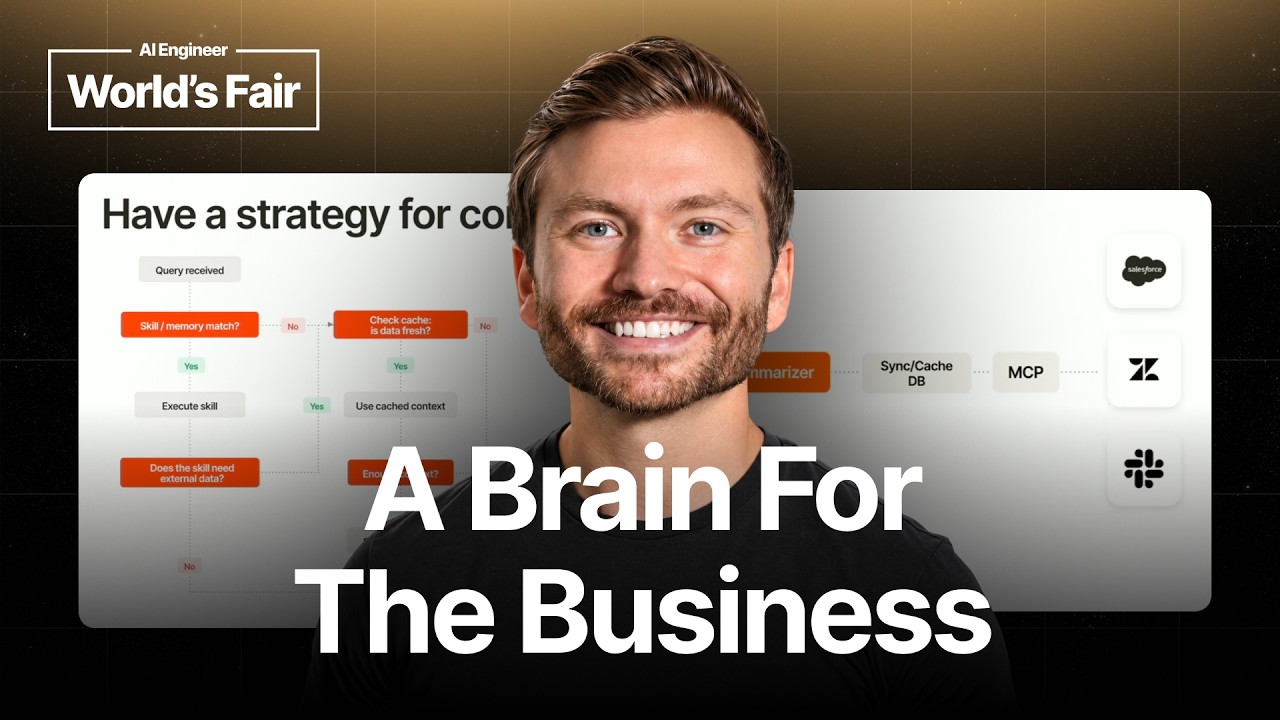
quick flowchart of how this works when when a query comes in or a prompt comes in. So, first thing here is do we have a skill or memory match? If so, yes, we want to execute that skill. Does the
skill need external data? No, then we're just generating a response and we're sending that right back. Unfortunately, it's not always this easy. So, what happens if we don't have
a skill or memory match? No? Well, then let's go right to to data selection here. Uh and same thing for if that skill needs external data. So, we say yes, the first thing we're doing is
checking our cache or our synced data store and we're saying, is the data here fresh? Is it within our SLAs? Can we use this data cuz it's viewed as fresh enough?
Yes, then let's use that cache context. No? Then, unfortunately, we have to go down and we have to call the live API. Now, once we do have enough context, we're going to loop through these a few
times till we build up the context we need. Once we do have enough context, we might want to store a memory of of whatever we just we just discovered or or figured out, uh store that to memory
and then generate the response and send it back. And then, same thing here, if we didn't have enough context, I I just showed that, but we have to call the live API
and then we will we will uh generate that response back to the client. I'll leave it here for a second. I I see some people looking and taking pictures. All right.
So, last piece here, pretty much at the end, traceability and provenance. Doesn't seem important at front up front. Do not drop where the data is coming from. Always store it. You you
have that from MCP. You also have that in if for anything you're syncing in Vector DBs, there's something called metadata. You want to store it in there. It's associated with the data. It is
critical. It's similar to, you know, the way that this surface is in ChatGPT or any surface that you're using is when it tells you a fact or it says something, at the end it says three sources and it
links to where it came from. That is even more important when you're making business critical decisions off of that data. When that data is is versioned, when that data can become outdated, when
you're letting it make a decision on data that it synced a year ago. You don't want that. So, you need to know where it came from. Where did we fetch it? When did we fetch it? Which is not
here. Under what idea under what ID and what scopes? Who accessed the data? What permissions were used to access it? Was it transformed? What did it originally look like? And then lastly, what should
invalidate it? That could be age, for example. The data is more than more than a month old, we don't want to consider this ever. Really important for showing in your
platform and if not for showing in your internal platform or whatever you're building, even for for being able to investigate when something does go wrong, cuz it will.
So, putting it all together, here's another example of one that we might use. So, give me a one paragraph status update on our customer Acme. Include renewal risk and last support
interaction. First, we're going to check the cache for the account summary. We're going to assume there's no skills here. So, we'll check that. If it's still or missing, we're going to call the CRM
using a live API lookup. Then, we'll query the ticketing system for the last support interaction. Again, that's cached if within the SLA, otherwise it might have to do a live
lookup. We're only we only want to pull five tickets. We can't pull the full history because again, when we have live lookups, we run into timeout risk. And then lastly, we'll generate a
derived summary. We might store that derived summary, and we'll pass that back. So, key takeaways, tools are not context. A context graph is going to
help you reason across the whole company. It's not just tools. It's data. It's synced data. It's processes that you have as a business. Who is documenting, you know, when a customer
complains, what do we do? How does it know to always route to the right place? That is a skill. These It's your company's skills. It's your processes. It's your data, and it's your tools and
actions you need to take. More data, not always better. You want fresh, high-quality data. You want to pull only what you need. When you do have to sync data, you want to structure
it properly, so it's accessed in the right way. And then lastly, every answer has to be traceable. You do not want to be left in a position where your AI made a bad
decision, and you have no idea why it did that. So, last piece, plugging merch here. Enterprise AI runs on us. We power these features for a lot of companies. We have
Gateway, which is an LLM router. We have Unified, which helps you sync data from third parties out of your customers' platforms. And then we have Agent Handler, which is live MCP connections
pre-built across hundreds of tools, governed identity all built in, uh including provenance, uh and yeah, it's plug and play for both internal and customer-facing use cases.
So, if you want to build an easy context layer, hit us up. Thank you, everyone, for listening. >> [music]