Enjoying this issue?
Get tomorrow's AI & engineering digest in your inbox — hand-picked, summarized, and always spam-free.
TLDR
GraphRAG is not a replacement for vector search but an additive layer that lets an agent hop between nodes through explicit relationships, making multi-hop questions and aggregation tasks tractable where vector-only RAG falls short. The workshop demonstrated building a knowledge graph from PDFs using an LLM to extract entities and relationships, then connecting it to a Neo4j Aura agent that combines vector similarity search with Cypher graph queries. The practical takeaway is that the real value of GraphRAG comes from using both retrieval modes together, not choosing one over the other.
Key points
GraphRAG includes a knowledge graph in the retrieval path, unlike standard vector RAG.
Vector-only RAG struggles with multi-hop questions and data aggregation across documents.
The speaker recommends using both graph and vector retrieval together for best results.
Knowledge graphs were built from unstructured text using an LLM to extract entities and relationships.
The Neo4j Aura agent used similarity search and a Cypher query to return connected graph data.
Tools mentioned
Techniques
- Knowledge graph construction from unstructured text using LLM entity and relationship extraction
- Fixed-size text splitting with chunk overlap for graph ingestion
- Vector similarity search combined with Cypher graph traversal for retrieval
- Schema-guided LLM extraction to constrain node and relationship types
Stop scrolling. Start reading smarter.
Receive the day's most important AI & engineering updates in one concise email. No spam.
Transcript (captions)
Hello everyone. Thank you so much for coming today and welcome to rag needs a map using graph rag to retrieve connected context. So before we get started today and I know there are
people who are trickling in but before we get started today I just wanted to do a quick little poll to see who is already using rag in their pipelines regular vector-based rag. Okay cool
perfect are there people who are already using graphbased rag in their pipelines. Okay >> got it still working on it. So I see just a few people. Um and for those who
um are already using graph-based rag in their pipelines, could you explain what graph rag is? A couple sort of. Okay. People are like sort of
that's perfectly okay. Um what we're going to do is for those who are new to the concept um this will be a sort of one-on-one graph rag um talk. So, if you're already an expert, this you'll
already know what we're talking about just so that you can um level set. But, um all in all, I want to make sure that people know what we're going to be talking about today. So, just to shortly
introduce myself, my name is Ny Mlin and I'm a senior software engineer and senior developer advocate here at Neo4j. Um my research focuses on graph theory, graph algorithms as well as uh context
engineering while all trying to understand um the many architectures that are in place um to build out agents but also which architectures are best suited to break open this blackbox
phenomenon um to be able to decipher and trace and explain how artificial intelligence systems work. So I um spend a lot of time thinking about AI governance and safety as well which also
turns out to matter a lot when uh thinking about how your agent is making its decisions and how your agent is built. Um but I've been doing this work for about a decade now and I'm excited
to bring you all bring us all back to basics to try and understand uh graph rag and so this is a graph rag 101 type of workshop for those who are newer to the concept.
So today I have two incredible team members who are joining me as well as another team member who's joining me today. I have my colleagues uh Jeremy Adams Castanas who is here in the front.
Jeremy's waving to everyone. If you have any questions whatsoever, please ask Jeremy. Um I also have my colleague Ryan Knight who is here I think somewhere. Oh great. Hey Ryan, great to see you. So
Ryan's going to be joining me and I also have a special guest, the uh the speaker for the previous session as well, Zach, who is in the back. He's an incredible AI research engineer on the Neo Forj
team. He is also here to join us and to help out with any questions that you need. So if you have any questions, just raise your hand during the uh the workshop and one of my colleagues will
um will join you at your table and help you work through this. So, just a couple um uh housekeeping notes before we even get started. Today, we're going to be using this platform
called Graph Academy in order to proceed through this workshop. Has anyone signed up or used Graph Academy before or even heard of Graph Academy? Okay. No, not at all. That's perfectly fine. So, Graph
Academy is our completely free forever free online learning platform where you can learn about all the concepts that I'm going to be talking about today. It takes you through building out agents.
It takes you through learning about agentic memory, about context graphs, if you've all heard of that phrase as well. Um, there are lots of different free courses that are online and completely
available. These are not sit back and listen to a lecturer speak courses. These are handson keyboard start building type of courses. So, that's the main goal for Graph Academy and it's an
absolutely excellent resource for you to use. Again, completely free at any time. So, we're going to be using that today. And what I want you all to do just so that we can start off is because we're
using Graphacademy, I want you to create a Graphacademy account for me. And so, it should be a quick process. You're going to go to graphacademy.ne4j.com and then you can start to create this
account. Um, and again, these are free resources. So you can take this and go um throughout your time either here at AI engineer or as you continue to learn about graph and rag.
I also have a link here for all of the links that we are going to be talking about today. All of the um all of the notes that we have. I will also at the end be able to present with you all the
slides from this deck. Um but um you'll go to dev.neforj.comworkshop-genai neo4j.comworkshop-genai-notes and that has all of the information that we need. I'm going to go to it right now
actually. And you'll see here if I can I always have to fight with these things. So you'll see here this is what uh the document that you go to um
if you actually click that link the dash notes. So here we have um a couple links that you'll see after you sign up for graphacademy.com. I also want you to create a Neo Forj
Aura instance. This is our hosted cloud platform. We're doing this all for free. So please do not um uh click the instances that you're paying for. I want you to click the free instance. Um and
so again remember that we're trying to do all this all for free. Click the free instance. If you want to have more um more tools in the future, then you can feel free to click the uh the
professional instance or or what have you. But um we're going to create a free instance um and this will allow you to to hook up to what we are going to be diving in today, Aura agents as well. So
building out or building out agents within the Aura platform. But you can see here now I know people love a good free API key. [laughter] Don't worry, I did not leak my leak leak
my API key here. But we do have a um OpenAI API key that's going to give you access to be able to build today. So, we wanted to make this as simple as possible for you all and is easy to get
started. So, we're giving you a free API key that you can use um in order to build. And um we do have limits on that. You can't just run up run up the bill, but um please do copy down that API key
or save it on your computer. again it'll be here on this document as you view it um so that you can have access to it later but I just wanted to show off this uh this document for you all um there's
some different ways in order to get started with Neoforj but that's all okay so while you all are working on um creating those instances and creating those accounts
what we will do is just get started with some of the material that we're going to be talking about today and I'm just going to give you a a short primer and then we'll actually dive into what we'll
be talking about in graph academy. So first of all and this will be uh something that many of you have already heard of because you're already working within uh rag and within vectorbased rag
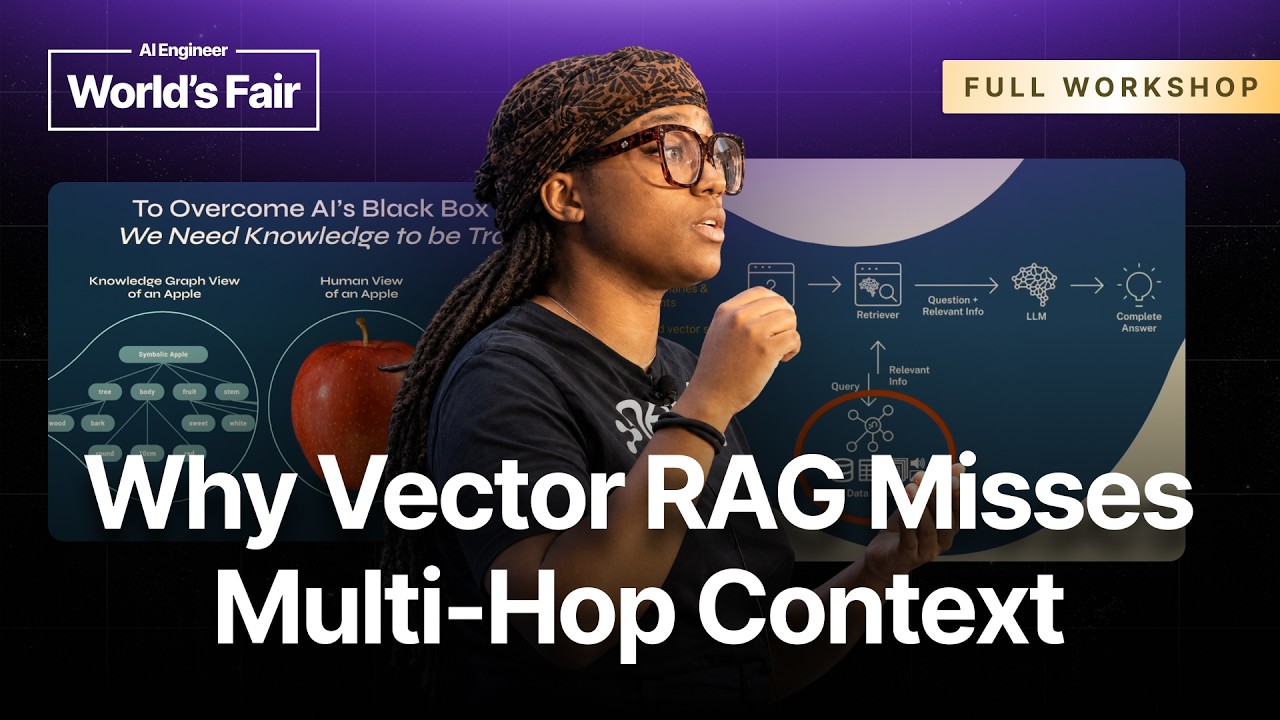
but to overcome this AI's blackbox problem right we often need knowledge itself and data itself to actually be transparent. So we can see here that we have a human view of an apple right in
the center. And then we also have to the right the vectorzed view of an apple. And so for the vectorzed view of an apple you see this series of numbers here, right? It's floats for those who
are engineers themselves. Um but these are not necessarily human readable and human understandable um uh vectors uh unless you've actually memorized the vector view of an apple yourself. Um but
every single object you can represent both as a vector or or as data itself. Um but every single object that exists on earth can be represented here. But then on the left we see a knowledge
graph view of an apple. Right? So this apple we can see that the apple itself it comes from a tree that the apple um has a specific body and a specific look. The apple is round. um this particular
apple is red. Um and an apple itself is a fruit. We're not talking about the company. So knowledge graphs can make what is understood by humans also understood by machines and it creates
knowledge graphs oftentimes create a fusion of both. So you're able to understand both this is both machine readable and human readable graph a view of an apple.
And if you're coming in late and you don't have access to these uh the materials, Jeremy and Ryan are coming around. They have the QR codes. Um just raise your hand and they'll come around
and give you the QR code for the materials that I had just had up on the slide. But most people right now you can either you'll either have your data structured
as a um uh actually in structured as tables and rows or you might have your data structured in vectors like I had shown before. But if you're structuring your data in tables and rows, then you
have to oftent times do a number of different complex joins on that data um in order to figure out how these rows and these tables are all related to and then we often understand that that is
going to drastically slow down the performance of our application. And we can't have that especially mo most of us um deal with the uh the San Francisco mentality move fast and break things,
right? just get it working halfway and then push it to production. We'll figure out, you know, we'll figure out any issues going forward. So, this is the slowest way to do things. We don't have
time for that, right? We have to move fast. We have to be accurate and we have to be explainable. So, if you were to structure all of that same data in a knowledge graph, then the relationships
and the connections and the groupings actually become much more clear. So now your agent can physically hop right from one node and when I say node I mean one circle to the next circle through this
relationship that we see right and the line is the relationship. We can hop from one node to the next node um of information and be able to trace and explain what happened in the past.
That's a massive improvement, right? Once you're being able to hop through nodes through things like agent memory, which I'm actually not going to get into in this talk. I have a whole another
talk that talks that breaks down agent memory. But through this this concept of agent memory, you can now have this memory and have this context of how did that agent come to create the decision
that it made in the past. And so that's that's incredible for dealing like uh dealing in regulated domains um like financial use cases. Um, y'all don't want Vibe Vibe banking, right? Nobody
wants Vibe banking. You don't want your agent just having access to your money and then spending all of your money. I've seen those things happen before. But things like medicine as well,
regulated spaces, legal spaces, this is where that um that uh context and that history and that memory is actually very very important. But once you have a knowledge graph representation, your
possibilities for your agent to give you that explainable, traceable, and accurate responses actually become much more improved and some might say endless.
So again, because this is a one-on-one workshop, I wanted to make sure that people understand the architecture of a graph-based rag system. So in a normal rack pipeline, you are not using
knowledge graphs, right? in in the basic rag pipeline. Um in a normal rag pipeline, you could take a few PDFs, for example, and then chunk them and then index those chunks using a text
embedding model. Um and then when it's time to query those text chunks, you get that same embedding model. Then you try to fetch the top k or top x number of relevant documents and you pass that in
to an LLM. And then your LLM is going to give you back the final answer from those documents. and and that's what the pipeline looks like for that poker usually um most likely used to right
but graph rag on the other hand is fundamentally it is rag but it's where the retrieval path actually includes the knowledge graph so graph rag is where the retrieval path actually
includes a knowledge graph and so you'll see here the architecture is just slightly different so in the rag pipeline illustration that I showed before the normal rag pipeline did not
use a knowledge graph But you see here down here, we actually have a knowledge graph incorporated into that space. So when people ask me when to use rag versus graph rag, usually I like to say
that we're if you're trying to answer a question that can be solved um with a either a search engine, then uh for and that's the simplest term, right? Then vector-based rag is actually usually
sufficient. However, if you want to ask a question that includes what we call these multiple hops. So we saw the act the example of a knowledge graph before we saw the nodes. If you're trying to do
these multiple hops or at least three hops, then that's when graph rag actually becomes imperative because you're able to then see and able to then decipher where the agent had to um had
to hop in order to get to its answer. But um if you're trying to do something for example source code analysis or if you're trying to have a supply chain question or anything that requires
aggregation or concatenation of data then uh from different documents then that's when this graph rack actually be really helpful and I'm not going to necessarily knock
vectorbased rag. think it is incredibly powerful for most of our use cases. But here are some of the examples where vector only um rag and vector only databases they might fall short with
when it comes to these things where graph and being able to traverse nodes and get that that historical context um can be beneficial. I'm not going to go through all of these but I wanted people
to be able to see where um where the differences might lie. And so all in all, when you're going to be when people ask, okay, should we use graph rag versus vector-based rag? I say
that using both is actually the key here. We want to use both graph and vector. Um and uh graph we we're not saying that graph is going to completely um uh completely replace your vector
layer. We're saying that if you use both, then you the benefits of both. So let's add on, right? Let's make sure that our agents are being as uh beneficial as possible. Okay. So, I'm
going to pause there and we are going to go into uh Graphacademy. So, for Graphacademy, the first link, graphacademy.com, we're going to go into this workshop um.ji
and what I want us to do is to we're going to skip the first few sections of this. So, um I have of course already done the course, but I can reset it. So, we're going to
continue that course and what we're going to do is we're going to skip over some of this um more introductory stuff like what is generative AI. We don't need to know that. If you do need to
know that, that's perfectly fine as well. Um but uh for this conversation, we're just going to skip down. We're going to skip down to the to the graph rag section.
All right. So, we already went through the graph rag um the retrieval process and the differences between normal rag versus graph rag process. We're seeing that we're first of all we we see the
typical process here which I already went through. You have your retrievers, your user, your application and your LLM and then your data store which is normally um a vector store. Um but then
if we go down then we see a little bit of the difference um as well. And what I did want to touch upon here is this concept of retrievers. Many of you already know what retrievers are.
Just get a quick hand so I don't have to go over it. Okay, well actually not as many as I thought. So that's okay. That's that's totally okay. Let's actually go over it then quickly. So a
retriever is a key component of the rag process, right? A retrieval is actually responsible for searching and retrieving relevant information from your external data sources. And what I like to say,
okay, let's let's make this um bigger. Thank you so much. Um what I like to say often or ways that I like to remember what retrievers are um the simple way um is that retrievers are the golden
retriever, right? We we all know about golden retrievers, they like to catch balls. They like to catch things. So a retriever is some is uh if you would think of this golden retriever likes to
go and fetch the necessary information. Um, and so the retriever usually takes in unstructured input like a question or a prompt like when we're using chat bots and then it searches the structured data
to provide the context for the answer. And so this is just a little bit about what Neoforj specifically report supports full text search vector search and then uh text or cipher retrievers as
well. And then we have a number of different data sources as well. So those data sources in uh regular rag pipelines and processes can vary um documents, APIs, knowledge graphs as well. Um but
um if we were to use uh this uh this news agency chatbot for example, then the process would look like this, right? A news API is going to be used to retrieve the latest articles and
headlines. The knowledge graph is then going to be used to understand the relationships between different topics um such as how they relate to each other in a historical context. And then the
document database is going to store and retrieve uh articles or reports or textual information as well. So we that's just an example and a um architecture of what that could look
like. But let's keep going, right? There's lots of different benefits to using graph rag. I'll touch upon this really quickly, but one of those is um having uh richer context specifically
and then improved accuracy, explanability like we had actually seen within that knowledge graph. If you're able to actually um if you're able to traverse your knowledge graph um and
then use that plus things like agent memory, then you can get this rich historical context that's really necessary and really beneficial for building out your agents. So, let's keep
going. And then I heard a couple people um and my colleague had went through the line a little bit earlier to see like have people built knowledge graphs before.
Can I get a couple hands to see has anyone built out knowledge graphs? Just a few. Okay. Just a few. Okay. A little bit. Yeah. Okay. Okay. Hello world. That's perfectly fine. No problem. This
is why we're all here to learn more. Um so, uh just um making sure that we understand what is a knowledge graph. We went through this a little bit in the in the example, but a knowledge graph in
general is a um organized representation of real world entities and their relationships. So if I am a node, right, I'm a circle, I'm a node, and then my colleague Jeremy is a node as well. Yes,
Jeremy, we are nodes. And then we actually have relationship that we are colleagues and we are friends. So we have two different relationships here. Um but um that is that's the simplest
architecture of a um of a knowledge graph. And then we can be connected to different people as well. We have our colleague Zach and then another colleague Ryan. There's so many
different um ways, but that's just a represent. It's just a representation of data in its most simplest form. Um so uh what is a knowledge graph? You can see here another example of that knowledge
graph. And so in the interest of time, I'm just going to skip down and we're going to get into this knowledge graph construction piece. So for everyone who's following um we're in
the um knowledge graph construction section. So let's build out a knowledge graph quickly. So constructing knowledge graphs. In this lesson we'll review the process of
constructing knowledge graphs from unstructured tests using an LLM. So the overall process is making sure that we're gathering data sources and then we're chunking that information and
chunking that data. We're of course going to vectorize that data as well and then um extracting nodes and relationships from that and then generating the graph of course. So in
this example, if we wanted to construct a knowledge graph based on the Neo Forj Wikipedia page, which we can see here, we're going to gather text from that page, right? Take all the text and then
we're going to split that text into chunks. As you can see here, we would generate embeddings and vectors from each of those chunks and then extracting the entities and the relationships using
an in LLM. Now, you can do that manual extraction if you wish. Um but we think that um using it in an LLM can cut down on the amount of time that it takes in order to do that extraction. Um and so
we would send the LLM to with an appropriate prompt um a prompt example here. Your task is to identify the entities and the relationships requested with the prompt from a given text. And
then you must generate the output um in a JSON format containing a list with JSON objects. And then we would paste oh sorry parse those um entities and relationships. the output into the LLM,
paste that into as JSON, and then we would generate the graph from all of that. So, we see here we see here Cipher, which is a query language that's optimized for graphs. Has anyone used
Cipher before? A couple. Okay. All right. A couple people. Um, so if you're a cipher expert, [laughter] then I have um uh if you answer some of
my questions here, I have swag as well. So people as um as you are going through this workshop I want it to be more interactive than a normal workshop. So I'll be asking questions and if you're
brave enough to answer one of my questions live it's also being live streamed but live then I have free uh unique swag for you. So that includes t-shirts that includes um uh special
swag that you cannot get anywhere else as well socks etc but um special swag on top of that. So, um, thank you all for, uh, being willing to put yourself out on a limb and answer some questions that we
might have. But you'll see here, uh, lastly, an example of a generated graph. So, we have a graph database was, uh, developed by Neo Forj, which is a company. Um,
and, uh, Neo Forj didn't, uh, develop graph databases all in general, but just Neo Forj is the graph database that was developed by Neo Forj with the company. And then that's implemented in Java. And
quick side note, Neo for J the name comes from Neo who is matrix. All right, those who know the matrix and then Neo for Java. So for those who have that quick little piece, you'll know that
that note about Neo forj. So we can continue. >> Ah yes. Yes. >> Go for it. >> Yeah. Yeah, let's do it.
>> Okay. So um because we're at half past the hour, we want you to get the most out of this. And people wanted to do building of the knowledge graph. There is a on your left sidebar it says graph
rag for Python. >> That's right. >> That link there. So kind of navigate to that. That will take you if you scroll down. Um this is going to talk a little
bit about the the graph rag for Python package an open source package that Neo4j provides for knowledge graph building and retrieval and agentic work and also on this page are all the
credentials you'll need for all the examples we'll be using and then um Nia you want to take it away and talk about the credentials and the GitHub code space.
>> Absolutely. So let's start off uh for let's start off. So, we had mentioned we're in the graph for Python section now and we want to um go scroll down and then click open in GitHub code spaces.
Once we open that, we're um you you're going to have to sign into GitHub if you're not already, but once we open that, we're just we're going to leave all of these um uh system prompts the
same. And then we're going to create the code space. It's going to take a little bit of time. So, we're going to do a little bit a couple of things ahead of um not necessarily ahead of time, but
while this is generating. And so while this is generating, I just wanted to show you all that we're going to be creating this setup environment. And so we're going to create a copy of
this m.example. And you can just click copy here. And we're going to actually create that um within our um code spaces section. And so this will continue. Of course, Wi-Fi is not always fun, but
this will continue. Eventually, it's going to have an entire setup for the um uh for the folder structure, and it'll have a uh M.ample folder. So, we're going to instead create a M file, and
we're going to paste all of these um uh um all these credentials in. And actually what we're going to do, we're not going to paste those exact credentials because what we want to do
specifically is to and I had this in the notes is to create a Neo Forj Aura instance. And so I had that in the notes for us to get started on. So create a Neo Forj Aura instance. And again I
mentioned we should be creating a free instance specifically for this workshop. You can create a professional instance as well. Um, but I already have one that's set up. And so this instance is
um instance number three here. Um, yours should say type um aura I think or free. Um, but what we will do is that we're going to actually connect to set instance. And so um once you do create
that instance actually you'll um have a the connection details that you'll be download directly to your computer so you don't lose it. And um uh what we'll do is then um connect that here.
>> Yeah. And um so really there's a a fork in the road here. Don't feel bad if for whatever reason uh you aren't able to create the Aura instance in time. Um it'll be ideal for the last part of the
exercise if you can. But those other credentials we saw in Graph Academy, they're in a a small uh free instance that's within Graph Academy itself. So you can use those. Either way, we want
to have the connection details to a Neo4j database because that's where we're going to build that knowledge graph. >> That's right.
>> Perfect. So, what I'm doing right now is I'm grabbing my um instance information and then I'm just going to paste that here into our um our graph. So, perfect. We
see that there. And then I will also grab the open AI key. Yeah. And I'll make this bigger as well. Move this terminal down. Move this out the way.
Perfect. So, we want that OpenAI key as well that we had C that we had grabbed and we'll grab that directly from the notes. So, just copy and paste the key
and place it. Dope. All right. So, this will save uh if you have autosave or you have to save it yourself. And now we have this. And so once we have that M file, then
we're actually going to want to test our environment really quickly. So we'll go down to um test environment. py and we'll just run this environment. You can actually if you're using VS Code and you
can run it using this or you'll use run it using your um uh hopefully a Python virtual environment as well. But let's make sure we do it. Okay. So we can see down here it's trying to connect.
Perfect. It ran five tests and it's positive. We're okay. So, >> anyone hitting a snag there? If you do, make sure you're actually you've actually created av file and you're not
still just in the example. >> That's right. >> And uh you can rename the file or create a new one. And um that will essentially now we know we're connecting to the
Neo4j database and our open AI key uh is successful. >> Perfect. So, Now um that the test environment is run.
This is successful. Now we can take a look and we can see here um if you go under workshop.jai you can see here that we have a number of different solutions. So we have the d the raw data itself. We
have solutions itself and then the agent and then the knowledgeraph builder and knowledger graph structured builder as well. So we're going to click on this knowledge graph structured uh builder
and it's going to build out this knowledge graph right in our Aura instance. And so if you're again in VS code then we can just um p uh play that and then this process is going to take a
little bit but it's actually going to generate the knowledge graph and we can see it populating live within the doj aura um aura instance and so let's go over
back to aura and what I've done as well as um within here so again I'm going to connect we're going to go to query And we can see I've already done this. So I've already pre-populated it just
because it'll take some while. So it's going to probably do some dduplication um based on the fact that I've already run it. Um however um all of that information is going to u populate
within here. And then we can query this um and see what's uh what exists within the um within the instance. And we can see that this knowledge graph it will the more times you query you'll see um
that it actually will uh continue to populate. So just right now we're just going to see what um relationships and um uh u and nodes are actually here already. So we have P and then so match
P done a little syntax here. Oh, thank you. Match P equals. There we go. Beautiful.
So now we can see and I'll sc I'll zoom in so that we can actually see what's going on here. But now we can see all of these different nodes and relationships just
based on the data that we had um that we had ingested into the knowledge graph. And you can click on this data and you can inspect the data as well. This is not just a visualization tool, but it's
also specifically a query tool, a way that you can um query your data itself. But this is the finished um knowledge graph. Your knowledge graph will be much smaller. And then the more times you run
this particular query, match p equals um empty like a node actually. So empty node uh d-mpt node then return that p. Um you'll if the more times you run that, the more times you'll see that
that knowledge graph grow. It's just uh in the query in general is just saying like show us all the nodes, right? Show us all the nodes and relationships. Wonderful.
Okay. So once we've got that um those nodes and relationships and and uh for anyone who's having problems with that process um uh feel free to throw up your hand
and we have colleagues who are who will come in and help you. Um but once you got that um that knowledge graph beginning to generate then what we want to do is actually go in and create an
agent. Oh I see a couple hands right behind. Um, so you might not already see this agents um section. If you do not, let me see your hand in your um thing. Okay? But I do know a couple people
probably are not there yet. Um, but if you don't see this agent section, what I want you to do is to go to your organization, your NearJ organization. Um, and then we're going to click all
organizations. And what we're going to do is we're just going to enable um, Jedi um, capabilities onto this organization here. And so we're in this new organization.
Then we'll go to settings. I already have it enabled, but for those who don't know how to enable it or have never used Neo forj A or before, um here we have um you're going to click these two. They'll
be um they'll be grayed out, but I want you to click them in order to enable them. So generate AI assistance, generative AI assistance, and then Aura agent specifically because we're going
to be building out an agent today. So, oh, got a couple hands. Perfect. So, once we have that organization, we're going to go back to our specific
organization. We're going to go back to our instance. We're going to open our instance within query mode. See our agent um see our knowledge graph
populating. And then we're going to click here, agents. and this agent here. So, I already have an agent here, but what we're going to do is you are going
to create an agent. So, I'm going to create an agent from scratch and we're going to tie that agent to this specific instance. It should autoop populate based on the latest instance
that you had created and we will configure. And so what we want this agent to do, uh, we're going to call this agent, we're going to call it a, um, uh, genai
fundamentals. Um, actually, we'll call it graph rag fundamentals. Graph rag fundamentals agent.
Perfect. And then for the description uh to describe this agent, we're going to say that this agent provides um forj graph rag
information grounded in this specific graph academy course that we have. So we have this agent and again for those who are following along
it's going to uh provide neo forj graph information grounded in this specific graph academy course and then lastly we're going to um provide the instruction for that agent
here. So um that instruction will be that um and we can really just copy paste and what I'll do is I'll also include this in the geni notes section so that you can all see it.
I'll go over to the notes. But this is an easy way to um create your agent agent description for you all so that you can copy and
paste it and have your agent actually be working with us here. And if you have questions, please feel free to put up your hands. Okay. So, we'll just copy that over to our agent
as well. We have the um instruction and then we're going to keep everything pretty much the same. the instance um agent location as well and then internal and what we want to do.
Perfect. Is um create that agent. But actually, do we want to Yeah. Okay. So, before we create that agent, we're actually going to try and um add similarity search to it. So if you don't
already have um um similarity search added to your agent or vector search or vector insects is specifically added to your agent then we actually have to do that in order for this u this prompt to
come up. So you'll get a separate prompt that says um vector search is necessary in order to um to do that. So, where we get a good a good place to get that information, we're going to close out
this. Oh, we can keep it open. But what we're going to do is we're going to go to um the Python um Python section. There is another let's see in the graph for Python
section. Here we go. And I'm going to paste this into the uh notes for you all as well. I gotta love being in full screen mode. Come on. Come on.
I'mma just I might just exit out full screen. Okay. And let me paste this for you all. So, we're going to create a vector index. So, we want to go to this link here.
Create vector index. Cool. And that's what you're going to do. You want to click that link and that allows you to um that just gives you a sample code um in order to create the vector index. And
I'll show you where we're going to put that information right now. So we have this create a vector index here. You're just going to copy that and then we're going to include that.
So for the vector index and I'm going to ask Jeremy, do you remember where oh where we put our um vector index? >> Yes. Right. Right in as the cipher query window.
>> Yes, you're right. You're absolutely right. Okay. So, let's go back. So, we'll go out of here. So, this will depend on which instance you're using. If you're using an Aura instance, you're
going to go in your Aura console into the query interface. So, you might want to either open another window. >> Yep. >> So, you can leave your agent or you'll
have to close your agent for a minute and go to query, >> right? And then you can create that vector index. >> So just like Jeremy had mentioned, we're
going to actually paste that vector index right here in the cypher query window. And so you'll run that and then you will see that we'll um extend this. Okay, this command and this I think it's
this is specifically because I had already no successful. Oh yeah, it already exists. Exactly. Because I had already run this. What you're going to do, you're going to create, you're going
to run that command and then it will actually show you the vector index that has been created. So once you have that vector index already created, then you can then go into the um agent section
and then uh access that prompt that we saw there. So I'm going to do the same thing again. Create from scratch, configure,
and we're going to do the same thing. Graph rag. Great. Autopop populate. Beautiful description. Yep. Beautiful. And then we have that same prompt.
Sweet. And then we're going to do the add tool section. Now, similarity search. Now you should be able to see this uh the same prompt. But for this similarity search tool,
we're going to create this tool which will say we're going to search this lesson content and be able to actually gather insights from this lesson without having to take the lesson.
Search lesson content. Um and then we have a description that I'll also paste as well. And I'll paste that. Make sure that you all have that description as well.
Similarity search description. Perfect. So now it's in the notes so that you can also use it. And then we're going to select the V
vector index specifically that we had just created that is chunk embedding. We're going to say we're going to use about the top five um uh as well. And then we're going to select our embedding
provider that's open AI. The embedding model we're just going to use text embedding three small. It's perfectly fine. And then the default dimensions is 1536. And then we want to make sure that
we are uh returning this connected graph data which is very very important especially because we're using this uh graph interface. So we're going to return this graph data and what you want
to do we can use natural language here but you can also use cipher specifically but um cipher for this cipher query um we have there's a cipher query that we already have. I'm trying to remember
where it is. Oh is there a light mode? That's a great question. Oh, because it is so hard to see. Yeah, let make it bigger.
Awesome. So, for this cipher query, we're going to take this cipher here, and I'll make sure to paste it for you all.
This is the cipher query that we're going to use. So, it's it's um Oh, actually, I should just paste the actual cipher query itself, not just a link to the cipher
query. Cool. All right. So, here's the cipher that we're going to include in our agent. And what we're going to do is we're going to paste that in our Aura agent
here. same cipher query don't change anything but the the point here is if you look at the cipher query we need that cipher query to include nodes you can see here nodes and then scores as
well so nodes and then scores or similarity and so we can see that this cipher query specifically uses nodes and scores within its query um but this is a very helpful query and I'll also make
sure that I link where we got that query as well for you small just so you can have it for later. Perfect. All right. Now, we can create this agent, right? Or we can add this
specific tool. All right. So, we have everything here. We're going to use internal which is for free. Um, we have these two tools, search lesson content, and then the
similarity search and then the natural language for cipher tool. And we're going to create the agent. So we can see graph fundamentals agent right here.
So we no longer have to configure it. But if you need to um as we were building out that knowledge graph, you can update that agent. You can press that update agent which will take in all
the information from the knowledge graph. So now we can have a chat with that specific agent and we can ask different uh questions with regard to um that agent. And I wish I can slide this
over but I can't but that's okay. So these particular questions we can ask lots of different questions um and um you can now learn anything that is actually in the graph academy course. So
for example, we have information about um how does um temperature for example uh affect a LLM and this will take in all the information based on the knowledge graph
that we had created within Neo4j and only that information within the knowledge graph in order to um give you an answer. And I'll make sure that I >> Here we go.
>> The fun thing is uh for folks that go back later and look in that data directory, you'll notice that all those PDF files were from an intro to Genai course in Graph Academy. That's right.
>> So we trained this on Graph Academy in Graph Academy. Kind of meta but >> exactly it works. >> No, that's perfect. And like like Jeremy had mentioned, all this information is
trained on Graph Academy. So you have all the information within graph academy at your fingertips here within this agent itself. But it answered that um temperature is a parameter that controls
the amount of randomness in the generated text. Right? You have tire temperature, lower temperature and what that um is based on and then as well as the sources of information where you can
learn more um within graph academy as well. But you don't you not only are able to ask about the content of the graph academy but you're able to do things like get that aggregated
information um based on graph academy as well. Um, so we can ask questions um like how many lessons are there in this course and so usually when you're building out agents they or when you're
building out rag pipelines they're often pretty bad at doing this like I had mentioned this aggregation and concatenation piece but um let's see we can see that within this specific course
there are 30 different lessons and it's actually 15 lessons but it's counting 30 right now because I had rerun run the um uh the knowledge graph builder which had the initial 15 lessons and then I reran
that builder which created the 30 different lessons. So if we were to um then check within Aura make sure where we are. Oh yeah. So, if we were to go back and
just uh query, right, we're outside of this and we were to just like figure out how many lessons, then we could see that it would actually give us the correct number.
>> And you can even just click on the lesson no type on the left as well. >> That's right, >> for the cheat code. >> So, we'll see the correct answer, which
is the 15 lessons here within this space. And then the um uh the because I had reran that but I did not repopulate that within the within the thing. So it says 15 lessons which is how many
lessons are in the um or within this graph academy course. >> So Nia I had some folks that were wondering now that we've gone kind of end to end we built a knowledge graph
from some raw data. We were hooked up an agent that can use this now using graph rag combination of vector and cipher queries. They were wondering could we look at the code that does this really
quick >> and so um could we look at the code of that knowledger graph structured builder file >> and just just do a quick walk through
just so we see the elements of it. >> Absolutely. So let's go into our um knowledge graph structured builder. Perfect. So here is all the code that's that's creating and generating this
knowledge graph in itself. So we're seeing and I'll try to make it as big as possible without also cutting. I would like to do a word wrap. Um >> I think you can hide the uh the left
hand. >> Oh yes, absolutely. Perfect. All right. So we can see that here um that we are importing all of our necessary um uh portions. So OpenAI LLM,
the OpenAI embeddings, the simple KG pipeline which is our simple knowledge graph pipeline. um as well as fixed size splitter. But we have here which is our Neo Forj driver which is pretty much
your um your core and when we say driver we really do mean driver the thing that's generating all of this right. So we're connecting to our um our graph database using that Neoraj driver. It's
the simplest way in order to get connected. But then we see here that we have the LLM. We're stating that that LLM is actually the OpenAI LLM that we have here. We have our embedders here as
well which is those open AI embeddings. And then we are of course going to use that text splitter fix um fixed size um splitter and we have that chunk size being um 500 and then a choke overlap
just in case we miss anything from those specific chunks. And then we have some sample node types. So those node types here remember nodes are the circles um and then we have relationships but the
nodes here are technology concept example process um challenge and benefit. And then we have relationship types that we think are really important to this uh
this knowledge graph. So these relationship types we are populating but we want those relationships to focus on this related to piece the part of used in etc. And then we can see that these
patterns these patterns um which is this node relationship node pattern that we're seeing here. Um and so we have for example technology related to specific technology right or example used in
specific uh technology. So then after we we've put all of that sample information we can see that this knowledge graph builder is taking in this knowledge graph pipeline and all the information
in order to generate the knowledge graph itself. I mean, and that's re really a cool part here is that of course we we did Graph Academy data here and a schema appropriate for that, but most of you
will be using like a bunch of documents from your business or whatever. And you can use the LLM to help you figure out the right schema. But once you got it, that using that schema like that will
guide the LLM so it won't just make up new node and relationship types. It'll stick to that. >> That's right. Excellent. So then we can see that we're taking in those uh CS we
have different CSV files within our data as well right under data a different CSV file as well as all the general PDFs from um this lesson and then it's going to parse that CSV um and then create and
generate that knowledge graph all in all. So that's the background behind this builder this knowledge graph builder that's using graph rag on the back end in order to create the
knowledge graph that we saw within um Aura. Perfect. All right. Yeah. Um, so that is what we wanted to show you all today um, for Genai. I'll
finish off with a couple last slides and a couple calls to action as well. These are some last some benefits of using graph rag. Again, I had mentioned higher accuracy, easier development, and then
explanability. But all in all, the best places to learn more about graph and graph rag is Graph Academy where you'll see all of these different um, resources completely free and hands-on courses. um
cipher fundamentals if you want to become an expert at cipher um and uh building out knowledge graphs and context graphs. And then on Tuesday or yes on Tuesday of this week um we are
actually going to be or Wednesday um but on July 1st we're going to be having a meetup down at the digital garage in San Francisco from 5 to 8. Please feel free to join us and please feel free to
register. Just make sure you come by our booth if you want to register for that meetup. We're going to have some incredible experts within the graph and knowledge graph space including our
founder and CEO Emil Efim who is going to be there and you can ask him different questions about building knowledge graphs as well as the technical team myself Jeremy Zach um
we're all going to be there to answer your questions about your use cases. Um but this specific talk is about teaching the why behind decisions. So context graph decisions that are being made. And
then please feel free to come by and see us at booth um P3 which is right by the Microsoft booth. Um we'll be there to answer any questions that you have. And thank you so much for coming today. We
appreciate it. [applause] Thank you. >> [music]