Enjoying this issue?
Get tomorrow's AI & engineering digest in your inbox — hand-picked, summarized, and always spam-free.
TLDR
Fireworks AI is selling the full train-to-deploy loop for open-source models, and the pitch is built on scale figures: roughly 30 trillion production tokens served, about 200,000 requests per second, and customer-reported gains like 13x faster inference for Cursor's Composer 2. The quality gap versus closed models is tackled with a three-tier training product line (agent, managed training, and a low-level API) plus custom CUDA kernels in its Fire Attention inference engine. It's a useful picture of what open-source model infrastructure vendors now bundle into one continuous loop: train, hot-load, host, monitor, and retrain.
Key points
Fireworks claims to serve about 30 trillion tokens and 200,000 requests per second for over 10,000 companies.
Cursor's Composer 2 model was trained and hosted on Fireworks, with 13x faster inference attributed to Fire Attention.
GenSpark saw a 12% quality improvement from Reinforced Fine-Tuning with cleaned data and evaluator functions on Fireworks.
Fireworks offers a training agent, managed training, and a low-level training API; the agent does not support RFT.
Hot loading lets customers swap newly trained checkpoints into live deployments without downtime, initially built for Cursor.
Tools mentioned
Techniques
- speculative decoding
- disaggregation
- quantization
- supervised fine-tuning (SFT)
- reinforcement fine-tuning (RFT)
- DPO
- checkpoint hot-loading
Stop scrolling. Start reading smarter.
Receive the day's most important AI & engineering updates in one concise email. No spam.
Transcript (captions)
Hi everyone. Uh before we get started, I actually have a quick question for all of you. How many of you actually today use a closed source model like chat GPD or Anthropic?
Okay. How many of you feel like it's getting really expensive really quickly? Okay, that's that's a good percentage of you all. And uh just like all of you might be thinking of switching from
closed source model to open source models for cost reasons, performance reasons, there uh other customers and users that are going through the same journey. And today I'm going to talk
about where these open source models shine and how to make the performance or quality of these open source models match the closed source models itself. And before I get into that quick
introduction of myself uh I work at fireworks. I lead part of the applied machine learning team. My name is Jatashri but feel free to call me Jet if that's easier. Um let's talk about the
whole train to deploy loop that that the open source models are taking today when users are switching from closed source to open source models. But even before we get into that let's
talk about some fundamental truths that are true today in the AI ecosystem. So the three fundamental truths that are true uh are one open source models for the most part are production ready. If
any of you have used GLM 5.2 two, you know that that is true especially for the coding use cases. Two, if open source models don't like beat or match the quality of close
source models, the differentiating factor uh comes from how you customize, train and improve these open source models to match the performance and quality of closed source models. And
three, the AI stack itself for most of our customers and users is shifting from let's just serve a model once once and that's done to a more continuous loop that is improving from training to
inferencing uh the same open source model itself. So that's where fireworks kind of comes in. It makes the whole process of you having to go through the continuous
journey of training these open source models as well as hosting these open source models at scale much more easier and also much more cost effective as well. And I'll get into how we actually
do the training itself and different flavors of training that we offer towards the end of the presentation. But I did also want to quickly talk about inference before we go to the training
portion of it which has become really popular among our customers and user base. And before we also talk about inference and training, I just wanted to give you
a quick overview of how uh inference looks like especially at scales and what are the kind of production impact that we have seen among some of our customers and user base itself. So today at in
production at scale uh we serve about 30 trillion tokens and it's increasing. Um this number was actually preGLM 5.2 release. And I'm sure this has pretty much kind of increased by about at least
5 trillion tokens a day. Now with the GLM 5.2 release, we support more than 10,000 companies globally and process about 200k requests a particular second itself. And the kind of production
impact that we are seeing within our customer and user base is very significant. So cursor uh if for those of you who already use cursor and cursor models u the composer 2 model for cursor
was trained and also hosted on our platform today and um it is able to achieve 13x faster inference because of the fire attention engine that we have and I'll speak a little bit about that
in the next slide as well. Uh Versell is also another big customers uh of ours. We help them actually fine-tune and also host the model on our platform and they see a 40x latency improvement. And
another big use case study is actually genpark. Um genpark lovables are in very similar field where they actually let you design systems with just prompts itself. And uh quality is a big
bottleneck or was a big bottleneck for them when they were trying to switch from closed source to open source models. and we helped them fine-tune. We did uh RFD for them. We helped them
clean the data set, define evaluator functions and at the end of the RFT training job itself, we saw that there was 12% quality improvement for the Gen Spark use case. Um also we are a trusted
platform among all our other customers and user base as well and we have raised around 327 million CDC uh a while ago and we are about 200 people working at fireworks. That brings me to the next
portion of it. I know in the previous slide I did mention that we made latency faster for a couple of our customers such as versell and how we do it is quite simple at a at a higher level. Um
at fireworks we have our own inference engine called fire attention. So you have a model you have GPUs and the way the model sits on top of the GPUs is through a translation layer called CUDA
kernels and as part of fire attention we build our own CUDA kernel. So when a customer comes to us uh with a workload and a performance target in mind then we can optimize this particular inference
engine and the whole AI stack including that CUDA kernel for that specific use case. So most of the time customer like versel in the previous slide come to us and tell us uh they have x input tokens
y output tokens uh they have zprompt to uh prompt cache hit rate and they want to meet so and so latency targets and we help them optimize this whole inference stack including that cuda kernel so that
we can serve this model uh at a cheaper price but also at a that can meet their performance target and for their specific workload itself. uh as part of fire attention and inference
optimization, we do also implement the very well-known techniques in the AI field which is things like speculative decoding, disagregation, quantization. In terms of speculative decoding itself,
we also allow customers to train their draft models on our platform. Uh so they can even upload the data set very similar to how they do for fine-tuning for uh training a draft model. uh which
helps them uh make the model the main model uh perform much faster uh meet latency requirements also gives you better throughput if the draft model is trained uh very well and um so once
people actually people actually get to this stage mainly once they're happy with model quality but when customers are switching from closed source to open source models the biggest bottleneck or
the gap is quality and the The way we we try to solve for it is through our training product and our training product itself comes in three different flavors for different segments uh within
our customer and user base. One being the training agent. This is very popular among our product managers and builders that get that got into this AI inferencing and training field very
recently. So the agent can be accessed through our UI and uh you can you you just need to link it the data set that you have uploaded uh on the fireworks platform as well as description on what
you're trying to do as part of this training run itself. Uh it will even let you choose the model. It will clean the data set for you. It will also help you do the hyperparameter uh fine-tuning
itself because it's not always easy to get the right uh hyperparameters itself. um when you are doing training for your specific workload. The next flavor also one of our most popular flavors among
our customer and user base is our managed training and this is what most of our customers use today. They can use our managed training platform one through API and second through the UI
itself. It is as simple as you inputting the hyperparameters that you think will be good for your model. choosing a model, uploading the data set itself and then clicking a button. That's how
simple we make it on uh fireworks for the manage training itself. And uh I know one challenge a lot of people have is observability once the training run itself kicks in. So we also have a good
UI dashboard that shows you how the training uh is happening, how well your model is uh learning at each epoch, what does the loss function look like. Additionally, you can also plug in u
your weights and biases API key into the manage training service itself uh and export some of the observability metrics to platforms like weights and biases if you're already using that. And the third
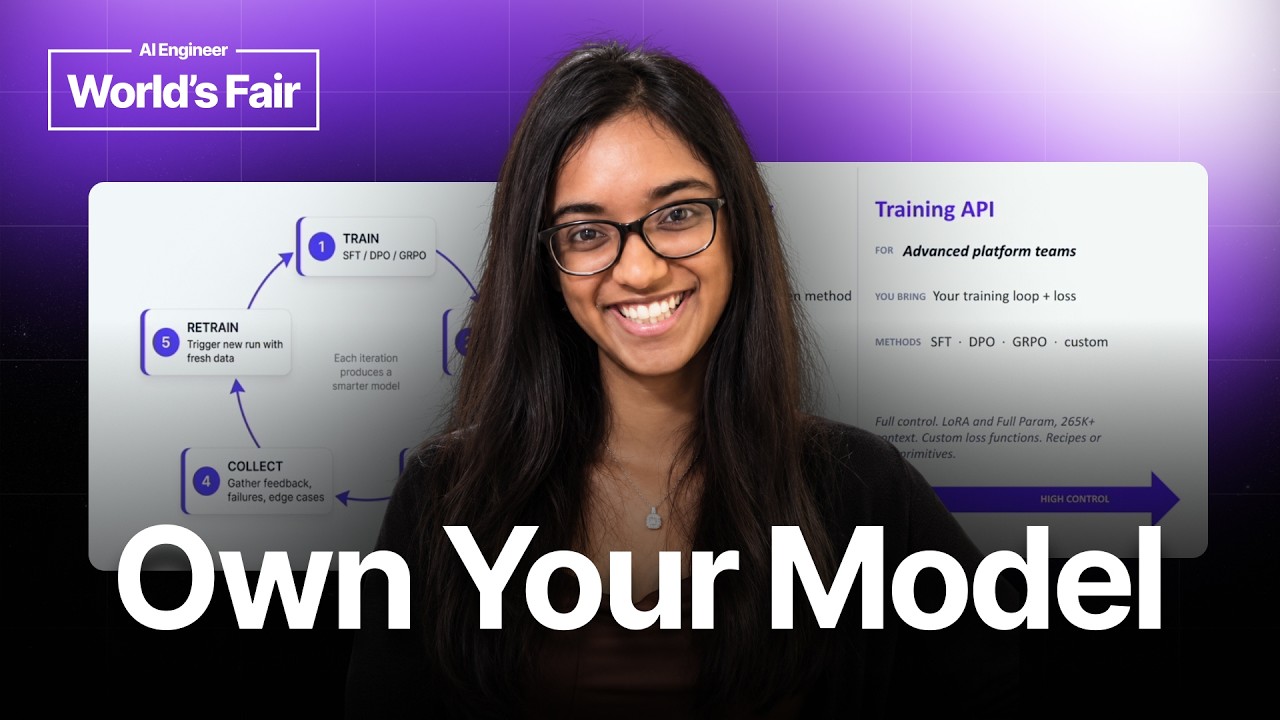
and the kind of the most advanced flavor of training that we offer is the training API itself. And the training API is very popular among some uh of the ML engineers within
uh different organizations or within our customer base. And in this in this particular this particular offering of the product lets uh ML engineers define their own training loop and loss
functions. And this becomes important when you want to customize your training job according to your needs. that is that goes well above beyond the managed training service that we offer itself
and these these different uh flavors or the products within the training ecosystem that we offered are offered for supervised finetuning reinforcement fine-tuning and even DPO as well. Um
nowadays I think RFT has become extremely extremely popular and if you ever need help in helping define a good evaluator function then we have worked with customers like Genpark that I was
talking to you about in the previous slide to help them define an evaluator function clean the data set um and also choose the right hyperparameters especially for RFD. Unfortunately the
training agent itself does not support RF. So it does not uh help you clean the data set or even do the hyperparameter tweaking but we are more than happy to help you do it if you have a big use
case in mind. So now that we know all about the different um training offerings that we have I also wanted to show you a quick demo of each of these the training agent manage training and
the training API itself. Uh but before we get into that I just wanted to close off by saying how the data flywheel looks like today on our platform. I know in the first slide I was talking to you
about the realities of AI today where most people prefer doing a continuous loop where they train host train host as they get new and new data and feedback from their users and that is what we are
trying to make more seamless on our platform and that's also why we have different training products different offerings as well as making it easier uh for you to host and make it also cheaper
and faster for you to host those models at scale itself. And the way this flywheel works is kind of very simple. Once these uh models are trained, I will show you uh a demo in the next slide
where the models get trained. It's it's you just are one click away from deploying these models into production. And once you've deployed, you can uh monitor. We have u monitoring metrics
for the number of tokens, cash it rate, how your speculator is working, if you've trained a speculator. uh we help you collect gather uh feedback from all the all the metrics that you have
collected and if you choose to also retrain on the same platform from the end from the checkpoint that you were using to a new checkpoint itself. So some of some capabilities on the
platform that makes these data flywheel possible is one definitely having a host of uh GPUs. We do have we do partner with different cloud and neocloud providers which makes it easier for us
to provide compute and also host these models at scale. Another thing is we offer is hotloading and this has become really popular especially when we were training models for cursor and this was
actually a feature we implemented specifically for cursor and then we thought would be useful for general public while they were training models as well. uh what hot loading essentially
means is when you have a new checkpoint uh you you can directly go to live deployment without any downtime itself. So if you have a deployment and you've gone through this continuous loop and
trained a new checkpoint then you can just click a button and swap out the weights itself that you were using uh uh previously with the new endpoints. Another thing that makes it uh easier to
train on our platform is the numerical fidelity. So a lot of the time customers use platform A for training and host on platform B. But what happens when you do that is you'll have issues in quality of
the model. And the reason you have those issues is humix is not always compatible when you train on a different platform and host on a different platform. So that's why we offer training and
inferencing on the same platform and ensure that uh you won't find any numerical differences after you finish training and once you decide to host this particular model on the platform
itself. And um one other thing that that makes it more seamless is because training and inference is on the same platform. You're just one click away from uh deploying this model at
production scale. Now that we have learned all about uh the inference and training, I just wanted to show you quick demo of different training products and how they
work on our platform. The first portion of the demo is showing you how you can use the training agent itself. Over here you can uh input where your training data set lives within the fireworks what
it's called. Uh you can also uh give it the eval data set itself. uh I know people have the train and eval or a test data set separately. So you give the mo you give the agent both the data sets
and then you ask it uh to fine-tune and even select the hyperparameters and the model for you. The the agent then goes on and tells you the step that it will it will take to accomplish the task that
you have given it. So it it details the SFT plan. It tells you why it selected the base model. In this case, it's selected quen 38B. And it'll also give you some information
on the hyperparameters and what the whole training process can look like at a high level. And once you're done uh once you are uh you feel okay about the output that the agent has given, you can
approve whatever the agent has uh the a the agent has outlined. And once you approve it, it will actually go through different steps and keep you posted on if it finishes step two, what does uh it
look like? If it successfully finishes step three, what does that look like now? And at the end of the whole training run, it will also give you a summary of uh the config, the base model
um and uh different hyperparameters and how that impacts it as well. And once it's once the whole model training is done, it actually gives you metrics such as accuracy and F1 score.
Uh and it also summarizes kind of resummarizes and gives you an overview of everything that uh that it did. And one cool feature is it also gives you recommended next step as part of u the
training run itself. Now the next portion of uh this demo actually talks about how we can use our uh manage training platform. I did mention that you just have to select the model data
set and the hyperparameters and then you're just a button click away from actually training a model. Say you've uploaded uh the data set, chosen a model. Uh all you'll have to do is then
uh go to the go to the u evaluator settings, choose the evaluator data set and also you get to choose the hyperparameter as part of optional settings if you decide to have a more
fine grained hyperparameters for your uh training run itself. And once you're happy with all the configurations including the model and the data set itself, you just need to
create uh you just need to click on the button that says create. Um and as soon as you click on the button that says create, a training job then kick kicks out. And you can see that uh the UI
looks similar to this when a training job actually gets completed. And if you click on that particular training job itself, it'll give you information on the data set it used, the
hyperparameters it used, what the model loss itself looks like when the model was training. Um, and then you can even clone these training runs and reproduce it with different settings and
configurations itself. And once you're happy with the fine-tuned model, you can go to the deployment section, choose the custom model that just got uh trained on our
platform, and then click on deploy once you're happy with the deployment configurations. Or you can choose a set of deployment configurations that we have such as throughput, fast, minimal.
uh and this is uh kind of a template that that works well for generic workloads that we have optimized based on throughput latency uh time to first token and other such metrics
and uh I unfortunately don't have an entire demo for our training API because the setup itself differs from customer to customer but we do have a lot of cookbooks on our websites that you can
see and follow especially if you're interested in customizing your own training loops and loss functions itself. Uh and that's all I have for you for today. I just wanted to give you a
brief overview of how the whole training to inferencing loop looks like. Thank you very much. And if you have any questions, I'm happy to take them in the next minute or so that we have.