Enjoying this issue?
Get tomorrow's AI & engineering digest in your inbox — hand-picked, summarized, and always spam-free.
TLDR
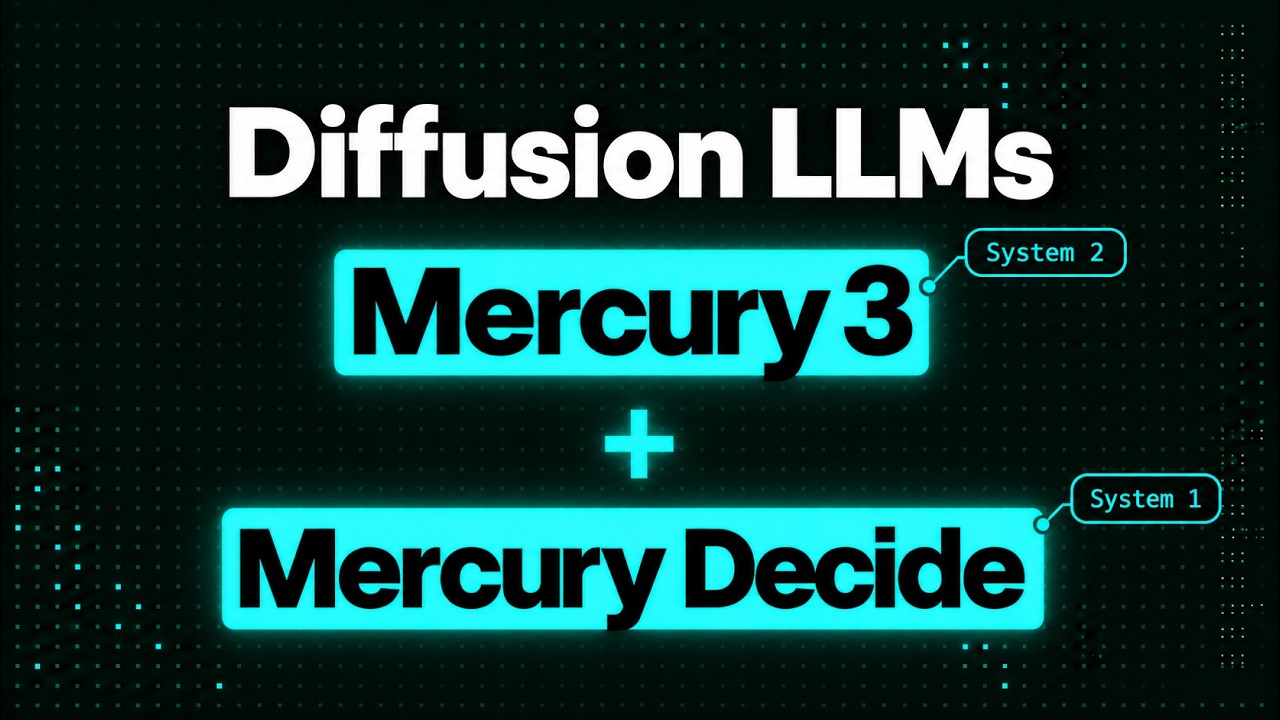
Mercury 3, Inception's diffusion-based LLM, generates text at over 1,000 tokens per second while benchmarking at the same level as GPT-6 Luna and Claude Haiku 5.5, which is the strongest sign yet that diffusion language models can scale without the usual intelligence trade-off. The companion model Mercury Decide does image and text classification with confidence scores in about 0.16 seconds per judgment. Together they make a credible case for diffusion across agentic and high-volume workloads.
Key points
Inception reports Mercury 3 generates 1,068 tokens per second on Nvidia Blackwell, roughly 8x faster than GPT-6 Luna and 4.5x faster than Claude Haiku 5.5.
On Inception's benchmarks, Mercury 3 competes with GPT-6 Luna and Claude Haiku 5.5, with strengths in reasoning, instruction following, and search.
On Vala's AI eval, Mercury Decide scored about 87% on a legal benchmark versus 74% for Jev.
According to Vala's measurements, Mercury Decide returns confidence-scored judgments in a median of 0.16 seconds per single judgment.
Mercury 3 supports a 1 million token context window, tool calling, structured outputs, and an OpenAI-compatible API.
Tools mentioned
Techniques
- diffusion language modeling with parallel masked-draft refinement
- autoregressive token-by-token decoding
- decision models with confidence scores
- system 1 / system 2 pipeline combining decision and thinking models
- vision-based checks for image inputs
Stop scrolling. Start reading smarter.
Receive the day's most important AI & engineering updates in one concise email. No spam.
Transcript (captions)
Okay, so most of the big AI labs are racing in one direction and that's that they're fully focused on intelligence. Every new release is about topping some other benchmark. And really when it
comes to speed, that's not their main concern at all. And for a long time that's basically just been the story with auto regressive models, right? You're predicting one token at a time.
Well, diffusion language models have been the exception here. They've always been much quicker than normal LLMs, but for a long time they came with a trade-off. They just didn't perform as
well. You could kind of think of them as the fast little model that you could use for auto complete, but not the model that you could hand a real agent task to. Well, I've got to say with Mercury 3
and Mercury decide, that's all changed. Mercury 3 itself runs at over a thousand tokens a second and on Inception's benchmarks, it sits in the same range as GPT-6 Luna and Claude Haiku 5.5. So,
you're not having to give up all your intelligence just to get speed anymore. And Mercury 3 is not the only thing that they've been working on. Alongside that, there's Mercury decide, which is their
take on a Jeb style decision model. And as I'm recording this, it's currently free on OpenRouter. Now, when Inception reached out to me to give me access to this early model and sponsor the video,
I was really curious to see just how far diffusion models have actually come for LLMs. So, in this video I'm going to go through the two models. We'll look at benchmarks, both some from Inception,
but also some third-party ones and I'm going to show you some tests that I've run myself and actually see where diffusion language models are these days. Okay, so if you don't know
anything about diffusion LLMs, let me explain a little bit about them. So, how are they actually different? Well, most LLMs are auto regressive. You can kind of think of that as them writing like a
typewriter, one token, then the next, then the next and every single token costs a full pass through the model. That's why decoding speed is so important. The diffusion on the other
hand works much more like an editor. They start with a rough masked out draft of the whole response, and then they refine lots of tokens in parallel over a handful of passes. So, each pass does
more useful work. And because inference is limited mostly by memory bandwidth, not compute, getting lots of tokens out of each pass is where the speed up actually comes from. And if the idea of
diffusion sounds familiar, it should, right? It's the same basic idea behind most of the image and video generators that are out there now. And I'm going to point out that's why it's no coincidence
that Inception CEO Stefano Ermon is one of the co-inventors of some of the key diffusion methods behind modern image and video generation. And the founding team at Inception have worked on
techniques like this for quite a long time now, and many others that we use like DPO, flash attention, etc. So, this team is clearly a bunch of people who got diffusion early. And they've really
been working hard for a while now to prove that this can work just as well for text, not just images. And so, the big question with diffusion LLMs has always been, do they scale? Back at ICML
in 2024, I attended Sander Dieleman's diffusion circle, and specifically asked him at the time about this. Did it look like diffusion was going to take over LLMs just like it had done with image
generation and video generation, and even things like music generation. And at the time then, it really was an open question. No one had been really able to show that
these things could actually scale up to sizes where they became very strong language models. Now, Inception are really the ones who've shown that this can scale. And it's pretty cool that a
reasonably small startup is actually doing this. So, back at the start, they started with Mercury 1. They showed how you could build a commercial diffusion model. And if you look at this chart, it
really just shows what's happened since. From Mercury 1 Mini to Mercury 3, they've scaled total parameters by more than 40 X, and their intelligence average has gone up by 3 X. Now, the bit
I find interesting is the jump from Mercury 2 to 2.5 was roughly the same size model. So, it seems like that gain came from training, not scale. But then from 2.5 to 3, they've really scaled up
to a much bigger model here. So, both levers seem to be working for diffusion, which is exactly what we want to see if we're going to see this take off. Don't forget we're talking about a startup
that doesn't have anywhere near the funds of the big players like OpenAI and Anthropic, et cetera. Okay, so how does Mercury 3 compare to models in its class? This is against basically GPT-6
Luna, Claude Haiku 5.5. Where it's strong is in reasoning, instruction following, and search. It's doing very well on GPQA Diamond there. In fact, you can see that it's doing well on many of
these benchmarks, including the Aether search benchmarks. While it's not at Opus 5.5 level for Aether coding, it's still well-suited for medium-level tasks and as a default model for coding
sub-agents. And that whole idea of basically having like swarms of agents is really suited to this model. When you've got something so fast like this, you can deploy it for a whole bunch of
different ideas like recursive self-improvement loops, understanding large code bases, and anything we've got a really large amount of data that you want multiple sub-agents to go across
and interpret that data. And if you're building something like a search agent or a support bot, where following instructions really matters and speed matters, Mercury 3 is looking really
strong here. Now, that's just comparing the intelligence benchmarks. If we start to look at speed, then Inception's numbers really take off. So, Mercury 3 can get 1,068 tokens a second on Nvidia
Blackwell. If you can compare that to those other models, that's about eight times what Luna gets, and even 4.5 what Claude Haiku is getting. And as you'll see in the demo that I showed, this
thing just flies at being able to generate text out. And you also have the ability to turn the reasoning effort up and down. And you'll see just how quick that I can actually can make answers
coming back. All right. So, where does this actually matter? So, Inception have a few early customers sharing numbers. The one I like was Octane, who do search on smart glasses. Their search was
taking about 80 milliseconds. So, the model was the bottleneck there. With Mercury 3, the generation time is 0.9 seconds. And you can imagine on smart glasses, anything that's going to take
just a few seconds is suddenly going to make people think that something is broken there. Now, the price for this at launch is going to be 10 cents in and 35 cents out per million tokens. It was
actually 50% off. So, it's going to be interesting to see how long they run that. So, longer term, it may be a little bit more expensive than Luna or Haiku. But, you've still got the
advantage of things like cached inputs being 90% off. And if your agent resends the same context every step, that's going to [clears throat] really add up. So, the idea is you're paying for speed
here, not saving on tokens. Another example that they talked about was Tiny Fish, who build web agents. And in their blog post, they talked about other examples of people basically being able
to do a lot more just because the model is so much faster. And the cool thing here is that this is fully OpenAI compatible, so switching is basically just changing a base URL change. It
supports tool calling, it supports structured outputs, and they even support a context window of a million tokens, up from 260K in their last model. And it's great to see also that
they've made this very easy for people to try out. Not only is it available on their own API, it's on Open Router, Base Ten, and Vercel. Okay, so Mercury 3 is the thinking model. It's the system two
side of things. But, as I've been talking about on the channel for quite a while, a lot of things you want a really quick system one kind of decision. That's the whole sort of thing like
agents just needing really quick calls. Is this a billing ticket? Is an agent stuck? Did a page actually load? And I've talked about it quite a lot on the channel. That's what decision models are
for. These models don't generate any text at all. You give them some state and a question, and they give you back an answer and a probability in one call. So, here's where Mercury Decide fits in.
It's a diffusion decision model. You pass in a state, and the cool thing about this is that can both be text, but it can also be images as well. You pass in a set of typed questions, and then
the model will process all of that and return its answer in a fraction of a second. So, how good is it? So, rather than just take Inception's word for it, let's look at some of the independent
evals for this one. Vala's AI ran it through the same tests they used on Jev. On claim verifications, it was already matching Jev. On legal bench, Mercury Decide is clearly ahead, scoring around
87% versus 74%. And here's the cool thing, it costs about a quarter of what Jev does. And there's a free version that you can try on Open Router as well. On Artificial Analysis Decision Index,
this model is third on not hallucinating at 32%. And like I've talked about in the other videos about decision models, it really matters when you want a model that says it's not sure instead of just
guessing. And then on speed, Vala's measured a median of about 0.16 seconds for a single judgment and 0.4 seconds for 64 judgments. So, clearly a super use case with this is where you're
passing in one context and asking lots of questions about that at the same time. Now, the new thing with the latest release of Mercury Decide is Vision. And I really think that this is a pattern a
lot more agents are going to use. Cheap System 1 checks wrapped around a single System 2 call. You save the expensive thinking for the parts that need it, and you get a confidence score at every step
that you can use to escalate to a human if you need it. Okay, so jumping into the demo here, I put together a little app for testing this out, and I'm going to show you a number of different things
in here that I think are really cool with this testing suite and with my normal testing suite. So, first off, if you've never actually used a diffusion LLM, you're probably going to get a sort
of shock at one, how quick it is, but two, also just how it actually does the tokens. So, let's look at this. I'm going to ask it to explain how diffusion language models differ from
autoregressive ones. So, you'll see that it's going to take a bit to kick off. I've got some settings over here, but you can see very quickly look at it going, and you'll notice also as it goes
through, it's already finished. Okay, what we can do here is I've put in a feature to replay it and slow it back down. If I come in here and replay this, you
can see I've got it step back, so we can see what actually happened at each frame as we go along here. And you can see that it gradually sort of fixes things up as
it goes through. Works out different tokens, like, okay, how the different tokens should come together. And it's very different than just sort of like a standard LLM, right? In fact,
I can scroll through this manually, so we can just slow it down and look at it, right? So, with a normal autoregressive LLM, once it's committed to a token, it can't really go back and change that.
Now, there've been some papers that have tried different ways of backtracking and stuff like that, but fundamentally, it's doing it step by step. Here, you can see it starts to sort of plot out like a few
different paragraphs, and then it goes through and actually sort of refine this. So, we can see that as it's going along, it's working out what should be at that start there. And so, it had when
we go back here, it had at there, but it's still and it's got auto something SU, but as we go through the frames, it starts to basically put it all together. And sure enough, it then assembles whole
sorts of paragraphs and eventually gets through and gets right to the end where it's assembled the whole response here. And you'll see that the response reads perfectly, right? There's nothing
unusual about the text that the diffusion LLM makes. It's just how it makes it is fundamentally different. So, this is one of the first things that is really cool to actually see here is just
the speed of how this happens. And you can see there, that was so quick. Let me just run that again so you can see it. I'm not speeding anything up here. I'm just showing you the actual
speed, right? It takes a little bit of time for the first tokens to come in, although it's so quick, I don't even get a chance to say that. But fundamentally then, it assembles it all and it's done
very quickly in there. So, this is the advantage of diffusion, right? And you'll see if I give it one of my standard prompts about writing a 5,000-word essay,
this is still going to take it a little bit of time. It's 5,000 words and you can see the time to first token there is taking a little bit to get going. But as it goes through, it basically puts all
of this together and gives us out. And if I speed up down here, we can see it's still assembling the end of the document. So, it's going through in chunks, putting it together.
But this model is actually very good at being able to put the whole thing together. So, in my test so far, I don't find it doing the things that a lot of the open models do of where they only
write half [snorts] of the essay or they prompt it to oh, if I was going to continue, I would get to this and this and this kind of thing. So, that's one of the interesting things here. And you
can see if I come in and actually paste that output in here, it's 4,200 words. So, that's certainly a lot better than a lot of the models are producing out. All right, if we come across to my normal
sort of testing ground here, we can try it out also on things like the standard agentic tool calling stuff. And you'll see that look, it's just going through it all so quickly that there are 10
tests in here and often it would take quite a long time for an autoregressive model to do this and I actually sort of pause it usually. I'm not getting a chance to pause it here. It's gone
through, got 10 out of 10, done really nicely on them, no sort of overthinking that we see on some of them in there. If I come down and give it the sort of pro ones, again, the speed of the responses
is really good here. So, this is doing really well and this is one of the things that we saw even some of the meta models having issues with some of the things in here. But, I'm going to let
that go through. It's gone through and it's basically passed all eight of them perfectly, right? So, this is one of the cool things about this model, right? That it can do all those kinds of
things. And for things like rag, a really nice job. You can see it's gone through very quickly doing 4,000 tokens, going through there to basically get the right answers. It was doing input to be
able to extract things out. So, that one's Mercury 3, which is their system two model, right? That's basically where all the intelligence is, where it's doing a lot of thinking, reasoning, that
kind of thing. If we change over to Mercury Decide, we've now got the system one model. And this is basically where you've got all your gem style decision model things going on in here. So, we
can run things like a support ticket through this. And you'll see the crazy thing here is literally I'm almost just pressing it and it's giving me the answer back so
quickly. So, I will basically let it go. And you can see okay, there it's gone through. It's basically done the classifications on this test. We've got the normals, we've got the choices,
we've got a score in here. And the model's done really well there. We can also see the confidence scores for things like choice and for things like the score and stuff in there. If we want
to see actually what got sent in there, we can see that's just a standard API for a decision model. And then our raw response back is just giving us the probabilities. Again, the
standard for a decision model in here. Now, the cool thing about Mercury Decide is not only we can we do all of that with text, right? We can also do it with images. If I take a screenshot of this
UI and basically I'm setting it to actually do a UI screenshot, this is going to be the screenshot of a page after a user has clicked pay. And then we're going to see does it have an
error? Does it look like the payment went through, etc. And you can see the response back there was super quick. And in many ways, this is basically showing that's our image there, which is
actually just a screenshot of this UI. So, really there's not a lot related to payments or anything like that there. All right, if we try and do something like an image check. This is a really
good example, I think, of how people could use this. So, what I've done here is I've used an image generator to make up some catalog pictures that would go on like an e-commerce site or something
like that. Each of them is the same kind of outfit. One is with a male, one is with a female, one is with no human at all. And you can see the questions I'm asking in here. I've got a whole bunch
of different questions in there. I'm asking it about like is there a human in there? Is it safe for work? A photo, a screenshot? What's the quality and stuff like that? Let's just run it and see how
it goes. And you can see already it's done. I don't even need to pause or anything with this. So that was the photo, right? It's a guy in an outfit there. Has a
person, 100% yes. Safe for work, 99.8% yes. Kind equals photo. Person equals man. And then quality it's giving us 3.7 there. Let me swap out this image. So now I've got basically the same
outfit but a woman in there. Let's see how this one goes. And you can see pretty much everything else stayed the same. The only thing that changed was a woman, right? And
that was quite deliberate. Like we want to have the same sort of look in here. We're just changing one little thing in the actual image, but the model's able to detect that and detect it really
well. Let me try a last one where we've got the outfit, right? The same outfit that those two people were wearing, but now there's no human actually wearing this.
Let me run it. And you can see sure enough it's basically has person is 0%. Still safe for work, in fact slightly more safe. And then person no human in there. So
this ability to do these decisions really quickly really benefits from something like diffusion, right? You've got that really fast response time. You've got the ability to ask lots of
different questions and stuff in here. Even in their benchmarks, when you ask sort of 64 questions, it's not really slowing the whole process down too much. It's still extremely quick with its
responses. So just to wrap up the demo, the thing I would say is if you've never played with diffusion language models before, it's a lot of fun. I got to say it really is just fun to see how quick
these things work. And I find it interesting how they're putting their whole sort of ideas together in a very different way than auto-regressive models. All right, so one cool thing
that you can do is put these together. So this is an example of a pipeline that's using both Mercury Decide and Mercury 3 in here. So you can see that we've got some kind of ticket going in.
And what it's going to do is basically do a bunch of classifications, go through, ask a bunch of questions. Then it's going to use the system two model, Mercury 3, to actually draft a response.
So let's run this, and you'll see that it is actually spending the triage time of doing the decider stuff, then it's got the Mercury 3 running, and then it's got more checking at the end. So for
this, it worked out that it was billing related. It worked out that it needed immediate attention. It needs a reply. It's a refund request. And then the Mercury 3 came in with that information,
was able to basically draft a reply very quickly, and then we can then check it again with the decision model just to make sure did we do anything like over-promise? Is there anything that's
sort of not in there? What is the tone like? That kind of thing. So you can see that in this case, we've basically got it where we got a flat-back acceptable to a bit of a warm response back. And in
literally a couple of seconds here, we've had the whole thing be processed, checked, classified, all these sorts of things in a really fast time. All right, so where do these actually fit? Well,
Mercury 3 makes most sense anywhere latency compounds. So agents, voice, search, tutoring, all those kinds of things, this is going to be a really useful model. Mercury decide on the
other hand makes sense for high volume checks. So, anything like moderation, routing, and then especially anything where you can use the confidence score to escalate the uncertain cases. Both
models are currently on launch pricing right now, so definitely worth checking out. And I think in closing, really what Inception has done here is that they show that diffusion does seem to scale
for LLMs. Anyway, let me know in the comments if you've actually tried out these diffusion language models. If you haven't, I really suggest trying Mercury 3 out and just seeing how well, and more
importantly how quickly it can actually work for your use cases. As always, if you found the video useful, please click like and subscribe, and I will talk to you in the next video. Bye for now.