Enjoying this issue?
Get tomorrow's AI & engineering digest in your inbox — hand-picked, summarized, and always spam-free.
TLDR
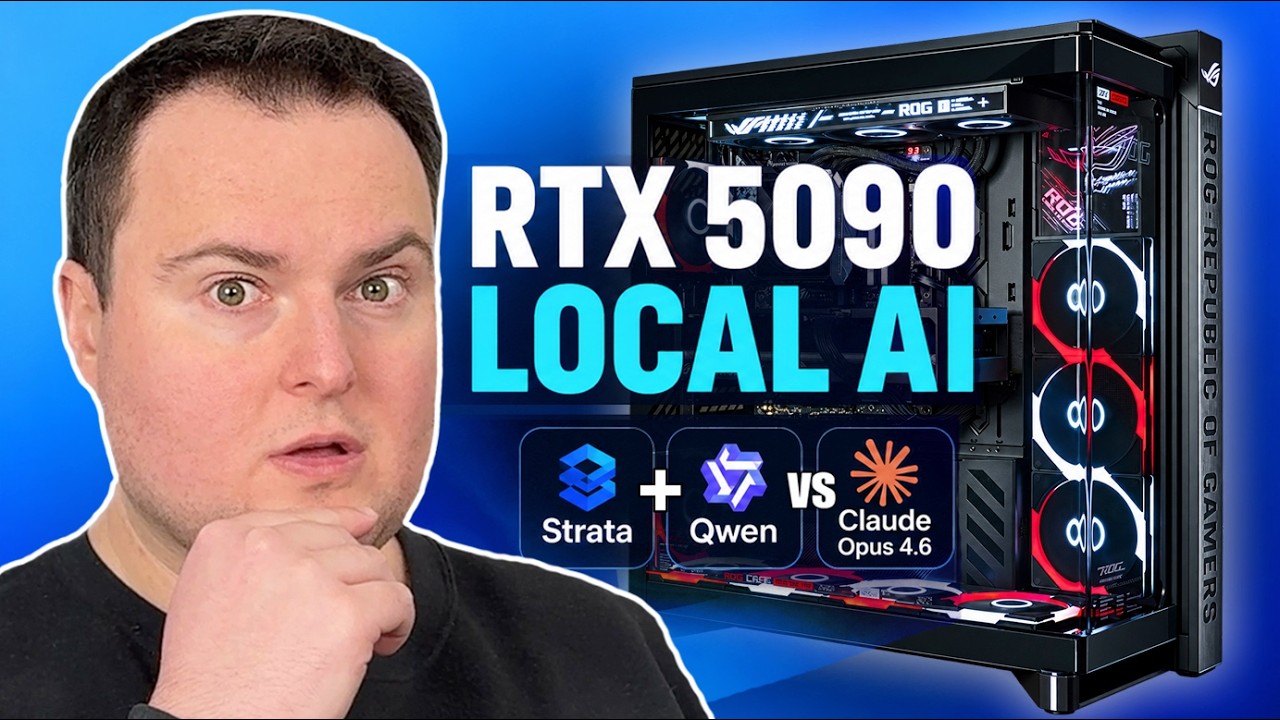
A locally run Qwen 3.8 Flash Next, quantized to 3 bits and run through Strata on an RTX 5090 build, beat Claude Opus 4.6 at building an F1 racing game. It ran at roughly 170 tokens per second with no cloud connection. Opus 4.6, a frontier model from eight months earlier, ran on medium reasoning and produced the weaker result at roughly $4.50 in API fees. The comparison is informal and single, but it supports the presenter's core claim that capable local models are now closing in on frontier results from about a year ago.
Key points
Qwen 3.8 27B at Q4KM built a playable F1 racing game, roughly 95% autonomously.
Strata runs the 125B-parameter Qwen 3.8 Flash Next across GPU memory, system RAM, and disk.
On the 5090 test system the Strata model sustained roughly 160 to 170 tokens per second.
On the same game task, Strata's Qwen 3.8 Flash Next beat Claude Opus 4.6 in a single comparison.
The Strata model autonomously tested its game and fixed a car-selection and a tire-rotation bug.
Tools mentioned
Techniques
- Q4KM 4-bit quantization
- IQ3S 3-bit quantization
- Mixture-of-experts architecture
- Inference spread across GPU VRAM, system RAM, and disk
- Autonomous testing and self-correction by the model
Stop scrolling. Start reading smarter.
Receive the day's most important AI & engineering updates in one concise email. No spam.
Transcript (captions)
kind of mess around with some That was a sick move. Some local AI B- ruler. Those are pretty awesome. I do personally like stuff like that. Today, we're going to be messing around with some local AI
models. But first, we're going to take a look at what specific machine we're going to be doing this on. So, I am fortunate enough to have some influencer status in the case where ASUS has sent
me a pretty cool beefy system, which you may be able to see behind me, and told me to just go wild testing some local AI. So the angle I'd like to take with this is essentially to what degree are
models that can be run locally reasonably actually able to compete with cloud powerful state-of-the-art closed source models. For today's video, we're going to of course be testing probably
the best balance to performance ratio currently in the form of Quen 3.827B running here in Deep Seek Harness at a Q4KM quantization. Additionally to that, we're going to be looking at something
that a lot of folks have been discussing very eagerly lately, and that is Strata. Something that allows us to run Quen 3.8 Next, the Flash variant of it, or if you're familiar with it, it's a big
mixture of experts model, a preview of the Quen 4 architecture. And Strata allows it to run very, very quickly on systems that do not have enough GPU memory to fit the entirety of the model
in their GPU. We can see right here running at around 170 tokens per second for Quen 3.8. Next is pretty exciting. And we're going to take some look at this and play with it as well. Now,
before we get into it, a couple of things. So, first off, thank you to ASUS for supporting the channel and sending over that hardware. And the thing that I do want to mention right here, if we go
back here and then click pause, they're doing a giveaway right now. The link will be in the description and the pin comment for this. And essentially, it's cool because this specific system right
here I just built. So, that's kind of fun. And we can see it's over there behind me. Although I'll probably change it to all blue LED colors as I do prefer a bluish purple hue kind of like this.
So this link will be in the description and the pin comment as well. And you can perhaps win something like this which I can attest would be pretty cool. But you need to be strong to lift this thing.
It's a beast. So with that, um, our next step is probably just to get into the PC build and then we'll get into some local AI testing. All right. So, I don't want to put music over this build because,
you know, I just sometimes don't like that. So, I'm just going to do a nice casual voice over. I do have to say the thing that probably stood out to me the most, which may be kind of a dumb thing
to point out, is the packaging for this system. Especially like the way it came in a little labeled bag. Also, the PSU did as well as the case. This thing is absolutely a beast. And I have to say,
I'm not always a huge fan of the cases where the front and side are glass. This one for some reason does not bother me. And you might be thinking like, "Oh, it's because they sent it to you." I
really don't think that's the case. Get it? But also, it's just like I actually really like the way this thing looks. And I am a fan of RGBs and stuff like that. But I am ultimately going to want
to just change it to be entirely like a bluish or purple hue as I do tend to like that color palette. But this was a really fun build. and the little GPU that came with the big GPU box as well
as that PCB ruler. Those are pretty awesome. I do personally like stuff like that. So, yeah, this was a very, very fun build and I took my time on it because I didn't want to rush it as I
really was enjoying myself while putting this together. So, the first thing we're going to do is see how far we can push a Q4 quantization of Quen 3.827B a 27B at
making a game using Blender and GDAU. This specific prompt, we're tasking it with making us a simple F1 style racing game with the following static elements. A simple track with some details,
ability to select your car and driver, at least six AI opponents to race against, a POV camera, so you can just see yourself holding the wheel, as well as a thirdp person chase camera, sound
effects, and a fun experience. So, we'll see how this performs. Keeping in mind, this is a model that currently is not even using the entirety of this VRAM on this card, which is 32 gigs. The
downloaded file size for this specific model is somewhere in the neighborhood of 17 to 18 GB. And we have the full cache allocated here. So, the context length is set to the maximum of 262K and
change. meaning that a lot of the additional allocation over around like 18 GB of file size or VRAM is just for context length. So if you were to shrink that to 32K, you could get this model
fitting on a card that is smaller than 32 gig. So you could fit it on a 24 gig card likely with a much smaller context length just to give some reference point for what hardware this is actually able
to be run on. Now, we can see, of course, we're using a 5090, the Rag Astral, which is a pretty beefy card, and I'll put in something right here to refer to that.
So, we're going to start out here with a simple test of my ability to make sure the context limit is not set arbitrarily low. And now that that has been remedied, let's take a quick peek at the
hardware that's actually running this right now. And in the top right, we see that I have NVTOP open, which is a GPU monitoring tool for Linux. And it just shows us the resource utilization on the
card right now. This is an ASUS ROG Astral 5090 as we saw when we were building the system. And I have not power limited it. So it's basically pulling close to 600 watts right now.
Additionally to that, for a model with this architecture, which is a dense model, having a high memory bandwidth, which this card has, any 5090 or other Blackwell cards have very good memory
bandwidth, will allow a model like this to be very, very speedy. as opposed to systems, even something like the DGX Spark has a significantly lower memory bandwidth, so it can fit this model in
and run it, but the token speed will be significantly slower. All right, so we have a game result right here. Now, this has been working for quite a long time, and I had to give it a little bit of
assistance just with a more intelligent model. However, that's something we're actually going to touch on probably after taking a look at this. I've not seen anything beyond this menu screen,
but let's just see. Okay, cool. So, this is our pick a driver. And interesting, the drivers have specific speed values. Okay, I think I'm gonna just ah high speed, low
acceleration. I'll probably go with this because it has the most acceleration. All right, now we should Okay, we should have been able to select a car, I think. But
all right, this is definitely it's a lot simpler than I would expect. However, again, we do need to remember that this is a 4-bit quant of a local model, something that is probably sooner
than later also going to be superseded by the Quen 4 family of models. So, I mean, and it's funny because this is something that probably a year ago would have been a Frontier level result, like
a state-of-the-art cloud model, closed source proprietary. A year ago, this would have been like a hu that's pretty good. It used Blender to create the assets. It used GDAU to actually build
the game. There does seem to be a functional mini map, a functional lap counter. And additionally to that, the AI opponents are actually moving. So, it's honestly
Oh, a cinematic camera. No, I think that was just a transition between the POV and also that now I would find that perhaps 85 km per hour is maybe a bit slower than a Formula 1 car probably
goes. However, we are catching up to the pack here. And the whole point really is to just kind of mess around with some That was a sick move. some local AI and see
what we can get. All right. Well, that was quite something. We can return to the menu here. So, that result right there was probably 95% completed by this model.
There were a few instances where just in watching its chain of thought, I realized, okay, it's probably a bit more confused here than it's going to be able to get itself out of. and then I would
implement a Frontier model like GPT61 or something like that to basically give a little bit of guidance. However, the whole point is this model can offload at least a subset of work. And again, this
is not going to replace a Frontier cloud model as it currently sits. The capability gap is very vast, and I don't want to mislead folks in thinking that this model right here could completely
replace a cloud frontier state-of-the-art model. But the whole point is that this is a model that probably would have been giving state-of-the-art results from a year
back when considering those models were significantly larger, very expensive to use. And this showcases that local open models like this are progressing in capability, even if they lag behind what
the absolute top tier models are able to do right now. The fact remains that you can pop this on a local system. I could unplug this thing from the network forever, and still be able to play with
this and have it perform actions on my system. So, local AI is definitely getting much better. And this is a pretty heavy, it's a 4-bit quant of a dense local model. So, this is something
that can fit on a single GPU and still properly use Blender and GDAU and make a game. The next thing we're going to be taking a look at is something that's been getting a large amount of attention
in the local AI sphere, and that is this GitHub repository right here called Strata. So, the whole point of this is that you can run, as it mentions, a 125 billion parameter AI model. In this
case, this is the Quen 3.8 8 flash next model on a gaming PC or general PC that has a gaming GPU without needing to worry if the model will fit within the GPU's VRAM. So basically because of the
model that this is using Quen 3.8 Flash Next as well as its architecture. This allows it to run on a system with utilizing a lot of system RAM instead of the GPU. Even also utilizing the disc
because this is the future architecture for the Quen 4 family of models. It's pretty exciting and very promising to see things like Strata because one of the biggest takeaways from this and the
thing that really is making it very exciting is the speed. People are seeing really impressive speeds with this model using Strata on their local systems. And additionally to the high speed, it
allows you to run, they show right here, if you have a 12 gig GPU and 64 gigs of system RAM, you can run this at a pretty darn good speed. Now, this model again, it's a weird architecture and something
that is kind of newer, so it's harder to explain in a casual video like this, but the cool thing about it is it can take advantage of both the GPU, the system, CPU, RAM, and then a third thing is the
actual disc as well. And this chart, albeit a simplification, I'm sure, of all of the technical things that have gone into this, just showcases how this is going to utilize pretty much every
component of the system that we're going to be running it on. Now, you may have seen my Quen 3.8 8 flash next video where I ran this both on just using the cloud to see its absolute maximum
performance and then as well in a 4-bit quantization and it was still very very capable even at a 4-bit quant. The specific variation of this we're going to be using here today is the bottom one
in this table, the IQ3S because we have a 32 gig GPU and additionally to that we have 64 gigs of system RAM bringing us to 96 gigs of memory and that fits this cell right here. And for those
interested, there is also a more intricate how does it work file here in the GitHub repository. And there's also, I believe, some linked papers and things like that that would give more technical
insight into this. However, the main area of interest today is actually playing with this. Now, I've already tested this. I had it make a simple BMX game and it was um a little concerning
because it spawned us in midair and then each time we would just fall and hit the I should probably just show you. So this was what it had made where we start in midair and then fall towards the ground.
But in the meantime, you can see it made some fairly detailed bicycle wheels and spokes and things and then it just respawns us in midair and then we fall again. So that was a little
uncomfortable, but the whole point here is strata is darn cool and we're going to run it now and play with it and see how it performs on that same exact task that the Q4KM of the Quen 3.827B an 827B
model did because this is a 3bit quant instead. So, a little more heavily quantized. However, it's a totally different model. And the biggest thing we're going to see here as well is the
speed. So, that BMX run was coming in at around 170 tokens per second, which is quite speedy. So, I want to see what we get over the course of that game test. So, I've removed the entirety of the
previous Quen 27B result, and we're sending the same exact prompt here now to the Strata Quen 3.8 flash. Next. I always get the like the wording. Yeah. Okay. Good. Flash. Next. And we're going
to see out the gate right here. It is thinking and the speed is very, very, very, very fast. For now, if we move this slightly down, we're going to get a read on the current tokens per second
right there in the top right. All right. So, our strata result has finished. And we can just see initially from the splash screen right here. This is shaping up to be a more impressive
result. We even have the little car moving around here. There's some background SVG looking animations. So, let's select our driver and car. Okay.
Right as I was saying, like, hey, this is awesome. We definitely are going to notice a bit of a problem here. Okay. So, this is h it's frustrating because we're seeing some pretty bullish things
right here. Now, when we went to select a car and a driver, unfortunately, it was like just a blue screen. This is the Blender scene, and I just opened this to see what was actually created. The fact
is this created this scene from scratch here in Blender again using strata at that threebit quant. So this is a fairly aggressive quant of this model. This really I would say did a nice job. And
if we go back to look at where the vehicle was at the start like box or whatever you want to call that there. That's a honestly that's a fairly acceptable model for a Formula 1 car.
It's got some like modern takes on it, like the halo to protect the driver. That's something that was added more recently than not. Even the trees, there are some billboards. There's a larger
place right here where like announcers and stuff could stand. There's a pit lane, a proper pit lane actually, and there are grandstands, although it seems like the grandstands would not a lot of
people there to view them. But ignoring that, this is definitely going to be a more impressive result. So, I'm just telling it that I only see a light blue screen when the driver and car
selection is pressed. So, this is going to have to reload it. And just one of the ways this works right now is a bit simpler. So, this isn't like a full agentic coding tool here, but it has
enough understanding to look at what it previously did and then it will try to fix this. Again, our speed right here is massive. 165 tokens per second or so. wasn't 100%. Oh, good. See that? It just
opened it right there and we saw our first look at the car selection screen and it looked pretty good. So, now it's autonomously doing this. I'm not actually doing
anything. So, it's just trying to reproduce the user's path which caused the failure point. It's still autonomously testing this, but I just wanted to check real quick. That is
really a significant significant improvement over what we saw with the Q4 quit. Okay. Well, aside from mistakenly speaking, prior to when I should have,
and keep in mind, it may like flash things on the screen right here because it's actually still going and trying to fix the issue that we had, which it did fix. I mean, look at this. For a model
that's running at, it's still running right now. We see it in the top right at around 160 tokens per second on this system. That's really quite impressive. That work is really cool. And this
something right here I believe would give a Frontier model from about a year ago a run for its money in terms of this as an overall result. Something running completely locally. I had planned to
perhaps showcase using a Frontier model to augment this result and just make it a little better, fix things like the way the wheels seem to be moving around along the wrong axis. But I don't
necessarily know that we even need to do that because this could probably fix that itself. But additionally, it's like and we even the different camera views. That's really that's just cool. And it's
like a behind the cockpit camera. Aside from the tires just rotating along the wrong axis, this is really really good. I want to stop it and tell it it's fixed now, but the tires need to be fixed. and
we'll see if it's able to fix that, which I would imagine it will be. All right, so it's relaunched the project right here, and it's probably going to try some autonomous testing, but for the
time being, we can quickly take a look and see if it did fix the tire issue. Yep, it did. And we see the steering works. Now, one other issue I'm noticing is the steering is inverted. So, left
goes right and right goes left. However, we definitely have some improvement here. Let's take a look at this now for real. I'll keep Blender open so it makes me
feel like I had a part in this. Ferrari, McLaren, Ferrari, McLaren. And it's even used real names of F1 drivers. So, it has that knowledge just inside of it, which is interesting. Difficulty, easy,
race distance, three laps is fine. All right. And we have the mini map. The mini map itself, like the track is weirdly messed up. However, the little cars are denoted
by colored dots. All right. And I set it to easy difficulty cuz every car just went off the track on that corner. And it's even giving like race announcer
things popping up on screen. All right, checkered flag. And we see the insides of some of the buildings. I think it's going to have to wait for all of the cars to finish before Good race result.
That was pretty good. Now, here's what I want to do. I want to compare what a model that was Frontier about a year ago would have done for the same exact test with what this is. Now, to do that, I'm
actually going to need to pay probably fairly decent prices. I'm going to just run something through Open Router and probably the PI coding agent. We're going to give the Frontier model the
exact same test as this. And let's take a look at how much that costs and how it compares to what we just got from this locally using Strata. Also, for a little more just of a like guide of Strata, it
has some pretty cool things right here just about this specific system. So, we can see we have our 5090 and the Intel Core Ultra 270K and 62 gigs of DDR5 system RAM. Additionally, there's a
monitor dashboard right here that just gives you some insight into what's going on. Perhaps some more technical things like how many experts are in VRAMm. And then we have GPU temp stats, MCP servers
that are connected, and a bunch of other metrics here. This almost reminds me of like the GGX Spark dashboard or something. And it's definitely cool to have here. So next up, we're going to
run this same exact task with Claude Opus 4.6, which starts out by saying this is a big project. Now, I am using this on medium reasoning effort. And you may be thinking right now, Bjan, why are
you using Opus 4.6? It came out as we see right here in February 2026. Now, the reason we're choosing this for comparison is because I think that F1 result we just received is comparable
with what a Frontier model from like a year ago would have produced. This being about 8 months ago, a Frontier model, I think it's close enough and we are going to be running this on medium effort.
Now, the big problem right here is this is $5 per million in and 25 per million out. This is not subsidized. So, we will be paying raw API costs for this model right here. And we're going to see it's
going to cost a decent bit of money to actually get this result replicated. But let's see how well our Strata local result running on this 5090 can stack up to a Frontier model that is only 8
months old. So Opus 4.6 finished this. Keep in mind we did run it on medium reasoning effort so not the absolute highest but it was actually pretty fast and it cost $2. I have to say I was
expecting this to cost a bit more. Now with that we have not yet seen the result that is open right here. Let's just press enter to race. Okay, we definitely see a bit of a difference in
terms of the vehicle selection screen. However, okay. Um, we'll just give it a second as I pressed enter to select the midnight bull car
and it seems like it's just frozen. All right. And this is where the cost will definitely start to add up, I would imagine. All right, it's running this right now and checking the debug output
to see if it's fixed, but same issue. That's a little frustrating. It's interesting because the models have become so much better lately that I think sometimes we take for granted how
much better they are now, even compared to like 8 months ago. Now, it seems as if it found some issue that was causing it. So, we're going to see when it launches it again right now. All right.
So, we can see right now it just opened itself. Oh, okay. Whoops. That was my fault. I was trying to press the forward arrow, but it closed it. I think what the point is here right now, okay, we're
closing in on like $4.5, which is not a huge amount, but it definitely would add up. However, aside from that, this is more in line with what we saw from the Quen 27B Q4KM
result than it is from the Strata Quen 3.8 next result. So, it's really just interesting to see. I mean, this is a Frontier model, state-of-the-art from 8 months ago. It's on medium effort, yes,
but we're also comparing the result to something that was done on a Q3 quant in a inference system that basically is designed to give us max speed and that being strata. So, we're actually stuck
here. It's like there's an invis invisible mesh collider. I'm actually really rather surprised at how bad this is comparatively to what I had anticipated. Opus 4.6 when it came
out felt like an absolute monster leap in capability and it was but it's striking to see how quickly the models have progressed. I mean seriously a local model at a Q3 quant
just put out such a significantly better result than this and for the cost of electricity and of course the system to run it is not a negligible cost but still I mean okay saying now it's done.
I don't quite know what to make of that. I think it's interesting though just to have this reference point. So the final thing we're going to be taking a look at is something that ASUS has. And for
those who do have a compatible ASUS system, this is called Zenicclaw and it's currently in beta and we're going to see a little bit about it right here on screen where they just showcased this
is basically a local AI agent app. And the cool thing about this is you can use local models. So if you have a system like this 5090 behind us, the B system, you can also go ahead and just run a
local model using this agentic system. So nothing will leave your system and it can be kind of local in the theme of what local AI is all about. It can help you do some specific things. So right
here we're going to take a look at it where we have this running a Gemma 426B model and it basically will summarize some notes for us and some productivity work and we can see it's performing the
tool calls and it's doing some other things pertaining to work. But the big takeaway there is of course it's a local agentic thing. Now, if you are familiar with the channel, thank you. And you
probably are very familiar with offerings like this, but it's cool to see another one, especially something that allows you to use a local model. You don't have to patch it or anything
to get that compatibility. It's just out of the box able to do that. And it's cool to see something like this. So, that's going to conclude today's video where basically we got to build a really
sick gaming PC that is also featured here on the giveaway page. So again, there will be a link in the description and a pin comment here so you can enter for a chance to win basically this which
is also that and I can attest it's pretty cool. It is very very beefy and I will say putting this together even just the packaging and stuff like that how it came with the little like
this GPU. It's actually a key cap I think for the enter key but I've just been blowing into it randomly. Um think of that what you will. So, thanks again to ASUS for sponsoring today's video.
This was a lot of fun to play with. This system is absolutely a beast, and I I mean, you'll be seeing it in the background of the videos from now on. So, that's definitely a testament to its
aesthetic nature. Also, I have to say, as a takeaway, the fact that the Quen 3.8 Flash Next running on Strata was actually outperforming the one test we did comparisonwise with Opus 4.6. That's
really quite something. That was a Frontier model eight months ago and we got a local IQ3 quant to actually outperform it using Blender and GDAU. Something I truthfully did not expect to
see to that degree. So, it's just very interesting to see how the capabilities in local AI AI that can realistically run on a system like this is now able to match or exceed the performance of
Frontier models from a year ago. That's quite wild and I'm looking forward to seeing the progression of future upcoming local models as well that will also fit on stuff like this. So, that's
going to conclude today's video. If you have any questions, please feel free to leave them in the comments. Again, thanks to ASUS for supporting the channel and allowing me to continue
putting out videos at rapid pace. And thanks for watching.