Enjoying this issue?
Get tomorrow's AI & engineering digest in your inbox — hand-picked, summarized, and always spam-free.
TLDR
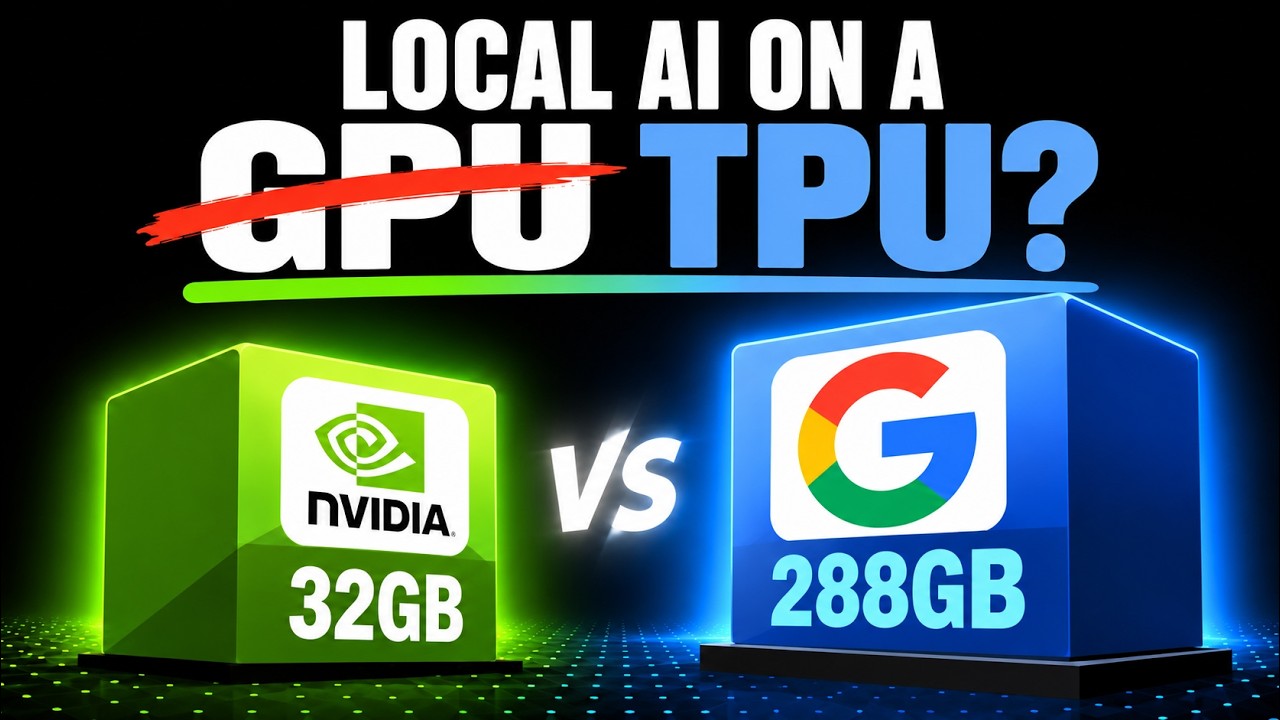
A single user on a Google TPU would actually get fast inference — the TPU's memory bandwidth is high enough that even one passenger on a 300-seat bus beats a gaming card. But the catch is you can't buy one, and you'd be paying for a data-center machine designed to serve hundreds of users at once. For local AI, the practical choice is either a Mac Studio for big models or an RTX 5090 for models that fit in 32 GB.
Key points
A single user on a TPU could theoretically reach ~1000 tokens per second with a 4-bit model.
The RTX 5090 cannot load a 397-billion-parameter model even at 4 bits due to its 32 GB memory limit.
Google's TPU is designed for batching and only becomes compute-bound at around 300 tokens per step.
SemiAnalysis benchmark shows Ironwood TPU at 9,364 tokens per second per chip, but that's across many users.
Torch TPU now lets PyTorch run on Google TPUs via a pip-installable package under Apache 2.0.
Tools mentioned
Techniques
- mixture of experts
- systolic array
- batching
- KV cache
- XLA compilation
Stop scrolling. Start reading smarter.
Receive the day's most important AI & engineering updates in one concise email. No spam.
Transcript (captions)
I started with the semi analysis benchmark where Google's Ironwood TPU edges past Nvidia's B200. My first sum said the model it ran won't even load on an RTX5090.
If you buy hardware for local AI, you'd do that sum, too. Even at 4 bits, that model needs 200 GB or more. By my math, the card holds 32. So, what if you ran local AI on a Google TPU instead?
Straight away, there's a snag. Nothing that Google has published lets a person buy one of its data center TPUs. Google's November 9th post counts nearly a 100 TPU customers, including Frontier
Labs, trading firms, and universities. There's no category for a developer with a nice desk. Still, I wanted to know what you'd be missing. So, I read the benchmark writeup, Google's chip tables,
and Google DeepMind's book on scaling models. Several YouTube titles frame Ironwood as taking on Nvidia, and the benchmark backs part of that. At 20 tokens a second per user, Ironwood
served 9,364 tokens a second per chip, but that's a total across many users at once. And the same report says that across most of the curve, TPUs don't beat Nvidia. Both can
be true. The win came with a crowd on every chip. And on my numbers, a TPU only gets busy with about 300 users at once. By the end, you'll know how fast one person could go, why its real
strength is the part you'd waste, and which spec should decide what you buy. Start with the benchmarks model because it sets every number after this. Quen 3.5 keeps most of its 397 billion
parameters in specialist blocks, a design called a mixture of experts. Each layer has 512 of them. For each token, a word or a piece of one, 10 of a layer's blocks switch on, plus one shared block
that's always on. Count everything a token touches and that's about 17 billion parameters. Two sizes matter here. The whole model has to sit in memory and at a bite per weight that's
about 397 GB. Each new token reads only the active part which works out to about 17 GB at 8 bits or 8 1/2 at 4. Capacity is the first test. Whether the box can hold the whole model. An RTX5090's 32 GB
can't at any common setting. A Mac Studio with Apple's M5 Ultra goes up to 512 GB shared by its CPU and GPU, enough for the full 8-bit version. We'll keep comparing against these two. Speed is
the second test. And the inference chapter of Google DeepMind's book lays out the rule. To write each new token, the chip streams the weights it needs out of memory. For our model, that's
those 17 GB again, every single token. That gives one person a hard ceiling. And it's plain division. Take the memory bandwidth. how many gigabytes the memory can deliver each second and divide it by
the gigabytes each token reads. The math units can be as quick as you like. For one person, they spend most of each token waiting on memory. Try it on the Mac Studio whose memory moves 1.2 tab a
second. Divide one by the other 1200 by7 and the 8bit model tops out around 70 tokens a second. At 4 bits, it's about 140. Those are ceilings and real runs come in lower because the chip reads
more than weights for each token. Now, the TPU, since the report says TPUs mostly don't beat Nvidia on raw performance, I assumed one would feel slow for a single person. Then I read
Google's table for the TPU8i, the inference chip that comes after Ironwood. It has 288 GB of memory stacked right beside the chip called HBM, moving about 8.6 terabytes a
second. Run the same sum. A 4-bit copy of our model fits on one chip and reads about 8 and 12 GB per token. That puts the ceiling near a thousand tokens a second. At eight bits, it needs two
chips. And how the pair splits the work would set the speed. None of the sources measures a single user on a TPU. So that number stays a ceiling. Next to a 5090, call it 9 times the memory and 4.8 times
the bandwidth. The 5090 doesn't usually get to be the small one. So I had it backwards. If the model fits, one person on a TPU would go fast. The catch is what the rest of the chip would be
doing. Meanwhile, physically, Google DeepMind's book describes a TPU as a compute core built for one job, multiplying matrices. At its heart sits a grid, 256 cells on a side, called a
systolic array. Weights and inputs pulse through it in waves, and each cell multiplies and adds as they pass. That grid gets its weights from the HBM right beside it. The AI's onchip memory is 384
megabytes, far too small to keep 17 GB of weights, so they keep coming from HBM. Beyond the chip, the book describes chips sitting forward to a tray wired to an ordinary CPU host over PCI Express.
The cloud hands them out as virtual machines. Each weight that arrives from memory gets used once for every token in the batch. The group of tokens the chip works on in one step. With one user,
there's one token per step, so each expensive read gets used exactly once. The grid finishes in a blink and waits for the next read. Add people, and the same read does more work. With 200
users, one trip to memory feeds 200 tokens. The book puts the tipping point for an older TPU, the V5E, at 240 tokens per step. Below it, memory sets the pace. Above it, the grid is finally the
busy part. That tipping point is peak math speed over memory speed adjusted for the number format. So I worked it out for the newer chips. Ironwood comes out around 310. The AI specs with the
math at four bits give about 290. Round both to 300. That many tokens should share every weight read before the chip earns its keep. I'd expect a mixture of experts like Arquin to need more people
than that since each expert only meets the token sent its way. Batching has a price though. Each user brings a running record of their conversation so far called the KV cache. And it lives in
that same memory. More users means more cache to store and to stream every step. The memory you budgeted for the model slowly fills with other people's chats. Picture the TPU as a bus with about 300
seats. It's built so that one trip to memory carries every rider aboard. Fill it and each rider share of that trip is tiny. Ride it alone and the trip costs the same. While on paper about 1/300th
of its matrix math is busy, your gaming card is the sports car. And here the picture breaks twice. A lone bus rider would normally lose to a sports car, but the AI's memory reads about 4.8 times
faster than the cards. On any model both could hold, the ceiling math says you'd be the only passenger on a 300 seat bus, and you'd still beat the sports car. And the sports car turns out to be a bus as
well. Do the tipping point sum with Nvidia's own AI rating and the RTX 590s math. also sits mostly idle for one person. Alone, chips like these all weight on memory. What the TPU adds is
the price of a vehicle built for 300 people. That's the number from the start. A data center can fill those seats. At your desk, there's one of you. With that, the headline benchmark reads
differently. In semi analysis is run, Quen 3.5 used 8 bit weights, prompts of 8,000 tokens, and replies of a thousand. Ironwood's 9,364 tokens a second per chip came while each
user saw 20. Each chip was carrying a crowd. It's tempting to turn those two numbers into a headcount. I wouldn't. The article reports total tokens without defining total. And it doesn't say how
many chips serve the model. If total includes those long prompts, output is only about a nth of it, which would mean roughly 50 people per chip. Either way, that's a lot of riders. And that per
chip number came from a team of chips. At 8 bits, our model's roughly 397 gigabytes is more than one Ironwood can hold, which makes the figure an average across several. So don't set that 50
against the 300. One is people per chip averaged across the team. The other is tokens sharing a single weight read. Semi analysis's write up doesn't explain how the software spreads each layer's
512 experts across those chips or what the traffic between them costs. The cost win is real, too. At a snappier 100 tokens a second per user, semi analysis models Ironwood at about 18 cents per
million total tokens. The B200 comes in at 22, the B300 at nearly 28. That's their modeled cost of owning the hardware, not a rental price. Those cents are a fair split across many
riders. The same hour of hardware spread over one rider costs far more per token. The report shows the other side, too. With 256 requests in flight, a TPU averaged 5.41 seconds before the first
token. The B200 took 3.75 and the B300 2.4. 5 seconds is long enough to wonder whether you actually pressed enter. Every one of those comparisons is against Nvidia's data center GPUs, not
the card in your PC. So, the headlines have a point about the data center. They're answering a different question from yours. Google already lets customers install TPUs in their own data
centers, which is as close to home as its big TPUs get. Now, suppose Google made an exception and shipped one to you. It wouldn't arrive as a card. Google's April announcement says both
eighth generation chips use liquid cooling with Google's own Axion ARM processors as the host. In the general setup, the scaling book describes the host runs your program and feeds the
chips. The rentable Ironwood shows the scale. Its docs describe a 4chip machine whose host has 224 virtual CPUs and 960 GB of ordinary RAM. Pods grow to 9,216 chips. Four chips is also the smallest
sensible rental that holds our model at 8 bits with over 800 GB between them by my tally. A big TPU at home then means a liquid cooled rack wired to its own server. That's a room you'd have to
build before the chip does anything. Then there's software. A TPU doesn't run CUDA, and I assumed that would be the hardest part. It turned out to be the part that got easier this year. In
April, Google's developer blog described Torch TPU, which plugs into PyTorch as an ordinary device, so your normal tensors live on the TPU. It compiles through Google's XLA compiler instead of
PyTorch's usual one. PyTorch could already reach TPUs through an older project, PyTorch XLA, which Google calls Torch TPU's predecessor. What's new is the native route. The torch TPU repo is
now public under the Apache 2.0 license and it installs with pip. Its readme suggests a Trillium instance, the generation before Ironwood for the examples and doesn't list which TPU
generations it supports. For serving, Google's Ironwood docs list Jax and PyTorch with VLLLM and SG laying on top. In September, semi analysis still called the native VLM stack upcoming. So the
hard part moved. Getting PyTorch onto a TPU is now a package install. Getting a TPU and the room it needs is still the problem. Over a decade which grew faster. The room for a model or the
speed of reading it. Flip back to Google's first TPU which went into service in 2015. Excerpts of Google's hot chip slides say it read its weights from 8 GB of ordinary DDR3 memory at 34
GB a second. Convert that capacity to the decimal gigabytes the 8 eyes table uses and it's about 8 and a half. The chip was rated at 75 watts and it drew 28 just sitting idle, which is a little
on the nose for this video. For scale, reviewers put a Snapdragon X2 Elite laptop chip at 152 GB a second. By a quick division, that laptop chip has about 4 and 1/2 times the bandwidth of
Google's first TPU. Then the generations stack up. The V5E had 16 binary gigabytes of memory at about 820 GB a second. Ironwood has 192 GB at about 7.4 terabytes a second. And the AI's memory
reaches 288 GB at 8.6. My arithmetic from first chip to latest memory grew about 34 times and bandwidth about 250. The model needs room, but every token needs reads and the reads
are what grew most. What the history stops showing is watts. Google's April Deep Dive says the eighth generation chips deliver up to twice the performance per watt of ironwood. So,
you know, each watt does up to twice the work, just not how many watts there are. The latest generation comes as two chips. In April, Sundar Pichi posted the split. A training chip called the 8T and
the inference chip we've been sizing up. Google's November post added a max version that puts two of those inference chips in one package with double the compute and double the bandwidth. The
post doesn't say how much memory that package holds. So, if the TPU stays in the data center, the real choice is what one person can put on a desk. I judge every option by the same two numbers.
How much memory it holds and how fast that memory reads. Nvidia's RTX5090 has the fastest memory in this lineup, about 1.8 8 tab a second per tech power-ups review, but it stops at 32 GB
and it's rated at 575 watts of graphics power with a 1000 watt supply recommended. If your models fit in 32 GB, this is the quickest option here. Our big Quinn doesn't fit. Intel's Arc
Pro B70 matches those 32 GB. Its memory reads 68 GB a second, which I make about a third of the 5090s. On the same model, that's about a third of the speed ceiling. Tentorance Black Hole P150A is
a dedicated AI chip like a TPU and it has an add to cart button. It's $1399 and ships in 2 weeks. After a video's worth of TPUs you can't order. That button feels almost suspicious. Inside
the limit looks familiar. 32 GB at 512 GB a second on 300 W. AMD's Ryzen AI Max Plus 395 takes the capacity route with 128 GB shared between processor and graphics. AMD also published measured
speeds, the only ones in this lineup. The 122 billion parameter sibling of our Quen, a 76 GB file, generated 8.59 tokens a second. The 35 billion version did about 42. In that run though, only
64 GB were open to the graphic side. So 39% of that larger model ran on the CPU. AMD's post doesn't state the memory bandwidth, so there's no ceiling to set beside it. Take 8.59 as what one real
setup did. Spill and all. Apple's Mac Studio with the M5 Ultra is the only home box here that holds our big Quinn at 8 bits. It takes up to 512 GB at 1.2 TB a second. Its ceiling is that 70
tokens a second from earlier. And the whole machine tops out at $480 watts continuous. Now the bill the base machine at a reported $5,499 has 96 GB not enough for this model.
Holding our Quen means a much bigger configuration. Laptop NPS. The AI engines built into the main chip are the trap. The Snapdragon X2 Elite's NPU is rated at 80 trillion operations a
second, and that's the headline figure. By the division rule, extra math can't lift the speed limit because bandwidth sets it. Reviewers put these chips at roughly 152 to 228 GB a second, so no
data center TPU on the desk. There are still three ways to get near one, and renting is the obvious one. A pricing write updated in November cites reports of Google's price list. It puts ironwood
at $12 per chip hour on demand in Iowa and the older V5E at $1.20. Multiply it out and the four chip Ironwood that holds our model cost $48 an hour. Back of envelope, the Max Studios reported
starting price buys about $15 of it. A little under 5 days left running. As for the 8i's rental price, that same writeup just says coming soon. I'd rent one for a specific experiment, like serving a
model to a few teammates for an afternoon. Then watch what batching does to your cost per token. As the box you chat with every day, renting makes far less sense. The free route is Kaggle. A
Google developer post says Kaggle offers an 8 chip V5e machine. Add the chips up and that's 128 GB at about 6 1/2 tab a second combined. That's room for a model the size of the 122 billion sibling at 4
bits, but not for our big Quinn. How much free time you get depends on which page you read. Google's post says 20 hours a month with a 9-hour daily cap. Kaggle's own docs in a search excerpt
say 20 hours a week free hardware with a free puzzle attached. And there's one TPU retailer still list for anyone. Coral's Edge TPU sold as a USB accelerator and on a dev board. Its data
sheets rate it at 4 trillion 8bit operations a second on about 2 watts built for TensorFlow light style models. Coral's data sheets don't say whether it can run a language model. So, this is my
read. An 8-bit chip built for TensorFlow light models isn't where I'd put an LLM. Google's Coral site now points to a newer open- source NPU design instead. That brings back the question from the
start. What should one person buy and which spec decides it? The rule is three lines. Match capacity to the model because if it doesn't fit, nothing else counts. Match bandwidth to the speed you
want since bandwidth divided by the bytes per token is your ceiling. and pay for compute only when many people share it. The last line is the TPU's whole lesson. Its math pays off at about 300
tokens per step and one person feeds it one. Back to the desk we started at. The 5090 still can't load our big Quinn. In theory, one TPU AI's memory holds it at four bits, but there's no published way
to buy one like that, and you'd be paying for seats you can't fill. So, my call, if you're one person who wants models the size of our Quinn, buy capacity first, which in this lineup
means a max studio class machine. If your models fit in 32 GB, the 5090s bandwidth makes it the quickest option here. If you serve a team or run many agents all at once, rent a few hours of
TPU time before buying anything. That's the setup where batching starts paying you back. One question a spec sheet can't settle. What happens to your box when a second person or a swarm of
agents starts sharing it? If you've tried that, tell me what your speeds did.